
Workstation Grimoire
Workstation Grimoire turns your inventory into a portable workshop: press E, open the grimoire, pick one of 16 maiden workstation keepers and craft, smelt, brew or dismantle on the spot. Items stay on each station between visits.
介绍
How it plays
- Press E → click the grimoire icon in your inventory (in Creative, the same icon is drawn inside the creative inventory’s Survival Inventory tab, right of your character).
- The book shows 4 columns × 2 rows, 8 keepers per page — 13 keepers over 2 pages:
- footer
◀ Page n / m ▶paging, with arrows dimmed on the first/last page; - a back button in the top-left corner returns you to your inventory;
←/→to page,Enterto open the hovered keeper,ESCto close, and the last page you viewed is remembered.
- footer
- Click a keeper to open that station; the back button inside the station returns to the book.
16 Workstation Girls
Crafting Table (3×3 Crafting + Recipe Book), Enchanting Table, Anvil, Smithing Table, Brewing Stand, Furnace, Cartography Table, Stonecutter, Grindstone, Loom, Blast Furnace, Smoker, Disassembly Table, Custom Enchanting Table, Enchanted Book Conversion Table, Advanced Enchanting Table.
Highlights
- Items stay on the station. Furnaces, blast furnaces, smokers and brewing stands keep their contents and fuel when closed and keep progressing — persisted in player NBT across relogs, death and dimension changes.
- Dismantling Table = reverse crafting. Insert a crafted item and the server looks up matching recipes, showing item ← arrow ← 3×3 materials; cycle through several recipes, then confirm to consume one batch and get the parts back. The preview is read-only — no duplication.
- Server-authoritative. Opening, crafting, smelting, brewing and dismantling are all validated and settled server-side; the client only renders.
- Portrait card UI with normal / hover / selected states and full-card hitboxes, plus a safe placeholder when a portrait is missing.
- Creative support without a separate screen: the grimoire entry is painted into the vanilla creative inventory’s survival tab.
Configuration
config/workstation_grimoire.properties — intercept_inventory (default true), verbose_logging (default false), ui_scale (0 auto, 1~3 forced).
Custom Enchanting Table & Enchanted Book Conversion Table inspired by: https://www.curseforge.com/minecraft/mc-mods/enchantment-custom-table
Advanced Enchanting Table inspired by:
https://www.curseforge.com/minecraft/mc-mods/enchanting-infuser
Known limitations
- Enchanting always uses a 15-bookshelf level table (surrounding shelves are not scanned);
- Dismantling only matches crafting table recipes (no smelting/brewing reverse);
- Station progress only ticks while the owner is online;
- JEI recipe transfer is not implemented yet.
玩法
- 按 E 打开背包 → 点击右上角的魔典图标(创造模式下,图标画在创造物品栏「生存模式物品栏」页签中角色右侧);
- 进入书页:4 列 × 2 行、每页 8 位,13 位工作站少女共 2 页;
- 底部
◀ 第 n / m 页 ▶翻页,首页/末页箭头自动变暗; - 左上角返回按钮可回到玩家物品栏;
- 支持
←/→翻页、Enter打开悬停角色、ESC关闭,并记住上次停留的页码;
- 底部
- 点击任意少女 → 原地打开该工作站的完整界面;左上角「返回选择」回到书页。
16 位工作站少女
工作台(3×3 合成 + 配方书)、附魔台、铁砧、锻造台、酿造台、熔炉、制图台、切石机、砂轮、织布机、高炉、烟熏炉、拆解台、自定义附魔台、附魔书转换台、进阶高级附魔台。
特色
- 物品留在工作站上:熔炉/高炉/烟熏炉/酿造台关闭后物品与燃料不会退回背包,进度继续推进,重开原位还在(存于玩家 NBT,掉线、死亡、切维度都不丢)。
- 拆解台 = 反向合成:放入成品 → 服务端反查合成配方 → 「物品 ← 箭头 ← 3×3 材料」预览,多配方可循环翻看;确认后消耗一批成品并返还材料,预览格只读、不会复制物品。
- 服务端权威:开站、合成、烧炼、酿造、拆解全部在服务端校验与结算,客户端只负责显示,不做本地模拟。
- 少女立绘卡片界面:普通 / 悬停 / 选中三态,整卡均可点击;立绘缺失时显示占位块并写日志,不会崩溃。
- 创造模式整合:不额外开新界面,直接把魔典入口画进原版创造物品栏的生存页签里。
配置
config/workstation_grimoire.properties
intercept_inventory(默认true):是否用魔典替换原版背包入口verbose_logging(默认false):诊断日志ui_scale(默认0自动,1~3强制):书页界面缩放
自定义附魔台、附魔书转换台灵感来源:
https://www.curseforge.com/minecraft/mc-mods/enchantment-custom-table
进阶高级附魔台灵感来源:
https://www.curseforge.com/minecraft/mc-mods/enchanting-infuser
已知限制
- 附魔台固定按 15 个书架的等级计算(不扫描周围真实书架);
- 拆解台只反查工作台合成配方,不含熔炼/酿造等其它配方类型;
- 工作站推进只在该玩家在线时进行(离线不烧炼);
- 暂未接入 JEI 配方一键转移。
常见问题
Workstation Grimoire 支持哪些 Minecraft 版本?
Workstation Grimoire 支持 Minecraft Java 版 1.21.1,可用的加载器:NeoForge。下载时注意选择和你游戏版本一致的文件。
Workstation Grimoire 怎么安装?
先用 PCL2 或 HMCL 启动器安装对应版本的 NeoForge,再把下载的 .jar 文件放进游戏目录的 mods 文件夹,重新启动游戏即可。开启了版本隔离的,mods 文件夹在 versions/版本名 下面。
LunaLace 的其他作品
查看全部 →
LunaLace’s Movement Overhaul
LunaLace's Movement Overhaul reinvents Minecraft movement with double jumps, crawling, sliding, diving, omnidirectional (up/down/left/right) running/sliding/diving, wall running, wall jumping, and a grappling hook for fluid 3D parkour.

Focus Value
Dash provides a quick burst of movement to evade attacks, while Sensory Boost consumes Focus to slow time, enabling precise aerial maneuvers and counterattacks.

LunaLace’s Doomfist
A powerful fist-based combat system featuring unique abilities, explosive mobility skills, devastating punches, defensive techniques, and dynamic melee gameplay.
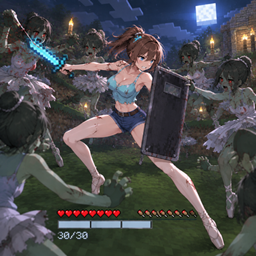
black ops Armor Plate
Replaceable ballistic plates absorb incoming damage as temporary extra protection and can be replenished to keep you fighting longer.
评论
登录后评论和评分