Wolf Armor & Storage Legacy
作者:Smallinger
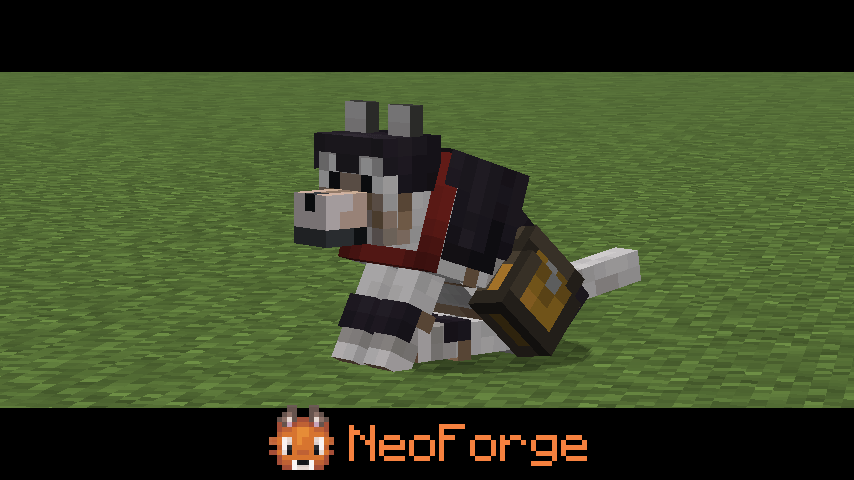
A Minecraft mod that brings wolf armor and storage capabilities to your tamed wolves, now updated for NeoForge
截图
介绍
中文介绍正在准备中,下面暂时显示原文。
🐺 Wolf Armor and Storage Legacy – NeoForge
✨ Key Features
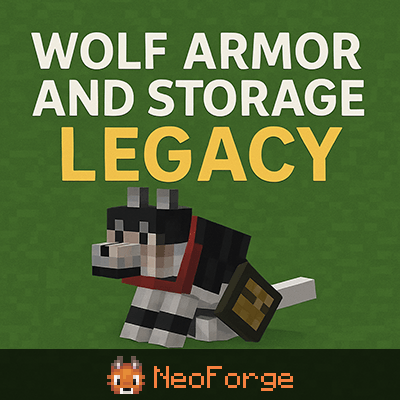
- 🛡️ 7 Wolf Armor Tiers – Leather, Iron, Gold, Diamond, Chainmail, Copper, Netherite
- 📦 14-Slot Wolf Storage – Equip wolves with chests for inventory
- 🏥 Smart Auto-Heal – Wolves eat food from inventory when injured (combat-aware)
- 🌙 Moon Howling – Wolves howl at full moon during midnight with custom sounds
- 🎨 Beautiful 3D Models – Custom armor and chest rendering
- ⚙️ Fully Configurable – Adjust settings to your liking
📦 Installation
- Install NeoForge 21.10.47-beta or higher
- Download the JAR file below
- Place it in your
modsfolder - Launch Minecraft 1.21.10
🎮 Usage
Equipping Armor
- Tame a wolf
- Right-click the wolf with wolf armor-item
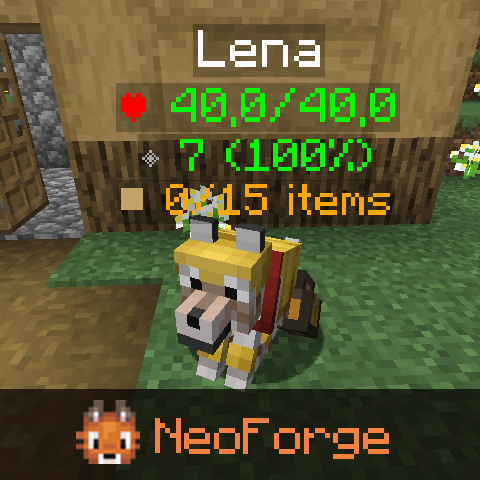
- The armor will be equipped and rendered on the wolf
Adding a Chest
- Right-click a tamed wolf with a chest-upgrade
- The chest will be equipped (visual model appears)
- Right-click the wolf again to open the inventory GUI
Opening Wolf Inventory
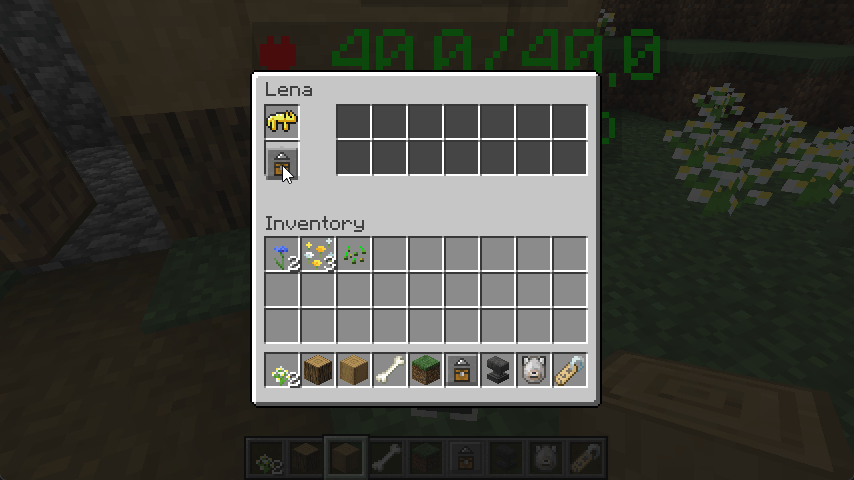
- Shift + Right-click a wolf with a chest to access its 14-slot inventory
- The GUI shows:
- Wolf armor slot (top)
- 14 storage slots (2 rows × 7 columns)
- Wolf name display
Auto-Heal Feature
- Place food items in the wolf’s chest inventory
- When the wolf is injured and not in combat, it will automatically eat food
- The wolf will continue eating until fully healed or food runs out
Moon Howling
- Wolves will automatically howl at full moons around midnight
- The wolf sits and looks up during the howl (3 seconds)
- Only occurs between 20:00 and 24:00 in-game time
- Can be interrupted by combat
🙏 Credits
Original mod by saturniidae (1.12.2)
Ported to NeoForge 1.21.10 by Smallinger
See CHANGELOG.md for full details!
常见问题
Wolf Armor & Storage Legacy 支持哪些 Minecraft 版本?
Wolf Armor & Storage Legacy 支持 Minecraft Java 版 1.21.10,可用的加载器:NeoForge。下载时注意选择和你游戏版本一致的文件。
Wolf Armor & Storage Legacy 怎么安装?
先用 PCL2 或 HMCL 启动器安装对应版本的 NeoForge,再把下载的 .jar 文件放进游戏目录的 mods 文件夹,重新启动游戏即可。开启了版本隔离的,mods 文件夹在 versions/版本名 下面。
Smallinger 的其他作品
查看全部 →
Copper Age Backport
by Smallinger
一个为旧版 Minecraft 带来完整铜器时代体验的模组。
315.9万
1 个月前
Modrinth · CurseForge

Cinematic Zoom
by Smallinger
Minecraft NeoForge 平滑电影感缩放模组——客户端缩放,带黑边、滚轮控制和完整配置支持
211.9万
11 个月前
Modrinth · CurseForge

CinematicZoom
by Smallinger
🎬 适用于 Minecraft NeoForge 的流畅电影级缩放模组——客户端缩放,带黑边效果,支持鼠标滚轮控制和完整配置。
8.6万
11 个月前
CurseForge
Gamma Tweaks (Fullbright)
by Smallinger
适用于 Minecraft 的 NeoForge 模组,可调整伽马值(亮度)和夜视设置。
2.4万
11 个月前
CurseForge
评论
登录后评论和评分