
Wing Depo
WingDepo automatically deposits selected blocks into MysticMC wing-linked chests when your inventory fills up. Configure multiple wings, block presets, inventory/hotbar slots, and optional /wb or /stonecutter pauses before depositing.
截图


介绍
WingDepo
Compatibility Notice
WingDepo is only designed for MysticMC and servers with items that can remotely open chests linked by coordinates, such as Mystic wings. It is not a general chest-sorting mod.
WingDepo makes block collecting easier by automatically depositing selected blocks into wing-linked chests when your inventory fills up.
When your inventory becomes full, WingDepo checks your configured rules, opens the correct wing-linked chest, deposits the matching blocks, closes the chest, and returns you to the hotbar slot you were using.
It also supports optional advanced rules that can open /stonecutter or /wb before depositing, allowing you to craft or cut blocks manually first.
Features
- Configure multiple wings for different block types
- Use wings from either your hotbar or main inventory
- Target a single block or create custom block presets
- Create presets such as
deepslate + tuff - Automatically deposit targeted blocks into wing-linked chests
- Optional advanced rules for
/wband/stonecutter - Supports multiple profiles
- Configurable cooldowns and timing options
How To Use
Opening The Config
Open the WingDepo config with any of the following:
- Press
O, the default keybind - Run
/wd options - Run
/wingdepo options - Open it through Mod Menu
Basic Setup
- Open the config.
- Name your profile.
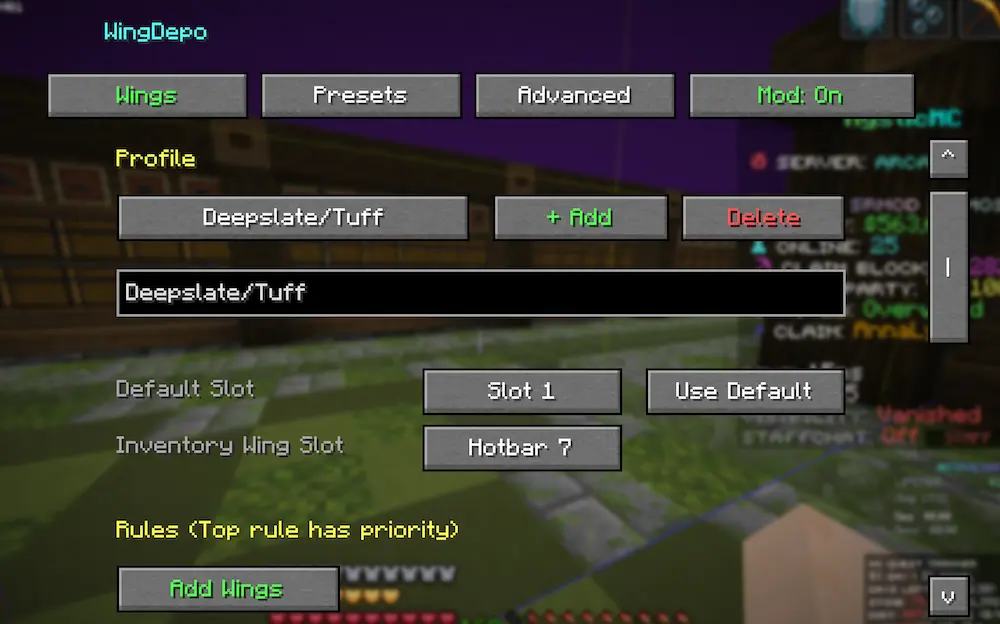
- Go to the Presets tab.
- Create a preset.
- Add the blocks you want one pair of wings to handle.
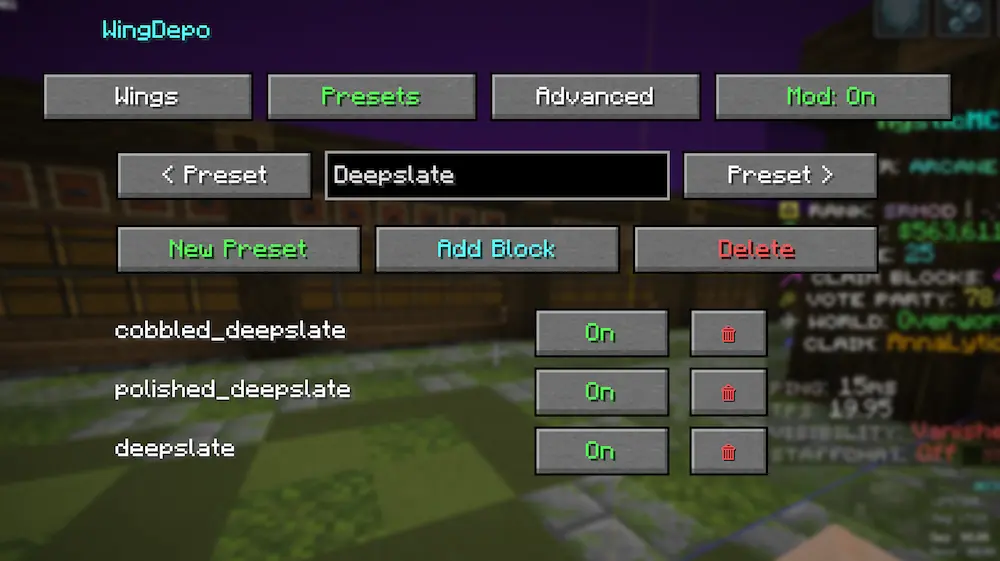
- Go back to the Wings tab.
- Press Add Wings.
- Choose whether that wing targets:
- a single block
- a preset/group
- Select where the wings are located:
- Hotbar slot
1-9 - Inventory slot
1-27
- Repeat for any other wings.
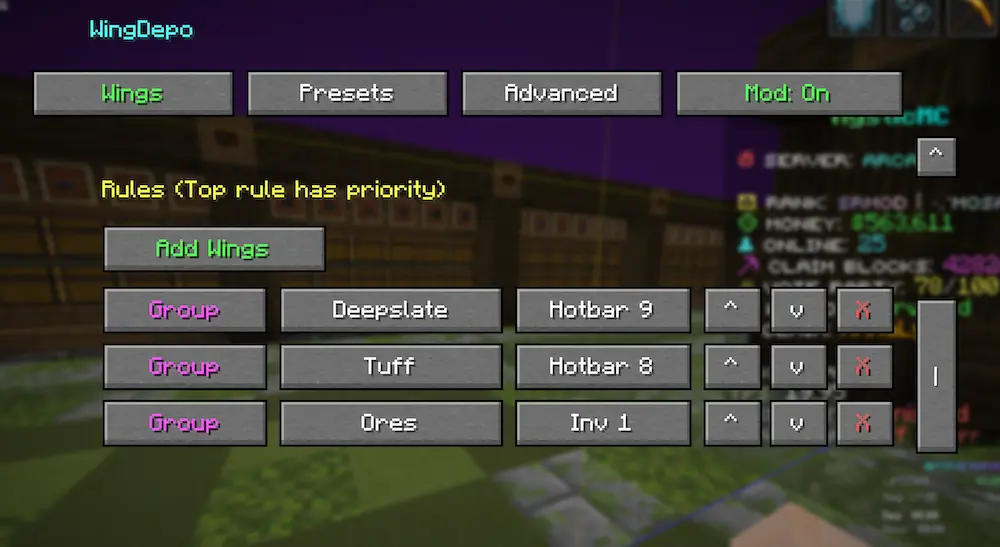
Once configured, WingDepo will automatically deposit matching blocks into the correct wing-linked chest whenever your inventory fills up.
Advanced Rules
Advanced rules allow WingDepo to open /wb or /stonecutter before depositing blocks.
This is useful if you want to craft or cut blocks before they are sent into the wing-linked chest.
Setting Up An Advanced Rule
- Go to the Advanced tab.
- Press + Add Rule.
- Select the slot where the matching wings are configured.
- Select the block that should trigger the command.
- Choose either:
WBStonecutter
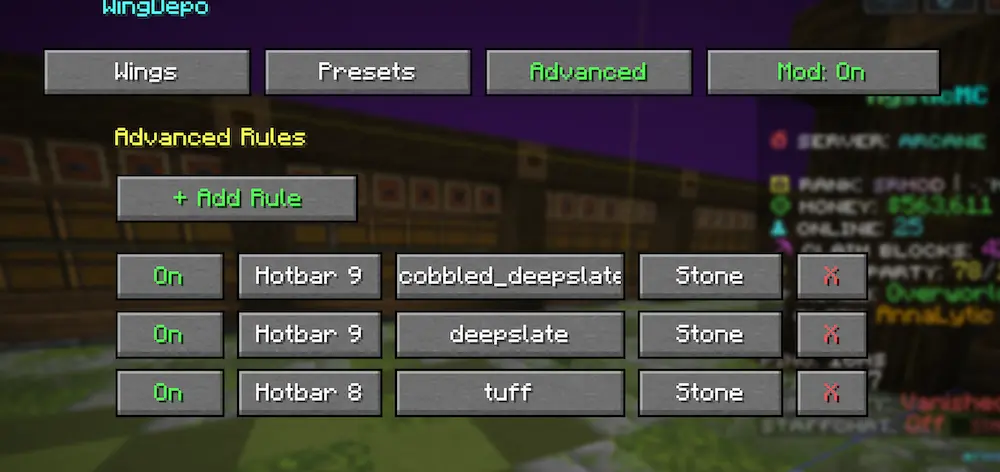
When your inventory fills and that block is present, WingDepo will open /wb or /stonecutter.
After you finish crafting or cutting, press Esc. WingDepo will continue and deposit the targeted blocks.
Important Notes
If you want crafted output to be deposited, you must add that output block to the same preset.
For example, if your preset contains tuff and you plan to make polished tuff, add polished tuff to that preset as well.
WingDepo only deposits blocks that are included in your configured single-block target or preset.
常见问题
Wing Depo 支持哪些 Minecraft 版本?
Wing Depo 支持 Minecraft Java 版 26.1.2,可用的加载器:Fabric。下载时注意选择和你游戏版本一致的文件。
Wing Depo 怎么安装?
先用 PCL2 或 HMCL 启动器安装对应版本的 Fabric,再把下载的 .jar 文件放进游戏目录的 mods 文件夹,重新启动游戏即可。开启了版本隔离的,mods 文件夹在 versions/版本名 下面。运行环境:仅客户端。
评论
登录后评论和评分