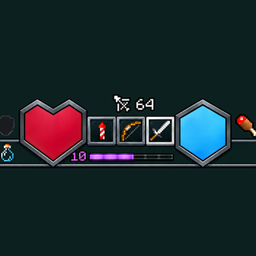
Wholy Dungeons HUD (Dungeons II hud)
A customizable Minecraft Dungeons II-inspired HUD mod for Minecraft Java Edition
截图
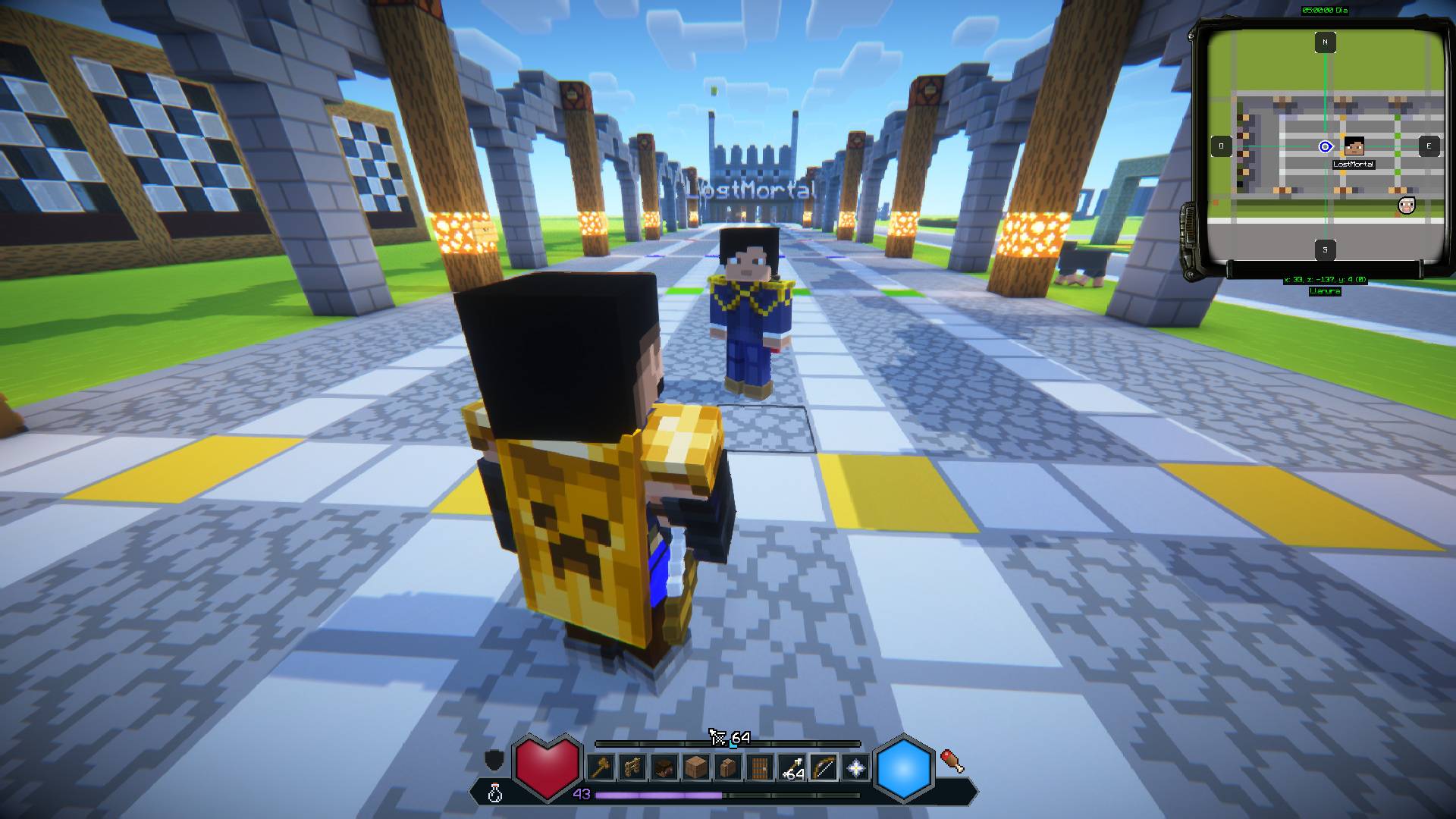
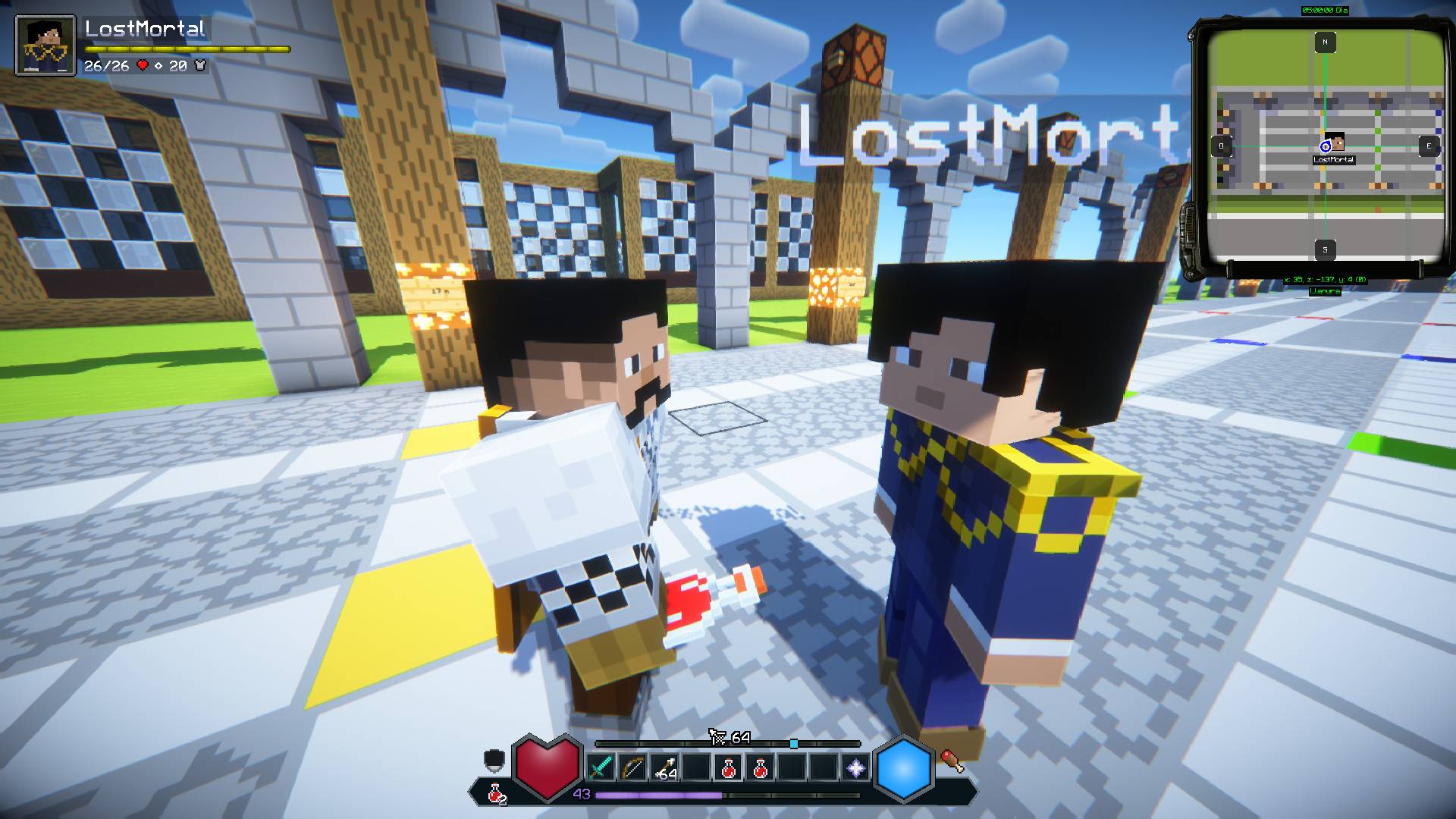
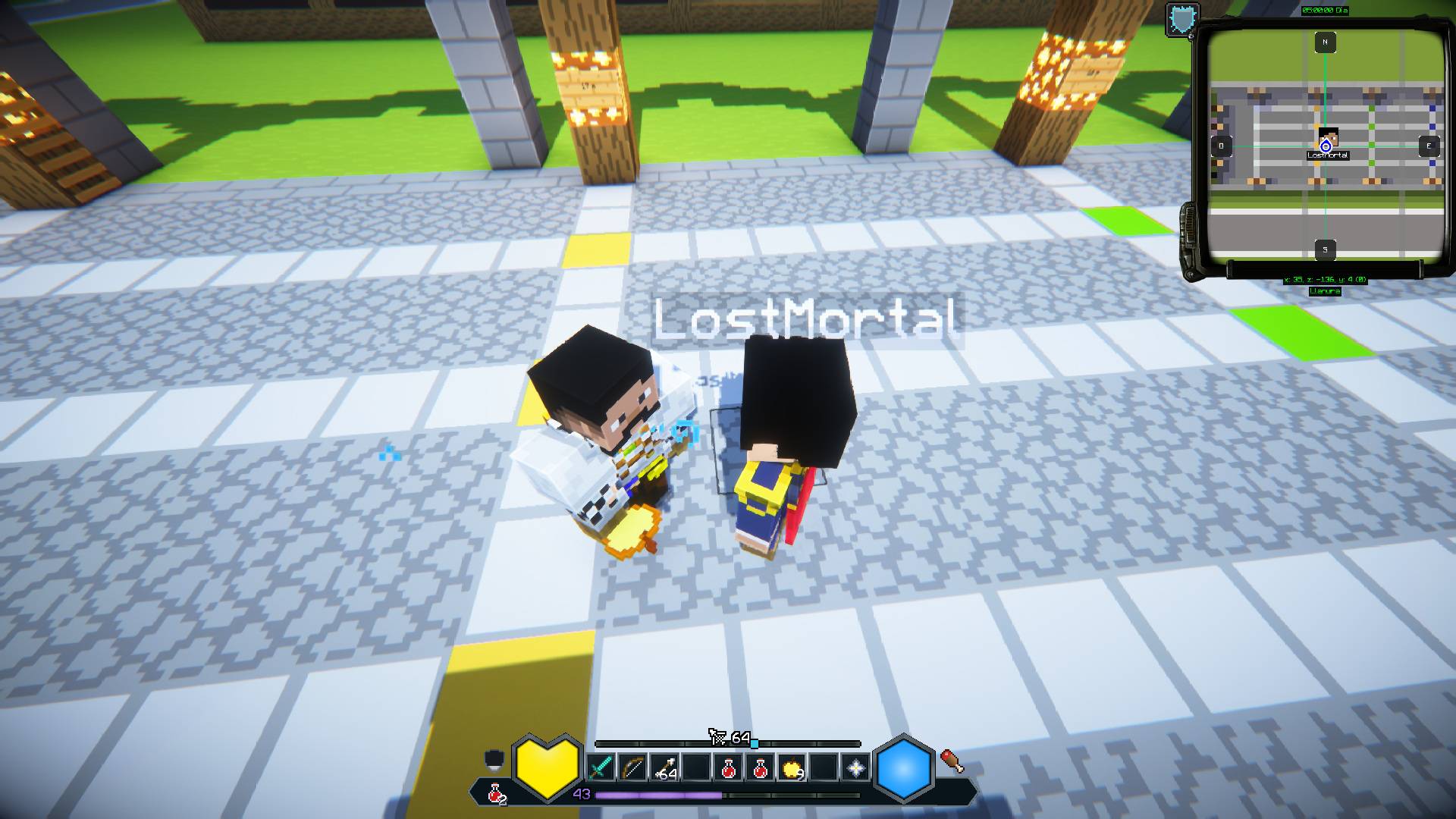
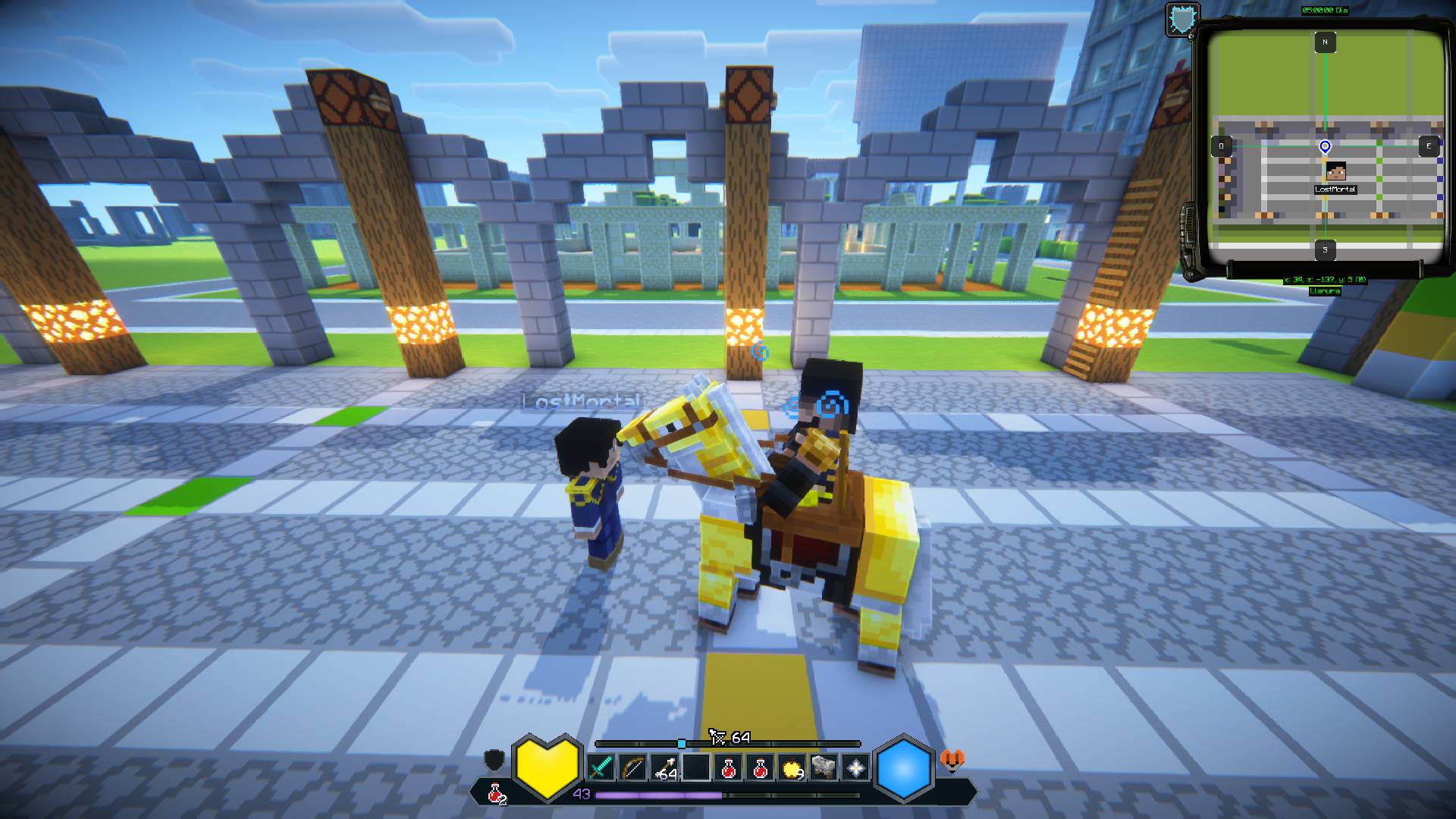
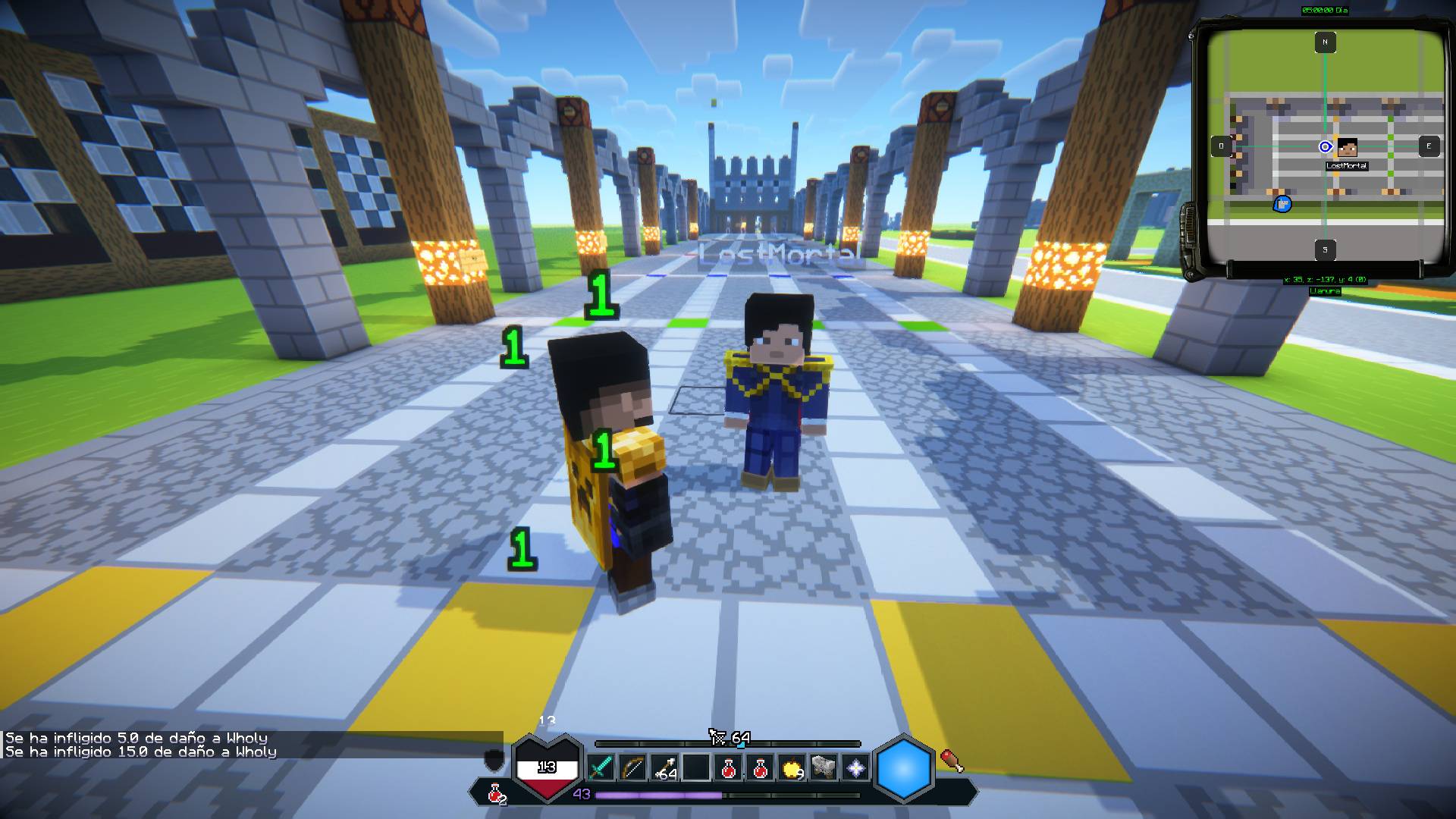
介绍
DungeonsHUD
A customizable Minecraft Dungeons II-inspired HUD mod for Minecraft Java Edition 26.3.
DungeonsHUD is a client-side Fabric mod that transforms the Minecraft interface into a modern, customizable HUD inspired by Minecraft Dungeons II.
Designed with visual clarity, smooth animations, and extensive customization in mind, DungeonsHUD enhances your gameplay experience while preserving the original Minecraft mechanics.
DungeonsHUD is purely visual. It does not affect gameplay or modify vanilla game mechanics.
⚔️ Features
Custom Hotbar
-
Minecraft Dungeons-inspired hotbar design.
-
Full (9 slots) and Compact (3 slots) layouts.
-
Smooth animated slot selection.
-
Custom offhand and potion indicators.
❤️ Health, Armor & Hunger
-
Custom HealthBar with smooth transitions and damage effects.
-
Redesigned armor and hunger indicators.
-
Health values and contextual notifications.
-
Vehicle health indicator.
✨ SoulBar
Choose between two configurable display modes:
-
Combat Mode: A visual 20-point combat resource that regenerates over time.
-
Durability Mode: Displays the durability of the selected main-hand item on a 0–10 scale.
🏹 AmmoBar
-
Arrow counter for bows.
-
Detection of fireworks loaded into crossbows.
-
Support for multiple charged crossbows.
-
Animated ammunition updates and smooth transitions.
Additional HUD Elements
-
Experience and level indicator.
-
Oxygen bar.
-
Jumpable vehicle bar.
-
Locator bar.
-
Custom title and subtitle presentation.
⚙️ Customization
Make DungeonsHUD fit your personal preferences:
-
Switch between Vanilla and Dungeons HUD.
-
Adjust the HUD scale.
-
Select your preferred hotbar layout.
-
Customize background opacity.
-
Toggle selected HUD numbers.
-
Choose your SoulBar display mode.
Compatibility
Minecraft Version: Java Edition 26.3
Mod Loader: Fabric
Fabric API: Required
Mod Menu: Optional
DungeonsHUD is a client-side mod, designed to customize your Minecraft interface.
Installation
-
Install Fabric Loader for Minecraft Java Edition 26.3.
-
Install Fabric API.
-
Download the latest DungeonsHUD
.jarfrom GitHub Releases. -
Place the downloaded
.jarfile inside your Minecraftmodsfolder. -
Launch Minecraft using your Fabric profile.
Configuration
Open the DungeonsHUD configuration screen directly in-game by pressing M.
You can customize HUD elements, interface layouts, visual settings, and display preferences.
Alternatively, install Mod Menu to access the configuration screen through your installed mods list.
Mod Menu is optional and is not required for DungeonsHUD to function.
Downloads
Download official DungeonsHUD builds from the project’s GitHub repository.
Download DungeonsHUD – GitHub Releases
Development Status: Work in Progress
Check the Releases page for available builds and updates.
Future Plans
DungeonsHUD is an ongoing project, with plans to introduce further changes and improvements to the HUD interface in future updates.
Potential improvements include:
-
Additional visual enhancements.
-
Redesigned interface elements.
-
Smoother animations and transitions.
-
More HUD customization options.
-
General interface improvements.
Features and designs may evolve as development continues.
Bug Reports & Feedback
Found a bug, visual glitch, or unexpected behavior?
Please report it through our official GitHub Issues page.
When submitting a report, please include:
-
Your Minecraft version.
-
A description of the issue.
-
Screenshots, if available.
Feedback, suggestions, and ideas are always welcome!
Developers
LostMortal
Wholy
Community & Official Links
💻 DungeonsHUD GitHub Repository
Disclaimer
DungeonsHUD is an independent, unofficial project and is not affiliated with, associated with, endorsed by, or officially connected to Mojang Studios, Microsoft, or any other entities involved in Minecraft or Minecraft Dungeons.
常见问题
Wholy Dungeons HUD (Dungeons II hud) 支持哪些 Minecraft 版本?
Wholy Dungeons HUD (Dungeons II hud) 支持 Minecraft Java 版 26.3,可用的加载器:Fabric。下载时注意选择和你游戏版本一致的文件。
Wholy Dungeons HUD (Dungeons II hud) 怎么安装?
先用 PCL2 或 HMCL 启动器安装对应版本的 Fabric,再把下载的 .jar 文件放进游戏目录的 mods 文件夹,重新启动游戏即可。开启了版本隔离的,mods 文件夹在 versions/版本名 下面。

评论
登录后评论和评分