
截图
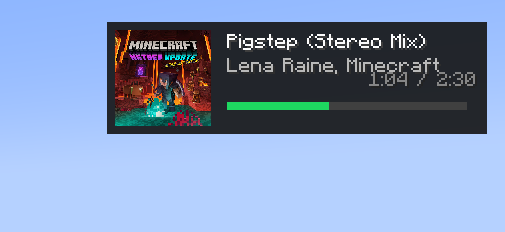
介绍


For Spotify

For Youtube

Prerequisites
- Minecraft 1.21.4 or 1.20.1 or 1.19.4 or 1.21.1(Fabric,Forge,NeoForge)
- Fabric API
- ClothConfig API
- Spotify Desktop App + Spicetify CLI or WNP installed browser
Install
1 For Sptify Desktop
- Install the Spicetify CLI).
- Run the following command to install and enable the WebNowPlaying extension:
spicetify config extensions webnowplaying.js
spicetify apply
1.2 For YouTube, Twitch, etc.
- (Firefox) https://addons.mozilla.org/en-US/firefox/addon/webnowplaying/
1.2 (Chrome) https://chromewebstore.google.com/detail/webnowplaying/jfakgfcdgpghbbefmdfjkbdlibjgnbli
- Install it!!
Configuration
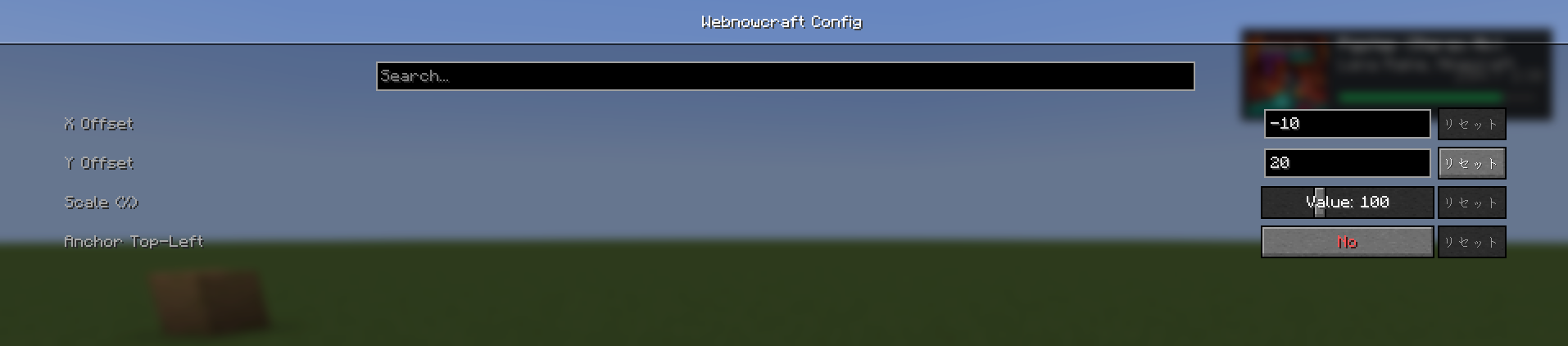
In-game, find Webnowcraft in the mod list in the Mod Menu and press the settings
button to adjust the following parameters.
X Offset / Y Offset: Adjusts the display position from the edge of the screen.
Scale: Changes the HUD size between 50% and 200%.
Anchor Top-Left: Turn on to position the HUD from the top left, or turn off to
position it from the top right.
Other
In the future, we plan to provide files for Forge and 1.16.5 1.8.9
Also, you can freely change the HUD color.
Most releases are on Fabric.
Supporting Forge is a pain.
For Dev https://github.com/pa81/Webnowcraft
常见问题
WebNowCraft 支持哪些 Minecraft 版本?
WebNowCraft 支持 Minecraft Java 版 1.16.5–1.21.4,共 5 个版本,可用的加载器:Fabric / Forge / NeoForge。下载时注意选择和你游戏版本一致的文件。
WebNowCraft 怎么安装?
先用 PCL2 或 HMCL 启动器安装对应版本的 Fabric / Forge / NeoForge,再把下载的 .jar 文件放进游戏目录的 mods 文件夹,重新启动游戏即可。开启了版本隔离的,mods 文件夹在 versions/版本名 下面。运行环境:仅客户端。
评论
登录后评论和评分