
介绍
Weather Watch
Weather Watch is a mod that focuses on matching the in-game weather to the real life weather in your area. If it’s stormy outside, it’ll match that in game!
Features
Weather Sync
Uses WeatherAPI to find the weather data at the location specified by the server’s IP, or just your IP if you’re playing singleplayer. (Wonder what cool things you could find with a VPN?)
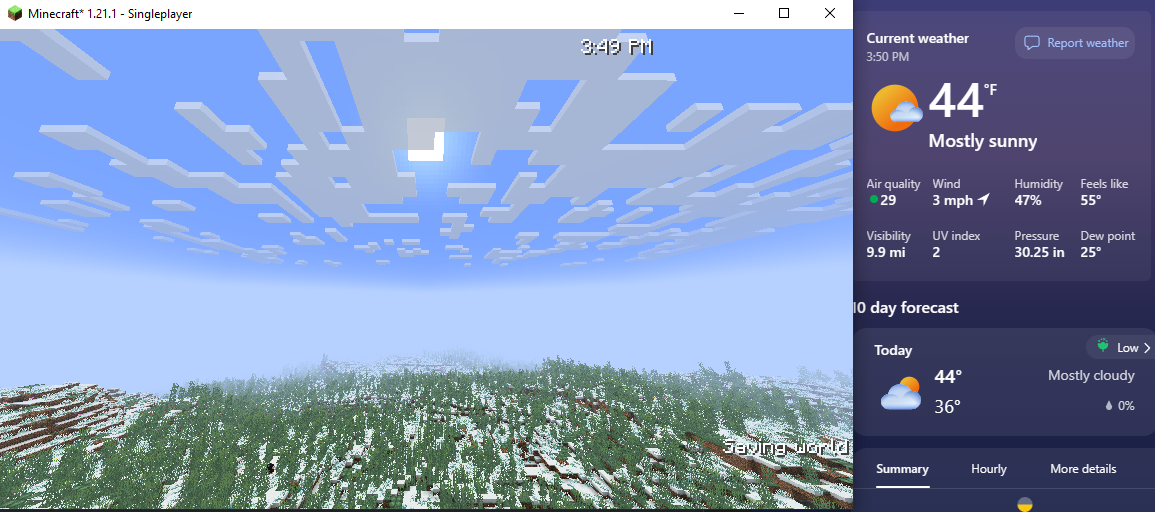
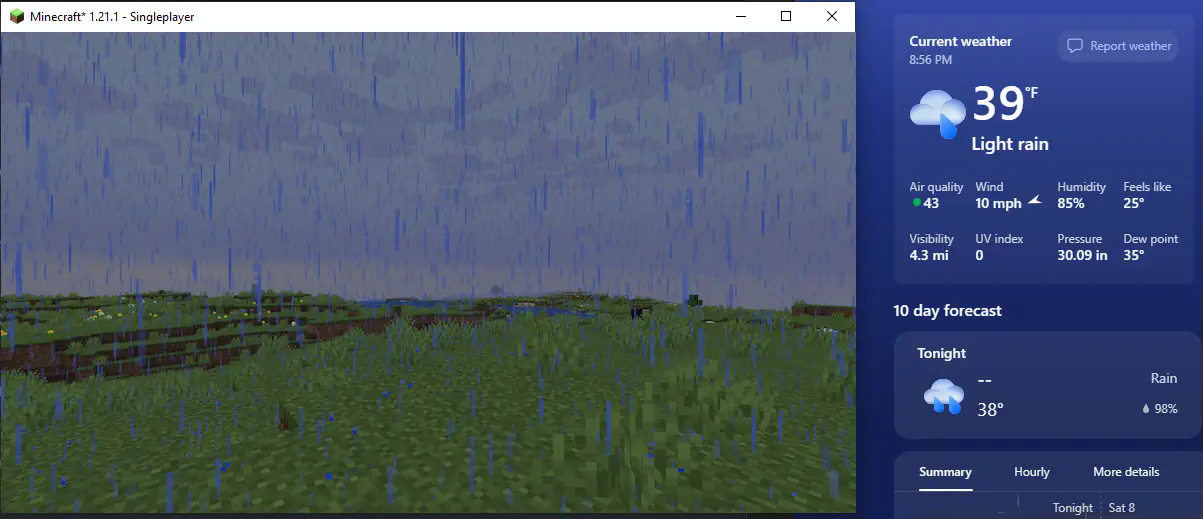
First screenshot from my area, second screenshot from a friends area
Season Sync
Weather Watch supports Serene Seasons, and will set the season depending on the month your system clock is set to. It works in a 3 month per season system, with December-February* being winter and so on.
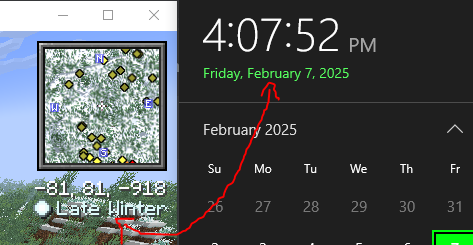
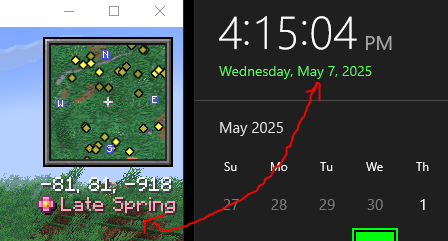
The months corresponding to each season depends on the hemisphere you’re located in*
In multiplayer, it’ll simply refer to the server clock
Time Sync (off by default)
Optionally, Weather Watch can also sync the day time to your system clock as well! This isn’t recommended for traditional survival, as it does remove the ability to skip to day with a bed. However, this is great for peaceful or otherwise roleplay experiences!
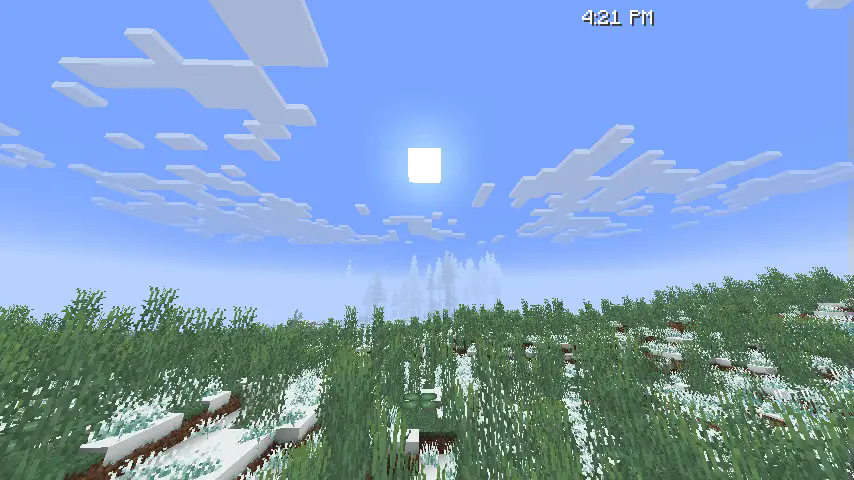
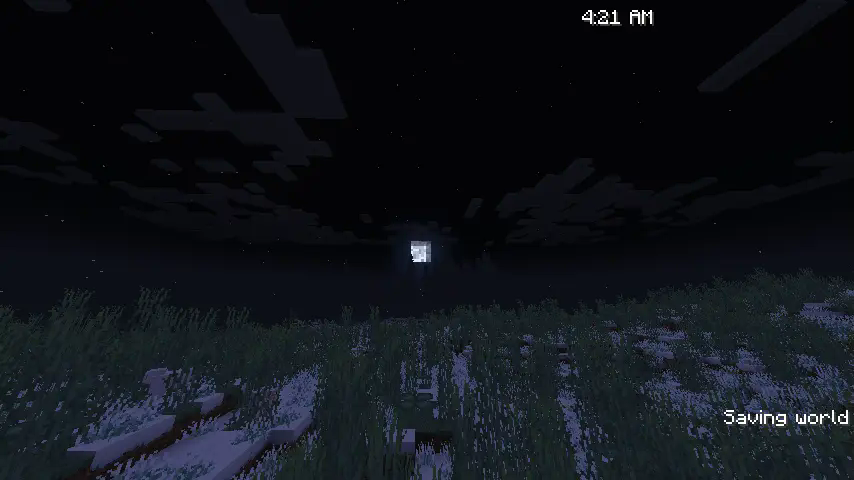
In multiplayer, it’ll simply refer to the server clock
I did realize while writing this that time will literally just fast forward/rewind for American Daylight Savings, but that’s really funny actually
Config
syncWeather (default: true)
Toggles the weather syncing capabilities
syncSeasons (default: true)
Toggles the season syncing capabilities, does nothing if Serene Seasons is not installed
syncTime (default: false)
Toggles the time syncing capabilities
syncMoonPhase (default: true)
Toggles syncing moon phase with the moon phase in your area
ip-override (default: “server”)
Overrides the IP fed into the location fetcher. When set to server, it will simply use the server’s public IP.
FAQ
“Doesn’t this cause privacy concerns?”
I thought of this while making it and made sure that no info is public to anyone that wouldn’t already know it. All features that rely on location tracking do so using the already public server IP, the only info connected clients recieve is if it should be raining, what season it should be, and the time of day.
“Can I use this in singleplayer?”
As long as you’re connected to the internet, yes. This mod requires an internet connection to access WeatherAPI and to track the server location. Time and season sync should work regardless though.
“Why isn’t this mod open source?”
As much as I would love to make this one open source, I cannot do so until I find a way to hide my WeatherAPI key from plain sight. Keeping it closed source is the easiest way I can think of to both hide my API key and not require users to provide their own for now. While the cost is small, excessive calls to the API does cost me some money, and that can be easily manipulated if someone wants to.
常见问题
Weather Watch 支持哪些 Minecraft 版本?
Weather Watch 支持 Minecraft Java 版 1.20.1–1.21.11,共 13 个版本,可用的加载器:Fabric / NeoForge。下载时注意选择和你游戏版本一致的文件。
Weather Watch 怎么安装?
先用 PCL2 或 HMCL 启动器安装对应版本的 Fabric / NeoForge,再把下载的 .jar 文件放进游戏目录的 mods 文件夹,重新启动游戏即可。开启了版本隔离的,mods 文件夹在 versions/版本名 下面。运行环境:仅服务端。
Consular 的其他作品
查看全部 →
Consulars’ Origins
Adds several new origins to the Origins mod

Consulars’ Extra Weapons & Armor
Adds more weapons, tools, and armor sets to the game.

Consulars’ Extra Music Discs
Adds more music discs that can be found in various ways.

Consulars’ Origins
Adds several new origins to the Origins mod
评论
登录后评论和评分