Weapon Kill Counter
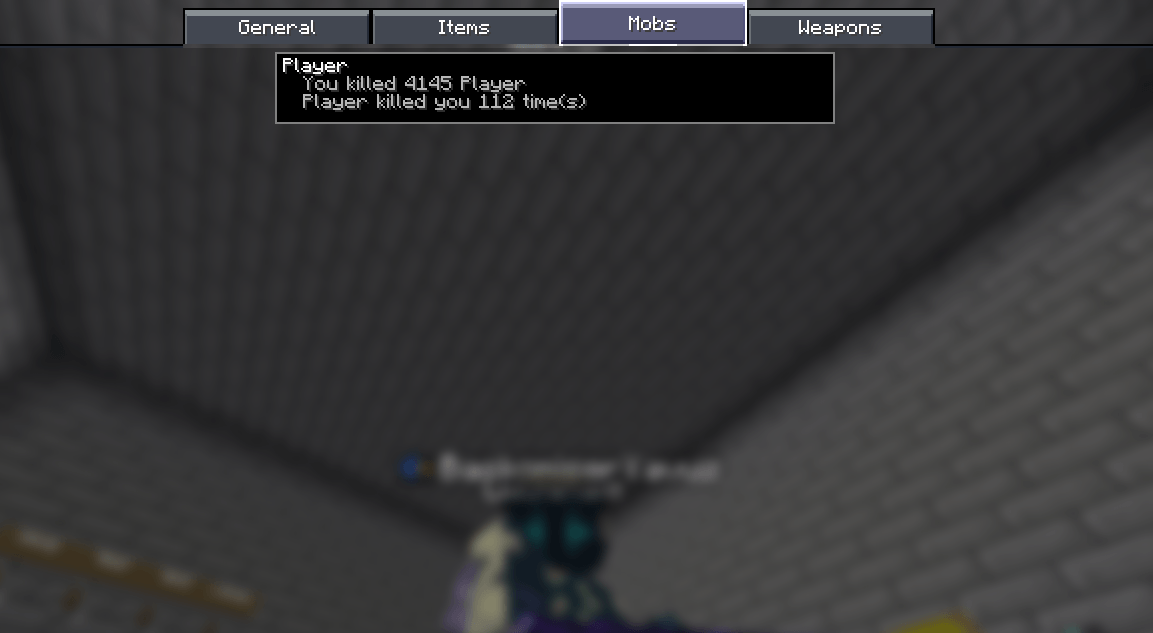
Track PvP kills by weapon, view enchantment history, and earn kill milestones directly in Minecraft's Statistics screen.
截图
介绍
Weapon Kill Counter
Track your PvP kills, discover your most lethal weapons, and build your own weapon statistics directly inside Minecraft!
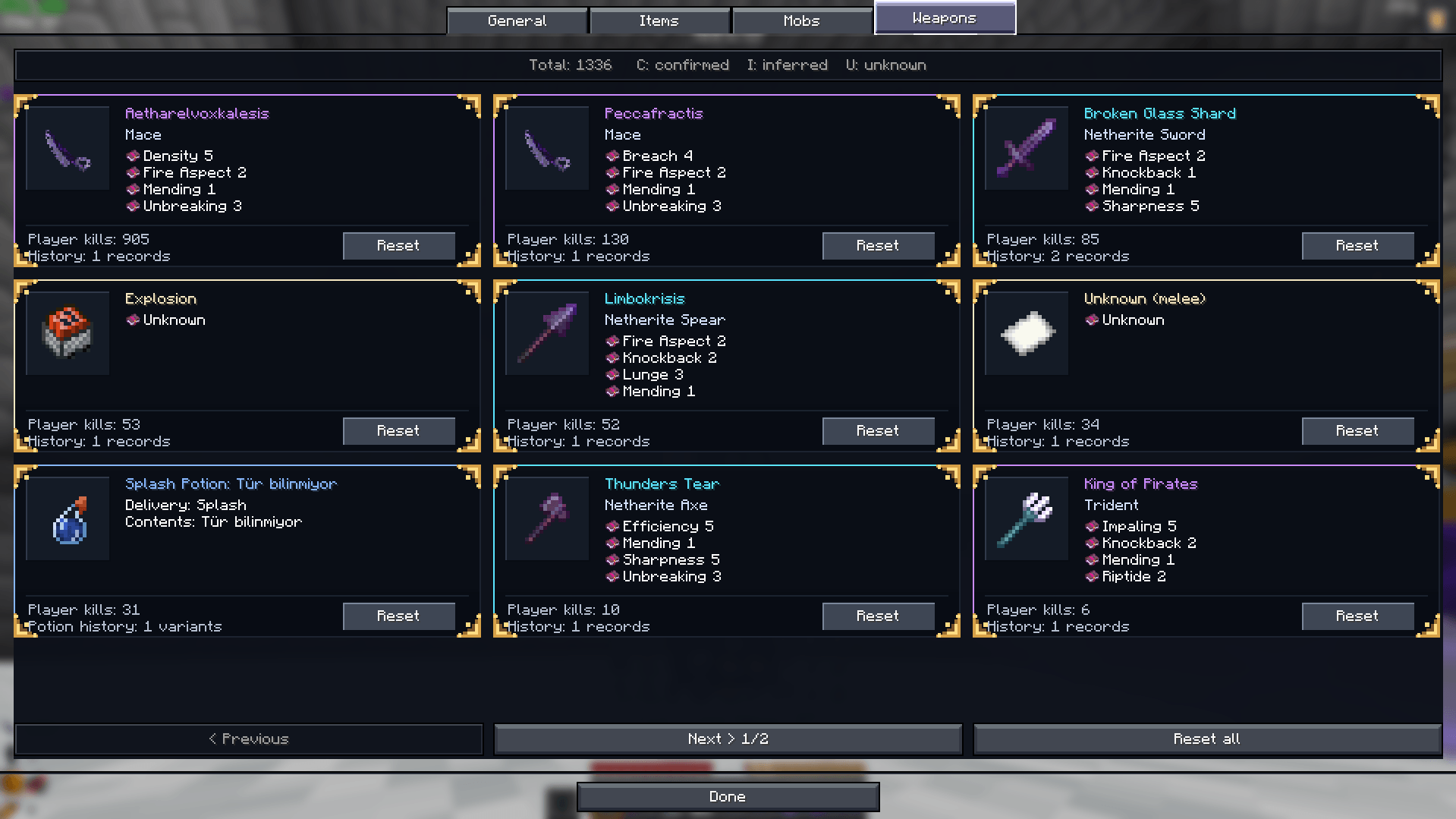
Weapon Kill Counter is a client-side Fabric mod that adds a fully customized Weapons tab to Minecraft’s vanilla Statistics screen.
Instead of simply counting how many players you’ve eliminated, Weapon Kill Counter keeps track of the weapons you used, their custom names, enchantments, and individual kill counts.
Whether you’re fighting with a Netherite Sword, crushing opponents with a Mace, or eliminating enemies with a Crossbow, every kill contributes to your personal weapon statistics.
Features
Weapon-Specific Kill Tracking
-
Track PvP kills separately for different weapons.
-
Supports Swords, Axes, Maces, Spears, Tridents, Bows, Crossbows, and more.
-
Recognizes custom-named weapons and keeps their statistics separate.
-
Tracks only your own kills, not other players’ kills.
-
Saves statistics locally and automatically between sessions.
Custom Statistics Screen
Access your statistics through:
Pause Menu → Statistics → Weapons
The custom Weapons tab includes:
-
A clean, three-column card layout.
-
Large Minecraft item icons with enchantment glint.
-
Color-coded weapon names.
-
Individual weapon kill counts.
-
Enchantment information displayed directly on each card.
-
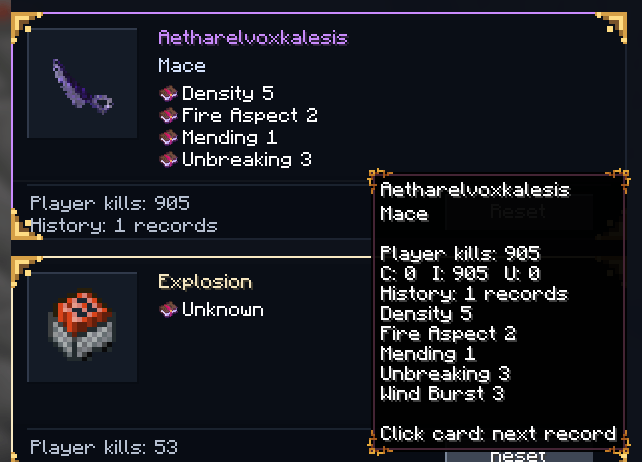
Additional information through tooltips.
-
Dynamic pagination for different screen sizes.
-
Options to reset individual weapons or all statistics.
Enchantment History
Weapon Kill Counter can save information about the enchantments associated with your recorded kills.
For example, if you eliminate opponents using a Sharpness V sword, its enchantments can appear directly on the weapon’s statistics card.
Different recorded enchantment combinations are preserved as separate history entries.
Advanced Kill Attribution
The mod analyzes Minecraft death messages and locally observed combat actions to determine which weapon should receive kill credit.
Supported tracking includes:
-
Melee weapon attacks.
-
Bow and Crossbow kills.
-
Normal Arrows and Tipped Arrows.
-
Spear attacks, including supported off-hand cases.
-
Explosion-related deaths.
-
Splash and Lingering Potions.
-
Certain indirect damage scenarios.
When the weapon cannot be reliably identified, the kill may be assigned to an Unknown category instead of an incorrect weapon.
Kill Milestones
Celebrate your progress with Minecraft-style notifications!
Every time a weapon reaches a new milestone, such as:
100 → 200 → 300 → 400 → 500 kills…
You’ll receive a milestone notification accompanied by an achievement-style sound.
Previously accumulated kills will not trigger retroactive milestone notifications.
Individual Statistics Management
-
Reset the kill counter of a specific weapon.
-
Reset all recorded statistics.
-
Confirmation is required before deleting statistics.
-
Your statistics are stored locally for your Minecraft player profile.
Language Support
-
English (en_us)
-
Turkish (tr_tr)
The interface automatically follows your selected Minecraft language.
Resource Pack Compatibility
Weapon Kill Counter supports Minecraft resource packs!
Weapon icons in the Statistics screen use Minecraft’s item rendering system, allowing custom weapon textures to appear automatically.
-
Compatible with most resource packs that replace vanilla item textures.
-
Supports customized weapon models and enchantment glint effects.
-
No additional configuration required.
Note: Custom textures that depend on item-specific properties, such as CustomModelData or custom names, may not always display correctly.
Installation
Requirements:
-
Minecraft Java Edition 1.21.11
-
Fabric Loader 0.18.5 or a compatible version
-
Fabric API for Minecraft 1.21.11
-
Java 21
Steps:
-
Install Fabric Loader and Fabric API.
-
Download Weapon Kill Counter.
-
Place the
.jarfile in your Minecraftmodsfolder. -
Launch Minecraft.
-
Open Statistics → Weapons to view your kill records.
Client-Side Mod
Weapon Kill Counter runs entirely on the client.
No server-side installation is required.
Your statistics are stored locally on your computer. They are not shared with other players or synchronized across devices.
Important Limitations
Weapon Kill Counter primarily relies on Minecraft death messages and client-side combat information.
Because clients do not have direct access to the server’s complete damage history, some indirect kills cannot be attributed to a specific weapon with absolute certainty.
Custom server death messages may also affect detection accuracy.
The mod distinguishes between confirmed, inferred, and unknown kill records where possible, prioritizing reliable statistics over incorrect weapon attribution.
About
Weapon Kill Counter was created for Minecraft PvP players who want more detailed information about their weapons and combat achievements without requiring server-side modifications.
Keep fighting. Track your progress. Discover your deadliest weapon.
常见问题
Weapon Kill Counter 支持哪些 Minecraft 版本?
Weapon Kill Counter 支持 Minecraft Java 版 1.21.11,可用的加载器:Fabric。下载时注意选择和你游戏版本一致的文件。
Weapon Kill Counter 怎么安装?
先用 PCL2 或 HMCL 启动器安装对应版本的 Fabric,再把下载的 .jar 文件放进游戏目录的 mods 文件夹,重新启动游戏即可。开启了版本隔离的,mods 文件夹在 versions/版本名 下面。
BaskomiserYavuz 的其他作品
查看全部 →
Reach display rings
A client-side visual reach display mod that renders configurable reach rings and target indicators. It does not modify reach, automate attacks, send combat packets, or interact with the server.

Multi Remote Rods
Multi Remote Rods removes Minecraft’s one-active-fishing-bobber-per-player limitation and turns each fishing rod into an independent remote controller.

Lifesteal SMP ( Totem & End control )
A mod that includes functions to close the Totem and End portals.

Permanent Pearls
Ender Pearls persist reliably across death, logout, chunk unloading, world reloads, and full server restarts.
评论
登录后评论和评分