
Waypoint Compass
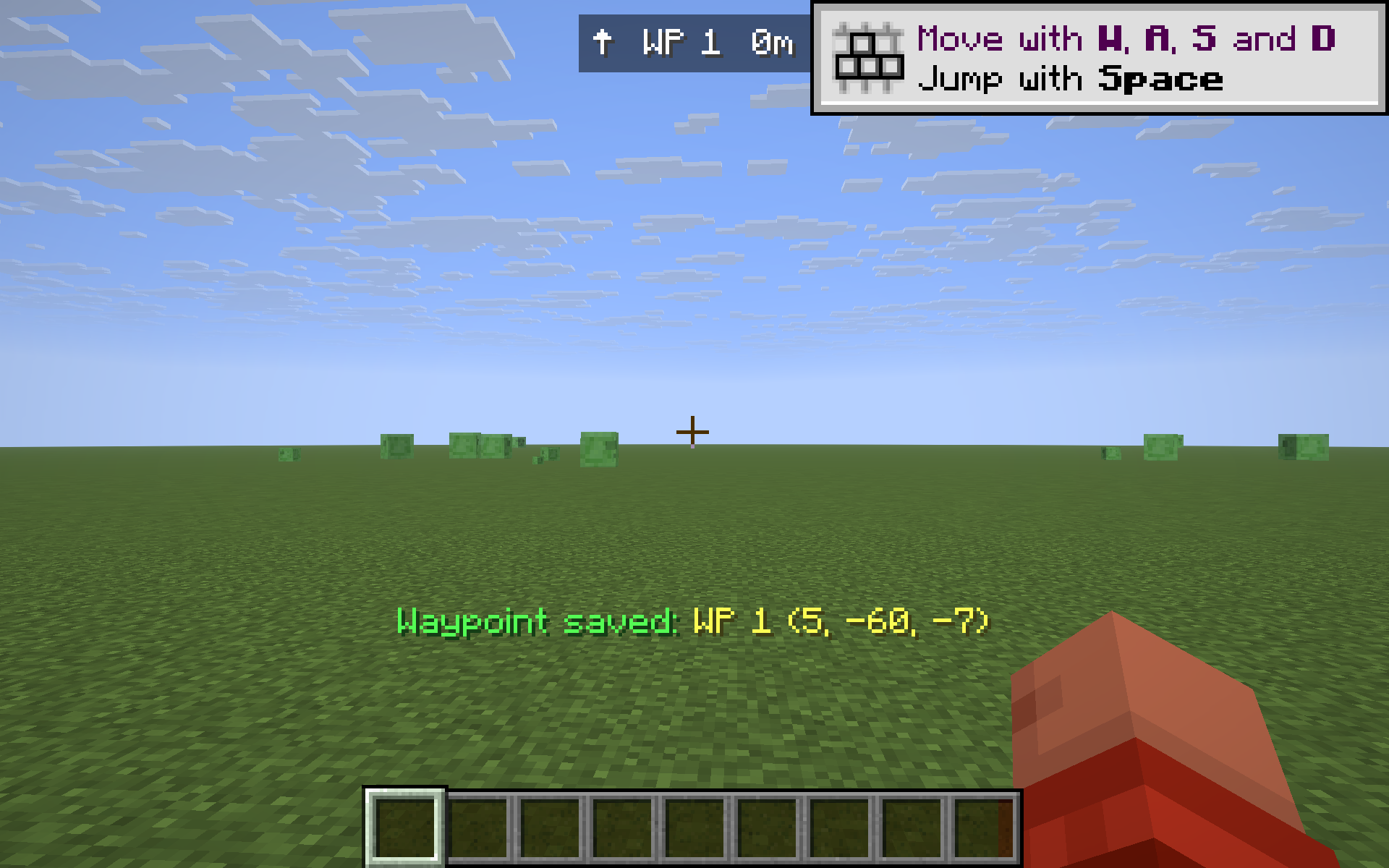
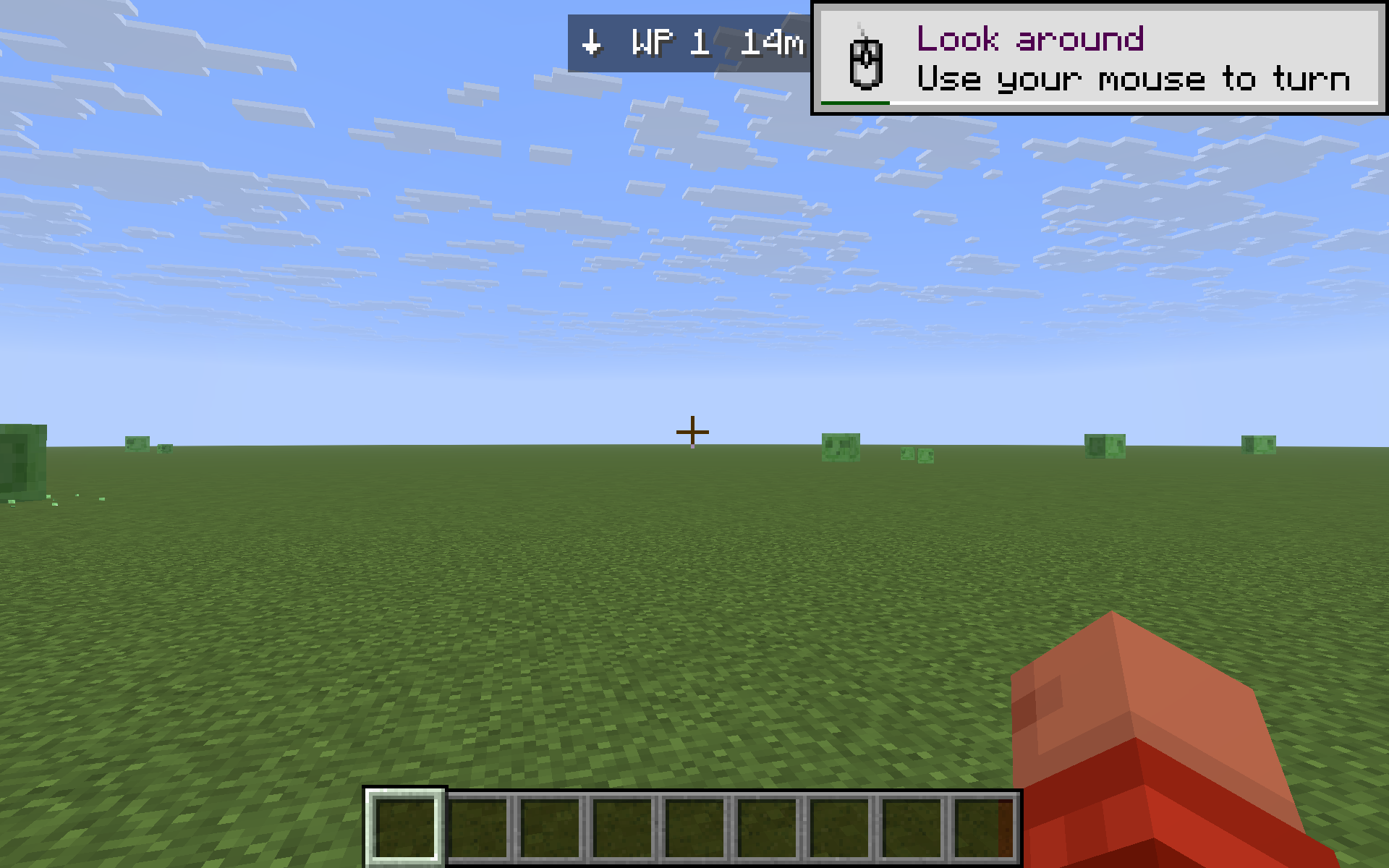
Save your current location with a keypress; a HUD compass at the top of the screen points back to it with live direction and distance — across all dimensions.
截图
介绍
Waypoint Compass is a tiny, mixin-free, client-only Fabric mod for players who just want a “drop a pin, find your way back” tool — without installing a whole minimap suite. Press a key, the spot is saved. Walk away, and a slim compass strip at the top of your HUD shows an arrow pointing back and how far you have to go.
Features
- One-key save. Press B anywhere to save your current X, Y, Z as a new waypoint. The mod confirms in the action bar (
Waypoint saved: WP 1 (123, 64, -512)). - HUD compass. A small bar at the top center of your screen shows an arrow, the waypoint name, and the live distance in meters / km. The arrow rotates as you turn, so “↑” always means “the waypoint is straight ahead”.
- Cycle through saved spots. Press N to switch which waypoint the compass is tracking. Great for multi-base setups.
- Delete the current pin. Press K to remove the waypoint you’re tracking. No menu required.
- Toggle the HUD. Press H to hide or re-show the compass without losing your saved points.
- Dimension-aware. Each waypoint remembers the dimension it was saved in. If you’re in the Nether and the waypoint is in the Overworld, the compass shows
in Overworldinstead of a misleading distance. - Persistent. Waypoints are stored in
config/waypoints.jsonand survive restarts. - No mixins. No server install. Pure client mod — works on any server, including vanilla Realms.
Default keys
| Key | Action |
|—–|——–|
| B | Save current position as a new waypoint |
| N | Cycle to next saved waypoint |
| K | Delete the currently tracked waypoint |
| H | Toggle the HUD compass on/off |
Keys are read directly from the OS via GLFW, so they ignore Minecraft’s input routing — but they’re suppressed while a GUI (chat, sign edit, inventory) is open, so they won’t fire mid-type.
Cross-version
Tested on 1.21.8, 1.21.9, 1.21.10, 1.21.11. One JAR, one install.
Notes
- The compass shows horizontal distance (XZ), which is what you actually walk — height differences don’t inflate the number.
- This is intentionally NOT a minimap. There’s no in-world 3D marker; the whole point is “one HUD line, zero clutter.”
常见问题
Waypoint Compass 支持哪些 Minecraft 版本?
Waypoint Compass 支持 Minecraft Java 版 1.21.8–1.21.11,共 4 个版本,可用的加载器:Fabric。下载时注意选择和你游戏版本一致的文件。
Waypoint Compass 怎么安装?
先用 PCL2 或 HMCL 启动器安装对应版本的 Fabric,再把下载的 .jar 文件放进游戏目录的 mods 文件夹,重新启动游戏即可。开启了版本隔离的,mods 文件夹在 versions/版本名 下面。运行环境:仅客户端。
kvapilvaclav0 的其他作品
查看全部 →
Verity dog
This mod turns your dog into Verity.

TargetLock
Press J to instantly aim your camera at the nearest living entity within 10 blocks. If no entity is in range, a message will appear on your screen letting you know.
TargetLock
Press J to instantly aim your camera at the nearest living entity within 10 blocks. If no entity is in range, a message will appear on your screen letting you know.

HorseStats
Ride any horse, donkey, mule or llama and a small top-left HUD shows the mount's health, top speed (m/s) and jump height (blocks) live - no need to open its inventory. Toggle with H.
评论
登录后评论和评分