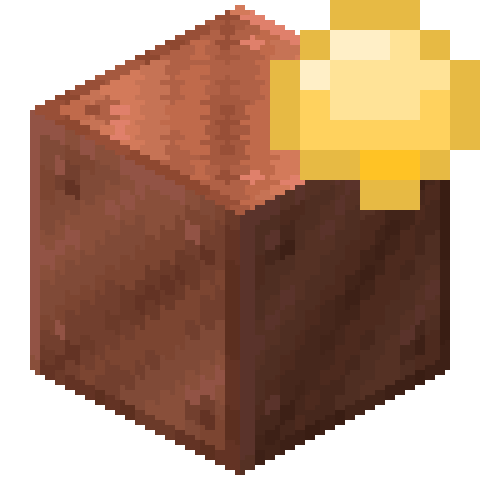
截图


介绍
This is a simple QOL mod that adds a small icon on waxed blocks! This is done using Trimmed’s client-tags, so if you want to add items to render the icon all you need to do is create a resource pack with assets/waxedicons/trimmed/tags/item/renders_waxed_icon.json and add the items to it like you would with a regular tag.
Requires Trimmed (naturally)
常见问题
Waxed Icons 支持哪些 Minecraft 版本?
Waxed Icons 支持 Minecraft Java 版 1.20–1.21,共 3 个版本,可用的加载器:Fabric / Forge / NeoForge / Quilt。下载时注意选择和你游戏版本一致的文件。
Waxed Icons 怎么安装?
先用 PCL2 或 HMCL 启动器安装对应版本的 Fabric / Forge / NeoForge / Quilt,再把下载的 .jar 文件放进游戏目录的 mods 文件夹,重新启动游戏即可。开启了版本隔离的,mods 文件夹在 versions/版本名 下面。运行环境:仅客户端。
dhyces 的其他作品
查看全部 →
Waxable Coral
Wax your coral! Stays alive even when it's dry!

Trimmed
Allows you to make trims that work with other mods!

Witchy Wearables
Adds some fun cosmetic items for your adventures!

Trimmed
Allows you to make trims that work with other mods!
评论
登录后评论和评分