
Waterfall Limit
A lightweight Minecraft mod that limits the height of natural vertical waterfalls and lavafalls with visual evaporation effects.
截图


介绍
Waterfall
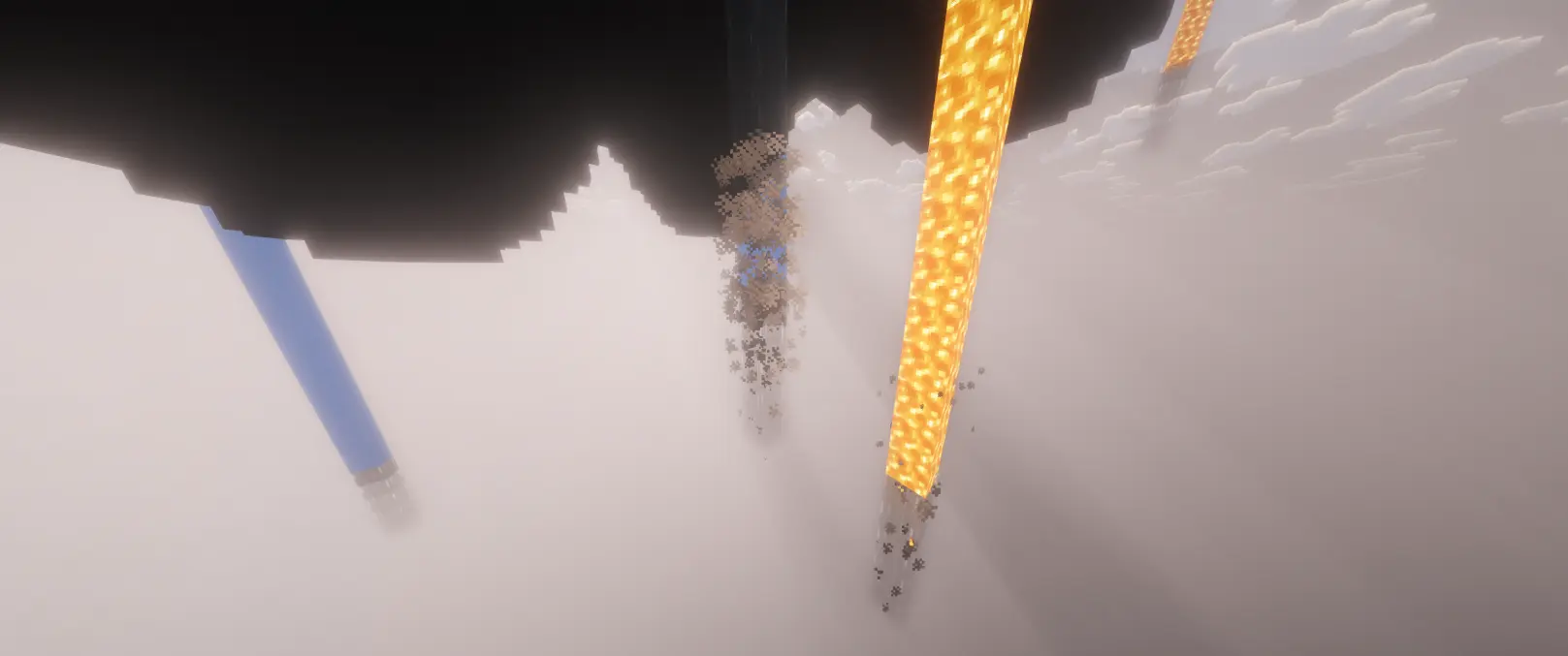
A lightweight and performance-friendly Minecraft mod that limits the height of natural waterfalls and lavafalls while adding immersive evaporation effects.
Waterfall prevents endless floating water and lava columns by detecting exposed vertical flows and causing them to dissipate after a configurable height limit. Designed to preserve natural-looking terrain generation without affecting rivers, oceans, canals, lava pools, or most player-built fluid systems.
Features
- Limit the maximum height of natural waterfalls and lavafalls
- Smart fluid detection that only targets exposed vertical flows
- Vanilla-inspired evaporation and smoke particle effects
- Fully configurable through TOML config
- Multiplayer compatible
- Lightweight and optimized for minimal performance impact
How It Works
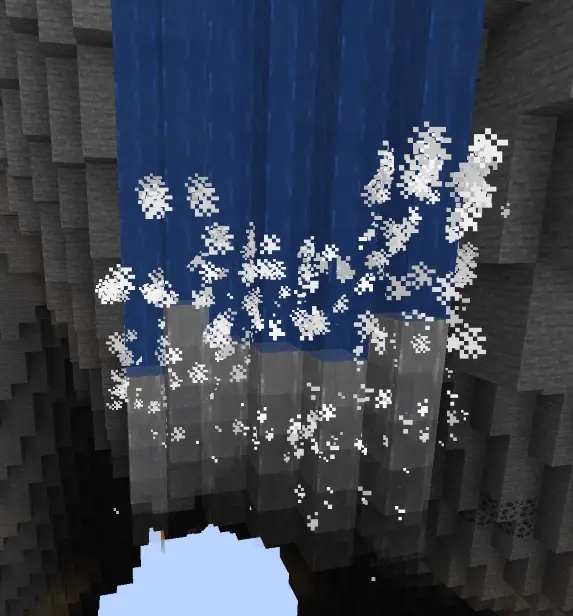
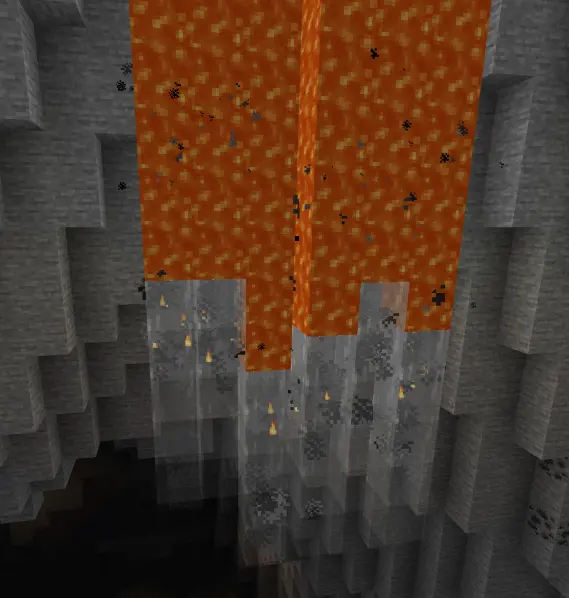
The mod detects waterfalls and lavafalls by checking for vertical fluid columns surrounded by air on all four horizontal sides. Once the flow exceeds the configured maximum height, the fluid dissipates and visual particle effects appear.
Not Affected
- Oceans and rivers
- Lava lakes and pools
- Water or lava touching solid blocks horizontally
- Aqueducts and enclosed fluid channels
Visual Effects
When a flow reaches its limit, the mod generates immersive particle effects:
- Waterfalls produce cloud and falling water particles
- Lavafalls produce smoke and lava particles
Configuration
Config file location:
config/waterfall-common.toml
#Enable or disable the mod entirely
enabled = true

[waterfall]
	#Maximum height (in blocks) of a vertical waterfall before it evaporates
	# Default: 12
	# Range: 1 ~ 100
	maxHeight = 12
	#Show cloud/splash particle effects when a waterfall evaporates
	enableEvaporationEffect = true
	#Density of evaporation particles (0.0 = none, 1.0 = maximum)
	# Default: 0.5
	# Range: 0.0 ~ 1.0
	particleDensity = 0.5

[lavafall]
	#Maximum height (in blocks) of a vertical lavafall before it evaporates
	# Default: 12
	# Range: 1 ~ 100
	maxHeight = 12
	#Show smoke/flame particle effects when a lavafall evaporates
	enableEvaporationEffect = true
Default Settings
- Enabled by default
- Maximum flow height: 12 blocks
- Particle effects enabled
- Adjustable particle density
Requirements
- Minecraft 1.21.1
- NeoForge 21.1.228+
- Java 21
License
Licensed under the MIT License.
常见问题
Waterfall Limit 支持哪些 Minecraft 版本?
Waterfall Limit 支持 Minecraft Java 版 1.21.1–1.21.11,共 11 个版本,可用的加载器:NeoForge。下载时注意选择和你游戏版本一致的文件。
Waterfall Limit 怎么安装?
先用 PCL2 或 HMCL 启动器安装对应版本的 NeoForge,再把下载的 .jar 文件放进游戏目录的 mods 文件夹,重新启动游戏即可。开启了版本隔离的,mods 文件夹在 versions/版本名 下面。运行环境:客户端和服务端都要装。
评论
登录后评论和评分