Wall Art
Combine stackable frames into large canvases to display custom images, animated GIFs, and synced videos with distance-based sound
截图



介绍
🖼️ Wall Art – Custom Images, GIFs & Cinema Screens
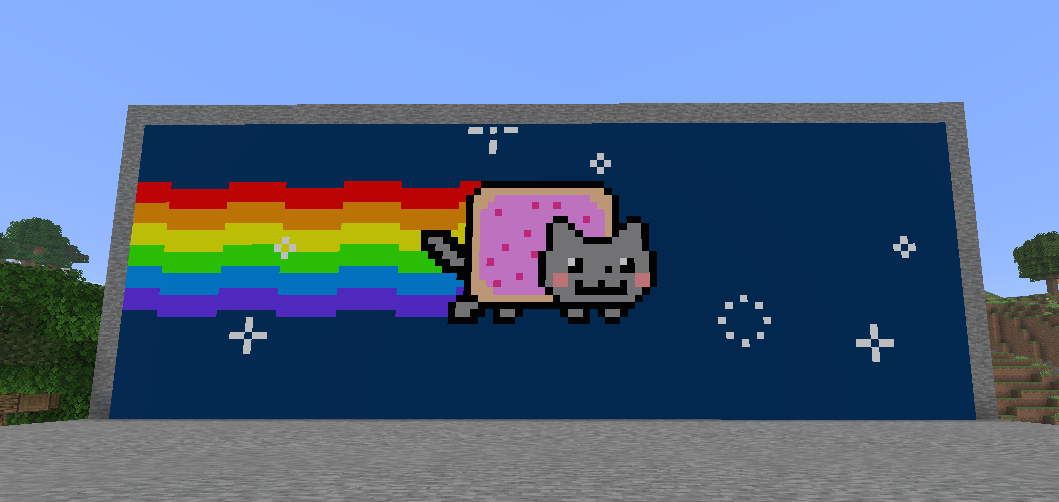
Transform your walls into everything from small picture frames and neon signs to massive, seamless cinema screens! Wall Art lets you craft stackable Canvas Frames (wallart:canvas_frame) that automatically connect into a single shared canvas. Paste a link right in-game to display high-resolution images, animated GIFs, or stream videos together with your friends on the server.
✨ Key Features
- Seamless Multi-Block Canvases: Place Canvas Frames next to each other in any rectangular shape (from 1×1 up to massive walls) to form one unified display.
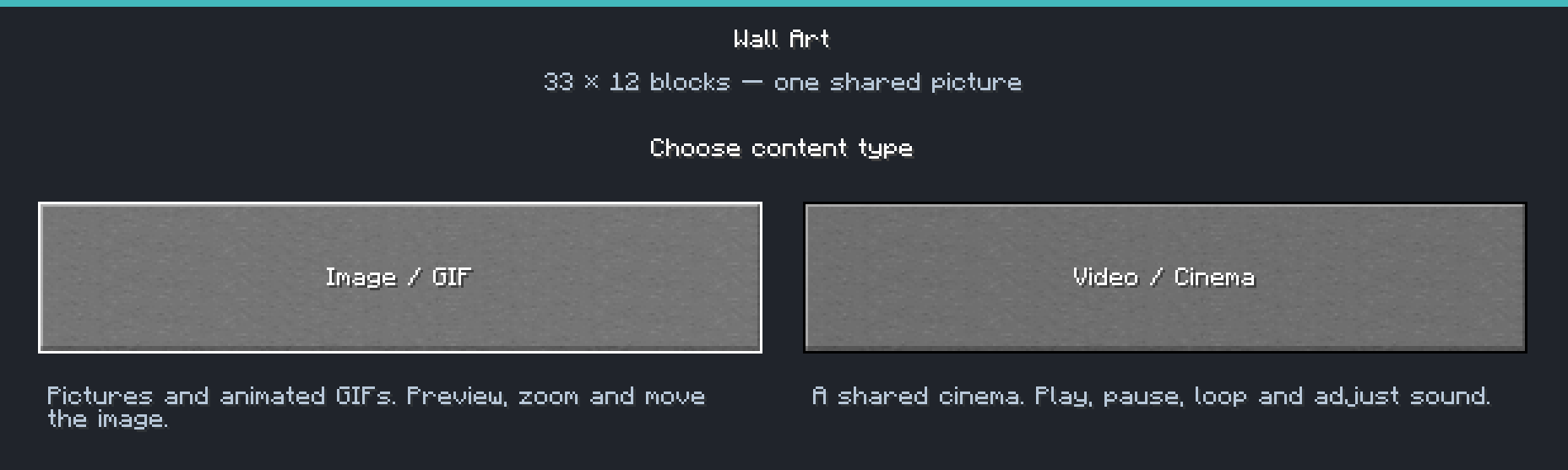
- Image & GIF Mode (
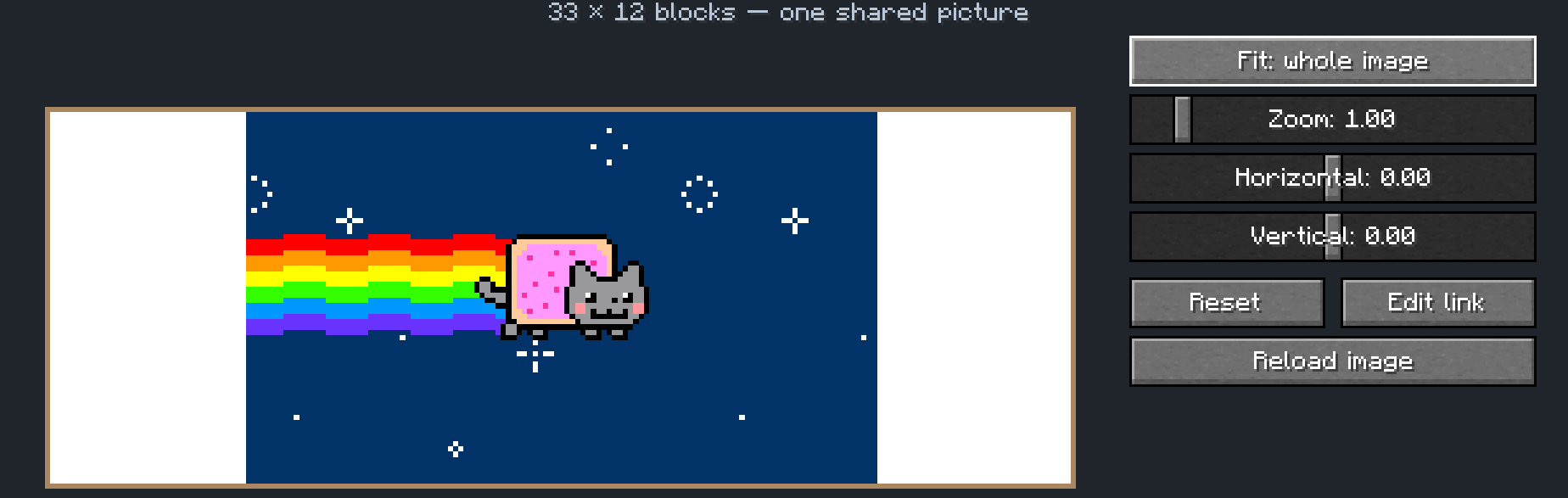
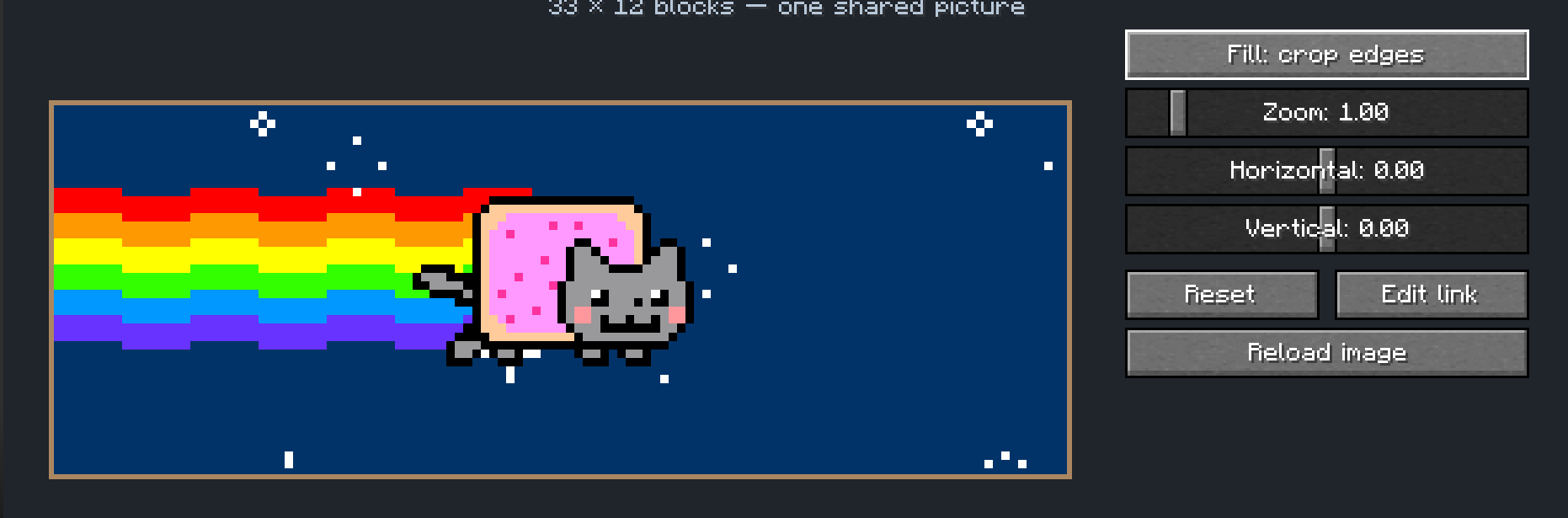
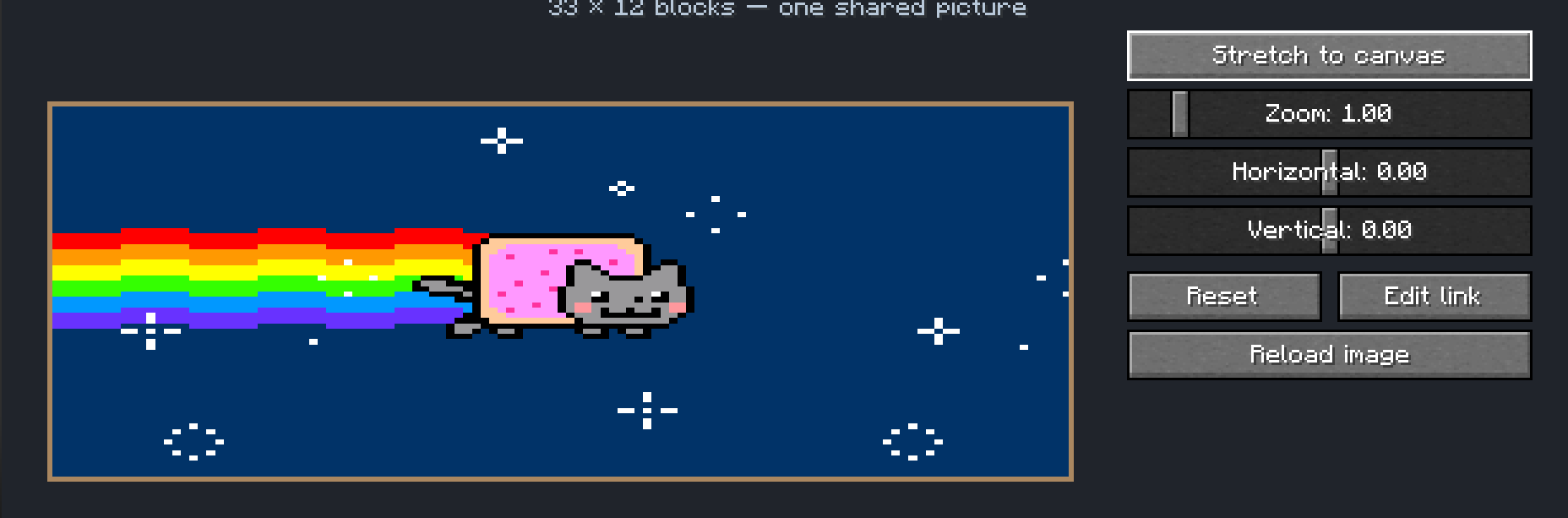
Image / GIF): Load custom PNG, JPG, and animated GIF files directly via image URLs. - Built-In Editor & Live Preview: Fine-tune your artwork in-game with 3 fit modes (Fit: whole image, Fill: crop edges, Stretch to canvas), smooth Zoom, and Horizontal/Vertical panning.
- Shared Multiplayer Cinema (
Video / Cinema): Paste a public video URL and watch together in multiplayer! - Synced Playback & Distance Audio: Control the screen for everyone with Play, Pause, Restart, timestamp seeking (seconds), Loop (on/off), Volume sliders, and distance-based spatial sound.
- Smart Client Caching: Images and media streams are cached locally on each player’s computer for smooth performance.
- Localization: Full language support for English (
en_us) and Swedish (sv_se).
🛠️ Crafting & How to Use
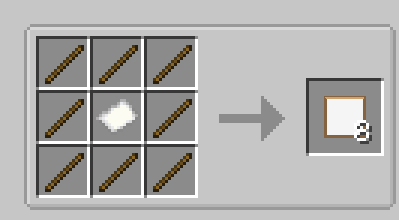
- Crafting Recipe: Place 1 Paper in the center of a Crafting Table surrounded by 8 Sticks to craft 8 Canvas Frames.
- How to Edit: Place your frames in a rectangle on a wall, then Shift + Right-Click the canvas with an empty main hand to open the Wall Art editor.
⚙️ Server Configuration
Server admins can customize canvas size limits in the server config (WallArtConfig):
maxCanvasSide– Maximum width or height of a canvas (up to 256 blocks).maxCanvasTiles– Maximum total frames in a single canvas (all frames must be in loaded chunks when editing).
📦 External Cinema Components (Runtime Downloads)
To keep the mod JAR lightweight, video codecs are not bundled inside the JAR. When using the Video / Cinema mode, the mod automatically downloads required runtime components into config/wallart/video-runtime and verifies every file against hardcoded SHA-256 checksums:
- JavaCV & JavaCPP 1.5.14 and FFmpeg 8.1.2 (from Maven Central) for video decoding.
- yt-dlp (2026.08.19) and Deno (v2.9.7) (from official GitHub Releases for Windows/Linux x86_64) for resolving public video links.
- These components can be removed at any time by deleting
config/wallart/video-runtimewhile Minecraft is closed.
🇸🇪 Svensk sammanfattning
Bygg ihop Tavelramar (1 papper + 8 pinnar = 8 ramar) till stora sömlösa dukar och bioskärmar! Shift + Högerklicka på ramen för att klistra in en bildlänk (PNG, JPG, GIF) eller en offentlig videolänk (Video / Biosalong) med zoom, beskärning, förhandsvisning och synkat avståndsljud för alla spelare på servern.
常见问题
Wall Art 支持哪些 Minecraft 版本?
Wall Art 支持 Minecraft Java 版 26.3,可用的加载器:NeoForge。下载时注意选择和你游戏版本一致的文件。
Wall Art 怎么安装?
先用 PCL2 或 HMCL 启动器安装对应版本的 NeoForge,再把下载的 .jar 文件放进游戏目录的 mods 文件夹,重新启动游戏即可。开启了版本隔离的,mods 文件夹在 versions/版本名 下面。
Bluebeem 的其他作品
查看全部 →
AFK Bots
Spawn customizable player bots to farm, fish, mine, kill mobs, and keep chunks active! The ultimate server-friendly alternative to second accounts.

The Nexus Core
A balanced 1.21.1 NeoForge modpack featuring advanced tech, epic building, endless adventure, and much more!
评论
登录后评论和评分