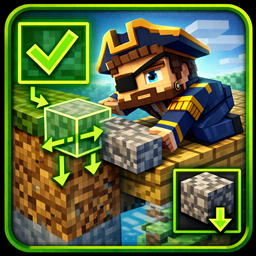
Voyager’s Bridging
Sneak to place blocks on the far side or bottom of blocks you're looking at. Visual indicators show when bridging is ready.
介绍
Tired of the awkward shuffle of walking backwards while staring at your feet to build a bridge? Voyager’s Bridging lets you build forward while looking forward.
How it works:
- Hold sneak and right-click while looking at a block
- Top half of block — places a block on the far side, extending your bridge
- Bottom half of block — places a block underneath it
- Works within 3 blocks range
Visual Indicators: A bold arrow appears on your crosshair when bridging is available:
- Green arrow (↑) — horizontal placement ready
- Blue arrow (↓) — downward placement ready
No more guessing if you’re lined up correctly!
Features:
- 3 block horizontal range
- 3 block vertical range (feet level + 2 blocks below)
- Bold, outlined arrows for clear visibility
- Fully configurable
- Block blacklist support
Perfect for:
- Speedbuilders who hate looking down
- Building bridges across gaps
- Extending platforms quickly
- Anyone who’s fallen into lava mid-bridge
常见问题
Voyager’s Bridging 支持哪些 Minecraft 版本?
Voyager’s Bridging 支持 Minecraft Java 版 1.21.1,可用的加载器:NeoForge。下载时注意选择和你游戏版本一致的文件。
Voyager’s Bridging 怎么安装?
先用 PCL2 或 HMCL 启动器安装对应版本的 NeoForge,再把下载的 .jar 文件放进游戏目录的 mods 文件夹,重新启动游戏即可。开启了版本隔离的,mods 文件夹在 versions/版本名 下面。
ElderVoyager 的其他作品
查看全部 →
Voyager’s Odyssey
An open-ended exploration-focused modpack with magic, technology, and total player freedom.

Voyager’s Essentials
Return to your death location, set custom homes, and teleport back with simple commands

Voyager’s Odyssey Nexus
A chaos driven modpack where you earn progress through quests, coins, bounties, and community fueled challenges.
Welcome Back
Shows players what happened on the server while they were away — who was online, who died, major advancements earned, and new players who joined.
评论
登录后评论和评分