
Simple Voice Chat Group Player Names
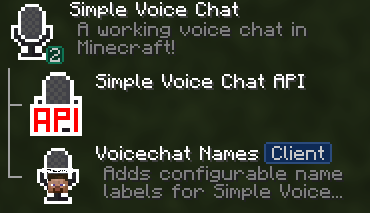
A mod that displays player names next to their heads in voice chat groups
截图


介绍

VoiceChat Player Names
Shows the names of players next to their heads while they are in your Simple Voice Chat group.

Features
- Names next to heads: see who is talking at a glance while you are in a voice chat group.
- Highly customizable: every setting can be adjusted to your liking.
- ModMenu integration: view and change all settings visually, no config files needed.
- Lightweight: compatible with most other mods.
Dependencies
| Mod | Status |
| — | :—: |
| Simple Voice Chat | Required |
| ModMenu | Required |
| Cloth Config API or YACL | Required |
Installation
- Install the dependencies listed above.
- Download the latest version from the Versions tab.
- Drop the
.jarinto yourmodsfolder. - Open ModMenu in game to adjust the settings.
常见问题
Simple Voice Chat Group Player Names 支持哪些 Minecraft 版本?
Simple Voice Chat Group Player Names 支持 Minecraft Java 版 1.21.1–26.3,共 16 个版本,可用的加载器:Fabric / NeoForge。下载时注意选择和你游戏版本一致的文件。
Simple Voice Chat Group Player Names 怎么安装?
先用 PCL2 或 HMCL 启动器安装对应版本的 Fabric / NeoForge,再把下载的 .jar 文件放进游戏目录的 mods 文件夹,重新启动游戏即可。开启了版本隔离的,mods 文件夹在 versions/版本名 下面。运行环境:仅客户端。
hennyc 的其他作品
查看全部 →
Create Radars: Mobile Radars
Mobile radar display and radar vision googles for the create radars mod

Create Radar: Fire Arc Filter
Qol Addon for Create: Radars that adds fire arc controls for cannon networks no-fire sectors in yaw and pitch so weapons only engage when the bore is pointed where you allow.

Heaven’s & Hell’s Armors
Adds Heaven's and Hell's Weapons and armor.
评论
登录后评论和评分