
Vodium
Vodium adds a lot of optimizations (render, physics and chunk systems optimized) & simple shader-system to Minecraft.
截图

介绍
Vodium — a Minecraft optimization mod.

Vodium is a Minecraft optimization and shading system mod that replaces numerous mods with a single, unified system. It optimizes rendering, physics, chunk and entity loading, and also provides a shader system (as mentioned earlier) – you don’t need to download a bunch of mods that conflict (Not 100% replacer for all optimization mods! Yes, it works fine, but it isn’t too big to replace all mods).
Note: I’m working hard to improve Vodium’s shader system, but it’s still not a complete replacement for Iris. However, it’s already usable – the basic effects and shaders work.
Incompatibles list
Incompatible with:
- Sodium
- (partially – if disable built-in entity physics optimization & AI optim will work) Lithium
- (partially – if disable culling works) EntityCulling
- (Not fully tested) C2ME
- (Partially – disable regionBatching to use) Iris Shaders
(however, it replaces their features)
How to download and use
- Download Vodium from the official website (i.e. here, from Modrinth).
- Download shaders from Google Drive.
- Place the .jar file you downloaded from Modrinth in step 1 in the /%Your_Minecraft_Folder%/mods/ folder.
- Place both shaders from the shader ZIP archive from step 2 in the /%Your_Minecraft_Folder%/shaderpacks/ folder.
Optimization showcase
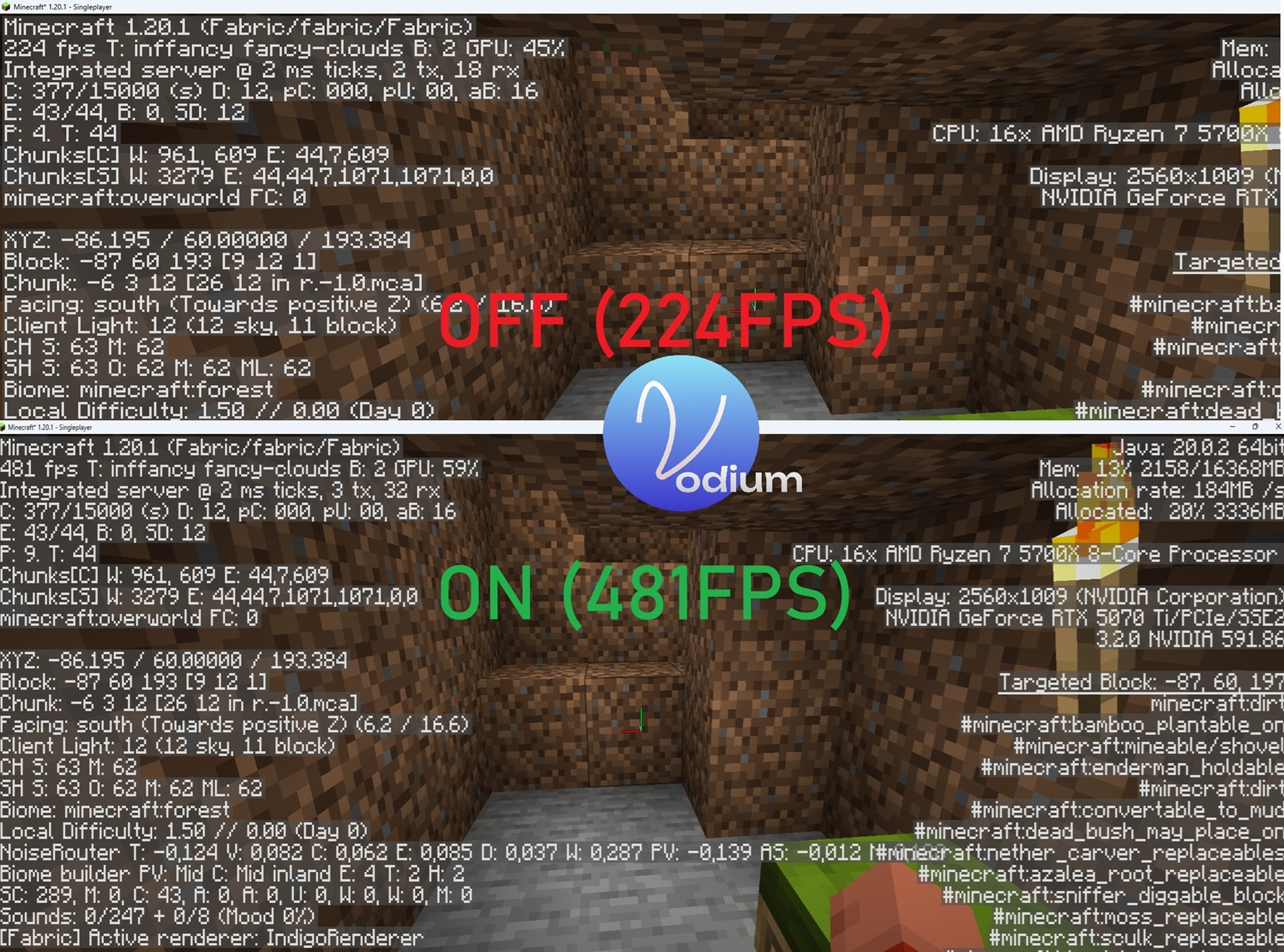
For your tests, you can use /vodium on & /vodium off commands to enable&disable mod’s optimizations – on this screenshot I used them (so, please, don’t ask “why top has fabric” – I tested using this command too).
If you want, you also can disable mod, run Minecraft again if you want.
常见问题
Vodium 支持哪些 Minecraft 版本?
Vodium 支持 Minecraft Java 版 1.20.1–1.21.1,共 3 个版本,可用的加载器:Fabric。下载时注意选择和你游戏版本一致的文件。
Vodium 怎么安装?
先用 PCL2 或 HMCL 启动器安装对应版本的 Fabric,再把下载的 .jar 文件放进游戏目录的 mods 文件夹,重新启动游戏即可。开启了版本隔离的,mods 文件夹在 versions/版本名 下面。运行环境:客户端 / 服务端。
评论
登录后评论和评分