VivyVitals
A client-side HUD that shows the health of whatever you're looking at. Nameplate, health bar, absorption, armor, and damage numbers on every hit. Works on any server.
截图
介绍
A client-side HUD that shows the health of whatever you’re looking at.
No setup, no menus to dig through. Point your crosshair at a mob and the panel shows up. Look away and it fades.
What it shows
- Nameplate – the entity’s name, with its health as numbers next to it (
12.5 / 20) - Health bar – gradient fill with quarter marks. Green when it’s fine, amber when it’s not, red when you should probably back off
- Absorption – a golden overlay on top of the bar when the target has absorption
- Extras – percentage, absorption amount and armor value, when there’s anything worth showing
Damage numbers
Every hit you land floats the actual damage dealt above the mob. It rises, fades, and gets out of the way.
The last entity you hit also stays on the HUD for 5 seconds, so losing your crosshair for a moment doesn’t lose you the target.
Config
There’s a config screen if you have ModMenu, or you can edit config/vivyvitals.json by hand:
- HUD on/off
- Damage numbers on/off
- Scale – 75% to 150%
- Position – any of the four corners
The default keybind to toggle the HUD is V. You can rebind it in Controls like any other key.
Themes
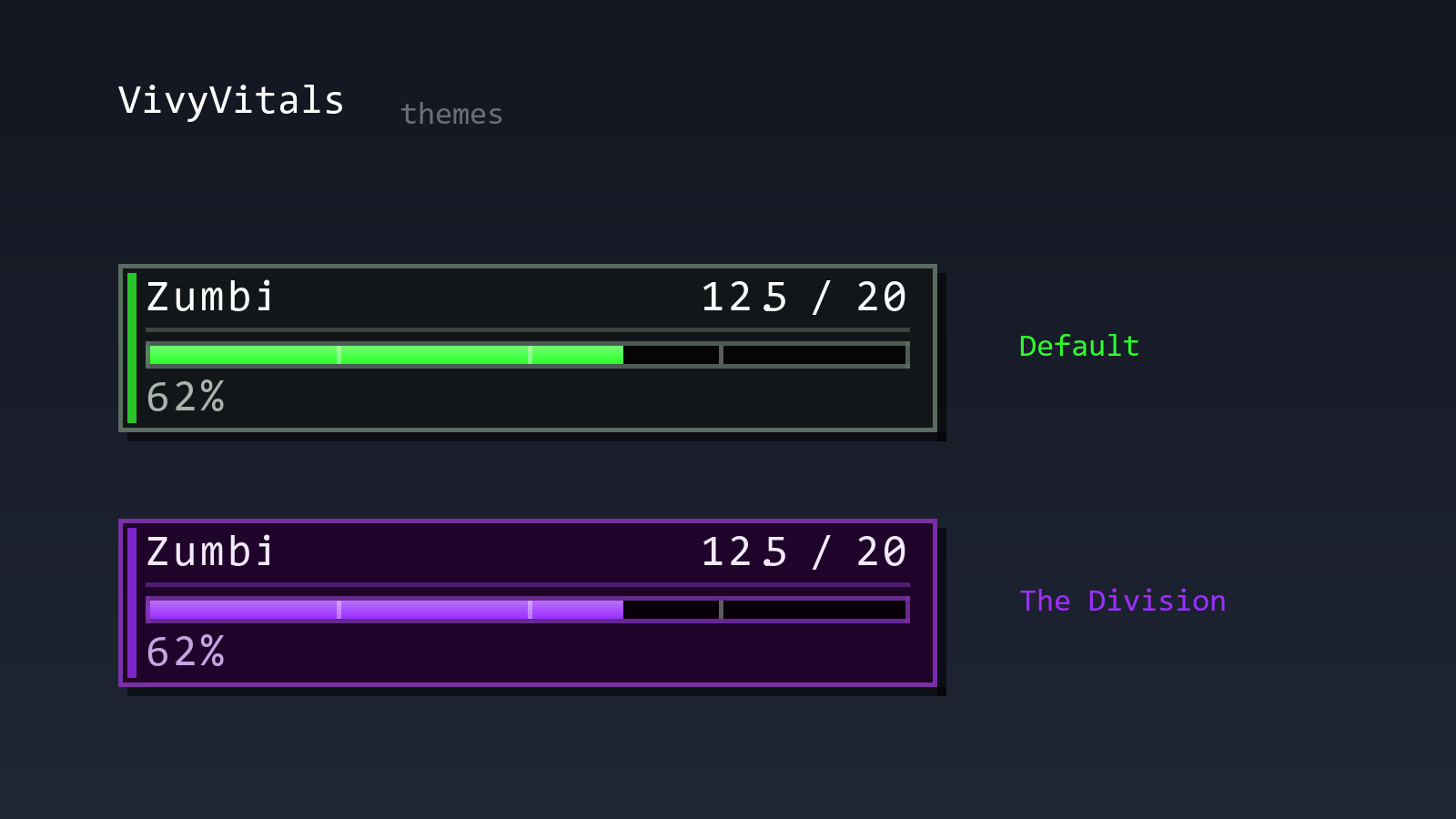
Green by default. If you run The Division Download, VivyVitals picks up its purple palette instead.
Client-side only
Nothing is needed on the server. Install it and join anywhere – vanilla, modded, doesn’t matter.
Requirements
- Fabric Loader
- Fabric API
- Fabric Language Kotlin
- Minecraft 1.20.1
Optional: ModMenu for the config screen, The Division for the alternate palette.
Languages
English and Brazilian Portuguese. It follows your game language.
Support
Bugs, ideas, or just want to hang out – my Discord server: https://discord.gg/fpFB3SYqJC
I’m also around as satan.csproj.
常见问题
VivyVitals 支持哪些 Minecraft 版本?
VivyVitals 支持 Minecraft Java 版 1.20.1,可用的加载器:Fabric。下载时注意选择和你游戏版本一致的文件。
VivyVitals 怎么安装?
先用 PCL2 或 HMCL 启动器安装对应版本的 Fabric,再把下载的 .jar 文件放进游戏目录的 mods 文件夹,重新启动游戏即可。开启了版本隔离的,mods 文件夹在 versions/版本名 下面。
评论
登录后评论和评分