
截图
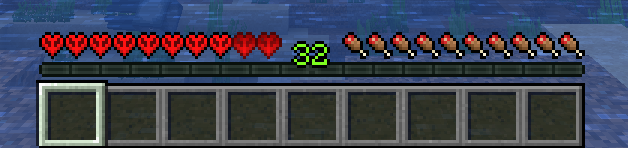


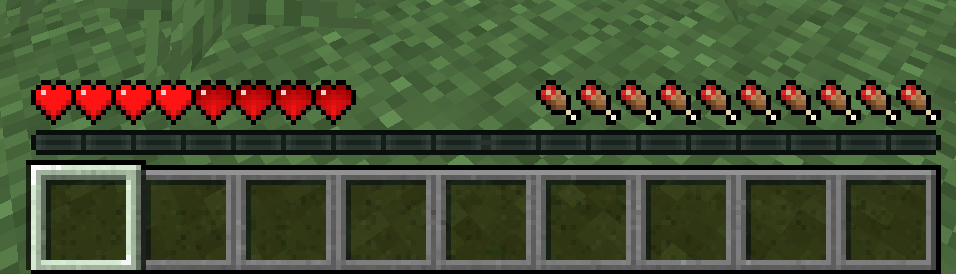
介绍
Description:
Vital XP adds a progression system to Minecraft by linking a player’s maximum health to their experience level.
Instead of having a fixed amount of hearts, players gain health as they level up, making XP a core survival mechanic rather than a simple enchanting resource.
How does it work?
- Players start with a minimum, configurable, amount of health.
- Health is capped at a configurable maximum.
- Every few XP levels, the player gains additional hearts.
- Losing XP reduces maximum health.
Once the maximum health cap is reached, any extra health gained is not wasted:
- Extra health becomes permanently locked hearts.
- Locked hearts are never lost, even if XP decreases.
- If the player dies, they lose their locked hearts if they have any.
Configuration:
All values can be adjusted in-game using commands or the configuration.
For versions below 1.21.1: type “/vitalxp help” to display the commands.
For versions 1.21.1 and above: the “/vitalxp” commands are no longer available. To configure the mod, go to the mods menu, select the mod, and press the “Config” button.
常见问题
Vital XP 支持哪些 Minecraft 版本?
Vital XP 支持 Minecraft Java 版 1.12.2–1.21.1,共 5 个版本,可用的加载器:Forge / NeoForge。下载时注意选择和你游戏版本一致的文件。
Vital XP 怎么安装?
先用 PCL2 或 HMCL 启动器安装对应版本的 Forge / NeoForge,再把下载的 .jar 文件放进游戏目录的 mods 文件夹,重新启动游戏即可。开启了版本隔离的,mods 文件夹在 versions/版本名 下面。运行环境:客户端和服务端都要装。
评论
登录后评论和评分