Visual Skill Tree Editor
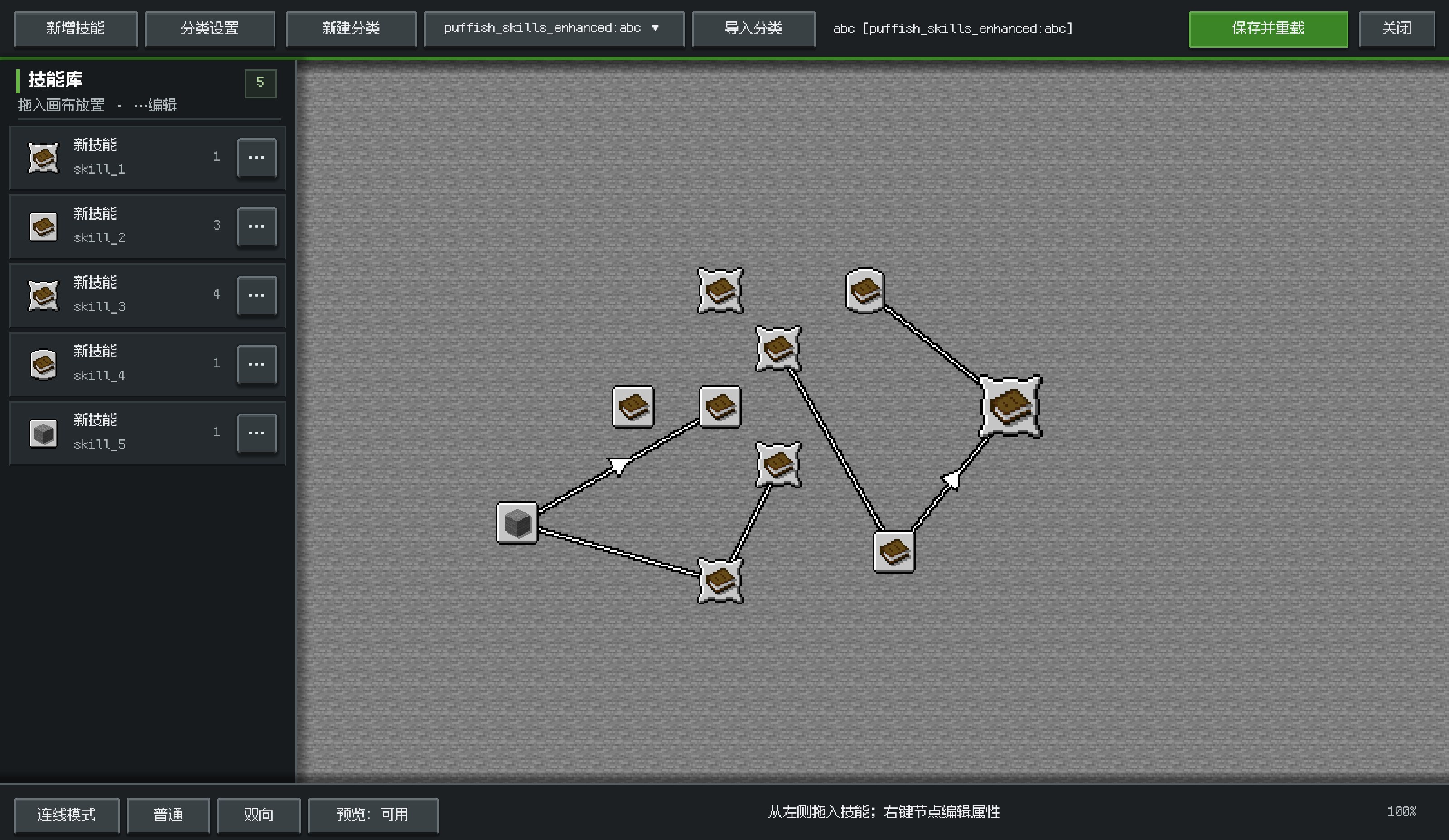
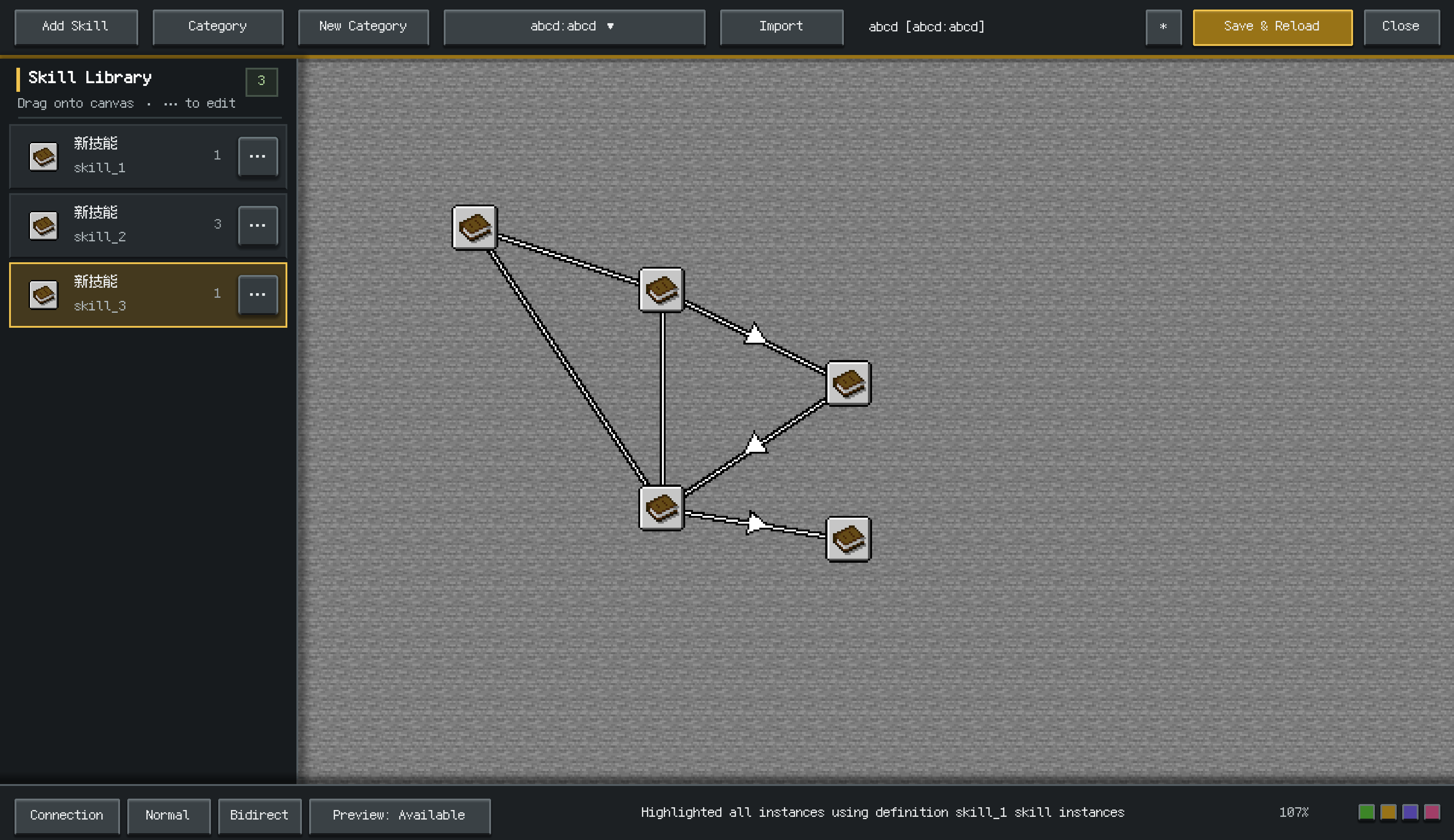
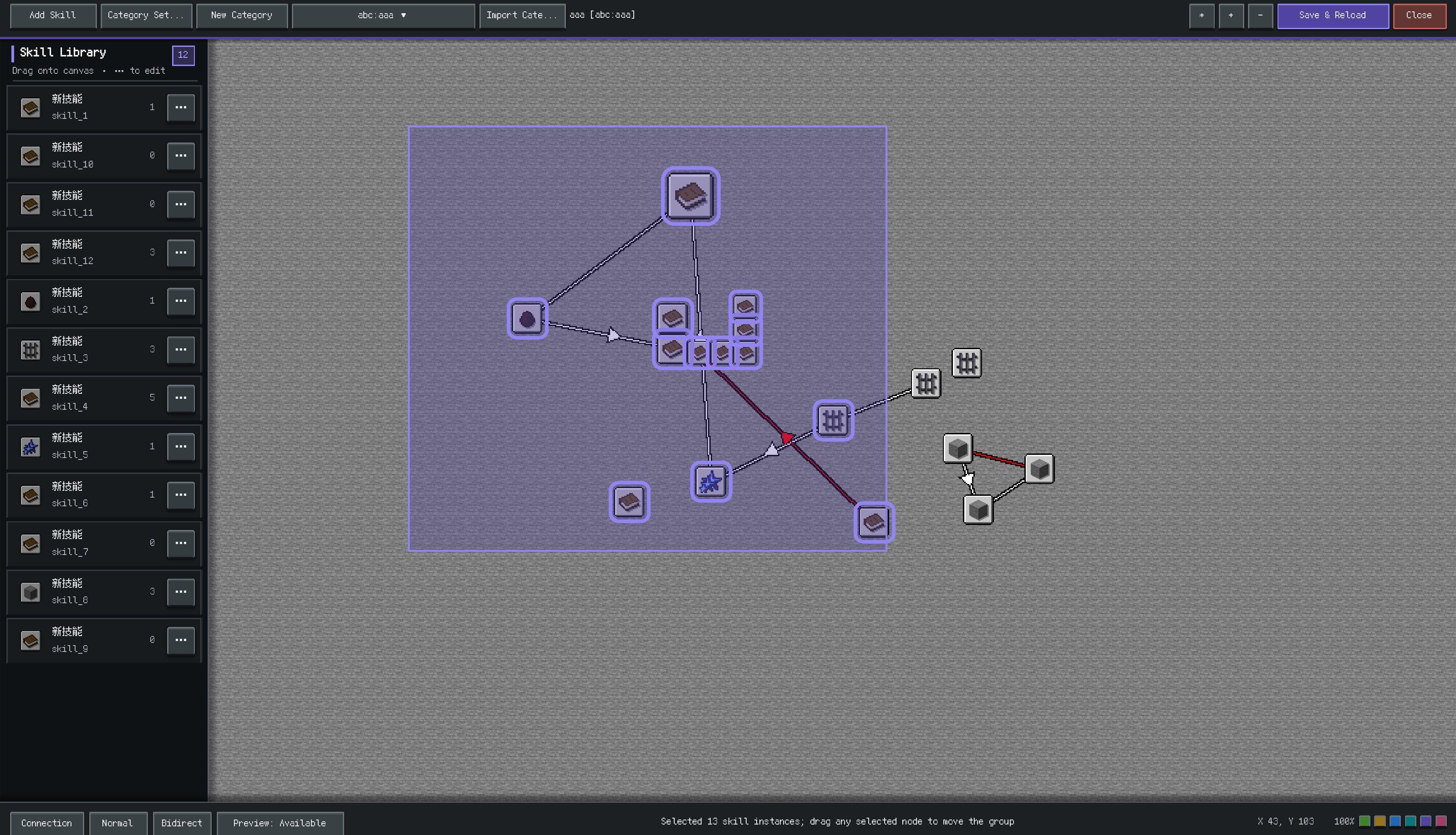
An in-game visual skill tree editor add-on for Pufferfish's Skills. Create and edit categories without hand-editing every data pack JSON file.
截图
介绍
Visual Skill Tree Editor
An in-game visual skill tree editor add-on for Pufferfish’s Skills. Create and edit categories without hand-editing every data pack JSON file.
Features
- Create a new skill category or import an existing one from supported data packs.
- Edit skill definitions, rewards, frames, icons, costs, requirements, and descriptions.
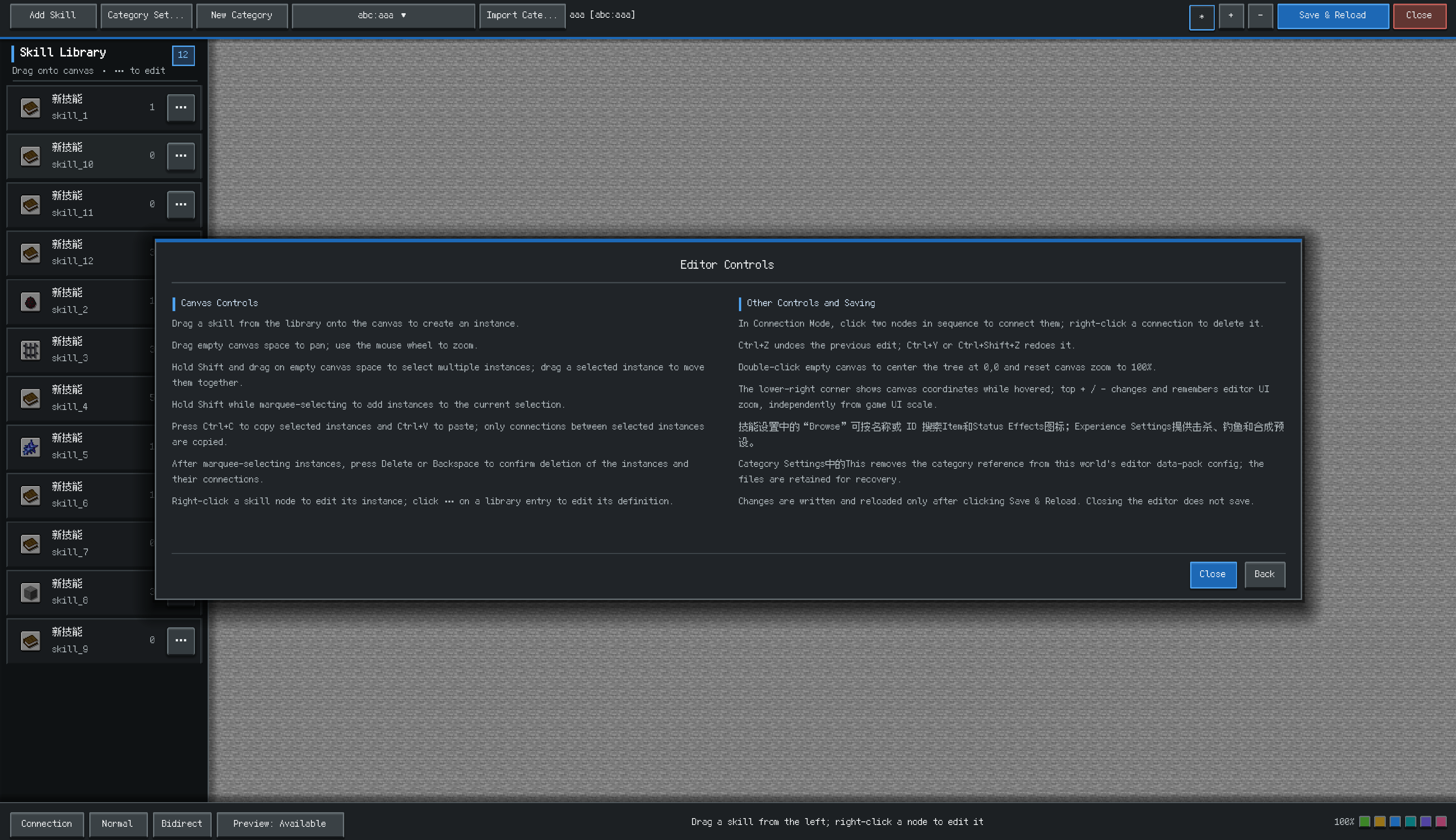
- Place skill instances on the canvas, adjust decimal coordinates, connect nodes, and move groups of selected skills together.
- Edit category backgrounds and experience settings, then save the result to the current world data pack.
- Use the optional ApricityUI integration for the redesigned interface. Without ApricityUI, the editor uses its built-in Minecraft layout.
Requirements
- Minecraft 1.20.1
- Minecraft Forge 47 or newer for Minecraft 1.20.1
- Pufferfish’s Skills 0.18.3 or newer
- ApricityUI 1.2.0 or newer is optional
Opening the editor
Run this command as an operator:
/puffish_skills_enhanced editor
This opens the first available category. If none are available, it opens a draft so you can create or import a category from the editor. You can also open a specific category:
/puffish_skills_enhanced editor category open <id>
Saving
The editor writes categories to the current world’s datapacks/puffish_skills_enhanced data pack. Use Save and Reload to save the edits and reload data packs. Category edits are not written until you use the save button.
Compatibility notes
This is an add-on for Pufferfish’s Skills. It does not include or replace Pufferfish’s Skills. ApricityUI changes the editor presentation only; the same editor remains available without it.
常见问题
Visual Skill Tree Editor 支持哪些 Minecraft 版本?
Visual Skill Tree Editor 支持 Minecraft Java 版 1.20.1,可用的加载器:Forge。下载时注意选择和你游戏版本一致的文件。
Visual Skill Tree Editor 怎么安装?
先用 PCL2 或 HMCL 启动器安装对应版本的 Forge,再把下载的 .jar 文件放进游戏目录的 mods 文件夹,重新启动游戏即可。开启了版本隔离的,mods 文件夹在 versions/版本名 下面。
DxEVIL 的其他作品
查看全部 →
puffish apothic attributes fix
Fixes Pufferfish’s dynamic attributes in the Apothic Attributes screen and displays Pufferfish’s Skills attribute modifiers with their corresponding skill icons.
Q Shop
A flexible server shop for Forge 1.20.1, NeoForge 1.21.1 and NeoForge 26.1.2, with buy, sell, barter and command trades, custom currencies, limits, in-game editing and a Builder-first KubeJS API.
Advanced Mob Leveling
An unofficial Auto Leveling continuation featuring formula-based attributes, KubeJS level controls, LootJS compatibility, and improved configuration formatting.

Q Backpack
A standalone Curios backpack mod with four upgrade tiers, an integrated inventory screen, automatic pickup, and Quark-inspired sorting.
评论
登录后评论和评分