
截图
介绍
VirtualKeys
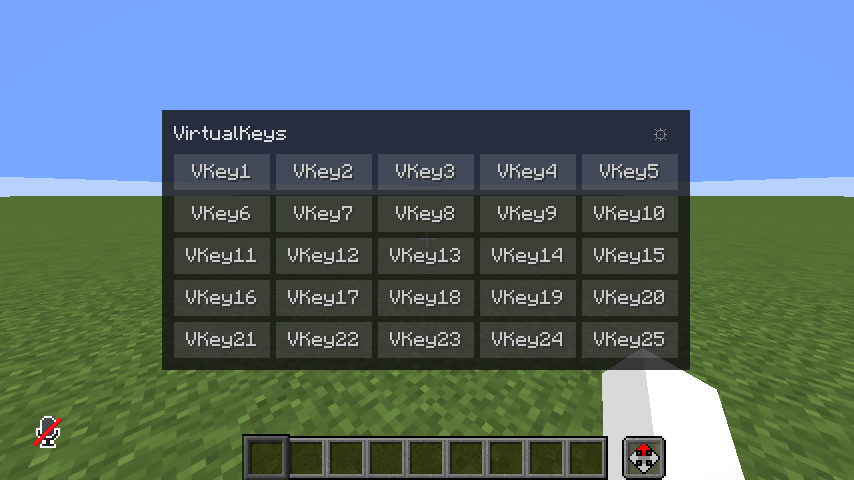
VirtualKeys is a client-side Fabric mod that adds an on-screen virtual key panel (GUI overlay) to Minecraft. It is designed for players who run out of physical hotkeys or want to organize complex keybindings cleanly, especially when using utility mods.
↑Showcase video (in Japanese)
Features
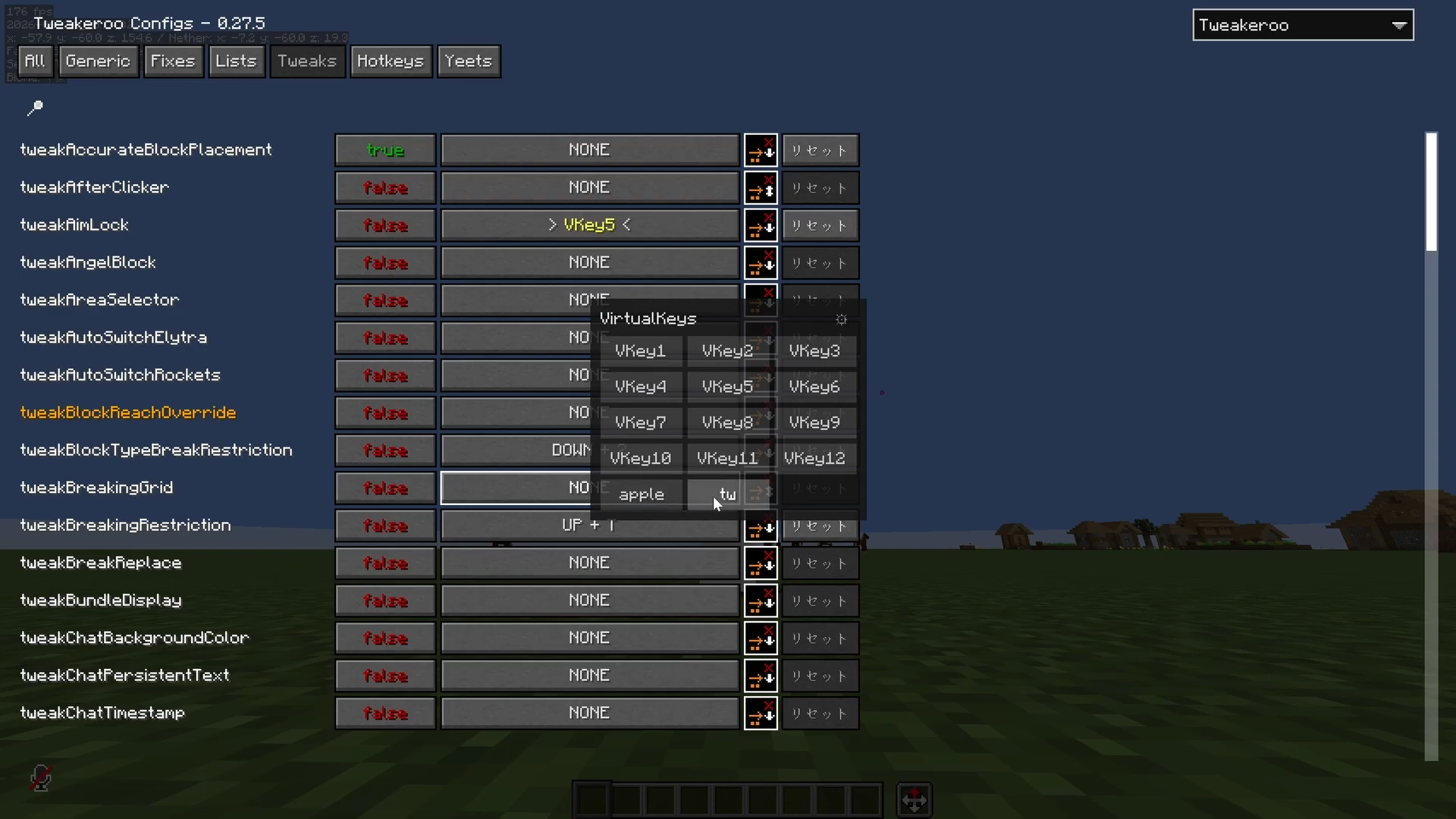
- Virtual Key Panel (Overlay UI): Open an overlay screen on top of other active GUIs. Simply click a virtual key with your mouse to trigger its action.
- maLiLib Integration: Seamlessly integrates with maLiLib‘s keycode registry. You can bind these virtual keys to settings in Tweakeroo, Litematica, or other maLiLib-based mods just like physical keyboard keys.
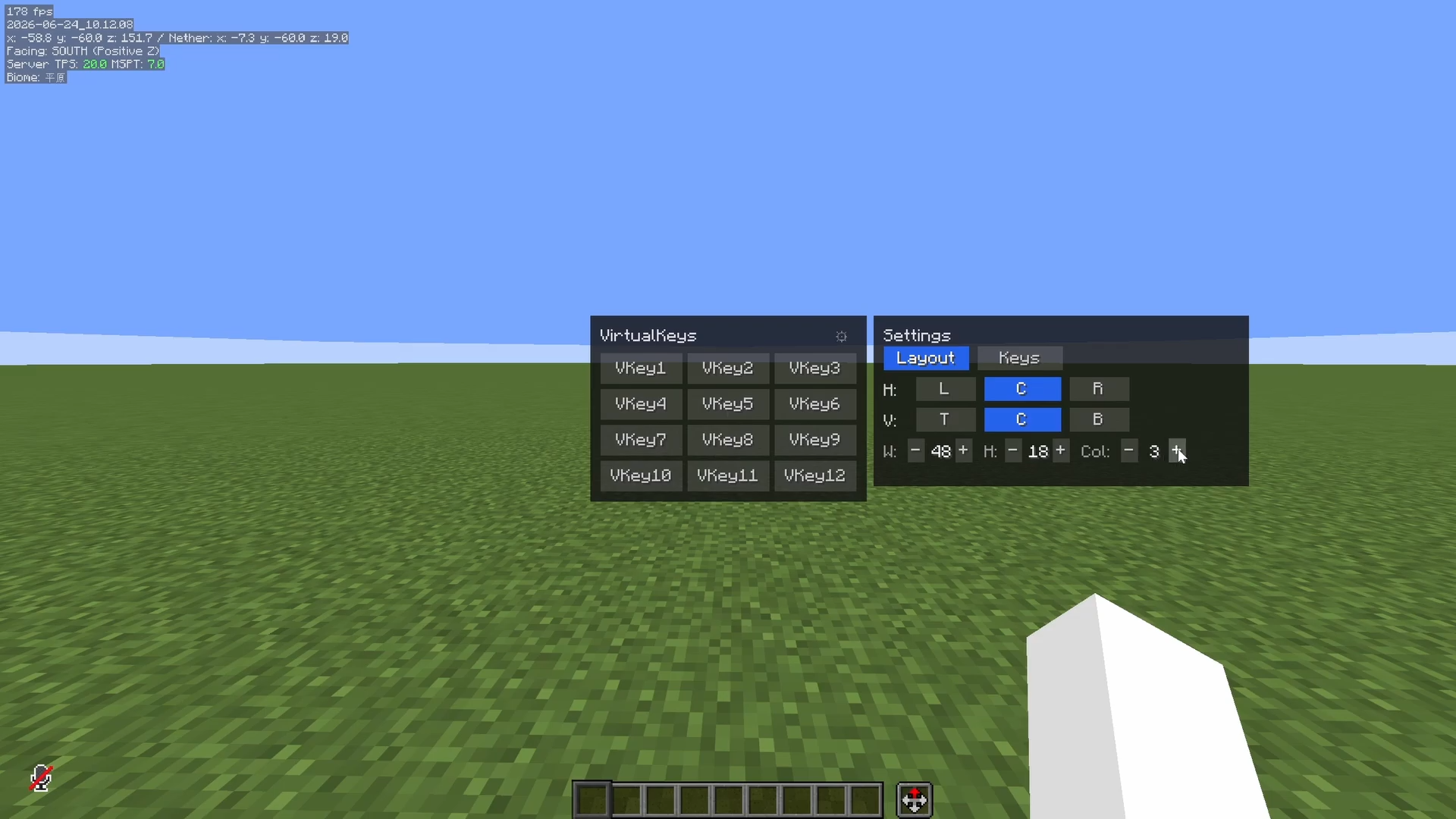
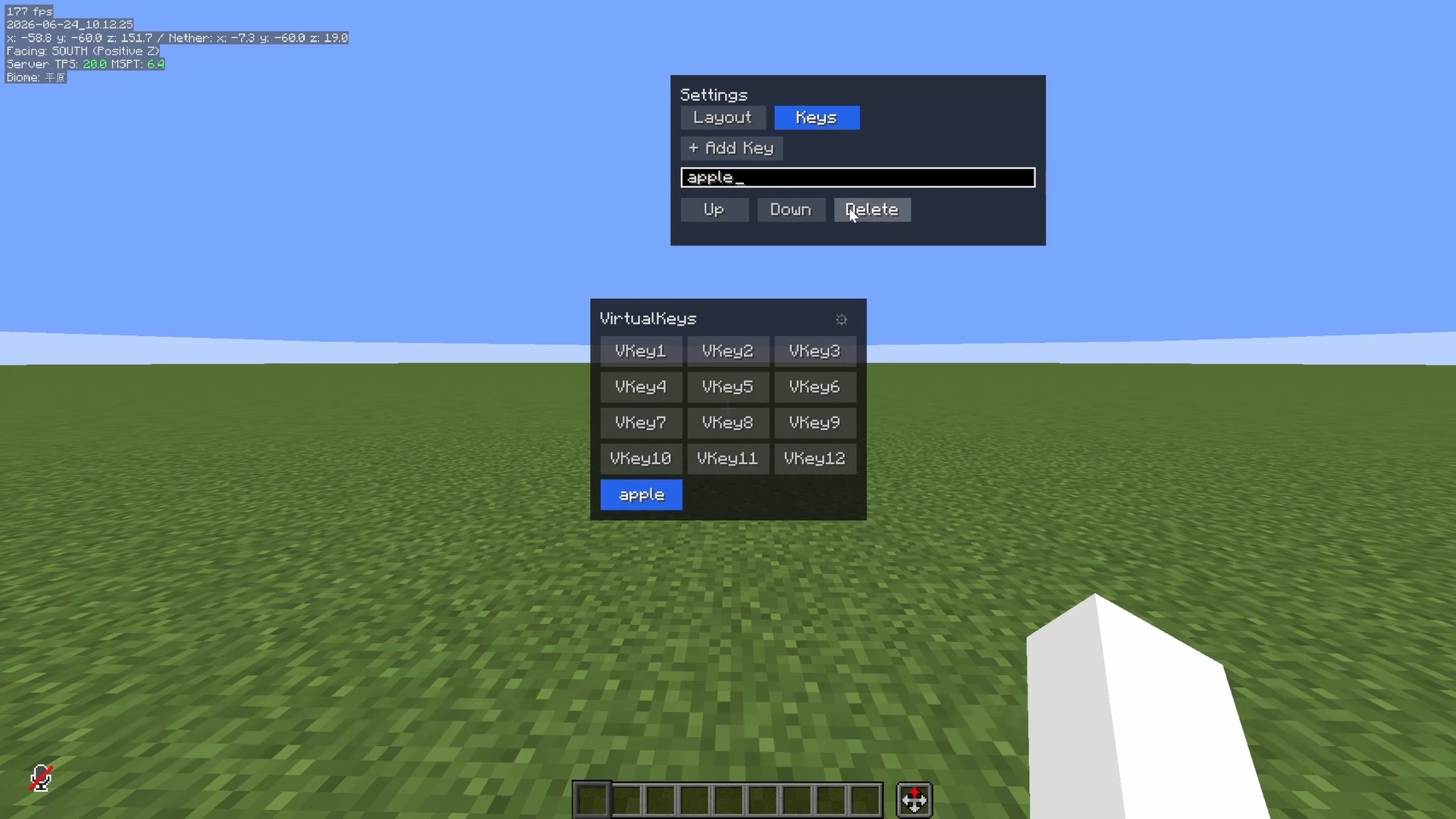
- In-Game Customization: Dynamically add, rename, or delete virtual keys right from the overlay configuration panel in-game.
How to Use
- Press the bound hotkey (customizable in Minecraft’s standard Controls menu) to open the VirtualKeys Panel.
- Customize your keys: Add new keys, rename them to match their functions (e.g., “Freecam”, “Fast Place”), and arrange them.
- Simply click any key on the panel to simulate the corresponding GLFW key press/release event to the game or parent screen.
License
This project is licensed under the MIT License.
常见问题
VirtualKeys 支持哪些 Minecraft 版本?
VirtualKeys 支持 Minecraft Java 版 1.20.1–26.2,共 3 个版本,可用的加载器:Fabric / Forge。下载时注意选择和你游戏版本一致的文件。
VirtualKeys 怎么安装?
先用 PCL2 或 HMCL 启动器安装对应版本的 Fabric / Forge,再把下载的 .jar 文件放进游戏目录的 mods 文件夹,重新启动游戏即可。开启了版本隔离的,mods 文件夹在 versions/版本名 下面。运行环境:仅客户端。
zenkanay 的其他作品
查看全部 →
Gaming Ancient Debris
A flashing rainbow RGB resource pack for Ancient Debris. Makes mining easier by cycling through 7 glowing colors!
Gaming Ancient Debris
A flashing rainbow RGB resource pack for Ancient Debris. Makes mining easier by cycling through 7 glowing colors!

Undertale Hotbar
Transform your hotbar into the style of Undertale!

MidiPlayer
Plays MIDI files on surrounding note blocks automatically.
评论
登录后评论和评分