VintageTag
VintageTag is a lightweight tag system mod (primarily compatible with 1.12.2) that brings functionality similar to the official tag system of Minecraft 1.13+ to older game versions.
截图
介绍
VintageTag
VintageTag adds a simple tag system to Minecraft 1.12.2, supporting item, fluid, and block tags.
Registering Tags
During the FMLLoadCompleteEvent phase, the tag system performs the following steps sequentially:
- Synchronize ore dictionary data
- Load tags from all mods (
src/main/resources/data/tags/<type>/) - Load tags from configuration files (
config/tags/<type>/)
Here, <type> can be one of item, fluid, or block.
The JSON format is similar to the official 1.13+ tag system. For details, see TagLoader.
Command System
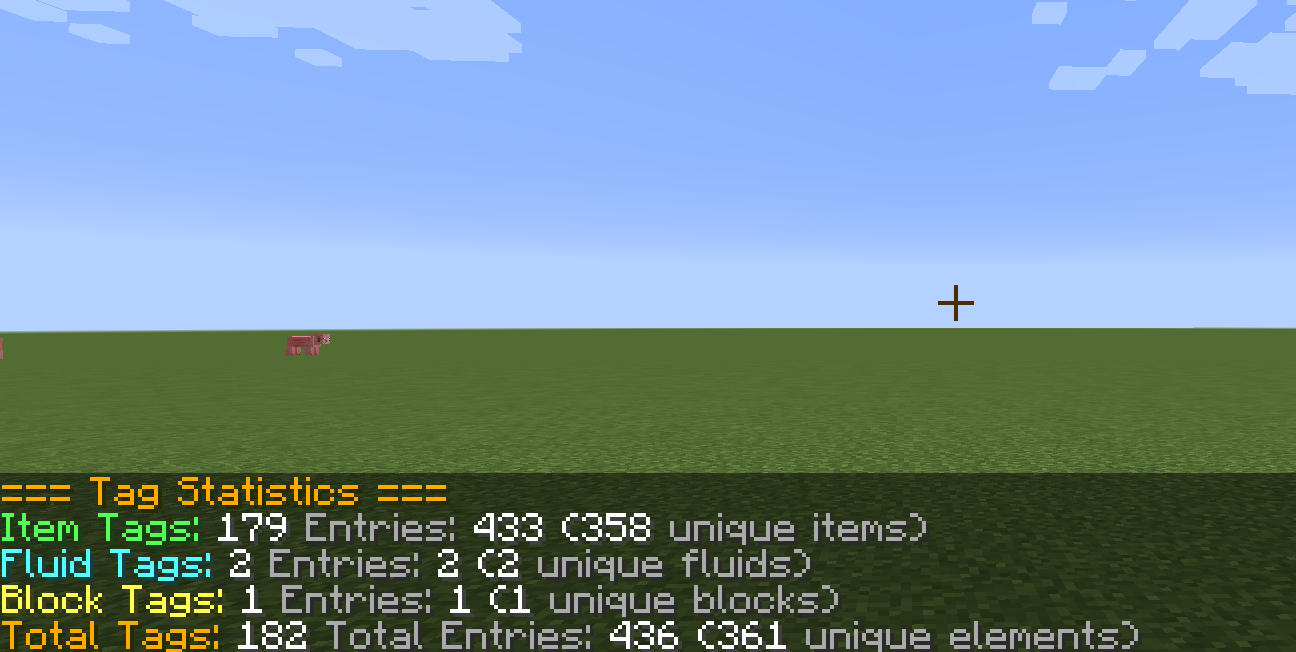
/tag info       // Display tag statistics (requires permission level 1)
/tag reload     // Reload tags (requires permission level 2)
Tooltip
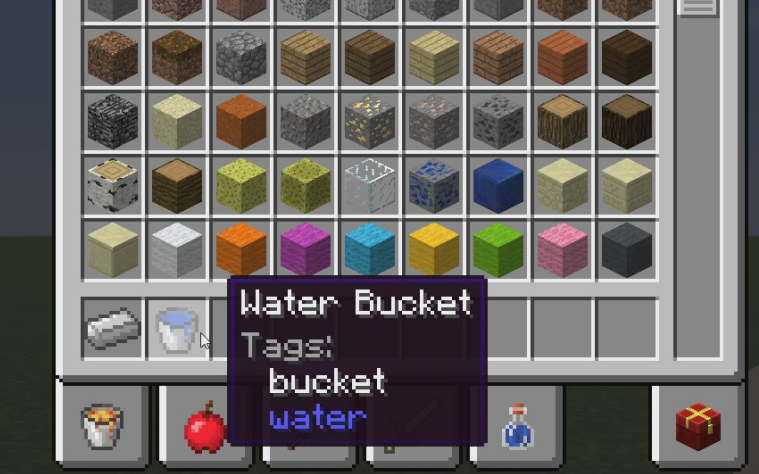
Hold Shift to view tag information for items, fluids, and blocks. For example:
- Holding Shift on a water bucket will show the bucket’s item tags and water’s fluid tags.
- Holding Shift on stone (an item that has a block form) will show the stone’s item tags and block tags (block tags do not distinguish metadata).
Tag types are color-coded:
- White: item tags
- Blue: fluid tags
- Yellow: block tags
If the item contains no tags of any type, a “No tags” message will appear.
Network Synchronization
When a player logs in or uses the /tag reload command, the server’s data is immediately synchronized to the client.
Configuration Options
// Enable scanning tags in configuration files
B:enableConfigScanner=true

// Enable scanning tags in mods
B:enableModScanner=true

// Enable synchronizing tags from the ore dictionary
B:enableOreSync=true

// Enable tag tooltips
B:enableTooltip=true
常见问题
VintageTag 支持哪些 Minecraft 版本?
VintageTag 支持 Minecraft Java 版 1.12.2,可用的加载器:Forge。下载时注意选择和你游戏版本一致的文件。
VintageTag 怎么安装?
先用 PCL2 或 HMCL 启动器安装对应版本的 Forge,再把下载的 .jar 文件放进游戏目录的 mods 文件夹,重新启动游戏即可。开启了版本隔离的,mods 文件夹在 versions/版本名 下面。运行环境:客户端和服务端都要装。
gardenevery 的其他作品
查看全部 →
AE2UEL Extra
1.12.2 Applied Energistics 2 Unofficial Extended Life Fork
CobbleForDays Legacy
CobleForDays port in Minecraft 1.12.2
AEKey Legacy
1.20.1 Applied Energistics 2's AEKey API port, adapted as much as possible to the 1.12.2 environment.
评论
登录后评论和评分