
VillagerTradeEditor
Villager Trade Editor is a server-side Fabric mod that lets server operators edit trades of ordinary villagers.
截图
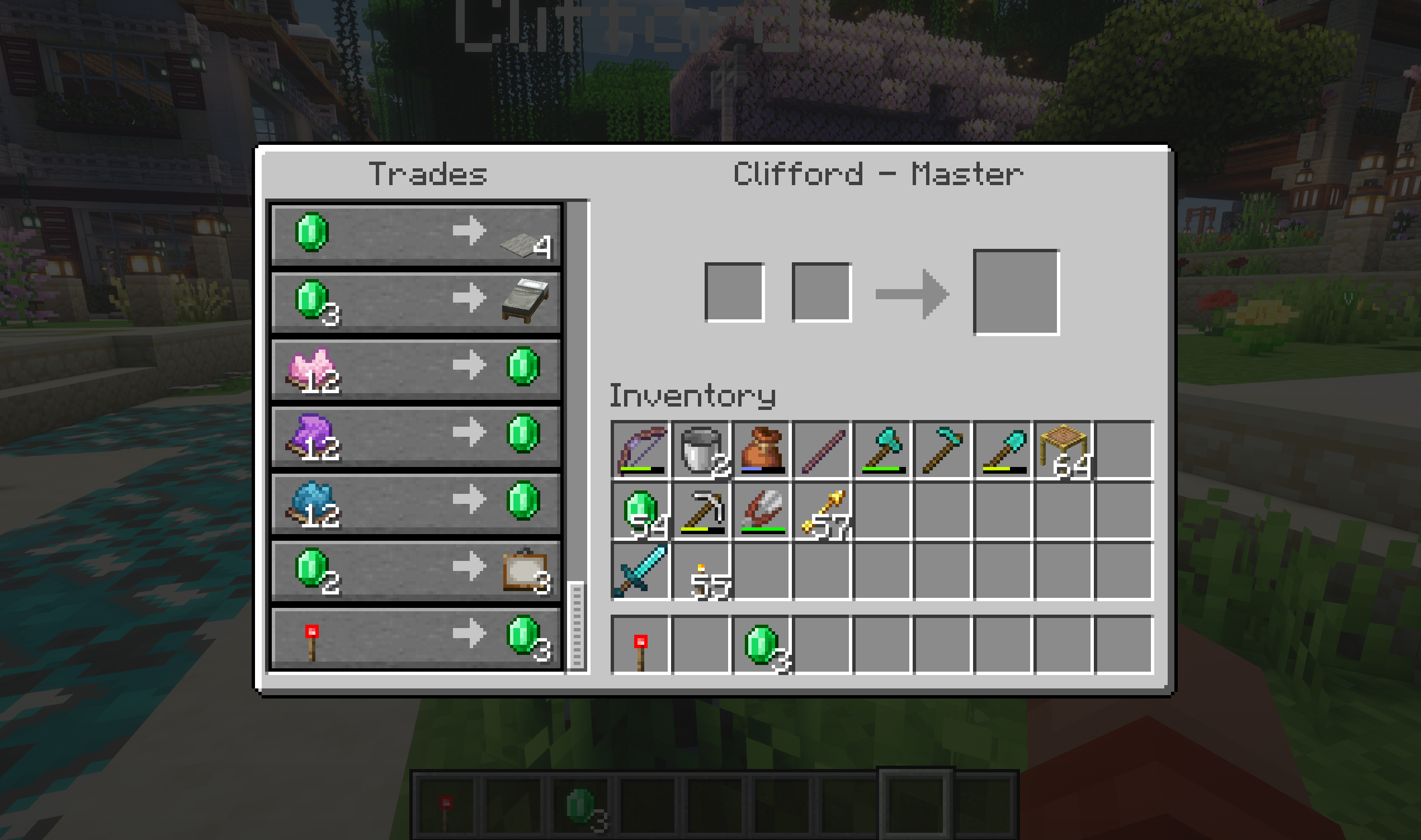
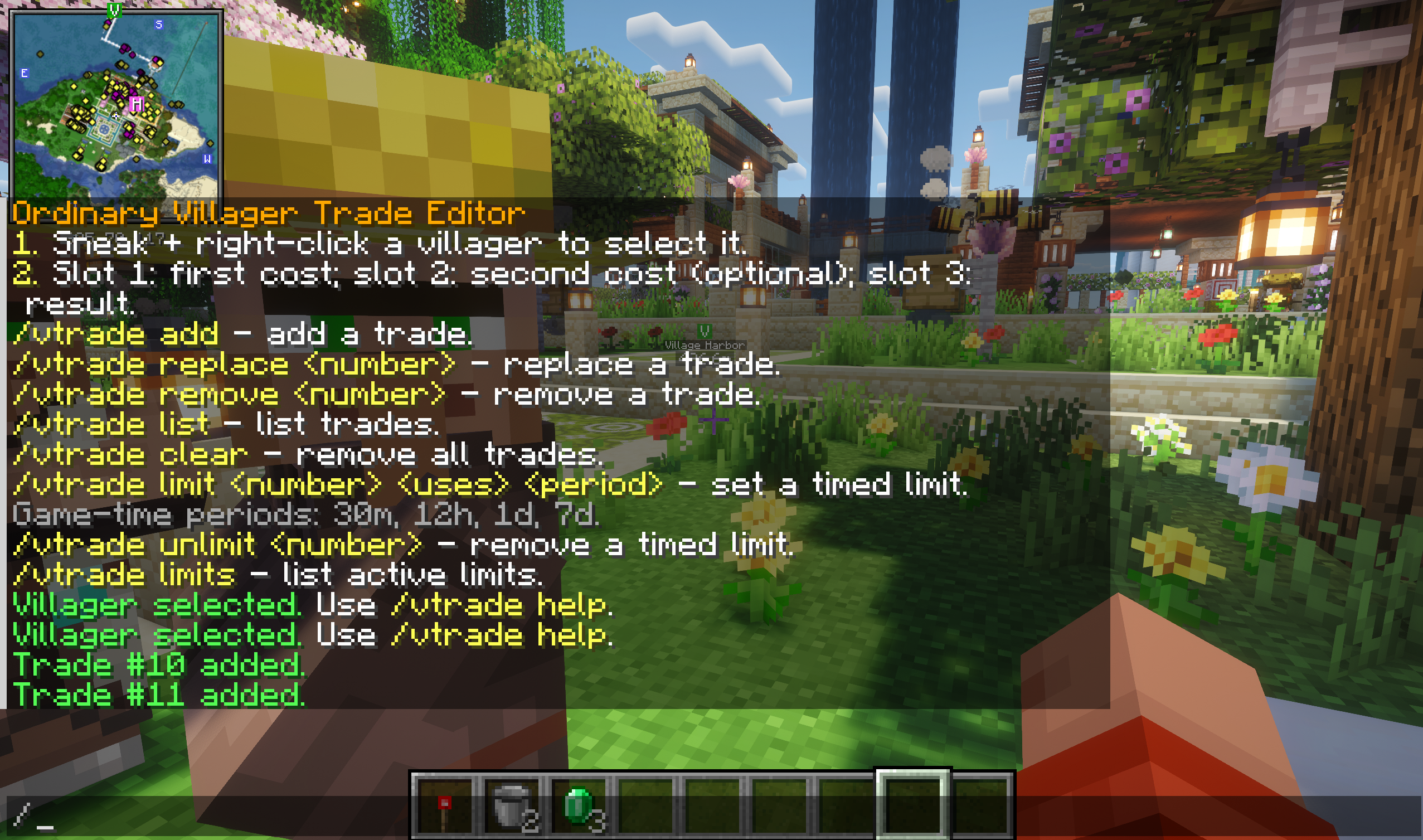
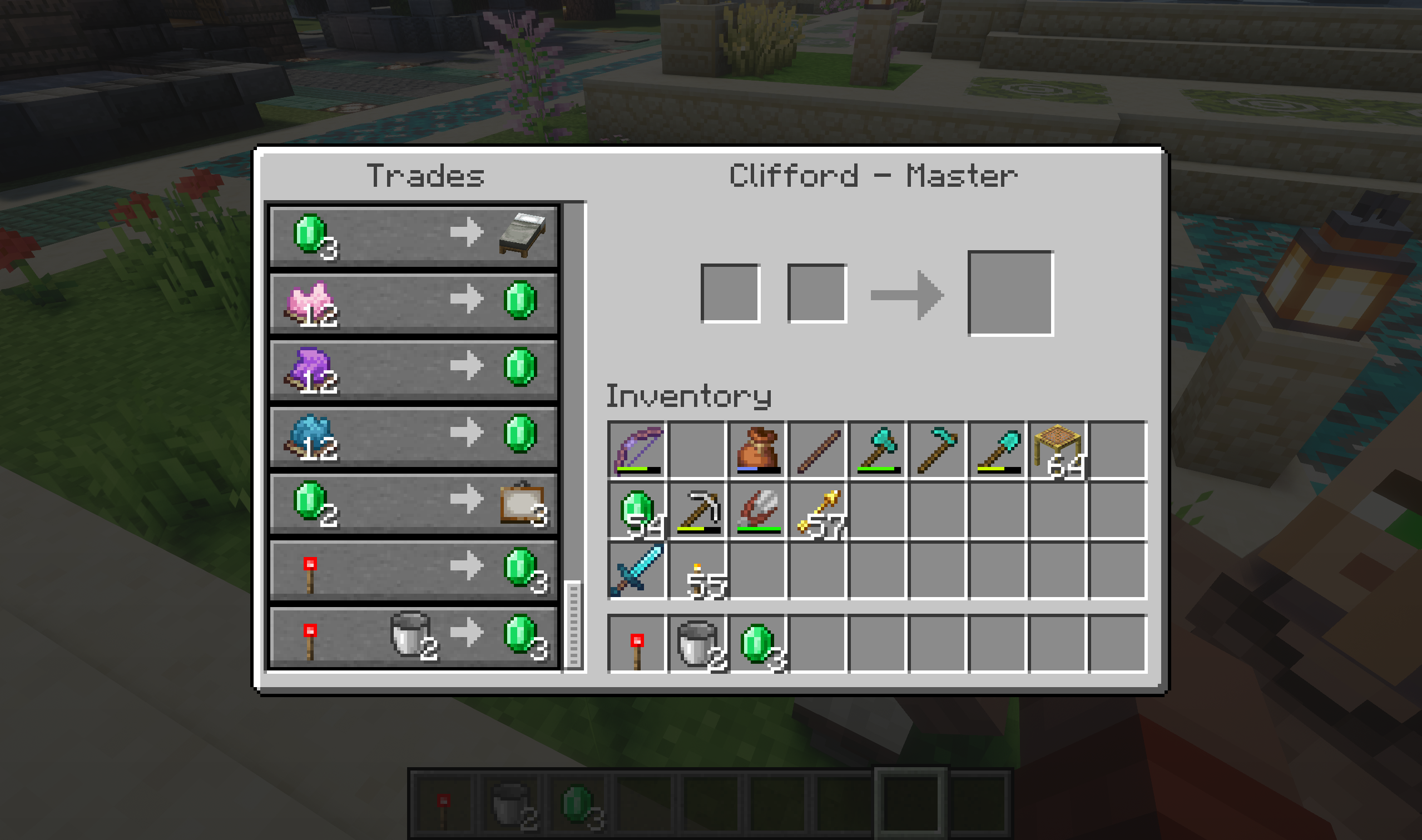
介绍
Villager Trade Editor
Villager Trade Editor is a server-side Fabric mod that lets server operators edit trades of ordinary villagers.
Players do not need to install this mod. It only has to be installed on the server.
Features
- Sneak + right-click an ordinary villager to select it
- Add, replace, remove, list, and clear villager trades
- Create trades from hotbar slots
- Restrict trade editing to server operators only
- Add global timed trade limits
- Timed limits use Minecraft in-game time, so sleeping advances timers
Requirements
- Minecraft 1.21.10
- Fabric Loader
- Fabric API
- Java 21
How to select a villager
Sneak + right-click an ordinary villager.
Only players with command permission level 2 or higher can select villagers and use the commands. By default, this means server operators only.
Creating a trade
The mod creates trades from your hotbar:
- Hotbar slot 1: first cost
- Hotbar slot 2: optional second cost
- Hotbar slot 3: result item
Example:
If you want a villager to sell an enchanted diamond sword for 25 emeralds:
- Put 25 emeralds in hotbar slot 1.
- Leave hotbar slot 2 empty.
- Put the enchanted diamond sword in hotbar slot 3.
- Sneak + right-click the villager.
- Run:
/vtrade addCommands
/vtrade helpShows the help message.
/vtrade listLists all trades of the selected villager.
/vtrade addAdds a new trade to the selected villager using items from hotbar slots 1, 2, and 3.
/vtrade replace <number>Replaces an existing trade with a new one using items from hotbar slots 1, 2, and 3.
Example:
/vtrade replace 2Replaces trade number 2.
/vtrade remove <number>Removes one trade from the selected villager.
Example:
/vtrade remove 3Removes trade number 3.
/vtrade clearRemoves all trades from the selected villager.
常见问题
VillagerTradeEditor 支持哪些 Minecraft 版本?
VillagerTradeEditor 支持 Minecraft Java 版 1.21.10,可用的加载器:Fabric。下载时注意选择和你游戏版本一致的文件。
VillagerTradeEditor 怎么安装?
先用 PCL2 或 HMCL 启动器安装对应版本的 Fabric,再把下载的 .jar 文件放进游戏目录的 mods 文件夹,重新启动游戏即可。开启了版本隔离的,mods 文件夹在 versions/版本名 下面。运行环境:仅服务端。
评论
登录后评论和评分