Villager Trade Labels
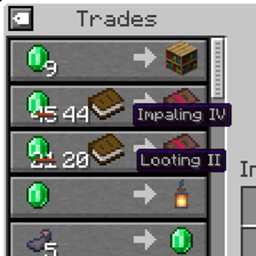
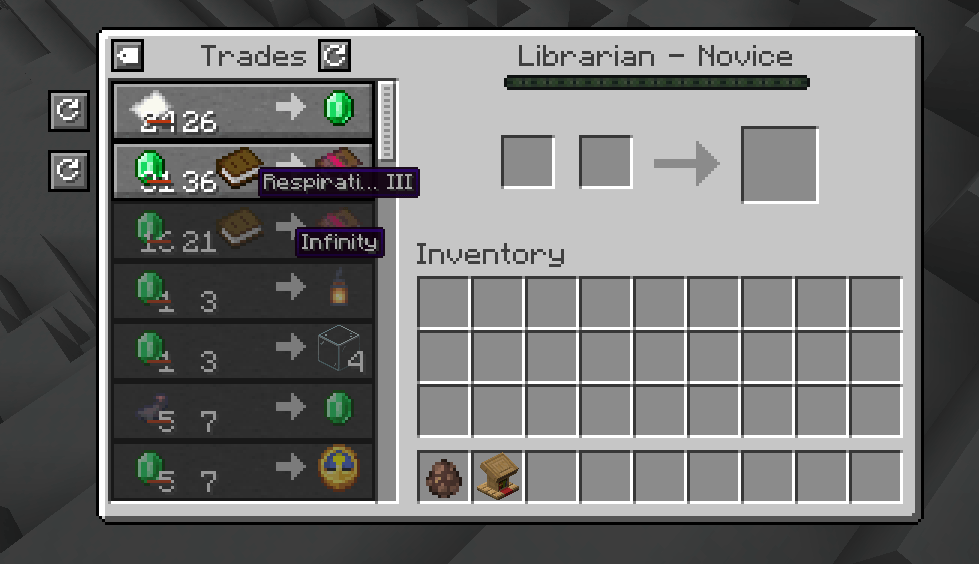
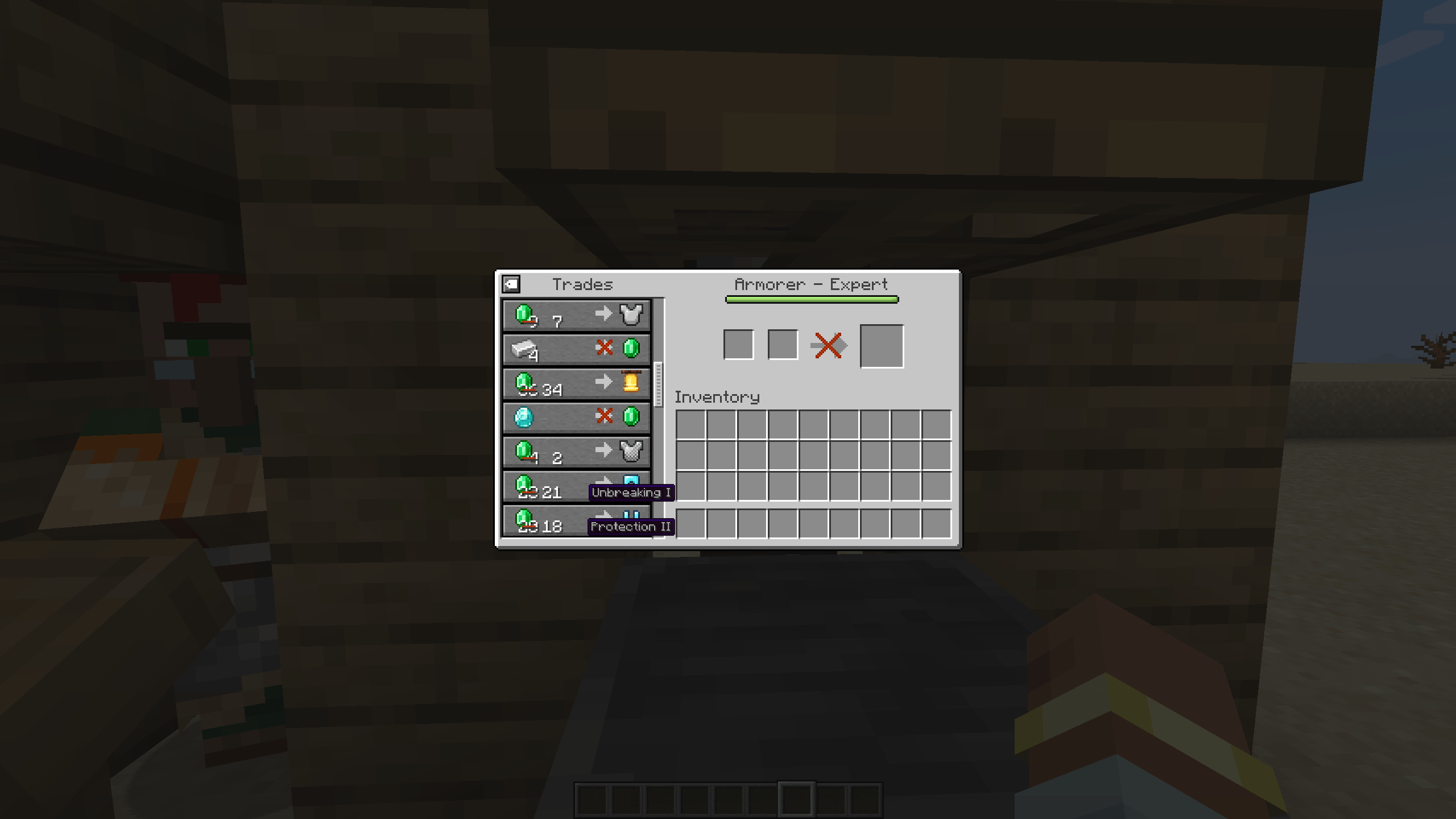
See villager trade enchantments and explorer map names right in the trading screen, without hovering over each item.
截图
介绍
Villager Trade Labels
See what a villager is selling without hovering over every trade.
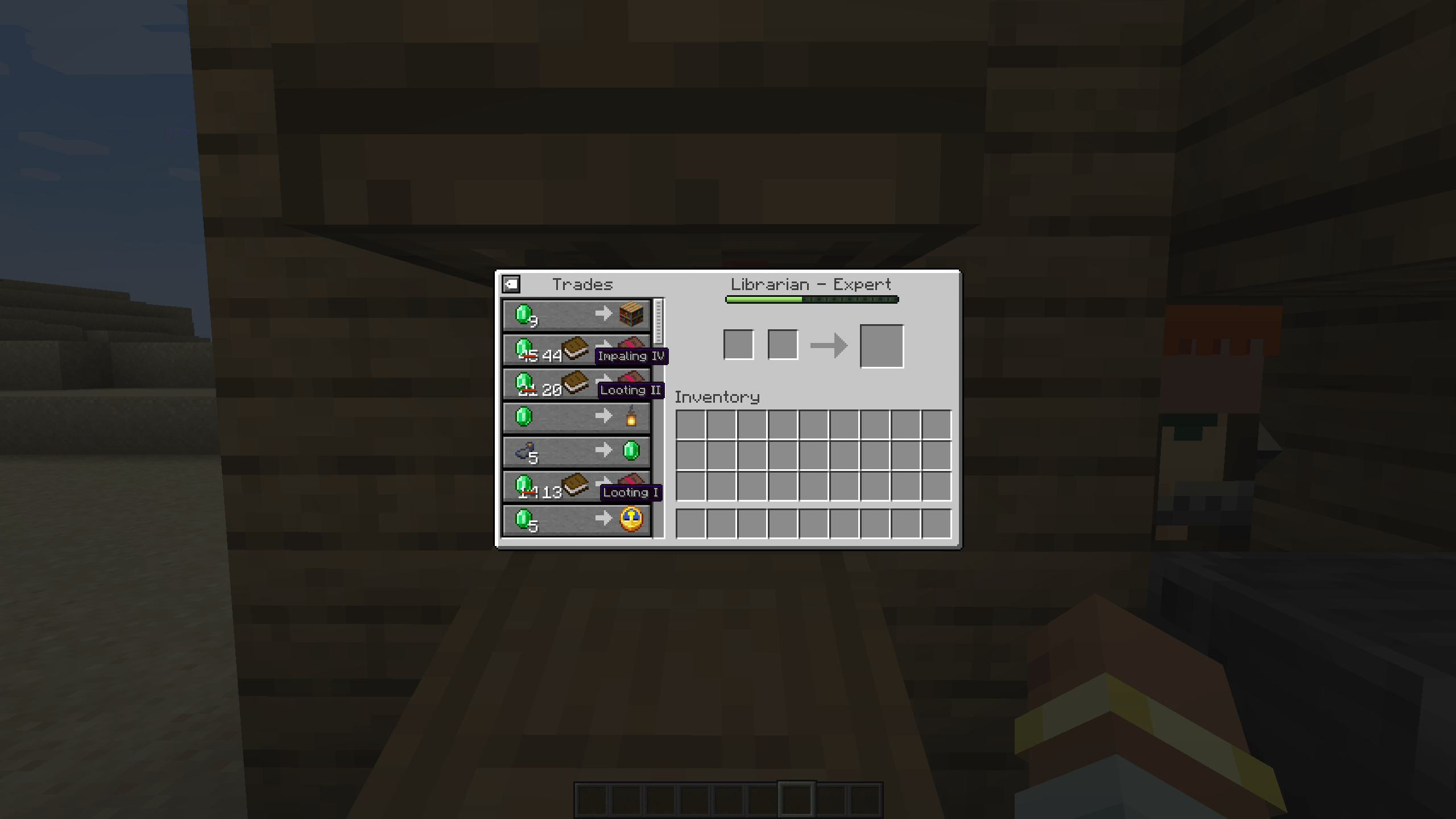
Looking for Mending in a hall full of librarians means hovering over book after book. Villager Trade Labels shows the enchantment of every enchanted book, the enchantments of enchanted gear, and the name of every explorer map right below the item in the vanilla trading screen.
Features
- Enchanted books. The stored enchantment and its level, for example Mending or Sharpness V.
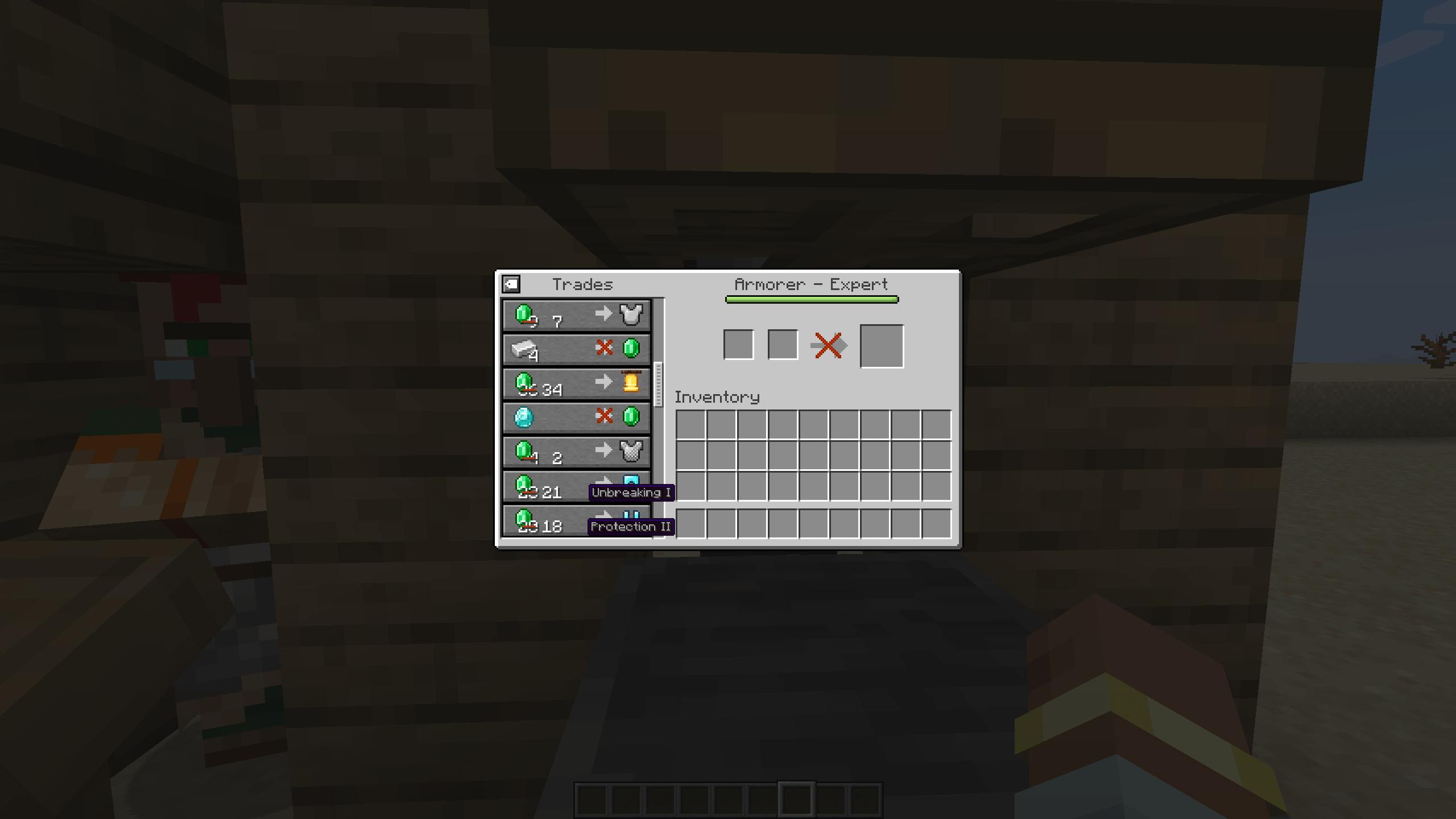
- Enchanted gear. The first enchantment of armor, weapons and tools, plus how many more there are, for example Protection III +1.
- Explorer maps. The map name, for example Ocean Explorer Map.
- Looks like vanilla. Labels use the vanilla tooltip style and colors: grey enchantments, red curses, map names in their item color.
- Always readable. Long names are shortened with “…”, but the level is always shown.
- No spoilers. Only information the vanilla tooltip already shows. Hidden details stay hidden.
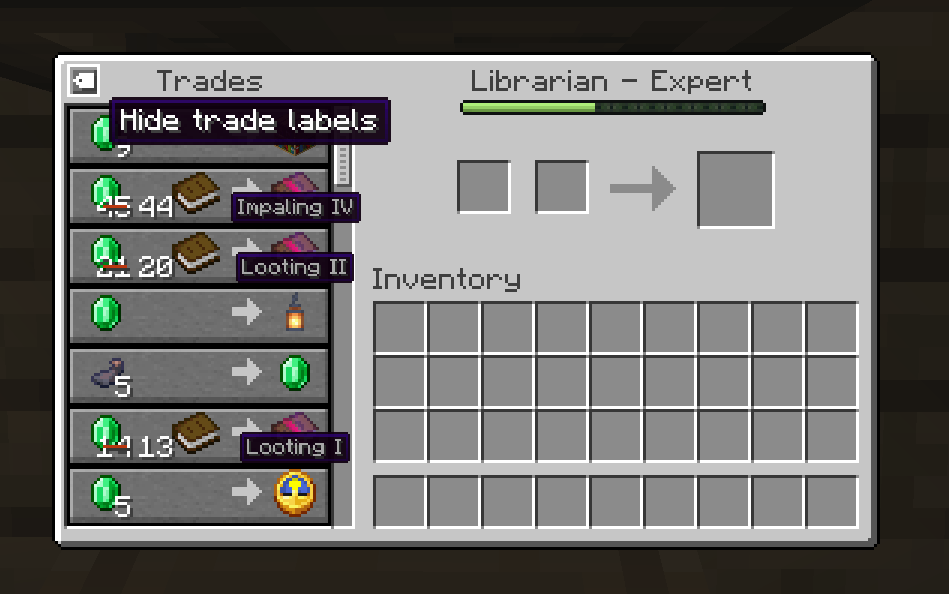
- Toggle. A small button at the top left of the trade list hides or shows the labels and remembers your choice.
- Client-side only. Install it on your client and use it on any server, including servers without mods.
Better together
- Villager Trade Peek: locked future trades get labels too, so you can see that a librarian will offer Mending at Journeyman before you level it up.
- Villager Trade Swap: swap a trade and read the new one instantly, no hovering needed.
Both are optional. Villager Trade Labels works on its own.
Versions
| Minecraft | Loader | Requires | File |
|---|---|---|---|
| 1.21.1 | NeoForge | NeoForge 21.1.1 or newer | villagertradelabels-neoforge-1.21.1 |
| 1.21.1 | Forge | Forge 52.0.0 or newer | villagertradelabels-forge-1.21.1 |
| 1.21 – 1.21.1 | Fabric | Fabric Loader 0.15.11+, Fabric API 0.102.0+ | villagertradelabels-fabric-1.21-1.21.1 |
| 1.20.1 | Forge and NeoForge | Forge 47.1.0 or newer, or NeoForge 1.20.1 | villagertradelabels-forge-1.20.1 |
| 1.20 – 1.20.1 | Fabric | Fabric Loader 0.14.21+, Fabric API 0.83.0+ | villagertradelabels-fabric-1.20-1.20.1 |
Pick the file that matches your loader. On Minecraft 1.21.1, NeoForge and Forge are separate loaders, so each has its own file. On Minecraft 1.20.1, the single Forge file runs on both Forge and NeoForge.
Configuration
config/villagertradelabels-client.json stores whether labels are shown, for example {"showLabels": true}. You normally change it with the toggle in the trading screen.
FAQ
Do I need it on the server? No. It only changes what your own trading screen shows.
Does it work with wandering traders? Yes, labels work in every trading screen.
Can I use it in my modpack? Yes, go ahead. The mod is licensed under MIT.
Links
- Source code: https://github.com/emberbocor/villagertradelabels
- Bug reports and suggestions: https://github.com/emberbocor/villagertradelabels/issues
When reporting a bug, please include your Minecraft version, loader, mod version and your log file.
常见问题
Villager Trade Labels 支持哪些 Minecraft 版本?
Villager Trade Labels 支持 Minecraft Java 版 1.20–26.3,共 10 个版本,可用的加载器:Fabric / Forge / NeoForge。下载时注意选择和你游戏版本一致的文件。
Villager Trade Labels 怎么安装?
先用 PCL2 或 HMCL 启动器安装对应版本的 Fabric / Forge / NeoForge,再把下载的 .jar 文件放进游戏目录的 mods 文件夹,重新启动游戏即可。开启了版本隔离的,mods 文件夹在 versions/版本名 下面。
emberbocor 的其他作品
查看全部 →
Villager Trade Peek
在交易界面中直接以灰色显示所有锁定到大师等级的村民交易。不用再猜了。
Villager Trade Swap
Swap out a single villager trade without losing the rest
Raid Tracker
Wave counter and glowing stragglers for raids

Villager Trade Enchant
A villager who enchants your gear at your price
评论
登录后评论和评分