截图
介绍
This mod locks your view to a specific direction and can be adjusted to only lock up and down or left and right. The view can also be locked to the closest x and y axes using a key.
Usage:
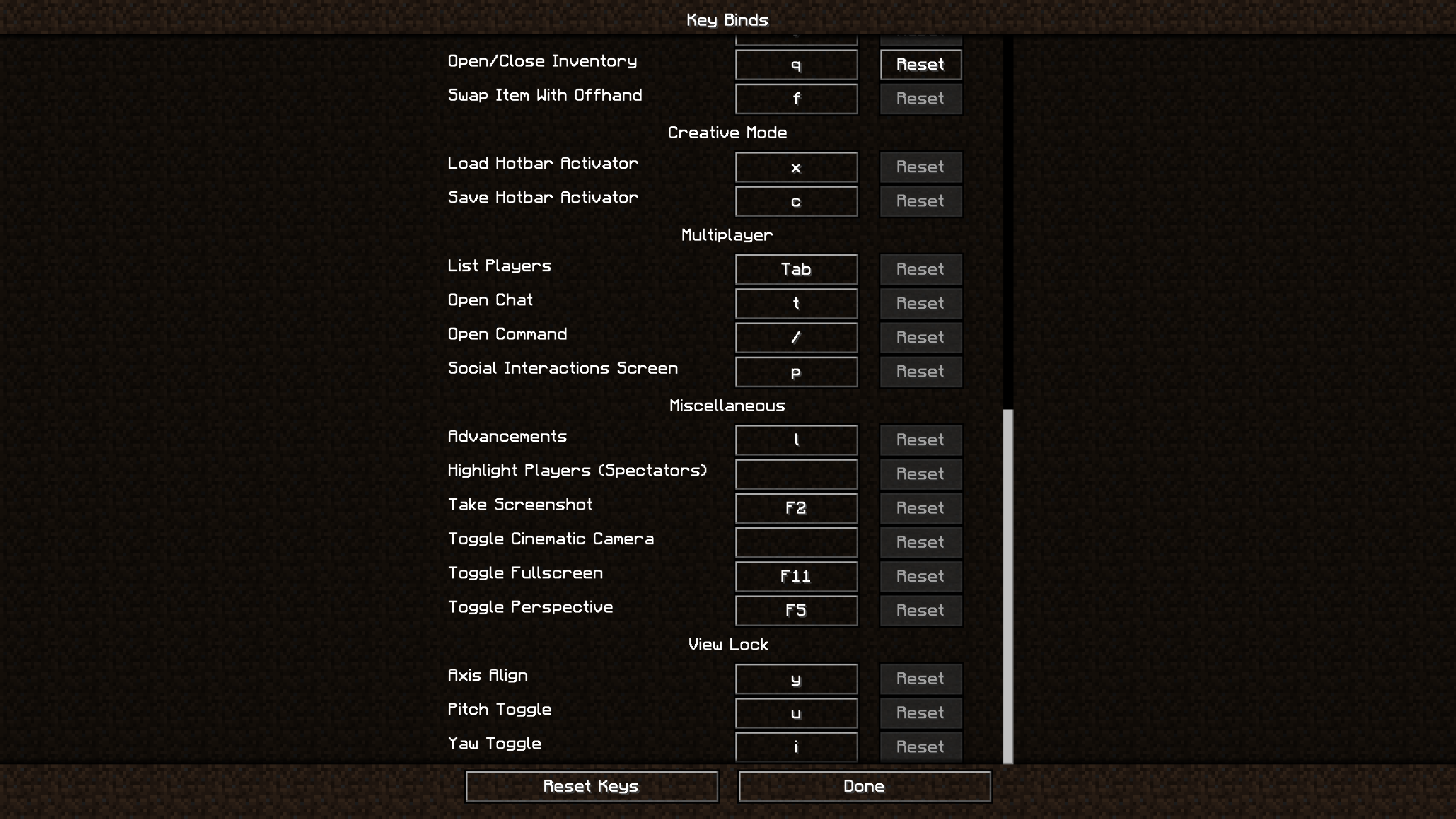
Align your view to whichever x and y axis you would like and press Y. This will lock your view to those axes. To unlock/lock your up and down movement, press U. To unlock/lock your left and right movement, press I. Alternatively, just press U or I to unlock/lock your left and right or up and down movement.
Examples:
- When using an afk farm, sometimes keeping the view steady and consistent can be difficult, especially when having to place blocks. This mod fixes that problem by allowing the user to configure their view to specific positions.
- Repetitively placing down blocks can be quite tedious. Sometimes when placing long lines of blocks, the player will start to drift from side to side, requiring you to realign yourself. This mod allows you to align yourself to a specific axis so you don’t have to deal with realignment.
Controls:
Y: Toggle locks the view to the closest x and y axes
U: Toggles locking on up and down view movement (x axis)
I: Toggles locking on left and right view movement (y axis)
Commands:
/vl <pitch: RelativeAngle> [yaw: RelativeAngle] – Precisely (and relatively) position your view to a specific pitch and yaw.
/vl block <location: vec3> [track] – Lock (and optionally track) your view to a specific block (with relative positioning).
/vl block view [track] – Lock (and optionally track) your view to the block in your crosshair.
/vl unlock – Unlock your view without losing your state.
/vl relock – Relock your view without losing your state.
Requirements:
Installation:
For client side: Download the jar and place it in “../.minecraft/mods”
(Note: this mod is client-side only and should work on all servers)
常见问题
View Lock 支持哪些 Minecraft 版本?
View Lock 支持 Minecraft Java 版 1.8.9–1.21.4,共 21 个版本,可用的加载器:Fabric / Forge。下载时注意选择和你游戏版本一致的文件。
View Lock 怎么安装?
先用 PCL2 或 HMCL 启动器安装对应版本的 Fabric / Forge,再把下载的 .jar 文件放进游戏目录的 mods 文件夹,重新启动游戏即可。开启了版本隔离的,mods 文件夹在 versions/版本名 下面。
FamroFexl 的其他作品
查看全部 →
Force Crawl
手动控制爬行时机。

Shulker Loader
Redirects item pickups into an offhand shulker box!

View Lock
Lock your view to a specific axis or position!

Shulker Loader
Redirects item pickups into an offhand shulker box!
评论
登录后评论和评分