
截图
介绍
中文介绍正在准备中,下面暂时显示原文。
VaultSMP Administrator Utilities
This mod adds features that help admins on survival servers.
Features
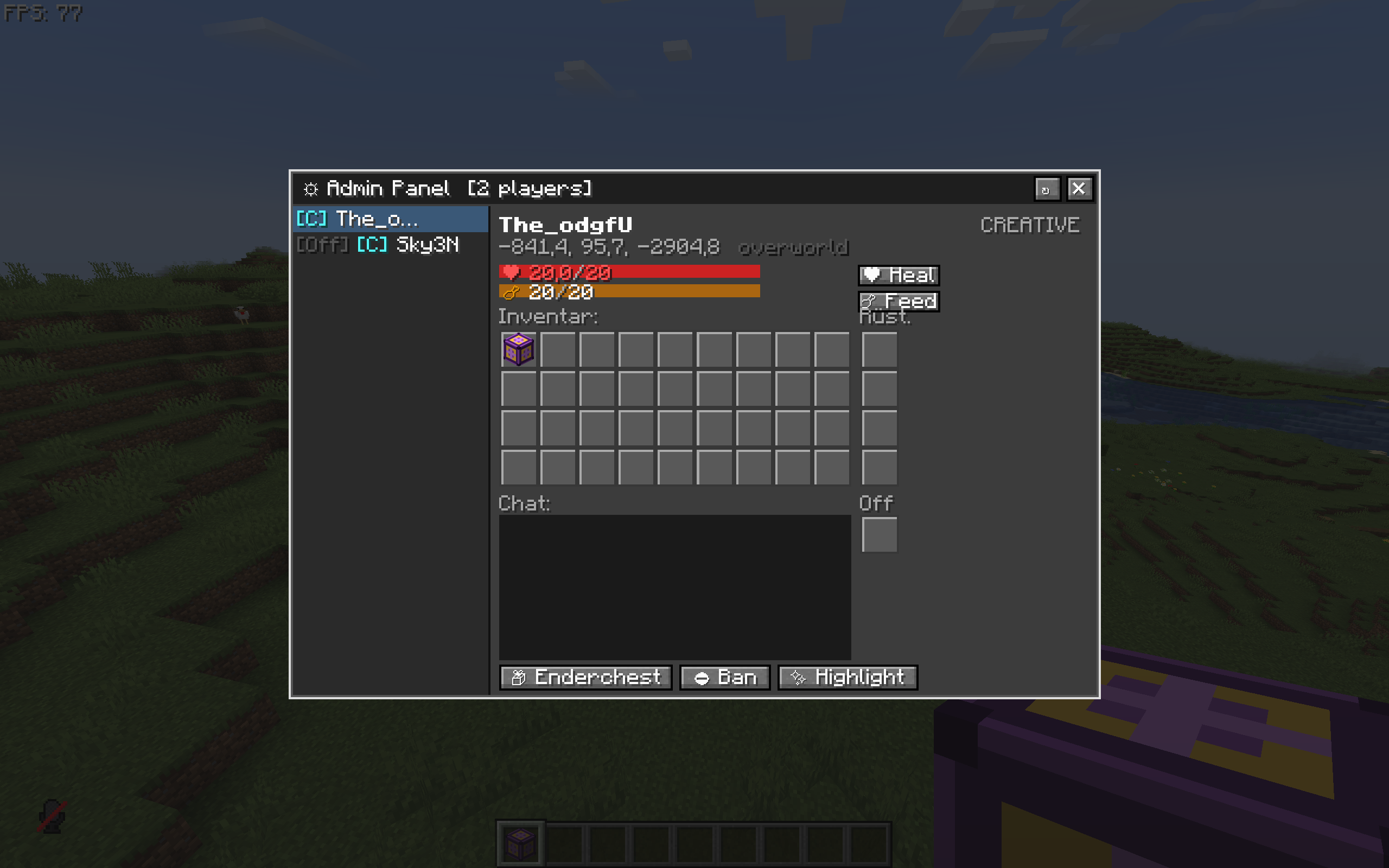
Admin Panel
The Admin Panel is an ingame panel that can be opened with .
In it you can see a list of all Players and if there online or not. You can also see usefull information about the players such as:
- HP and Hunger
- Location
- Inventory and E-chest
- chat log
- Gamemode
In the GUI there are buttons that have various funktions such as:
- Giving Regeneration
- Giving Saturation
- looking in the Players E-chest
- Banning the Player
- Highlighting the Player (only Visible to Admins)
chat logs get saved in the server files under: …\Server\adminutility\chatlogs
Zone Block
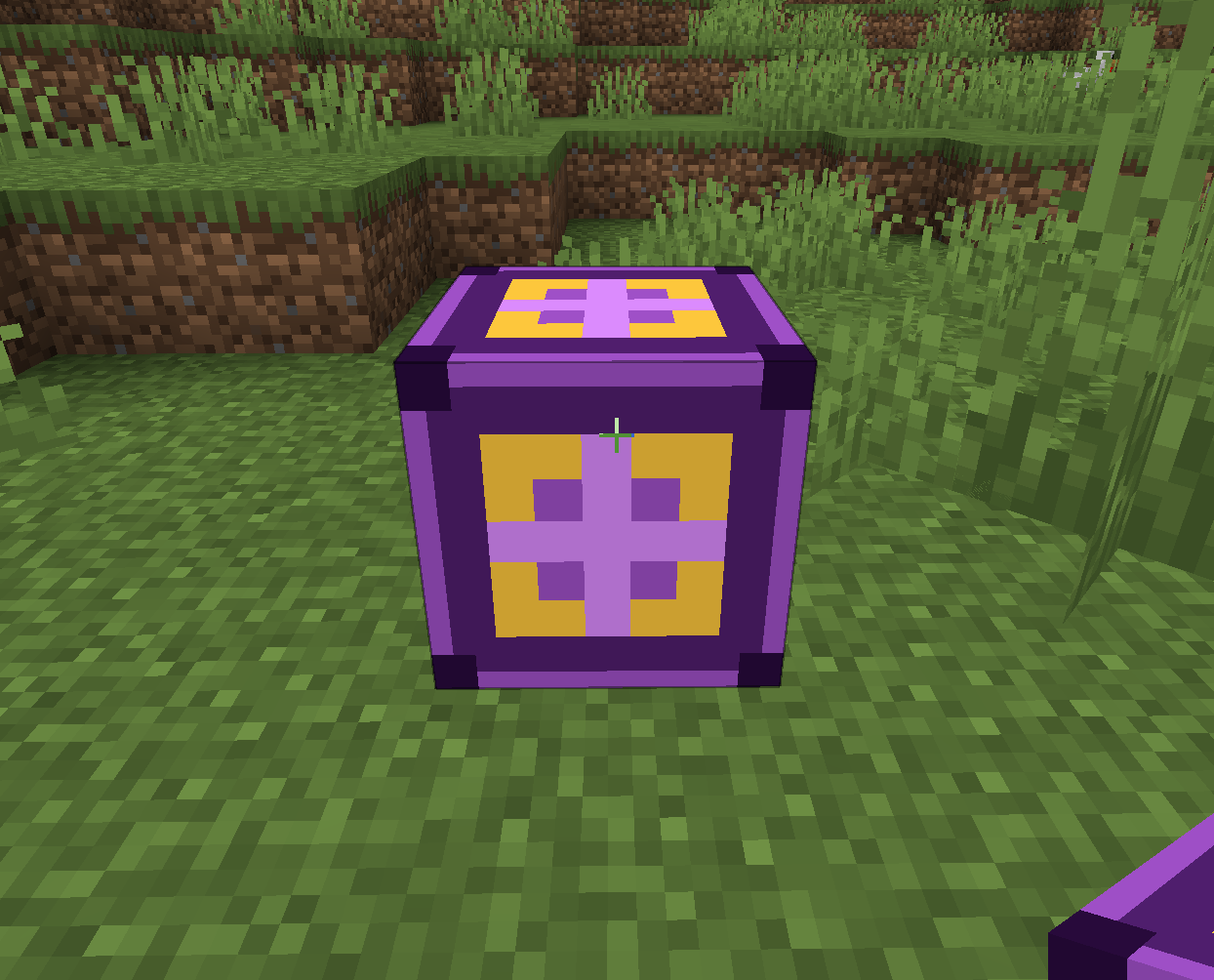
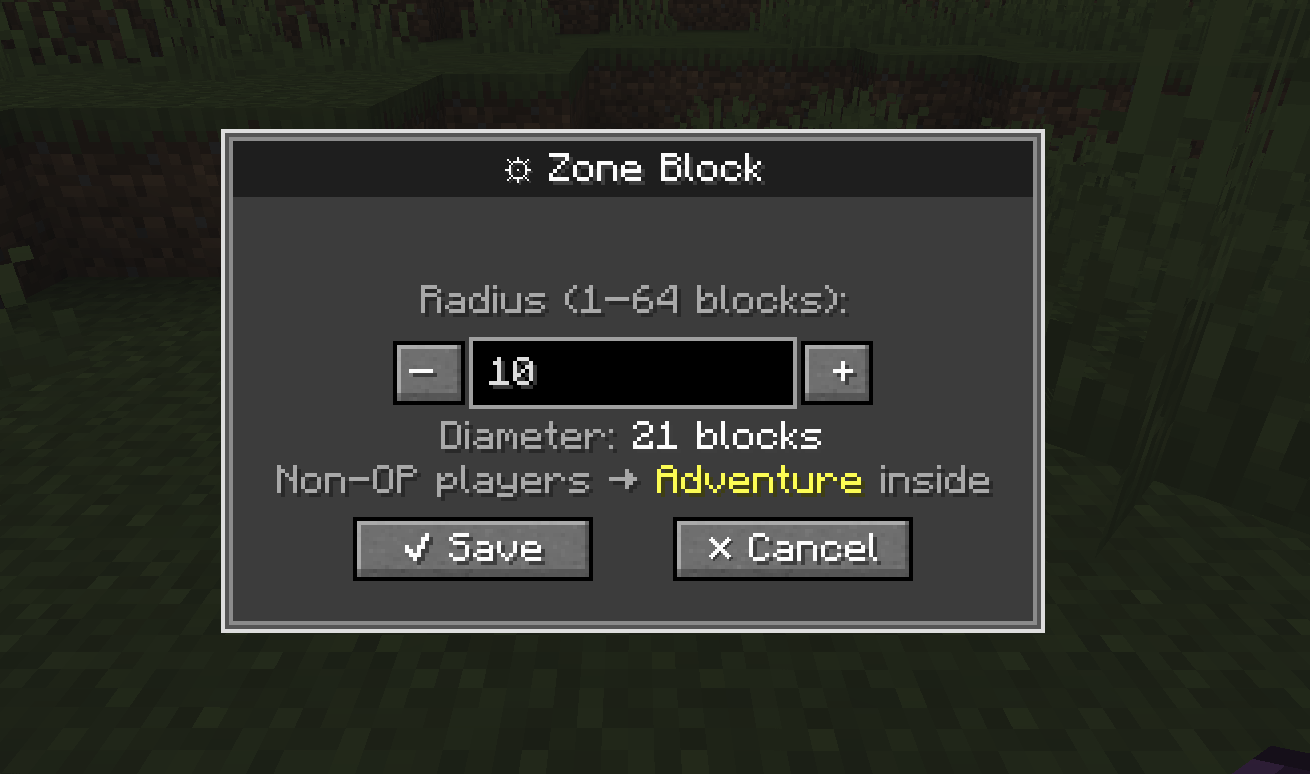
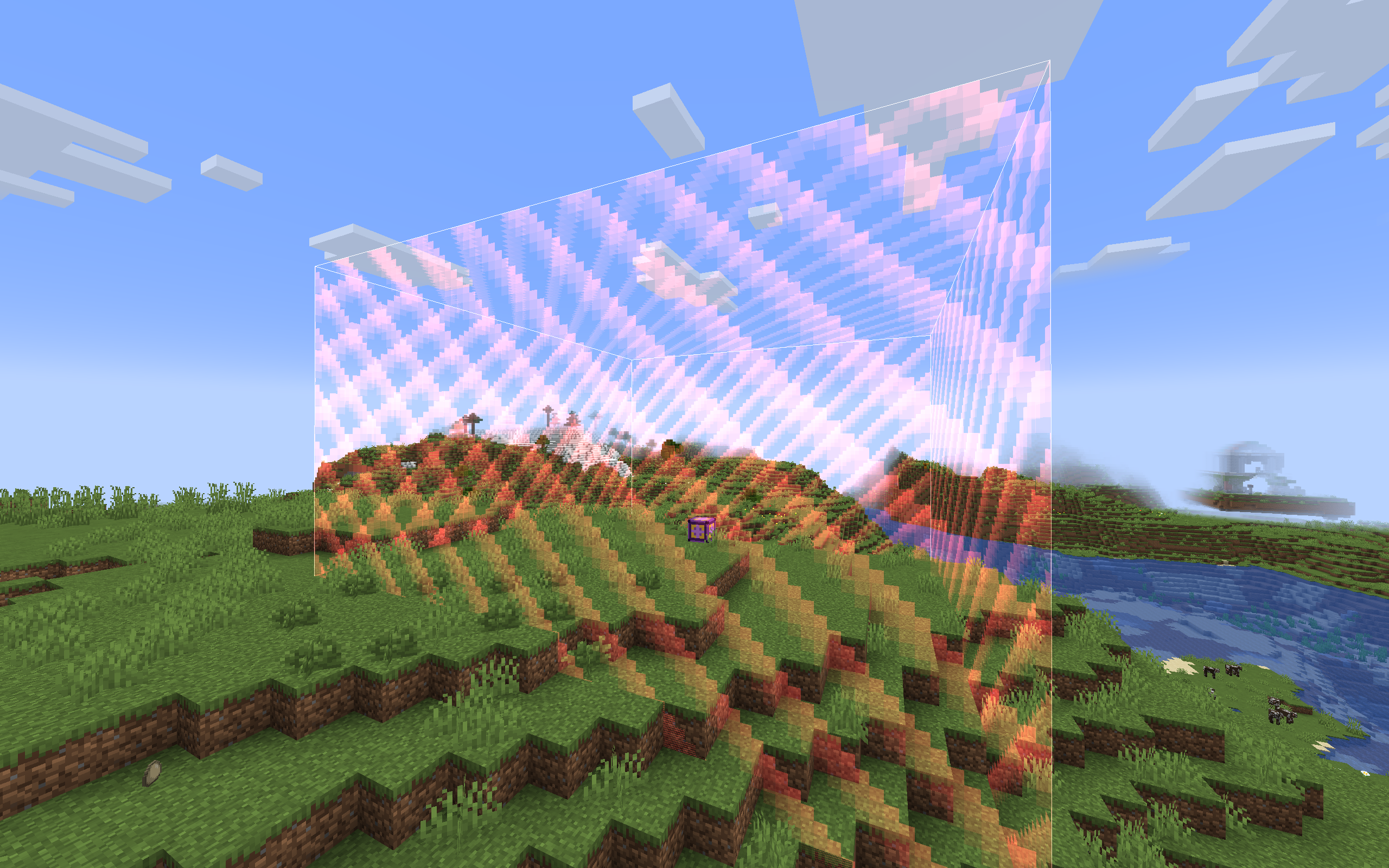
The Zone Block is a utility Block that sets non operators into adventure mode when they enter the radius and get changed back when they exit
- You can toggle the visibility of the borders with a button that can be changed in the control settings
- you can change the radius of the block
- Players in it dont recieve damage
- inside the zone explosions do not destroy blocks
- Block cant be mined or destroyed
- Block can be found in the operator item tab in the creative inventory
常见问题
VaultSMP Administrator Utilities 支持哪些 Minecraft 版本?
VaultSMP Administrator Utilities 支持 Minecraft Java 版 1.20.1,可用的加载器:Fabric。下载时注意选择和你游戏版本一致的文件。
VaultSMP Administrator Utilities 怎么安装?
先用 PCL2 或 HMCL 启动器安装对应版本的 Fabric,再把下载的 .jar 文件放进游戏目录的 mods 文件夹,重新启动游戏即可。开启了版本隔离的,mods 文件夹在 versions/版本名 下面。运行环境:客户端和服务端都要装。


评论
登录后评论和评分