VanillaMaps
An easy-to-use custom map generator that keeps in the spirit of Minecraft, that isn’t just uploading an image from the internet!
截图



介绍
Overview

A “Vanilla” style way of creating custom maps without having to place 16000 blocks or just grabbing a random image off the internet! Supporting Paper & Fabric 1.21-26.1.2
This was originally created in mind for an SMP I play on to start a newspaper but a lot other players found it fun to use for making playing cards, advertisements etc.
So I thought there may be others out there interested in something like this!
Development is still in early days however the core functionality is there, and after play testing it on a server for a few days everything seems in a good place for an initial public release.
Features
- Map Drawing GUI that allows the player to draw on a 128×128 pixel grid in an intuitive way
- The ability to save & edit maps, as to allow you to go back and make adjustments
- A way to copy and paste maps, ideal for duplicating maps without keeping the same map ID
- 44 colours (& ~132 shades) to pick from!
- Fill, Rectangle, Line & Undo tools
- Background generation (i.e noise, checkerboard etc)
- Text writing tool, allowing the user to easily type text onto the map!
[BETA] Fabric GUI
_This is currently only available for Minecraft 26.1 Fabric v1.2b1 or above_
_I plan to port to Minecraft 1.21.11 once I’m happy with the state of the GUI_
- This requires the server AND player have VanillaMaps installed.
- PLEASE note, this feature is in early beta and may be buggy.
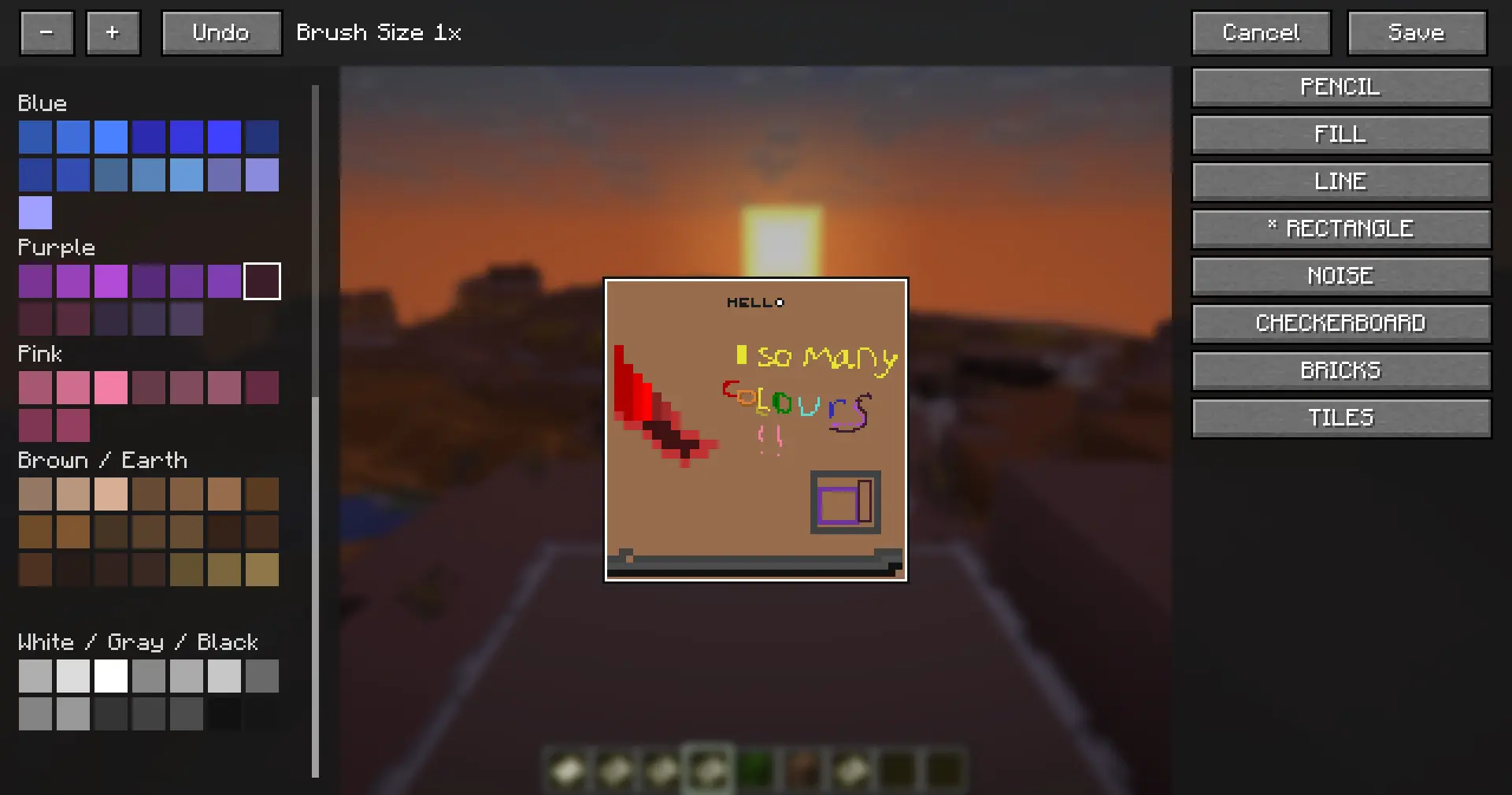
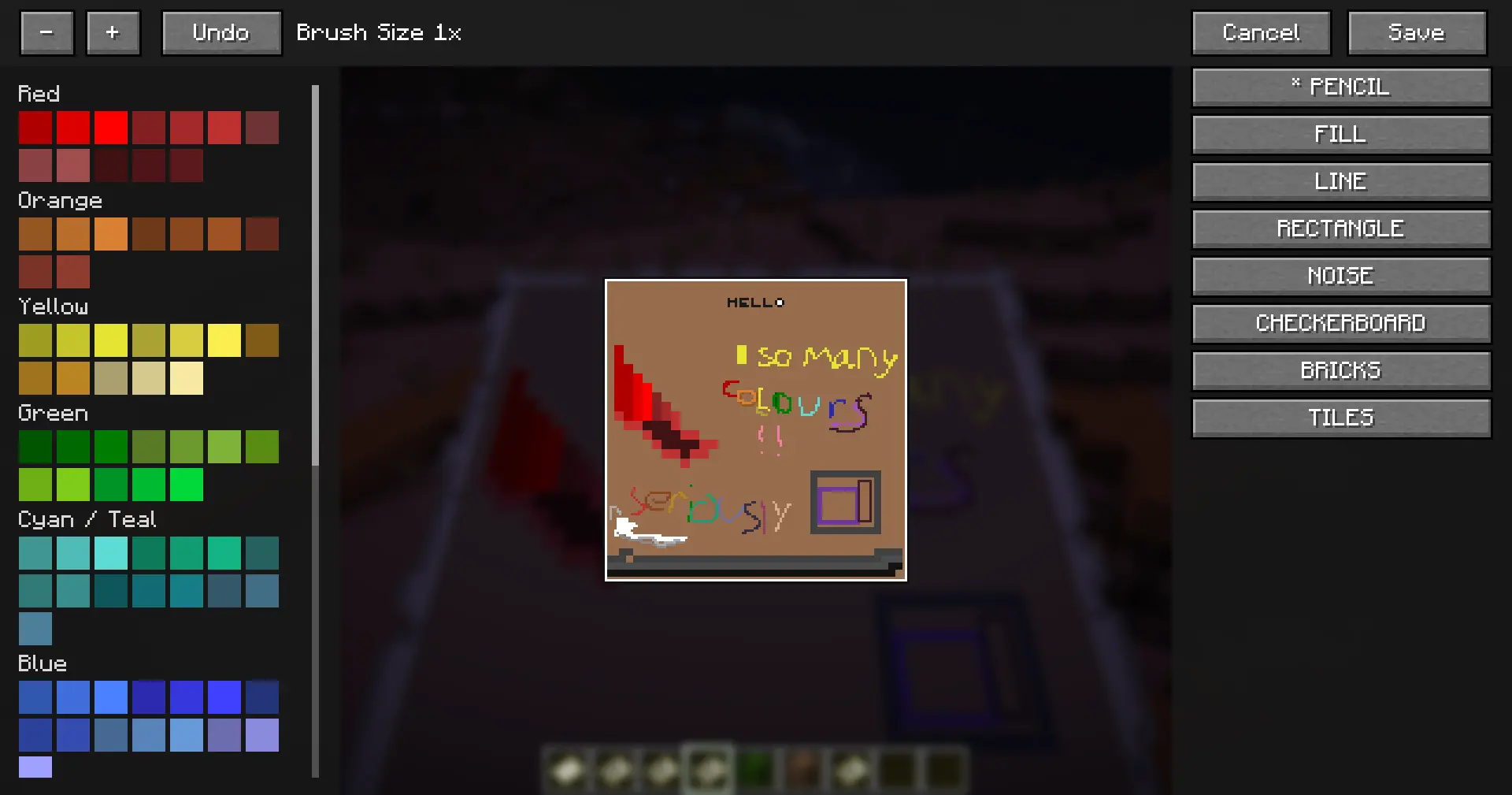
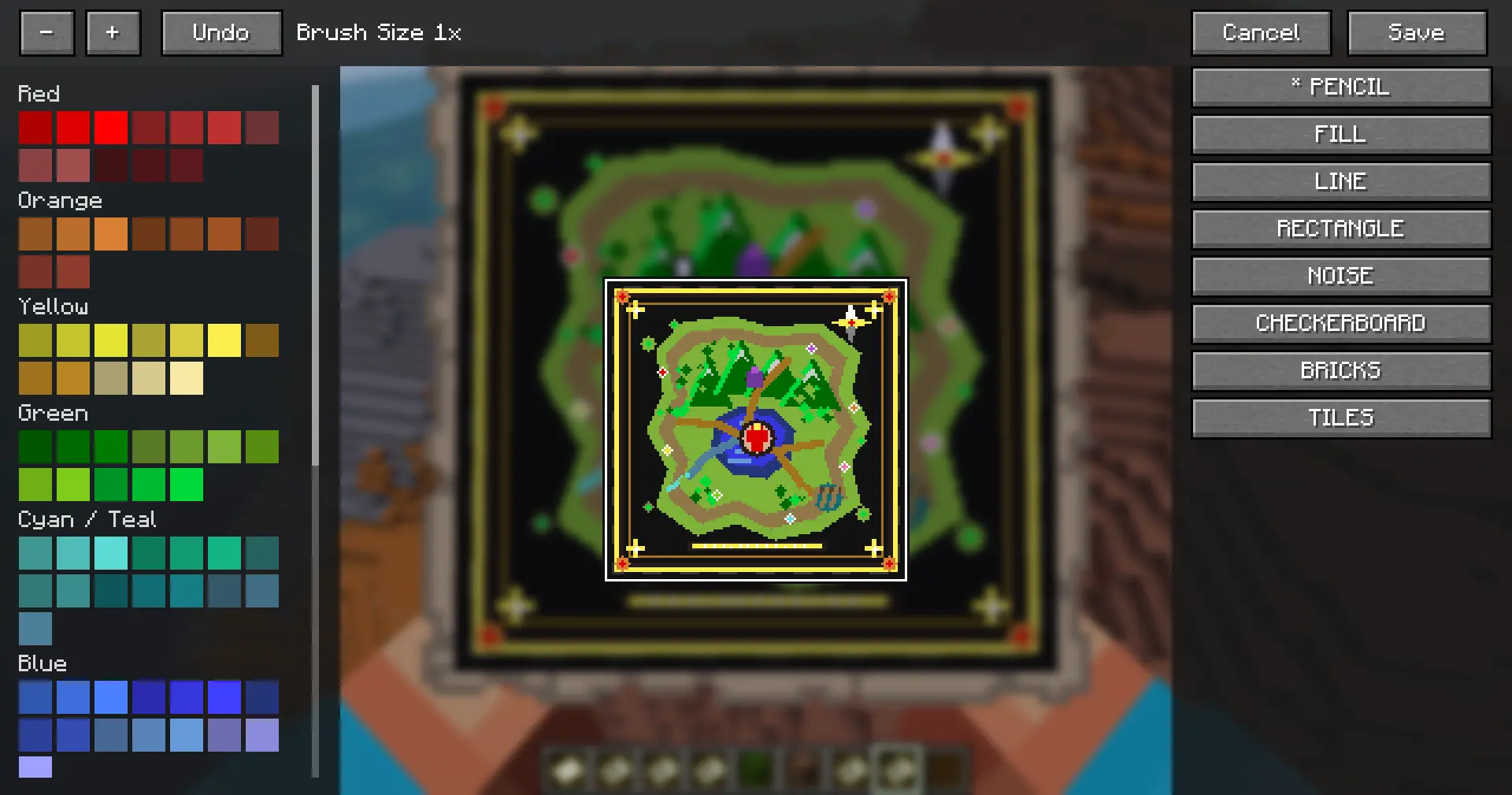
Paper // Fabric Fallback GUI


Command Usages
/map create [ratio] | Required to initalize the MapDataStoreRatio refers to the size of a pixel
A ratio of 1 (default) gives access to the full 128×128 grid
A ratio of 16 reduces it to an 8×8 grid (essentially a larger brush)
A map is NOT locked to the ratio given during its creation
/map edit [ratio] | Loads the help map's custom data store into the Drawing GUIEditing a map using different ratios is OK
The plugin will automatically convert the map’s current pixels to the appropriate size without compromising quality
/map write <line> <colour> <alignment> <text...>| Writes <text> onto the <line> given (1-18), the player can use any of the 16 colours found in the Colour Palette GUI. Alignment is chosen by [L]eft, [R]ight, and [C]enterSupports A-Z, 1-9, !?.-,
The font is currently 4×4 pixels, in future I may make the font editable in the plugin’s config if thats something people want.
/map copy | Copies the held map's custom data to the players clipboardHonesty I just didn’t know about the cartography table but it still has use in terms of creating the same map with separate IDs
For example, you have a master copy of your map created with this command, then the other copy is used at a cartography table and placed all around wherever you want it to be
Now if a player picks up your map and edits it, you can always /map copy your master, and paste it back onto the “public” map
/map paste | Pastes the players clipboard to the held map's data storeSelf explanatory + above
/map publish | Locks the map help by the playerPrevents a map from being editted, still allows for /map copy & /map paste
/map or /map helpLists all commands available and their correct usage
Roadmap
I want to keep the plugin relatively “vanilla like” as possible, with that being said I also want to create a fun and usable player experience.
With that in mind all this is subject to change and would LOVE to hear your thoughts & ideas!
- Easier-to-use map drawing GUI for Fabric versions. BETA AVAILABLE NOW!
Conclusion
You can follow development, report bugs, and suggest ideas in the VanillaMaps discord
I hope you have as much fun with this as I have!
Known Bugs
None
常见问题
VanillaMaps 支持哪些 Minecraft 版本?
VanillaMaps 支持 Minecraft Java 版 1.21–26.2,共 16 个版本,可用的加载器:Fabric / Paper。下载时注意选择和你游戏版本一致的文件。
VanillaMaps 怎么安装?
先用 PCL2 或 HMCL 启动器安装对应版本的 Fabric / Paper,再把下载的 .jar 文件放进游戏目录的 mods 文件夹,重新启动游戏即可。开启了版本隔离的,mods 文件夹在 versions/版本名 下面。运行环境:仅服务端。
评论
登录后评论和评分