
Vanilla Paxels
Paxels can now be made in vanilla Minecraft with no mods and only a datapack
截图
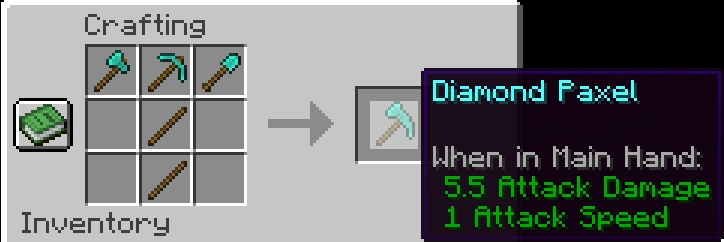
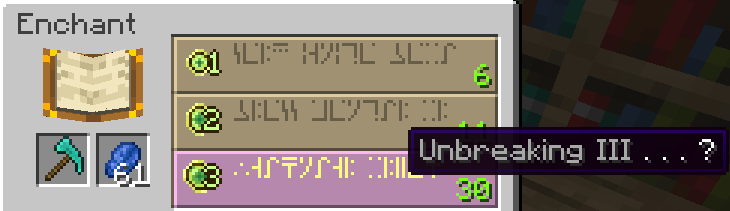
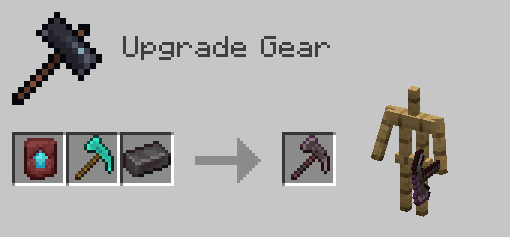
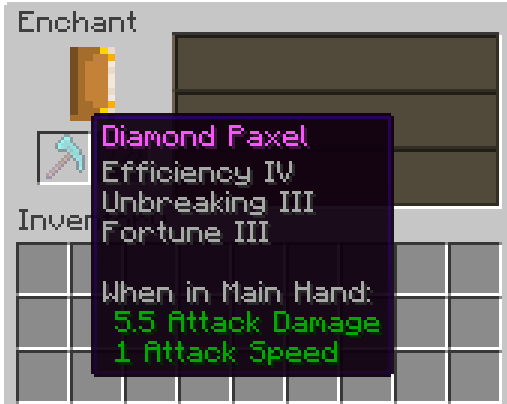
介绍
Info
Since 24w12a introduced the abilty to allow any item have properties of a tool, I decided to make this datapack.
Paxels are Pickaxes, Shovels, and Axes combined! You can break all of the blocks at the same speed as you would with the correct tool. You can make paxels out of any material using the same crafting recipe.
You can do normal axe and shovel right click actions such as stripping logs, and creating paths. (v26.3+ only)
Pre v26.3 description
I wish Mojang will add a way to have the right click functionality of shovels / axes work on other items. This is what these paxels are missing. You can currently only use the shovel functionality (The item without the resourcepack is a shovel) to make path blocks. I will add the axe stripping wood functionality once it is implemented into the game.
You can enchant Paxels just like any other tool!
Upgrade it to netherite like any other netherite tool! (v2.0+ only)
Pre v2.0 Netherite Info
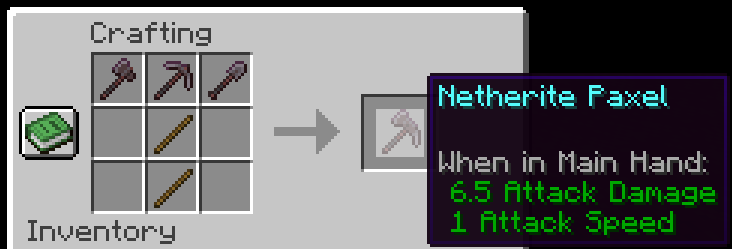
I would recommend upgrading the Diamond Paxel to Netherite the way you normally upgrade a diamond tool. The recipe for the one below is a placeholder until Mojang adds custom components to crafting recipes. One downside to this is it won’t have the right name and the right mining speed. (Fun Fact: Netherite has 1 more mining speed than diamond).
This is the Netherite Paxel recipe for now until Mojang adds custom components in Crafting recipes support:
If you have any problems check the FAQ below and if that doesn’t help join the discord and ask
FAQ
Q: I get a missing texture when trying to use this how do I fix it?
A: Make sure to download the resourcepack
Q: Where can I download the resourcepack?
A: Those who click the big download button at the top of the screen are only prompted to download the datapack and not the resourcepack. Modrinth does not show both of them in that menu. You instead have to go to the versions tab.
Where to download the resourcepack
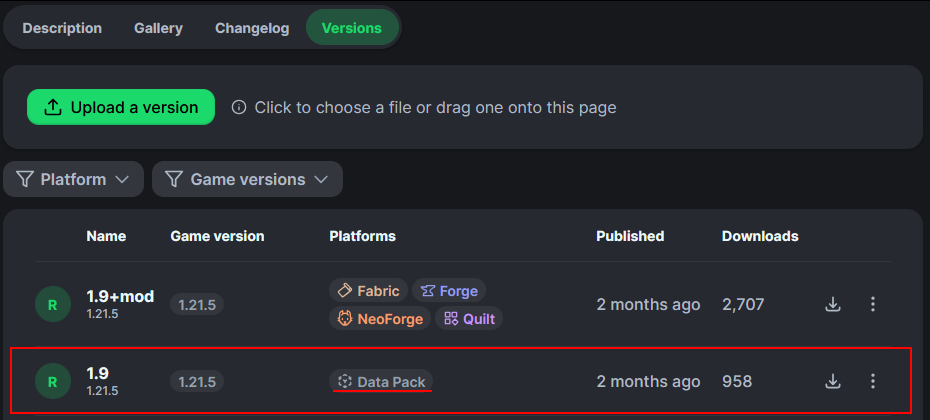
First you have to go to the versions tab

Then you go to the version you want
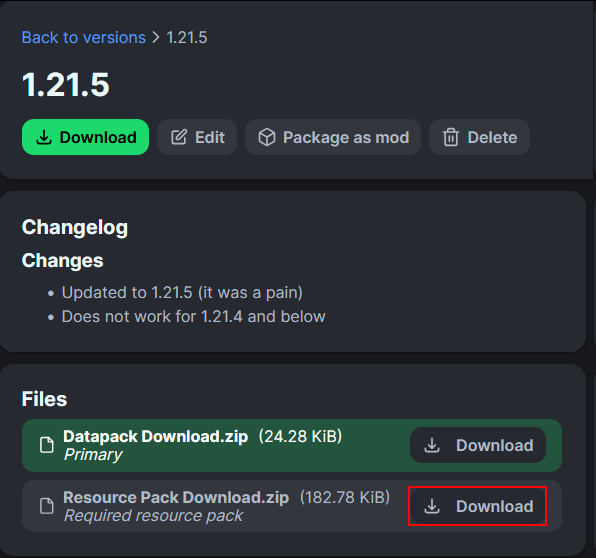
Then underneath the datapack download is the resourcepack download
常见问题
Vanilla Paxels 支持哪些 Minecraft 版本?
Vanilla Paxels 支持 Minecraft Java 版 1.20.5–26.3,共 19 个版本,可用的加载器:Fabric / Forge / NeoForge / Quilt。下载时注意选择和你游戏版本一致的文件。
Vanilla Paxels 怎么安装?
先用 PCL2 或 HMCL 启动器安装对应版本的 Fabric / Forge / NeoForge / Quilt,再把下载的 .jar 文件放进游戏目录的 mods 文件夹,重新启动游戏即可。开启了版本隔离的,mods 文件夹在 versions/版本名 下面。运行环境:客户端 / 服务端。
Bluebird 的其他作品
查看全部 →
Small Held Items
一个让手持时所有物品模型变小的资源包,包含所有方块和物品。

Eating Animation Resource Pack
为所有可食用物品添加进食动画。

Visible Shield Cooldown
显示你的盾牌冷却状态(即盾牌失效时)。类似于盾牌状态模组,但这是一个资源包。

Emissive Trims
让盔甲纹饰在黑暗中发光。无需模组!
评论
登录后评论和评分