
截图
介绍
Useful Saved Hotbars
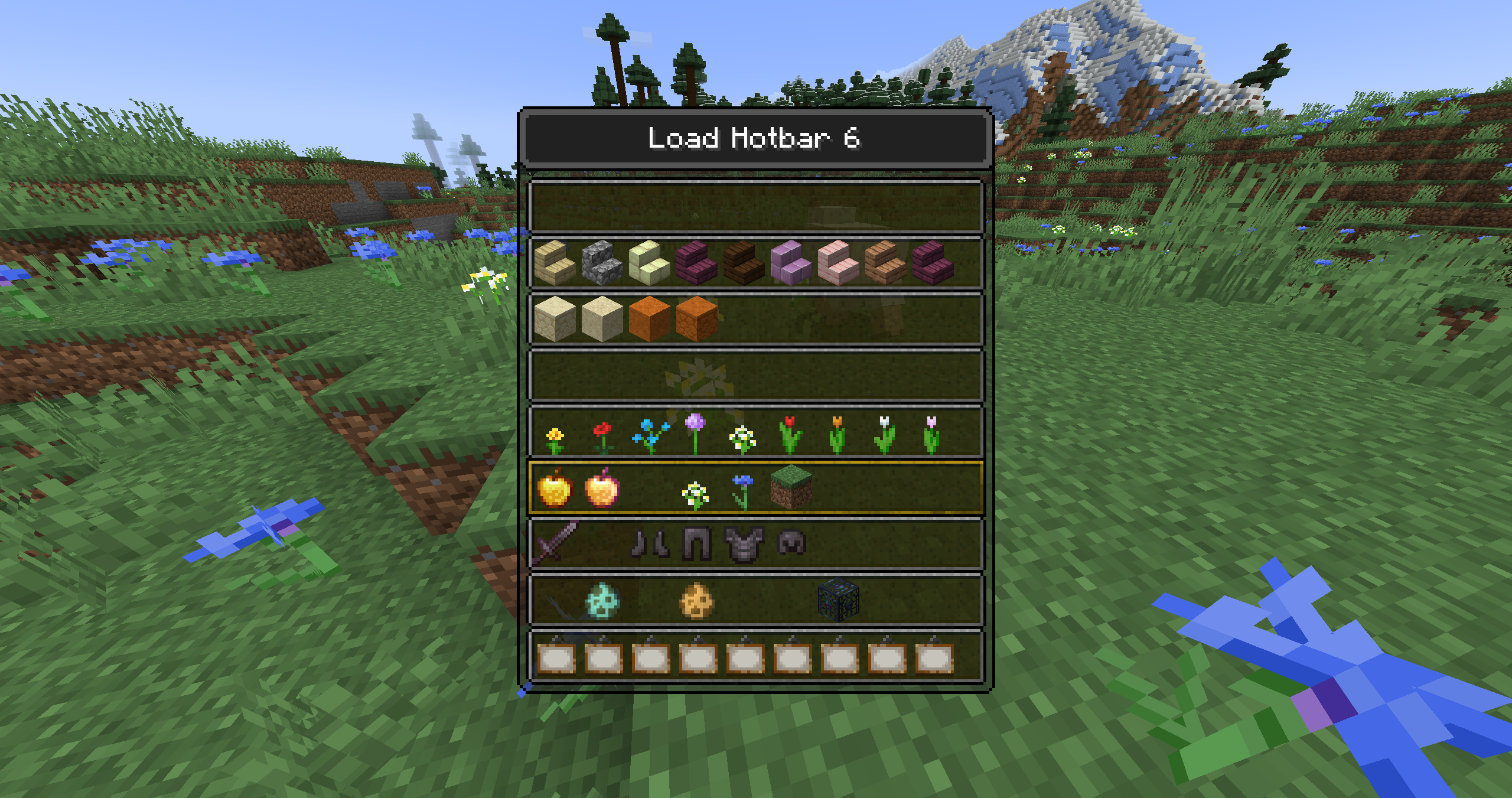
a fabric mod that makes saved-hotbars a lot simpler to use
Now you don’t have to remember which saved-hotbar has which number you can simply select it in a gui.
usage
Simply Press f6 (load) or f7 (save) and the appropriate menu will open.
There simply click on the row you want to load/save and the action will be done.
F3 – mode
Alternatively you can also use a GameModeSelectionScreen (f3+f4) like menu.
for this you first need to bind 2 new keys in the settings.
Pressing f3 + <key> will open the menu. Letting go of f3 will load/save the currently selected hotbar.
features
- quickly load saved-hotbars
- quickly save saved-hotbars
- change hotkeys
Maintains Status
This Project is no longer maintained and will not receiver further updates.
If somebody is interested in taking over this Project – please contact me via GitHub.
常见问题
Useful Saved Hotbars 支持哪些 Minecraft 版本?
Useful Saved Hotbars 支持 Minecraft Java 版 1.20.1–1.21.10,共 17 个版本,可用的加载器:Fabric。下载时注意选择和你游戏版本一致的文件。
Useful Saved Hotbars 怎么安装?
先用 PCL2 或 HMCL 启动器安装对应版本的 Fabric,再把下载的 .jar 文件放进游戏目录的 mods 文件夹,重新启动游戏即可。开启了版本隔离的,mods 文件夹在 versions/版本名 下面。运行环境:仅客户端。
ToBinio 的其他作品
查看全部 →
Real Arrow Tip
bows now display the correct arrow

Dense Flowers
Makes flowers fields look denser [Client Side Only]

Better Snow Coverage
Renders missing snow under various blocks [Client Side Only]

Useful Brush
Adds more functionalities to the vanilla brush
评论
登录后评论和评分