
URS Player Radar’s
A Fabric Minecraft player radar mod with multiple radar styles, player-head tracking, smooth movement, customizable coords display, and a polished in-game config menu with branding, scaling, positioning, and reset options.
截图
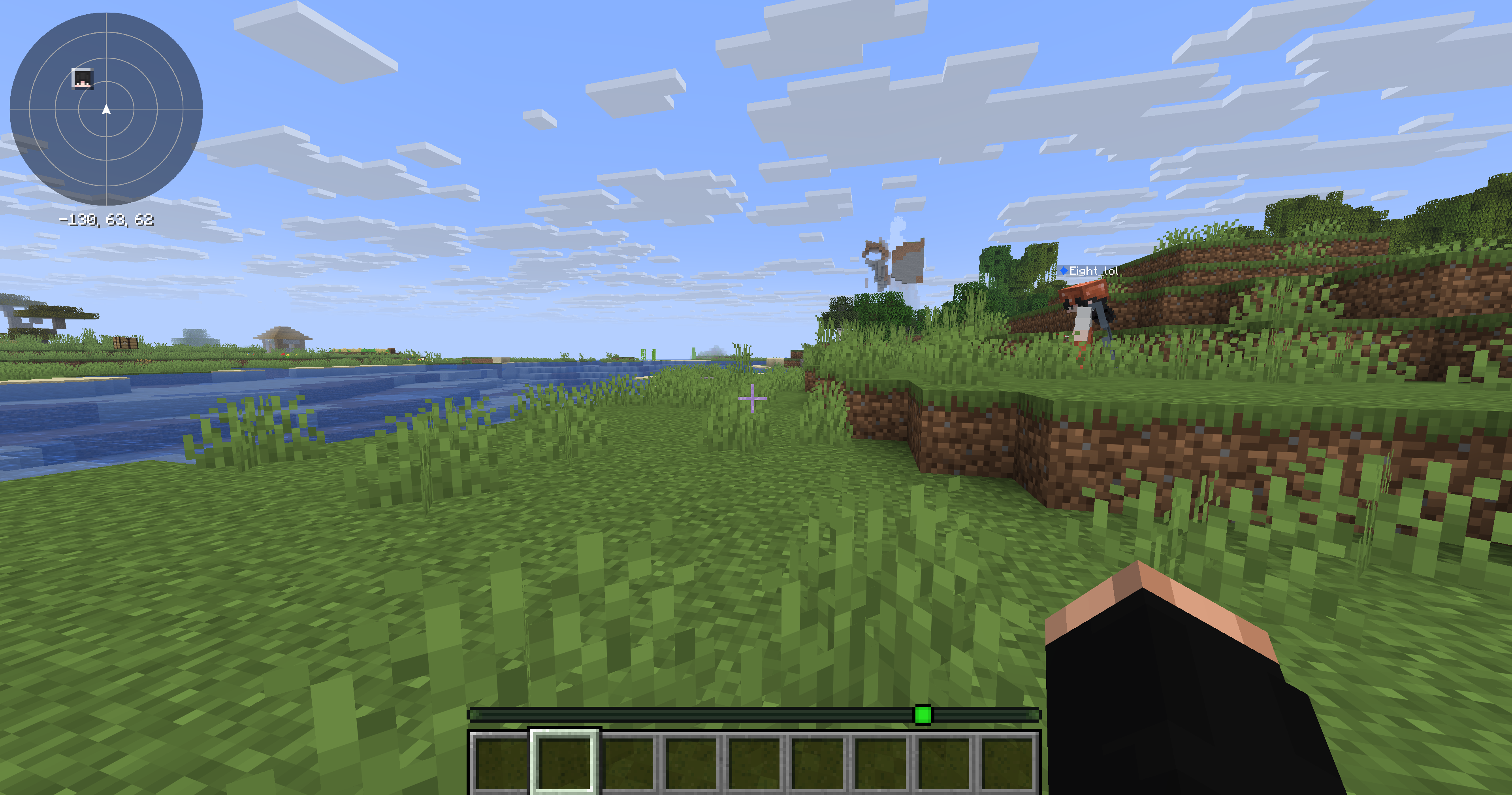
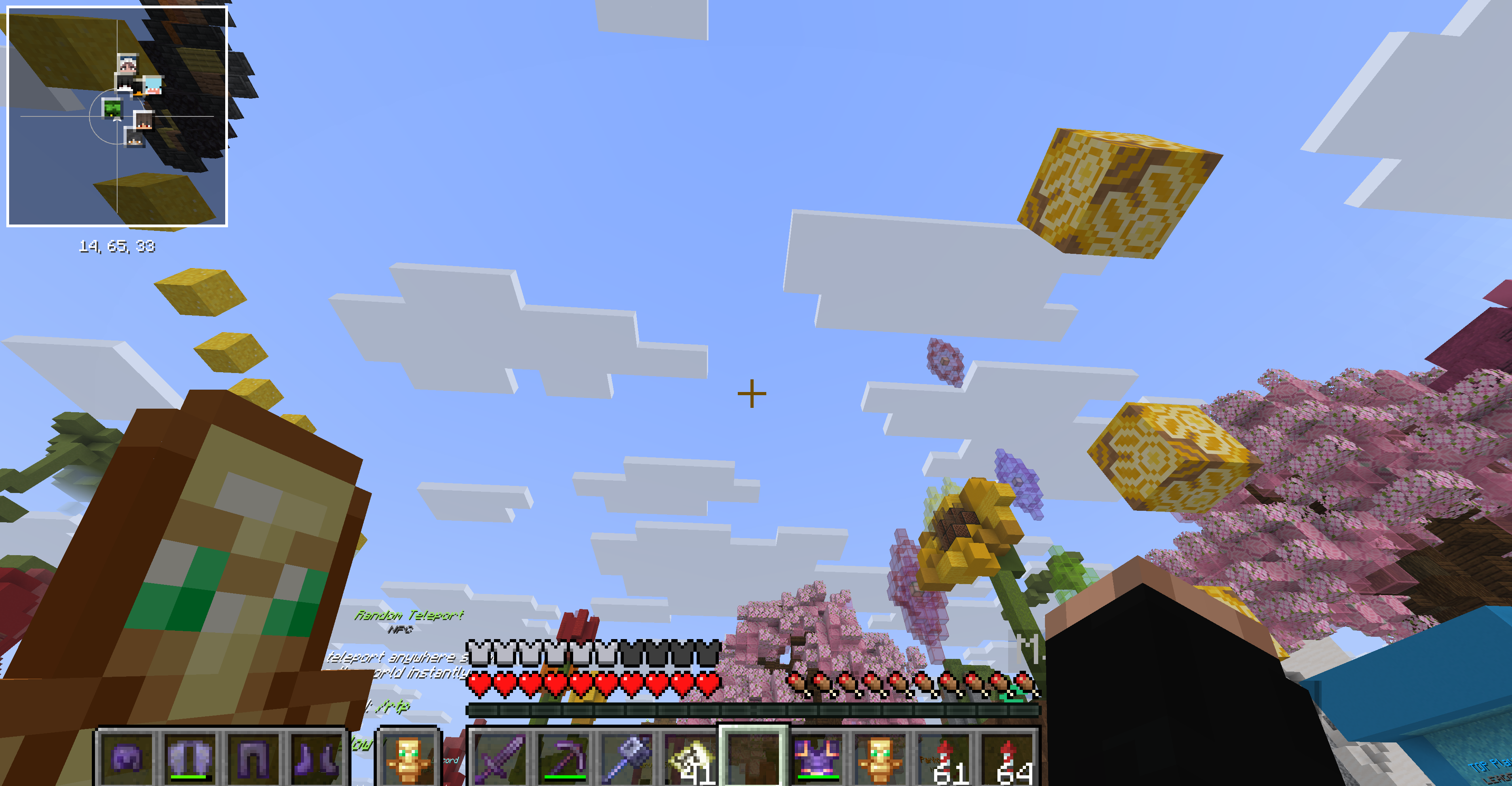
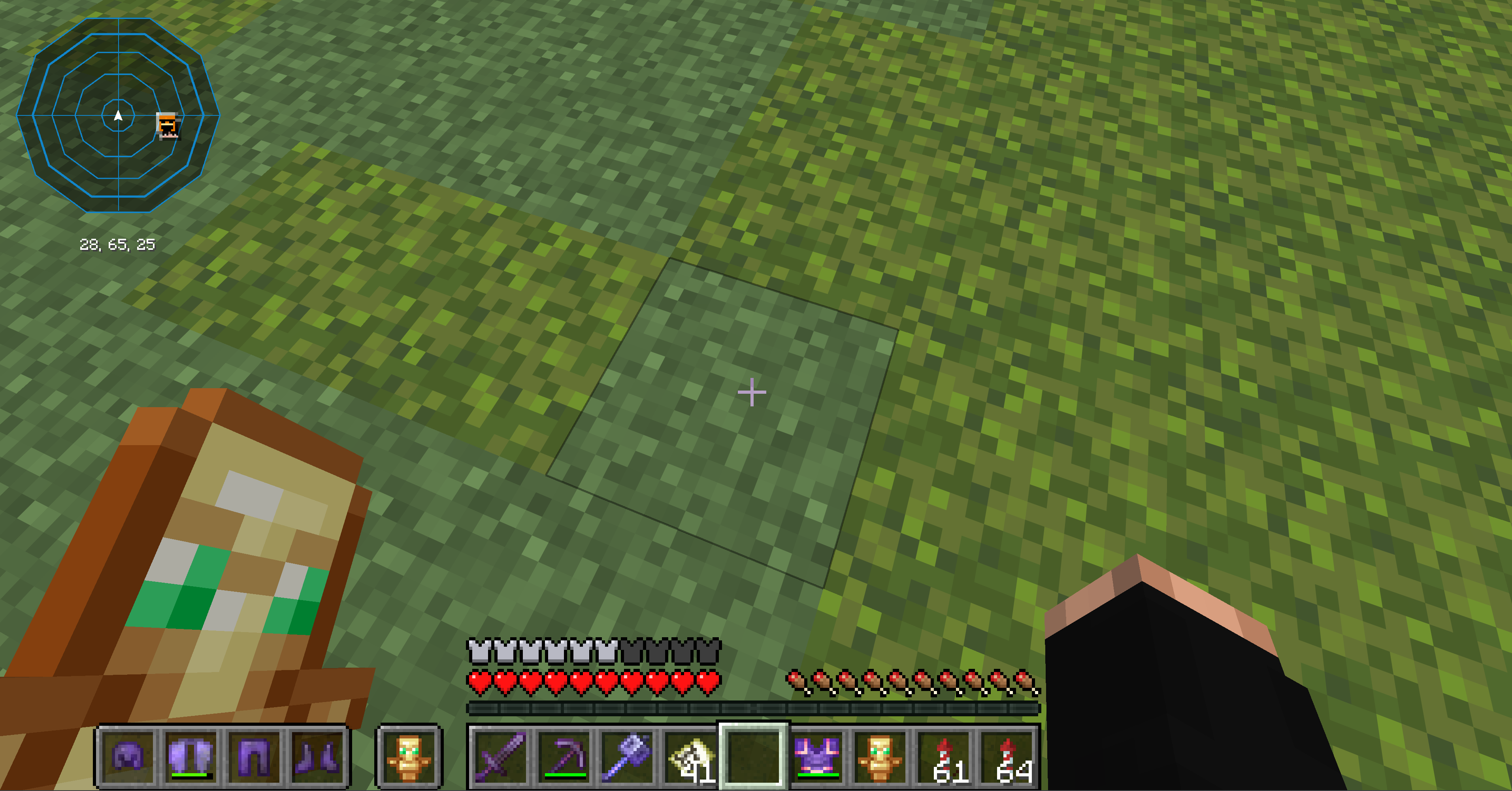
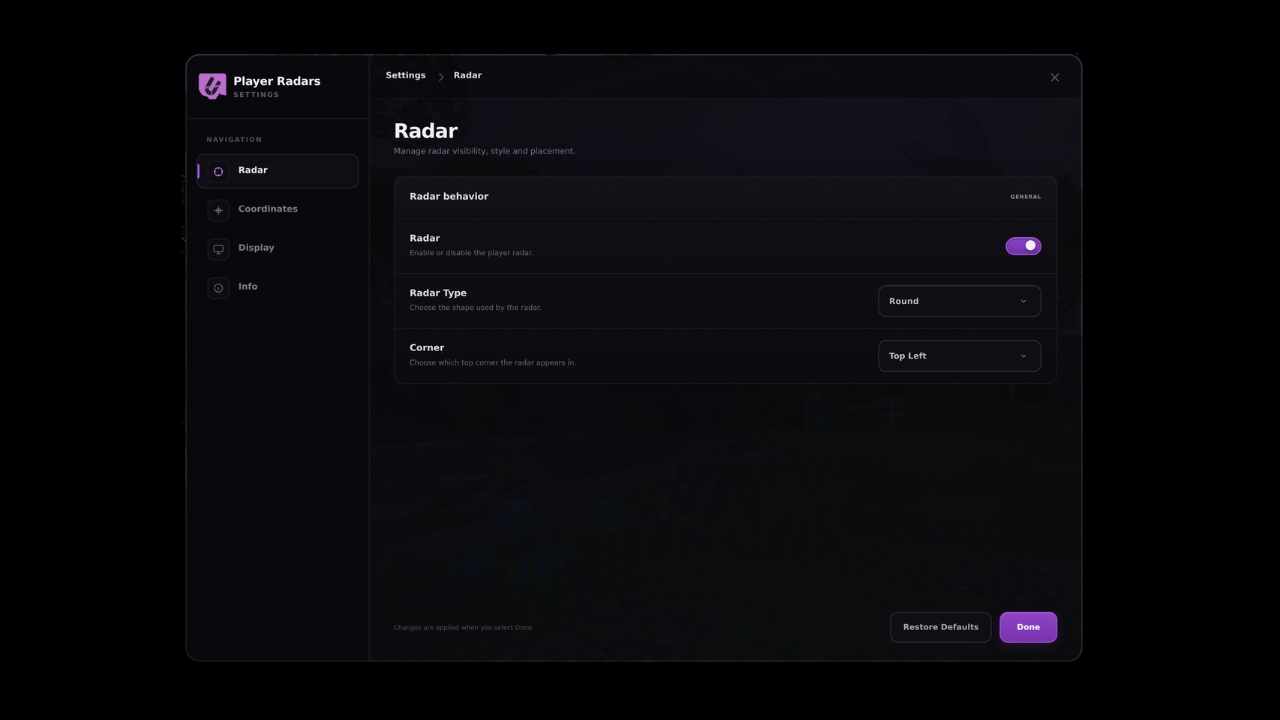
介绍

Latest News (September 17, 2026) – Player Radars has received a major compatibility update, now supporting Minecraft 1.21.x through 1.21.11 and 26.1 through 26.3! This release also brings improved radar rendering, a cleaner settings menu, better UI scaling, and version-specific fixes for a more consistent experience across supported Minecraft versions.
This mod is the result of hundreds of hours of development and is made possible thanks to players like you. If you would like to show a token of your appreciation for my work and help support the continued development of Player Radar, consider supporting the project.


💻 Custom Settings UI
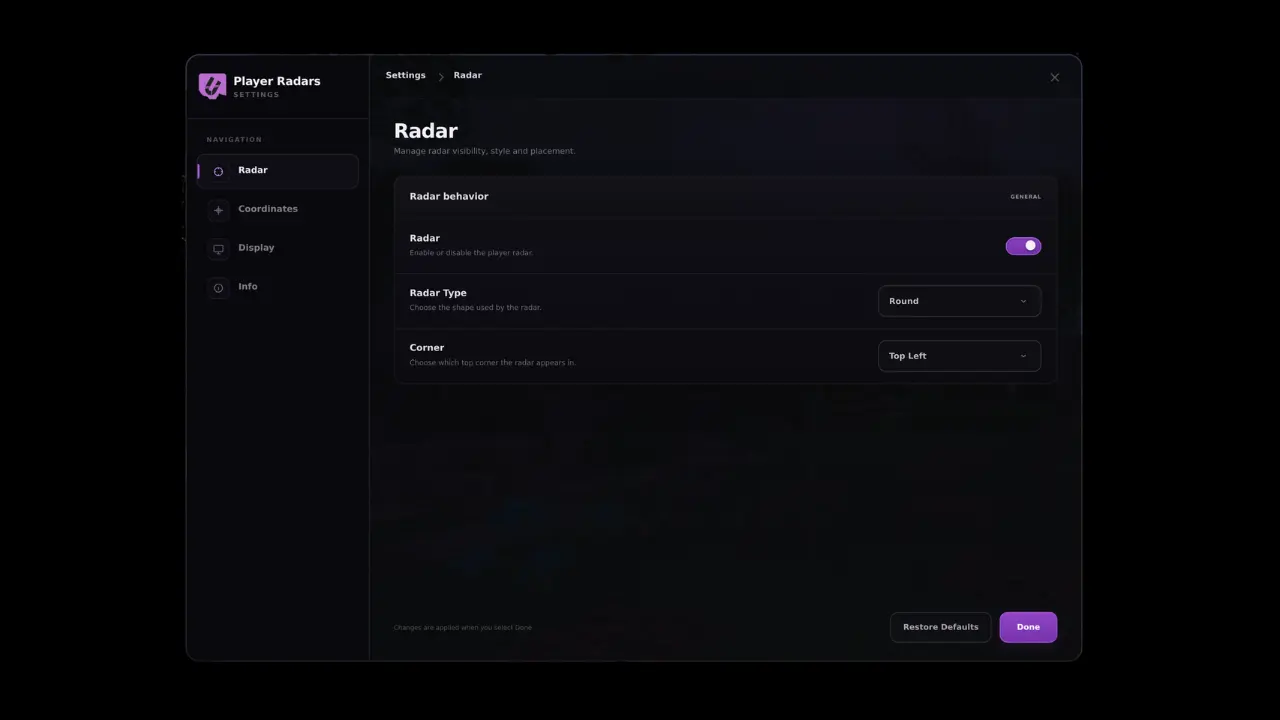
Player Radar is a polished Fabric Minecraft radar mod built for players who want a cleaner, more modern HUD experience. It provides smooth real-time player tracking, multiple radar styles, customizable coordinate placement, and a branded in-game settings menu so you can fine-tune the display to match your setup.

📥 Installation Guide
Player Radar is designed for Fabric. Once you have installed the loader, simply place the Player Radar file into your mods folder.
Not sure if you installed the mod correctly? Check your in-game settings menu, which will display the branded Player Radar configuration interface. You can adjust your radar size, padding, scaling, and coordinate placement directly from this menu, and use the “Restore Defaults” option if you ever need to reset your configuration.
✨ Features
- Multiple Styles: Choose from various radar styles and layouts to fit your UI.
- Smooth Tracking: High-fidelity, smooth player-head tracking.
- Deep Customization: Adjust radar size, padding, scaling, and coordinate positioning.
- Professional UI: Branded, intuitive in-game configuration menu.
✅ Built For
- PvP-focused gameplay.
- Survival servers.
- Streamlined HUD setups.
- Players who demand more control over their on-screen information.
🐛 How to Report Issues
Please use the Discord server to report bugs, graphical glitches, or crashes. When submitting a report, ensure you include your list of active mods and attach any relevant crash logs or stack traces to help us resolve the issue quickly.
_Note: The performance and display of the radar may vary depending on your specific HUD layout and other installed interface mods._
常见问题
URS Player Radar’s 支持哪些 Minecraft 版本?
URS Player Radar’s 支持 Minecraft Java 版 1.21.1–26.3,共 16 个版本,可用的加载器:Fabric。下载时注意选择和你游戏版本一致的文件。
URS Player Radar’s 怎么安装?
先用 PCL2 或 HMCL 启动器安装对应版本的 Fabric,再把下载的 .jar 文件放进游戏目录的 mods 文件夹,重新启动游戏即可。开启了版本隔离的,mods 文件夹在 versions/版本名 下面。运行环境:仅客户端。

评论
登录后评论和评分