
UniversalQuestTracker
This mod allows you to track the progress of FTB quests across multiple modpacks. Works with other quest systems too.
截图
介绍
This mod allows you to track your FTB Quests progress and more across multiple modpacks!
Universal Quest Tracker works by writing each modpack’s quest progress into one shared folder on your computer. The in-game menu can then show your progress from all of them in one place.
The shared folder is set up automatically! For modpacks stored beside each other, just install the mod, load a world, and start playing.
Setup:
- Install the correct Universal Quest Tracker version in each modpack’s mods folder.
- Load up a world.
- Press U by default to open the Universal Quest Tracker menu.
- That’s it! The menu opens directly to the Modpacks tab, where you can see your tracked worlds and progress.
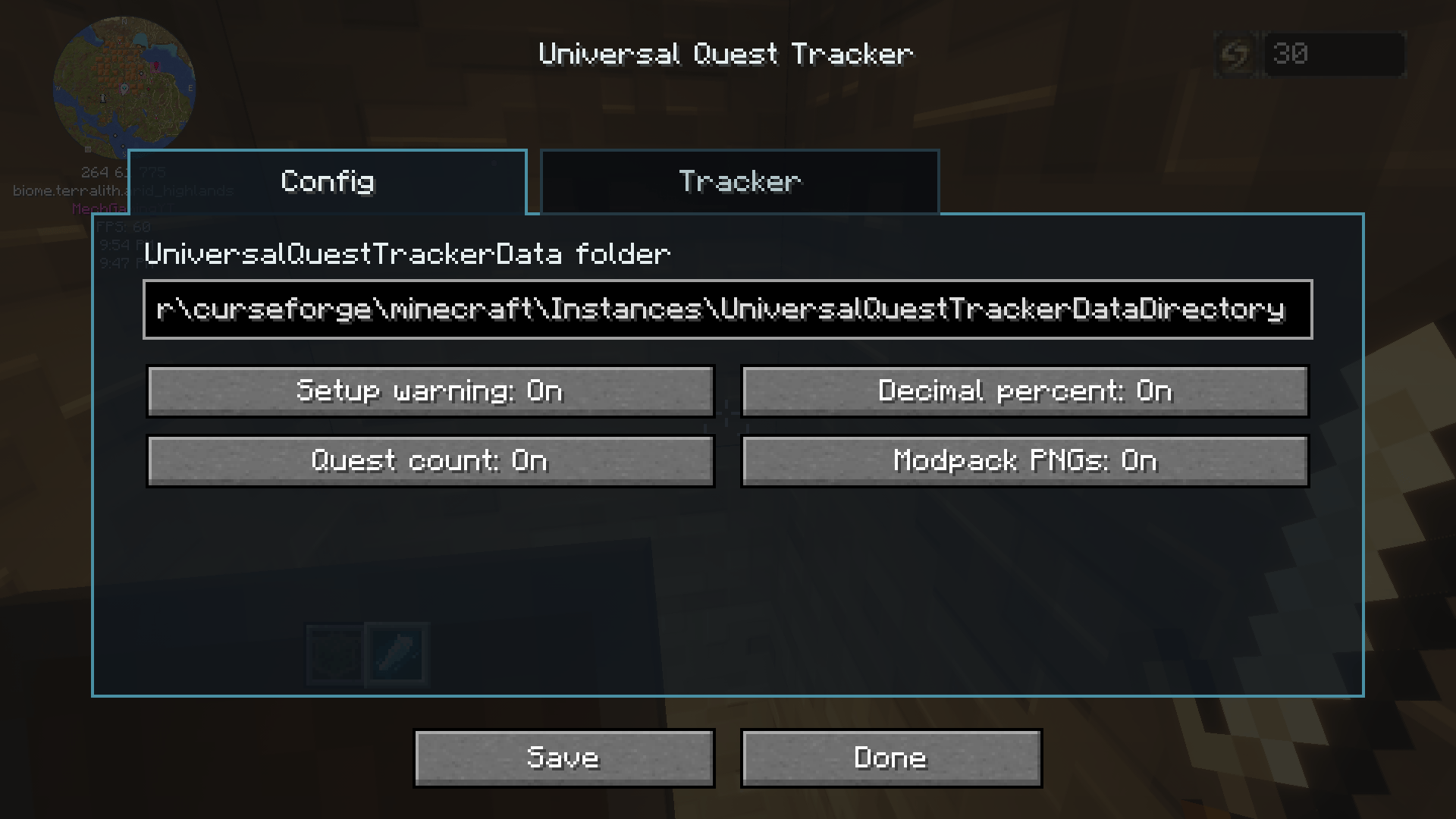
The mod automatically looks for a folder named UniversalQuestTrackerDataDirectory beside your modpack folders. If it doesn’t exist, the mod creates it.
For example, CurseForge modpacks stored inside the same Instances folder will automatically share their progress folder. Prism and MultiMC instance layouts are also supported.
Already using the mod, or want a different folder?
Existing custom folder settings are kept. The mod can also reuse an existing UniversalQuestTrackerData folder beside your modpacks when the new folder name isn’t present.
The current folder path is shown in the menu. To change it:
- Open the menu with U.
- Open Settings.
- Enter your preferred shared folder path.
- Press Save.
If your modpacks are stored in different locations or managed by different launchers, point them at the same folder through Settings.
Leaving the folder setting blank, or setting it to EMPTY, returns to automatic folder selection. Changing folders does not move or delete the data in your previous folder.
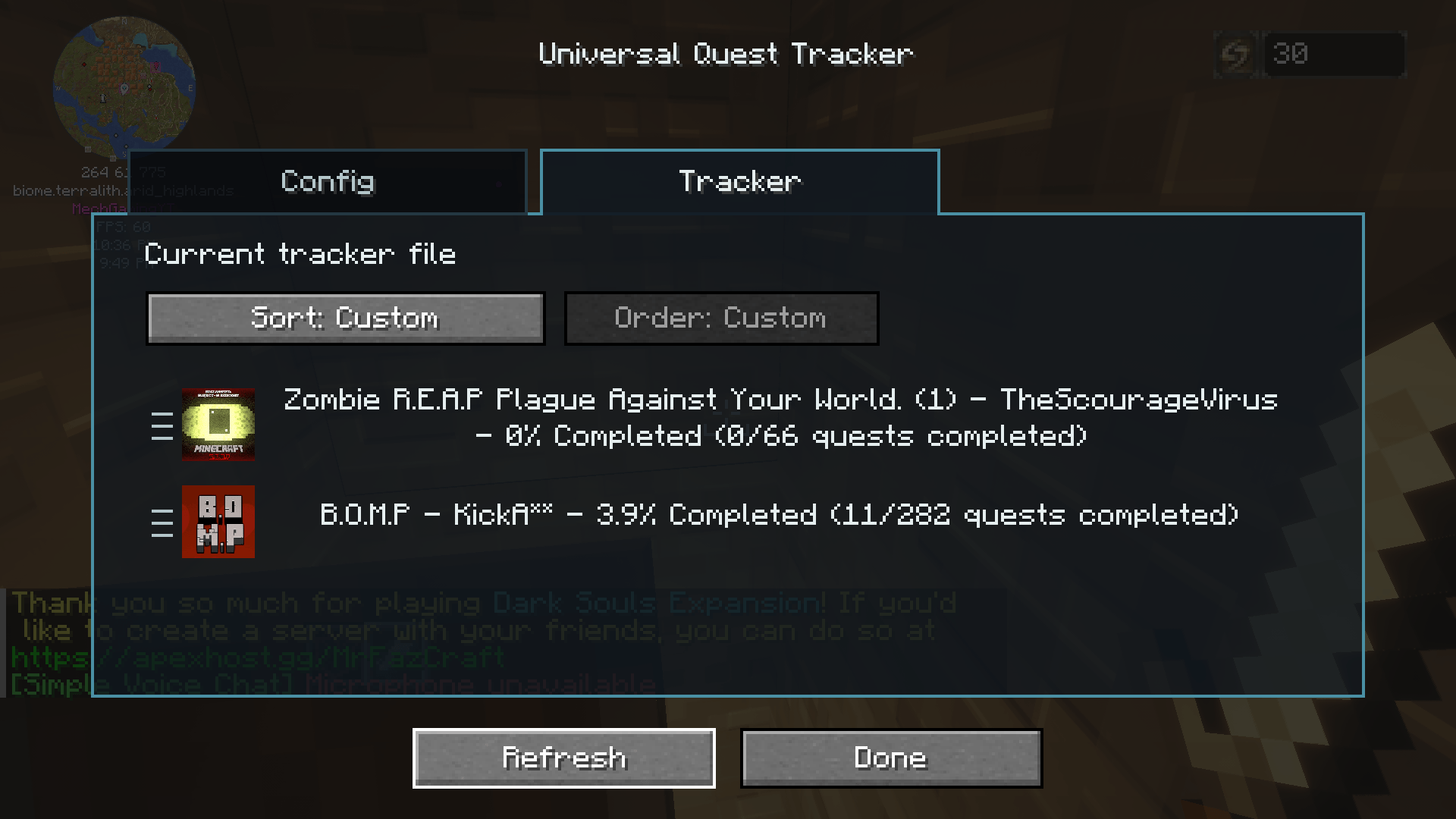
Once set up, the mod automatically saves quest progress while you play. The tracker shows the modpack name, world or server name, and completion percentage. You can also refresh it manually from the menu.
Features:
- Tracks supported quest progress across multiple modpacks
- Automatically creates or finds a shared local data folder
- Shared data format between all supported Minecraft versions
- In-game menu, opened with U by default
- Modpacks tab opens first
- Editable folder path in Settings
- Optional decimal percentages
- Optional completed quest count
- Optional modpack images
- Sorting by title, completion, or custom order
- Drag tracked entries into your preferred custom order
- Left, middle, and right text alignment
- Hide and restore individual tracked worlds across all five ports
- Multiplayer tracking for supported quest data synced to your client
- Generates a readable progress text file alongside its data file
- Protects shared files against simultaneous writes from multiple running modpacks
Important:
Universal Quest Tracker includes integrations for FTB Quests, Better Questing on Minecraft 1.12.2, and The Vault on compatible versions. Quest mod support depends on the Minecraft version, and not every integration is available in every port.
Recorded worlds without supported quest data show null instead of a completion percentage. Multiplayer tracking depends on the quest mod syncing the required data to your client.
This mod shares a progress overview through a folder on your computer. It does not transfer completed quests into another world or automatically sync between different computers.
This mod is fan-made and is not made by or affiliated with the Feed The Beast team.
Modpack Permission:
You may include Universal Quest Tracker in modpacks, including public modpacks, as long as the mod file is not modified and credit is given. Please link back to this CurseForge page when possible. Do not reupload this mod as a standalone download without permission.
Future plans:
- Port to more versions of the game based on comments I receive on this mod.
- Add playtime display.
- Add a button to automatically hide 100% completed modpacks.
- Add a button to automatically hide modpacks without a supported quest system.
- Incorporate the Advancement system… maybe with a toggle.
- Add more customization of what info is displayed.
- Add a button to permanently delete tracked entries.
- Add whatever you guys suggest in the comments 🙂
常见问题
UniversalQuestTracker 支持哪些 Minecraft 版本?
UniversalQuestTracker 支持 Minecraft Java 版 1.12.2–1.21.1,共 5 个版本,可用的加载器:Forge / NeoForge。下载时注意选择和你游戏版本一致的文件。
UniversalQuestTracker 怎么安装?
先用 PCL2 或 HMCL 启动器安装对应版本的 Forge / NeoForge,再把下载的 .jar 文件放进游戏目录的 mods 文件夹,重新启动游戏即可。开启了版本隔离的,mods 文件夹在 versions/版本名 下面。
MechGaming 的其他作品
查看全部 →
SharedHealthPlus
Shares all players’ health, hunger, and main inventory while keeping hotbars, armor, offhands, and cursor items personal.

UniversalQuestTracker
This mod allows you to track the progress of FTB quests across multiple modpacks. Works with other quest systems too.
评论
登录后评论和评分