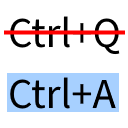
Universal Shortcuts (Ctrl A fix)
Fixes MC-121278, making Ctrl+A and other keyboard shortcuts work on non-QWERTY keyboard layouts.
介绍
Universal Shortcuts
This mod fixes MC-121278, making Ctrl+A (select all) and other keyboard shortcuts work on non-QWERTY keyboard layouts, such as AZERTY.
Q&A
What shortcuts are supported?
This mod does not add shortcuts. It makes the shortcuts that are already supported by Minecraft work on non-QWERTY keyboard layouts. Those shortcuts are:
- Select all (Ctrl+A),
- Copy (Ctrl+C),
- Paste (Ctrl+V),
- Cut (Ctrl+X),
- All debug combinations.1
How does it work?
By implementing the fix that is suggested on the bug report for MC-121278. That is, testing for the key name instead of its location on the keyboard.
What about non-Latin keyboard layouts?
This is a good question to which I unfortunately do not have a good answer. There are two possibilities: either your keyboard is capable of producing Latin letters, in which case you may be able to use the shortcuts, or it is not capable of doing so, in which case this mod will completely disable keyboard shortcuts. See #1 on the issue tracker for more information.
- The shortcut to toggle the narrator (Ctrl+F3+B) is not supported for technical reasons; see #3 on the issue tracker.
常见问题
Universal Shortcuts (Ctrl A fix) 支持哪些 Minecraft 版本?
Universal Shortcuts (Ctrl A fix) 支持 Minecraft Java 版 1.19.4–1.21.11,共 20 个版本,可用的加载器:Fabric。下载时注意选择和你游戏版本一致的文件。
Universal Shortcuts (Ctrl A fix) 怎么安装?
先用 PCL2 或 HMCL 启动器安装对应版本的 Fabric,再把下载的 .jar 文件放进游戏目录的 mods 文件夹,重新启动游戏即可。开启了版本隔离的,mods 文件夹在 versions/版本名 下面。运行环境:仅客户端。
MDLC01 的其他作品
查看全部 →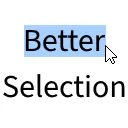
Better Selection
通过改进“按词移动”功能(Ctrl+← 和 Ctrl+→),让文本选择更加舒适。

Higher Chat (chat above armor bar)
Moves the chat above the armor bar.
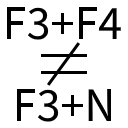
Better Game Mode Switcher
Makes the game mode switcher (F3+F4) never preselect Spectator, and enables it even without operator permissions.
Better Game Mode Switcher
Makes the game mode switcher (F3+F4) never preselect Spectator, and enables it even without operator permissions.
评论
登录后评论和评分