
介绍
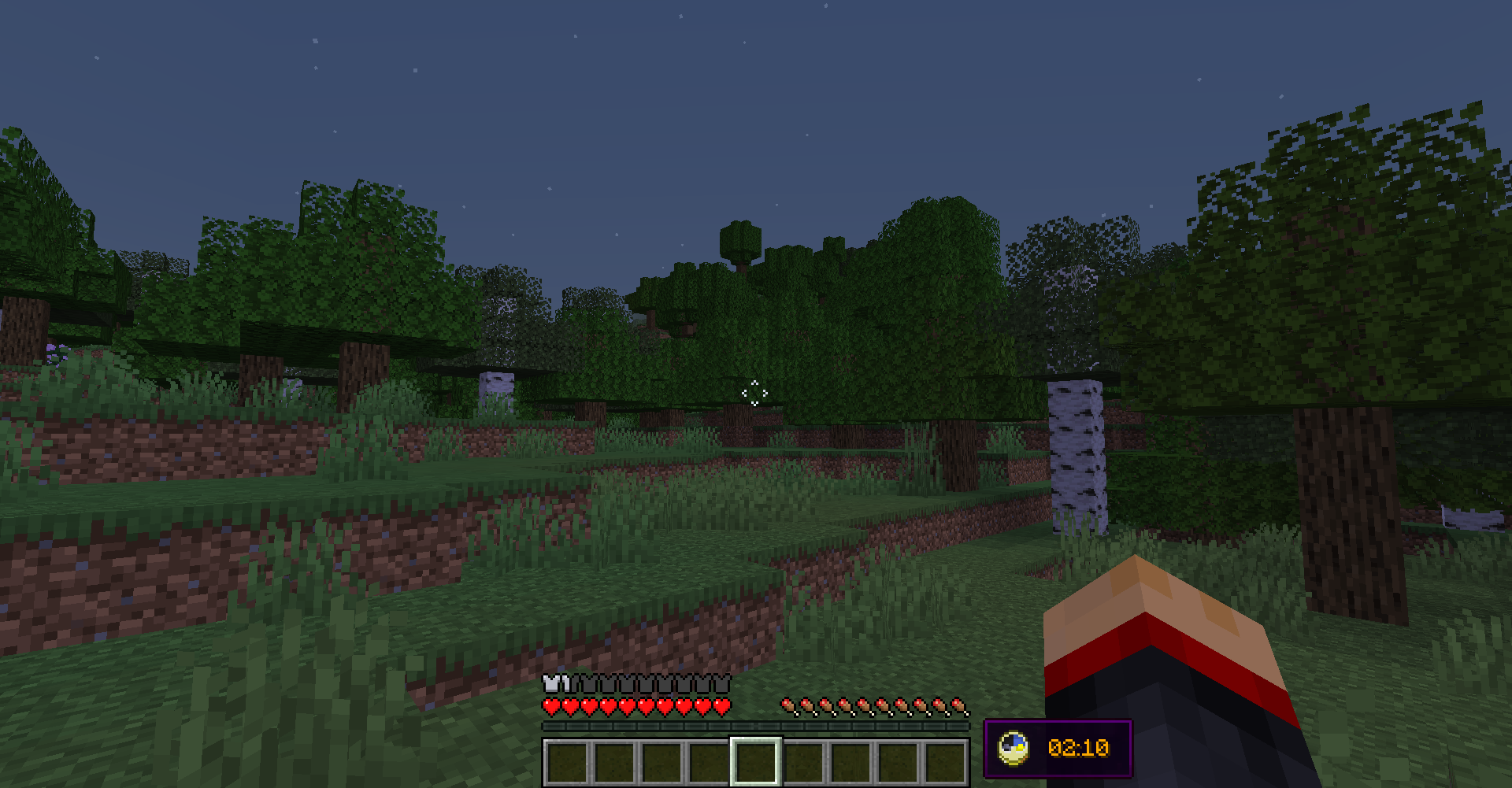
Simple and completely client-sided mod that renders vanilla clock and system time in the game overlay:

Previously was a part of Enigmatic Legacy. I mainly made this for myself, as one of few people who prefer to play in fullscreen mode (because of resolution issues), where you can’t easily see the time, which for me is absolutely required to be easily visible.
There is also a config file (UniversalClockHUD.toml) located in the config folder, where you can make following adjustments:
- Set the clock to be only visible in fullscreen mode;
- Set whether or not the clock is hidden when chat is opened;
- Enable or disable background behind the clock;
- Choose where the clock is positioned among multiple presets;
- Enable 12-hour time format if you’re not a fan of standard 24-hour option;
- If default presets aren’t enough, define custom preset with adjustable anchor point and X/Y position on the screen;
- Stop the numbers on the clock from spinning uncontrollably in the Nether or The End (which they do, by default);
- Require vanilla clock to be present in player’s inventory in order for them to see the HUD;
- Make the clock display in-game time instead of system time;
- Enable or disable the clock entirely.
By default, the clock is located in left-bottom corner of the screen, but you can freely adjust it to be anywhere on your screen by editing X and Y position in the config file. Notice, however, that if you change those values, they might behave differently with different gui scales and on different screen resolutions. You will have to create personal adjustments that will work perfectly with your resolution and GUI scale.
The default appearance of Universal Clock:
常见问题
Universal Clock HUD 支持哪些 Minecraft 版本?
Universal Clock HUD 支持 Minecraft Java 版 1.18–1.19.2,共 6 个版本,可用的加载器:Forge。下载时注意选择和你游戏版本一致的文件。
Universal Clock HUD 怎么安装?
先用 PCL2 或 HMCL 启动器安装对应版本的 Forge,再把下载的 .jar 文件放进游戏目录的 mods 文件夹,重新启动游戏即可。开启了版本隔离的,mods 文件夹在 versions/版本名 下面。运行环境:仅客户端。
Aizistral 的其他作品
查看全部 →
No Chat Reports
让聊天消息无法被举报(在可行范围内)

Enigmatic Legacy
推动原版进程的魔法模组

No Chat Restrictions
为所有账户恢复游戏聊天功能
Universal Clock HUD
Client-side mod that adds basic clock to the overlay
评论
登录后评论和评分