截图
介绍
UltraVein
Hold a key. Break one block. The whole vein goes.
A universal vein miner for every Minecraft version from 1.18 to 26.3 — veins, tunnels, patches, staircases and shapes you draw yourself, every one of them highlighted before you swing.






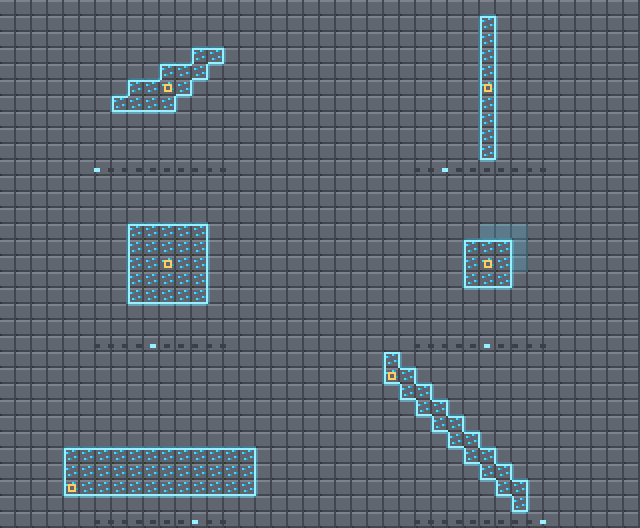
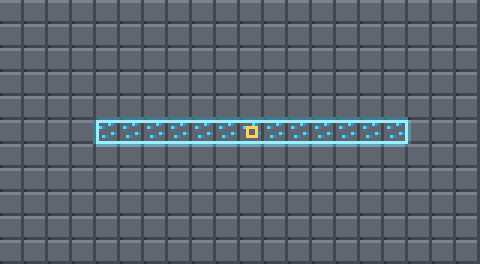
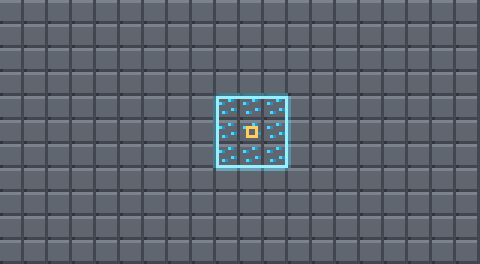
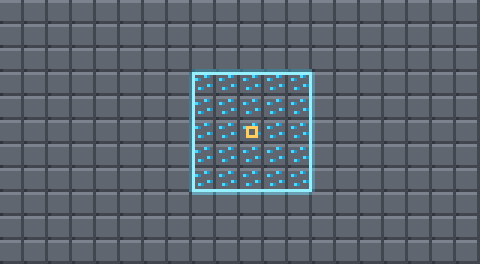
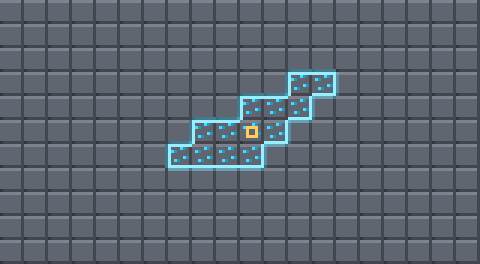
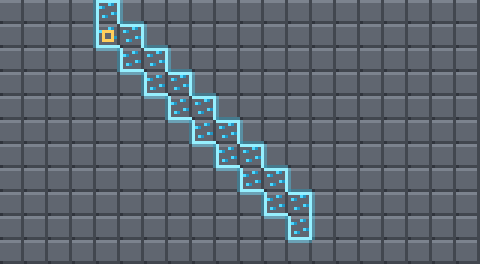
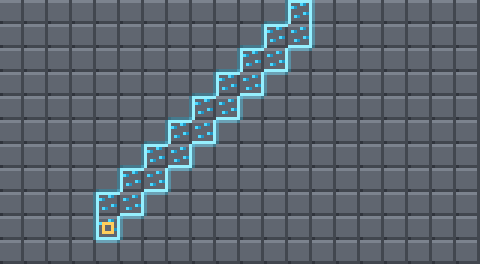
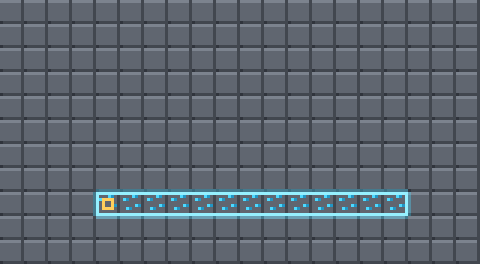
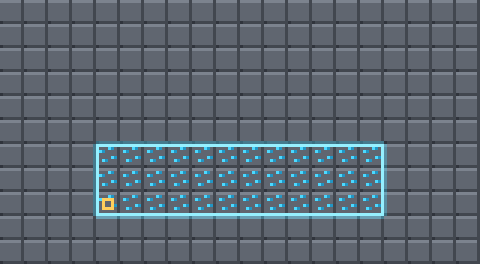
Every shape, exactly as the mod computes it. Yellow marks the block you are looking at.
Why another vein miner
Most vein miners break a vein and stop there. UltraVein gives you ten shapes on a scroll wheel plus any shape you draw yourself, shows you the exact blocks before they break, and runs on Fabric, Quilt, Forge and NeoForge from one codebase — no Architectury, no config library, nothing extra to install.
| Feature | What it means |
|---|---|
| See it first | The blocks light up while you hold the key. No guessing, no surprises. |
| Ten shapes | Vein, layer, column, patches, tunnels, staircases. Wheel to switch. |
| Draw your own | A 3D shape editor in game. Name your shape and it joins the wheel. |
| Server control | Owners pick which shapes players may use, and share their own with everyone. |
| Resize live | Turn a 3×3 tunnel into 5×5 or 1×1 without opening a menu. |
| Honest durability | Forty blocks cost forty durability. Fortune and Silk Touch apply. |
| Plays nice | Claims and protections are respected. Optional on both sides. |
| Every version | 1.18 through 26.3, on Fabric, Quilt, Forge and NeoForge. One file for your version, nothing else to install. |
Controls
| Input | What it does |
|---|---|
| Hold V | Arm UltraVein — the blocks that will break light up |
| V + Sneak + Wheel | Switch shape |
| V + Wheel | Grow or shrink the shape |
| Break a block | Everything highlighted goes with it |
V is the default and nothing in vanilla uses it. Rebind it like any other key under Options → Controls → UltraVein, along with two optional keys for stepping through shapes without the wheel.
While you are switching, the corner readout opens into the full shape list with the marker moving through it — the entries stay put, so you always see what is coming next.
The shapes
Every geometric shape follows the face you are looking at. Mine into a wall and the tunnel bores sideways; look down at the floor and it bores down. The yellow square is the block you hit.
Shapeless
The vein miner itself — every connected block of the same kind.
Layer
Matching blocks on this height only. Flattening floors.
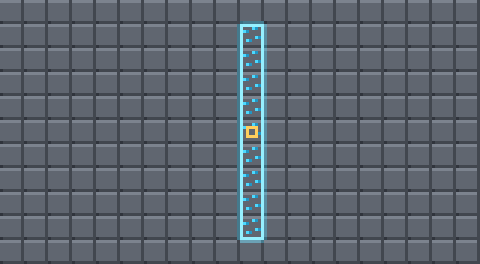
Column
Straight up and down. Clearing shafts.
3×3 Patch
A flat square lying against the face you hit.
5×5 Patch
The same, wider. Quarry walls in four swings.
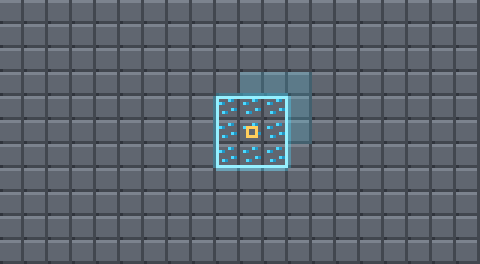
3×3×3 Cube
A cube around the block — the dimmed layer is the depth behind it.
Tunnel 1×1
A one-wide corridor straight ahead.
Tunnel 3×3
A walkable corridor. The block you hit is the floor.
Staircase Up
Two blocks tall per step, so you can actually walk it.
Staircase Down
The same, heading for the deepslate.
Why the tunnel sits on the floor
The block you look at is the floor of the tunnel, not its middle. Centring it makes the corridor drift: aim one row higher and the whole cross-section moves with you, half of it is already air, and the tunnel wanders off its line. The floor is an unambiguous thing to aim at. Set tunnelAnchor to center if you want it the other way.
Draw your own shapes
Open /ultravein config, go to Shapes and click + New. The editor shows a 7×7×7 box in front of the block you hit — that block sits in the middle of the front slice.
- Click cells on the slice grid to add blocks, right click removes them, drag to paint, the mouse wheel moves through the seven slices.
- A 3D view next to the grid shows the whole shape and turns as you drag it.
- Quick patterns for the current slice: X shape, Plus, 3×3, Ring 5×5, fill and clear. Copy to next repeats a slice one deeper, so an X-shaped tunnel is a few clicks.
- Give it a name and save — it shows up under that name on your shape wheel and turns with the face you hit, just like the tunnels.
View Shapes → Already Made Shapes opens every shape in the 3D viewer: the built-in ones, the server’s, your own. Where a shape can be changed, ✎ Edit takes you to the editor; a built-in shape becomes your own copy.
For server owners
Everything is set in /ultravein config — in single player, as LAN host, and as an operator on a dedicated server. No commands to type.
- Shape Filter: a three-way switch — Off (every shape), Whitelist (only the ticked shapes) or Blacklist (every shape except the ticked ones). The list below it has a tick box for every shape. Shapes the filter keeps out disappear from every player’s wheel, and the server refuses them.
- Player Shapes: Allowed / Blocked — whether players may use shapes they drew themselves.
- Every player’s shapes in one place: clients send their own shapes to the server, so operators see them in the list with who drew them — offline players included — and can whitelist or blacklist them one by one.
- Share a shape with everyone: when an operator saves a shape (Save & Share), every player gets it on their wheel right away, with its name.
- Tool filter: an optional blacklist or whitelist of the tools that may vein mine at all, with a searchable list of every item in the game.
- The Gameplay & Rules and Filters tabs work for operators on dedicated servers too: Save & Apply sends the changes to the server.
What goes, what stays
By default even the geometric shapes only take matching blocks. A 1×1 tunnel through stone leaves ores standing, because they are not what you started on. Set geometryMatchMode to any to carve straight through everything instead.
“Matching” means the same block, plus variants worked out automatically: iron_ore and deepslate_iron_ore go together, and so do mod:zinc_ore and mod:deepslate_zinc_ore, and oak_log with oak_wood. That runs off a naming rule rather than a list, so it handles modded ores nobody told it about. Anything it misses goes in extraBlockGroups.
Durability is real
Every extra block is broken through the same vanilla call as a normal swing. That is deliberate: tool damage, Fortune, Silk Touch, drops, experience, statistics, food exhaustion and every protection mod’s permission check apply exactly as they always do, instead of being reimplemented and getting them subtly wrong.
Forty blocks cost forty durability. preventToolBreak stops before your pickaxe snaps.
Installation
| Minecraft | Fabric | Quilt | NeoForge | Forge |
|---|---|---|---|---|
| 1.18 – 1.18.2 | ✔ | ✔ | – | ✔ |
| 1.19 – 1.19.2 | ✔ | ✔ | – | ✔ |
| 1.19.3 | ✔ | ✔ | – | ✔ |
| 1.19.4 | ✔ | ✔ | – | ✔ |
| 1.20 – 1.20.1 | ✔ | ✔ | ✔ (Forge file) | ✔ |
| 1.20.2 | ✔ | ✔ | ✔ | ✔ |
| 1.20.3 – 1.20.4 | ✔ | ✔ | ✔ 1.20.4 | ✔ |
| 1.20.5 – 1.20.6 | ✔ | ✔ | ✔ 1.20.6 | ✔ 1.20.6 (NeoForge file) |
| 1.21 – 1.21.1 | ✔ | ✔ | ✔ | ✔ (NeoForge file) |
| 1.21.2 – 1.21.3 | ✔ | ✔ | ✔ 1.21.3 | ✔ 1.21.3 (NeoForge file) |
| 1.21.4 | ✔ | ✔ | ✔ | ✔ (NeoForge file) |
| 1.21.5 | ✔ | ✔ | ✔ | ✔ (NeoForge file) |
| 1.21.6 – 1.21.8 | ✔ | ✔ | ✔ (1.21.6/1.21.7 beta) | ✔ (NeoForge file) |
| 1.21.9 – 1.21.10 | ✔ | ✔ | ✔ (1.21.9 beta) | ✔ (NeoForge file) |
| 1.21.11 | ✔ | ✔ | ✔ | ✔ (NeoForge file) |
| 26.1 – 26.1.2 | ✔ | ✔ | ✔ | ✔ (NeoForge file) |
| 26.2 | ✔ | ✔ | ✔ | ✔ (NeoForge file) |
| 26.3 | ✔ | ✔ | ✔ (beta) | ✔ (NeoForge file) |
Pick the file for your Minecraft version and loader. Fabric and Quilt need Fabric API; Forge and NeoForge need nothing else. Quilt uses the Fabric file – Quilt Loader runs it as it is, so it is marked for both.
On 1.20.1 NeoForge is still a drop-in replacement for Forge, so the Forge file covers both there. From 1.20.2 to 1.20.4 Forge and NeoForge each get their own file. From 1.20.6 on the NeoForge file runs on Forge too – pick it for either loader.
Install it on the server too. The mining happens server-side. A client-only install shows the highlight but breaks nothing — and it tells you so, in red, instead of silently doing nothing.
The mod is optional on both sides: a client with it can join a server without it, and the other way round. Nobody gets kicked.
Configuration
Two plain JSON files in config/, reloadable in-game with /ultravein reload.
ultravein-server.json decides what happens:
| Key | Default | Meaning |
|---|---|---|
maxBlocks |
64 | cap for the connected shapes — one stack of drops |
maxShapeBlocks |
256 | cap for the geometric shapes |
tunnel3x3Length |
10 | a 3×3×10 corridor, 90 blocks |
tunnel1x1Length |
16 | depth of the 1×1 tunnel |
staircaseLength |
16 | steps per staircase |
tunnelAnchor |
floor | or center |
veinMatchMode |
grouped | strict / grouped / any |
geometryMatchMode |
grouped | same, for the geometric shapes |
requireCorrectTool |
true | only break what your tool could harvest |
preventToolBreak |
true | stop before the tool snaps |
keepDurability |
1 | durability the tool always keeps (with preventToolBreak) |
dropAtPlayer |
true | drops & xp drop at player position instead of block coords |
blockBlacklist |
[] | block ids never to touch |
toolFilterMode |
none | optional tool filter: none / blacklist / whitelist |
toolBlacklist |
[] | tools that never trigger UltraVein |
toolWhitelist |
[] | the only tools that do, in whitelist mode |
shapeFilterMode |
none | none / whitelist / blacklist |
shapeWhitelist |
[] | shapes allowed in whitelist mode |
disabledShapes |
[] | the shape blacklist |
allowPlayerShapes |
true | players may use shapes they drew |
sharedShapes |
[] | shapes the server hands to every player |
ultravein-client.json is looks and input only: HUD position, highlight colour, see-through highlighting, scroll behaviour — and your own drawn shapes. Players’ shapes as the server knows them live in ultravein-player-shapes.json.
In multiplayer the server’s rules win and are pushed to every client on join, so the highlight always shows what will really happen.
Commands
/ultravein config— open the in-game configuration menu (live settings for rules & visuals)/ultravein info— the rules currently in force (includingdrop at player)/ultravein dropAtPlayer [true|false]— toggle or set drop teleportation to player (permission level 2)/ultravein reload— reload the configs (permission level 2)
For the server console, everything the config screen does is also a command (permission level 2): /ultravein rule <key> <value>, /ultravein shapes list, shapes mode <none|whitelist|blacklist>, shapes whitelist|blacklist add|remove <shape> (ids like tunnel_3x3, server:Name, player:Name/Shape), shapes playerShapes <true|false>, shapes unshare <name>, toolblacklist|toolwhitelist list|add|remove|clear <item>.
MIT licensed. Inspired by FTB Ultimine.
常见问题
UltraVein 支持哪些 Minecraft 版本?
UltraVein 支持 Minecraft Java 版 1.18–26.3,共 32 个版本,可用的加载器:Fabric / Forge / NeoForge / Quilt。下载时注意选择和你游戏版本一致的文件。
UltraVein 怎么安装?
先用 PCL2 或 HMCL 启动器安装对应版本的 Fabric / Forge / NeoForge / Quilt,再把下载的 .jar 文件放进游戏目录的 mods 文件夹,重新启动游戏即可。开启了版本隔离的,mods 文件夹在 versions/版本名 下面。
评论
登录后评论和评分