
FTB Ultimine Rewind
Rewind/undo functionality for FTB Ultimine. Restore mined blocks with Ctrl+Z. Supports partial restoration and creative mode.
截图
介绍
Ultimine Rewind
Add undo/rewind functionality to FTB Ultimine. Made a mistake while vein mining? Press Ctrl+Z to restore your blocks!
Features
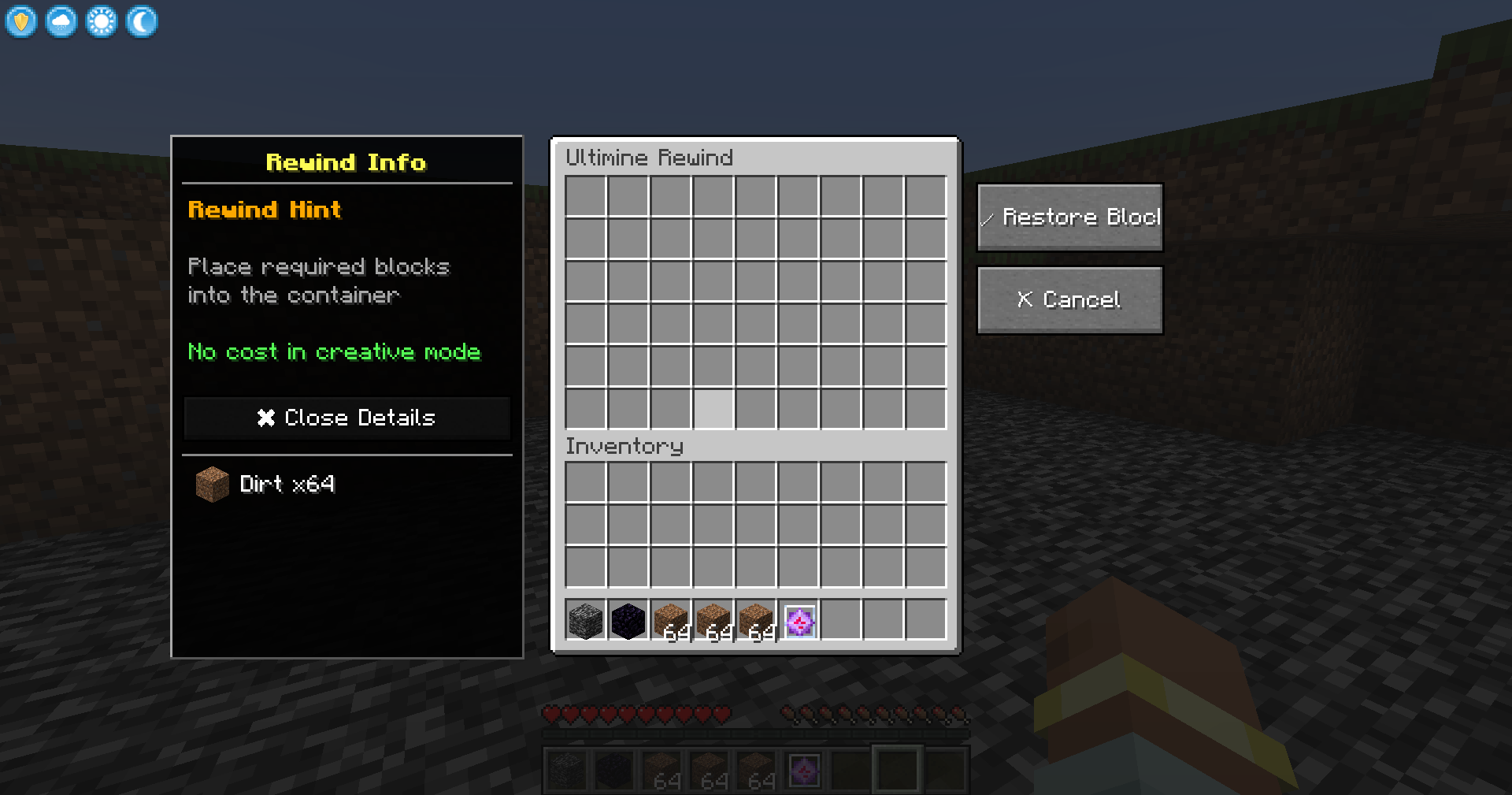
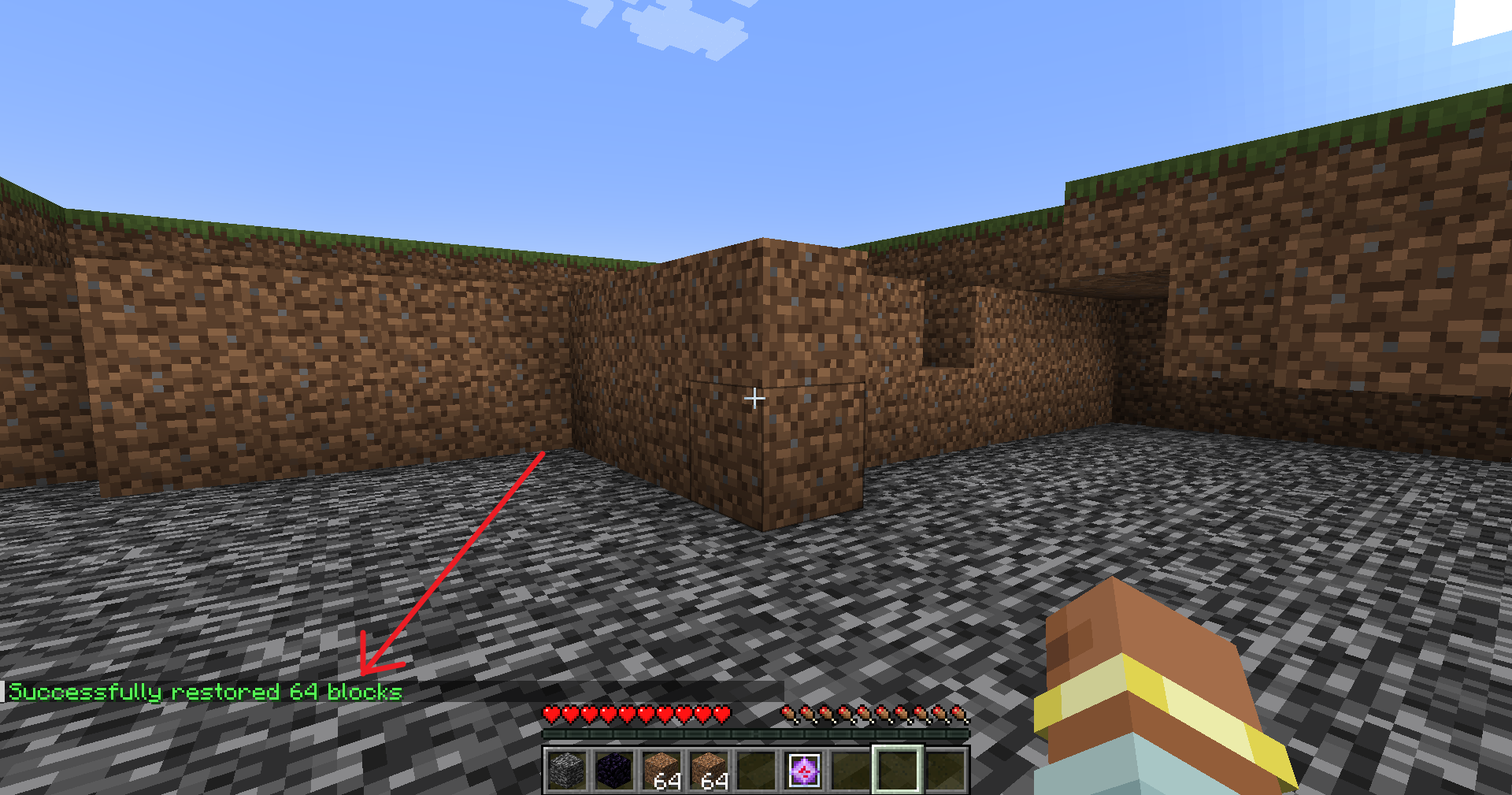
- 🔄 Undo Mining – Press Ctrl+Z to open the restoration interface
- 📦 Material System – Provide blocks to restore what you mined
- ✨ Creative Mode – No materials needed in creative mode
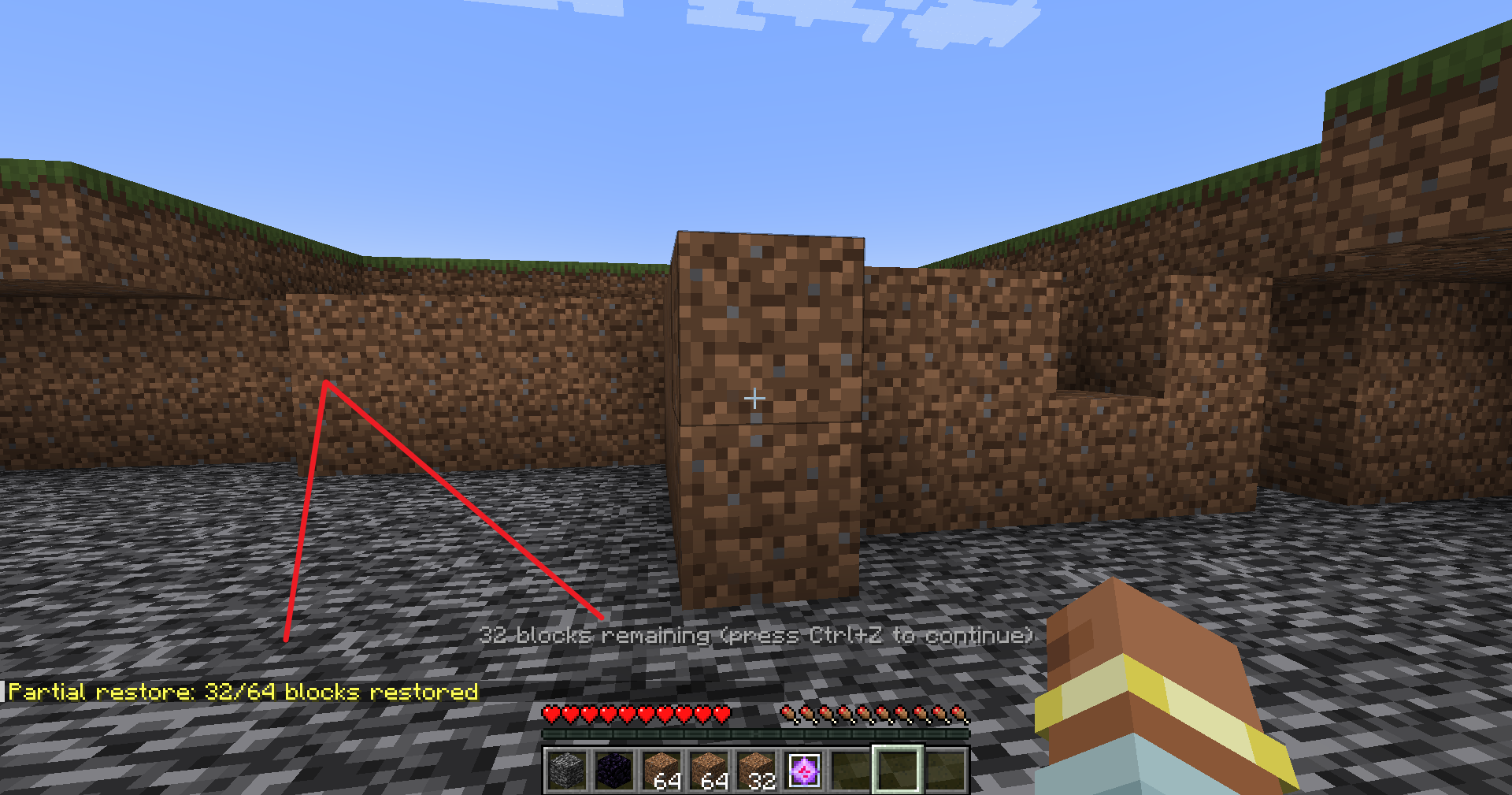
- 🔁 Partial Restore – Restore as many blocks as your materials allow, continue with Ctrl+Z
- 🌍 Multiplayer Safe – Works on servers with anti-dupe protection
- 🎨 Vanilla Style UI – Uses native chest interface
How to Use
- Mine blocks with FTB Ultimine
- Press Ctrl+Z to open the restoration menu
- Place materials into the container (same blocks you mined)
- Click “Restore Blocks” to undo your mining
Partial Restoration
Not enough materials? No problem!
- The mod will restore as many blocks as possible
- Remaining blocks stay in the record
- Press Ctrl+Z again with more materials to continue
Requirements
- Minecraft 1.20.1
- Forge 47.0+
- FTB Ultimine (Required)
Notes
- Block entities (chests, furnaces) are restored empty to prevent item duplication
- Records expire after 10 minutes
- Only the last mining operation can be undone
- Works in both singleplayer and multiplayer
License
GNU LGPL 3.0
常见问题
FTB Ultimine Rewind 支持哪些 Minecraft 版本?
FTB Ultimine Rewind 支持 Minecraft Java 版 1.20.1–26.1.2,共 3 个版本,可用的加载器:Forge / NeoForge。下载时注意选择和你游戏版本一致的文件。
FTB Ultimine Rewind 怎么安装?
先用 PCL2 或 HMCL 启动器安装对应版本的 Forge / NeoForge,再把下载的 .jar 文件放进游戏目录的 mods 文件夹,重新启动游戏即可。开启了版本隔离的,mods 文件夹在 versions/版本名 下面。运行环境:客户端和服务端都要装。
GaLi 的其他作品
查看全部 →
ME-Beam-Former
Add an ME Beam Former to AE2 to enable visually and wireless visually stunning ME network connections.

ExtendedAE-Plus
Adds more practical features and auxiliary operations to Applied Energistics 2.
OmniTools
OmniTools is a single, versatile tool that works with multiple mods. It combines the functions of various wrenches, making building, configuring, and managing blocks easier than ever.

Applied Extended Crafting
Link Application Energy 2 and Extended Crafting, adding more convenient automation blocks for Extended Crafting
评论
登录后评论和评分