
截图
介绍
Ultimate Hud
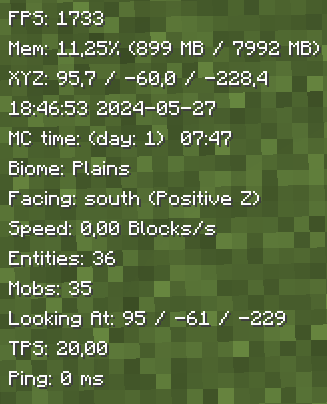
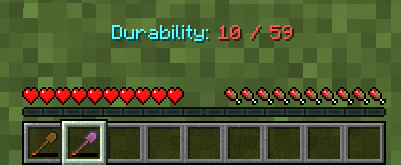
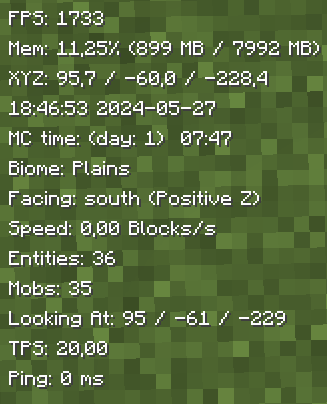
UltimateHud is a mod that displays essential information for each user in the HUD. Everything is configurable from the ultimatehud.json file inside your ./minecraft/config folder. In it, you will find a file similar to this:
Now, you can also change the options with the “Mod Menu” mod.
{
  "showFPS": true, // Displays the Frames Per Second (FPS) on the screen.
  "showRAM": true, // Displays the amount of RAM (memory) being used.
  "showCoordinates": true, // Shows the player's current coordinates in the game world.
  "showRealTime": true, // Displays the real-world current time.
  "showRealDate": true, // Displays the real-world current date.
  "showMinecraftTime": true, // Shows the in-game time.
  "showBiome": true, // Displays the current biome the player is in.
  "showFacing": true, // Shows the direction the player is facing.
  "showSpeed": true, // Displays the player's current speed.
  "showEntities": true, // Shows the number of entities around the player.
  "showMobs": true, // Displays the number of mobs around the player.
  "showLookingAt": true, // Shows information about the block or entity the player is currently looking at.
  "showTps": true, // Displays the server's Ticks Per Second (TPS).
  "showPing": true, // Shows the player's ping to the server.
  "textShadow": true, // Adds a shadow effect to the text for better readability.
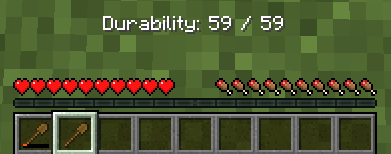
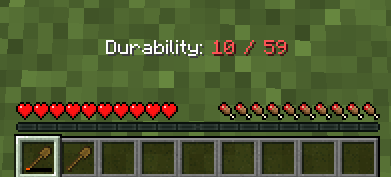
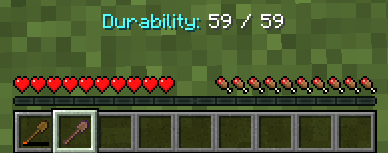
  "showItemDurability": true, // Displays the durability of the item the player is currently holding.
  "hudPosition": "LEFT" // Positions the HUD (Heads-Up Display) on the left side of the screen.
}
Fabric Loader 0.15.11 or newer is needed.
All options are toggled by setting them to true (enabled) or false (disabled), except for the last option, which sets the HUD to the left (left) or to the right (right).
TO-DO:
Add integration with Mod Menu to modify the options from within the game.(Done)Update to 1.20.5/1.20.6.(Done)Add Mob Counter.(Done)Add Entity Counter.(Done)Add TPS.(Done)Add Tool Durability.(Done)- Add underline behind the HUD information.
- Add color change functionality.
- Add the ability to change the name and format in which the information appears.
- Add the option to individually move the parameters to the right or left.
- Add MSPT
Translated into the following languages:
- English
- Spanish
- French
- Japanese
- Portuguese
- Chinese
常见问题
Ultimate Hud 支持哪些 Minecraft 版本?
Ultimate Hud 支持 Minecraft Java 版 1.20.4–1.21.1,共 5 个版本,可用的加载器:Fabric。下载时注意选择和你游戏版本一致的文件。
Ultimate Hud 怎么安装?
先用 PCL2 或 HMCL 启动器安装对应版本的 Fabric,再把下载的 .jar 文件放进游戏目录的 mods 文件夹,重新启动游戏即可。开启了版本隔离的,mods 文件夹在 versions/版本名 下面。运行环境:仅客户端。
Natxo 的其他作品
查看全部 →
Tab Ping
A mod that shows player ping in the tab list
Tab Ping
A mod that shows player ping in the tab list

Simple Hud
Display on your HUD the FPS, Coordinates, and Ping
Simple Hud
Display on your HUD the FPS, Coordinates, and Ping
评论
登录后评论和评分