
截图
介绍



Every vanilla screen, redrawn.
UKYUI replaces Minecraft’s client interface — title screen, options, pause menu, world
list, world loading, death screen — with screens drawn entirely from primitives. There
are no button textures to reskin: fills, borders, glows and glyphs are geometry, so the
whole interface follows seven colours in the config. Change theme.accent and the
buttons, the sliders, the quest book and the accretion disk of the black hole all move
with it.
Built for modpacks. It is a client mod, it touches no world data, and adding or removing
it mid-save is safe.
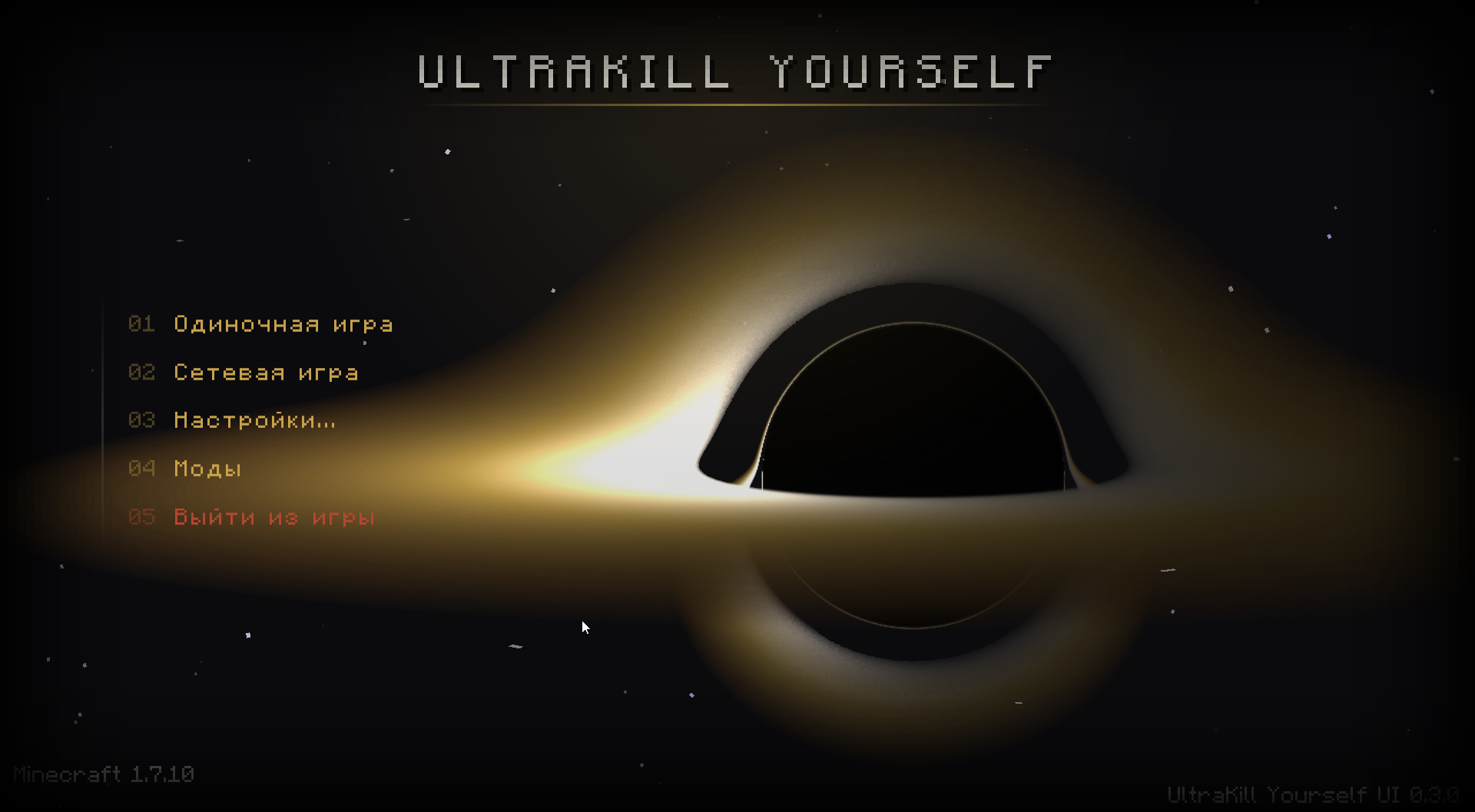
The black hole
The menu backdrop is a Schwarzschild black hole, integrated rather than drawn.
Light paths are traced through the curved metric — the same orbit equation a physics
renderer would use — so the shadow, the photon ring and the disk arcing over the top of
it are the actual lensed image rather than a ring texture with a blur on it. It runs as
a fragment shader where one is available and falls back to a traced table baked on a
background thread where it is not.
The accretion disk is volumetric: emission and absorption accumulated along each ray,
Keplerian shear winding the turbulence up because the inner disk laps the outer,
relativistic beaming making the approaching side brighter. Stars behind it are lensed
analytically — they bend around the shadow, double, and flare into an Einstein ring when
one passes directly behind. A few are visibly spiralling in, stretched into streaks and
reddened, and they wink out at the horizon.
Disk colours come from the theme, so the hole matches your pack instead of the other way
round. If you would rather have your own artwork, effects.background also takes
image or solid.
What it replaces
| | |
|—|—|
| Title screen | Wordmark, text-column menu, links row, intro on first open |
| Options | Video, sound, controls, language, resource packs — all in one style |
| Pause menu | Same widgets, same palette |
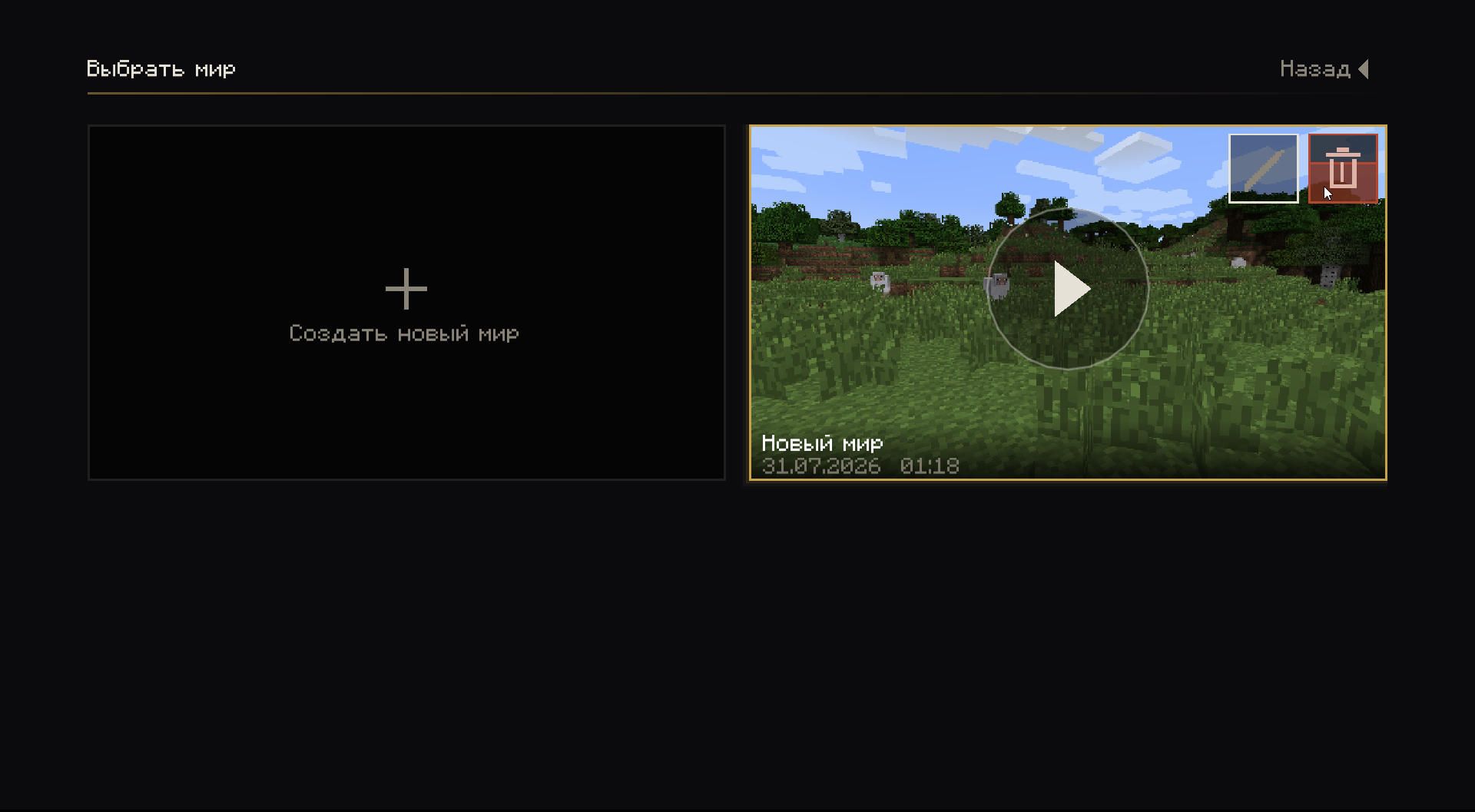
| World list | Tiles, each with a screenshot of where you logged out |
| World loading | That same screenshot as the backdrop |
| Death | A scene, not a screen: blackout, VHS damage, heartbeat and breathing |
| Mod list | Other mods’ config screens gathered in one place, redrawn in these widgets |
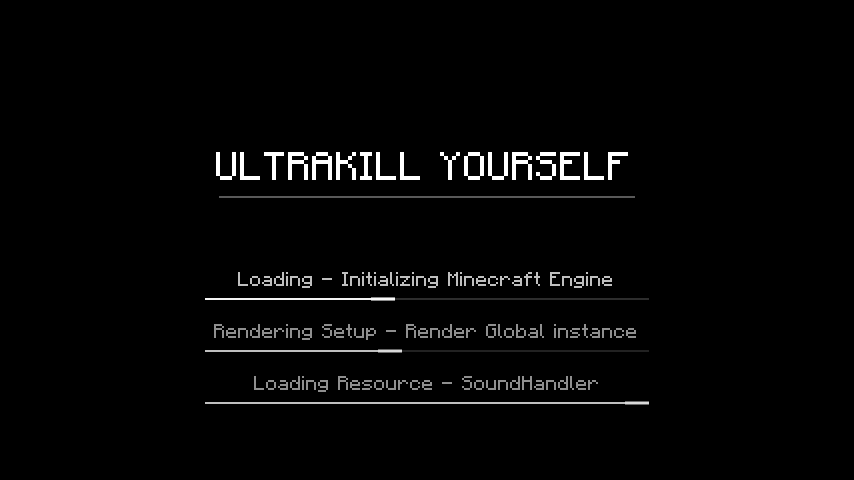
| Loading splash | FML’s mod-loading screen, replaced from the first frame |
Every one of them has a switch in the config. Turn one off and vanilla comes back in that
one place; the rest keeps working.
Other mods
None of these change behaviour, and none of them do anything when the mod in question is
absent.
- Angelica — its renderer options are read from its own option model and redrawn as a Graphics tab in the same settings screen, instead of sending you to a second screen in a second style.
- Waila — the tooltip gets the panel treatment: dark fill, hairline border, gold rail down the left. Contents stay entirely Waila’s. Progress widgets inside it are redrawn too, and while you are breaking a block a progress bar runs along the bottom edge — vanilla tells you that with crack overlays, which is a coarse answer on a modded block that takes forty seconds with the wrong tool.
- BetterQuesting — a UKY theme registered in the book’s own theme list, built from the palette at open time rather than shipped as a texture. The world dims under the book and the book fades in, instead of appearing between two frames.
Configuring it
Everything lives in config/uky/uky.cfg, and every key has a comment explaining what it
does and where on the screen it lands.
- Palette — seven base colours; everything else (hover fills, borders, shadows) is derived from them.
- Main menu —
leftorcenterlayout, your own title and tagline, footer lines, and a links row:Label|https://example.com|icon.png. Icons are matched from the address when you do not name one, or drawn from your own PNGs inconfig/uky/icons/. - Loading screen — your own tips, your own backdrop.
- Death scene — timings, intensity, whether it plays at all.
- Performance —
blackHoleQualityandblackHoleResolutionif the menu costs more than you want to spend on a menu.
Requirements
- Minecraft 1.7.10 with Minecraft Forge
- UniMixins — required, it provides the mixin platform this is built on
- Client side only. The server neither needs it nor knows about it.
Notes
- Multiplayer-safe: no packets, no world data, no gameplay changes. It is an interface.
- Removing it leaves your saves exactly as they were.
- Not compatible with other main-menu replacers, for the obvious reason.
Кратко по-русски
Мод заменяет клиентский интерфейс 1.7.10: главное меню, настройки, паузу, список миров
(плитками, со скриншотом места выхода), загрузку мира, экран смерти и загрузочный экран
FML. Всё рисуется кодом, без текстур виджетов, — палитра из семи цветов в
config/uky/uky.cfg перекрашивает весь интерфейс разом, включая диск чёрной дыры на фоне
и книгу квестов BetterQuesting.
Чёрная дыра в меню считается по-настоящему: лучи интегрируются в искривлённой метрике,
поэтому тень, фотонное кольцо и загнутый над тенью диск — это настоящее линзирование, а
не текстура. Звёзды за ней двоятся и вспыхивают кольцом Эйнштейна.
Настройки чужих модов (в том числе рендерер Angelica) собраны в один экран и
перерисованы в тех же виджетах; подсказка Waila и книга BetterQuesting подхватывают
палитру. Нужен Forge 1.7.10 и UniMixins. Мод клиентский, данные мира не трогает —
ставить и снимать на существующем сейве безопасно.
常见问题
UkyUI 支持哪些 Minecraft 版本?
UkyUI 支持 Minecraft Java 版 1.7.10,可用的加载器:Forge。下载时注意选择和你游戏版本一致的文件。
UkyUI 怎么安装?
先用 PCL2 或 HMCL 启动器安装对应版本的 Forge,再把下载的 .jar 文件放进游戏目录的 mods 文件夹,重新启动游戏即可。开启了版本隔离的,mods 文件夹在 versions/版本名 下面。运行环境:仅客户端。
评论
登录后评论和评分