
截图
介绍
this mod won’t be updated for about 2 years (2026.6.27)
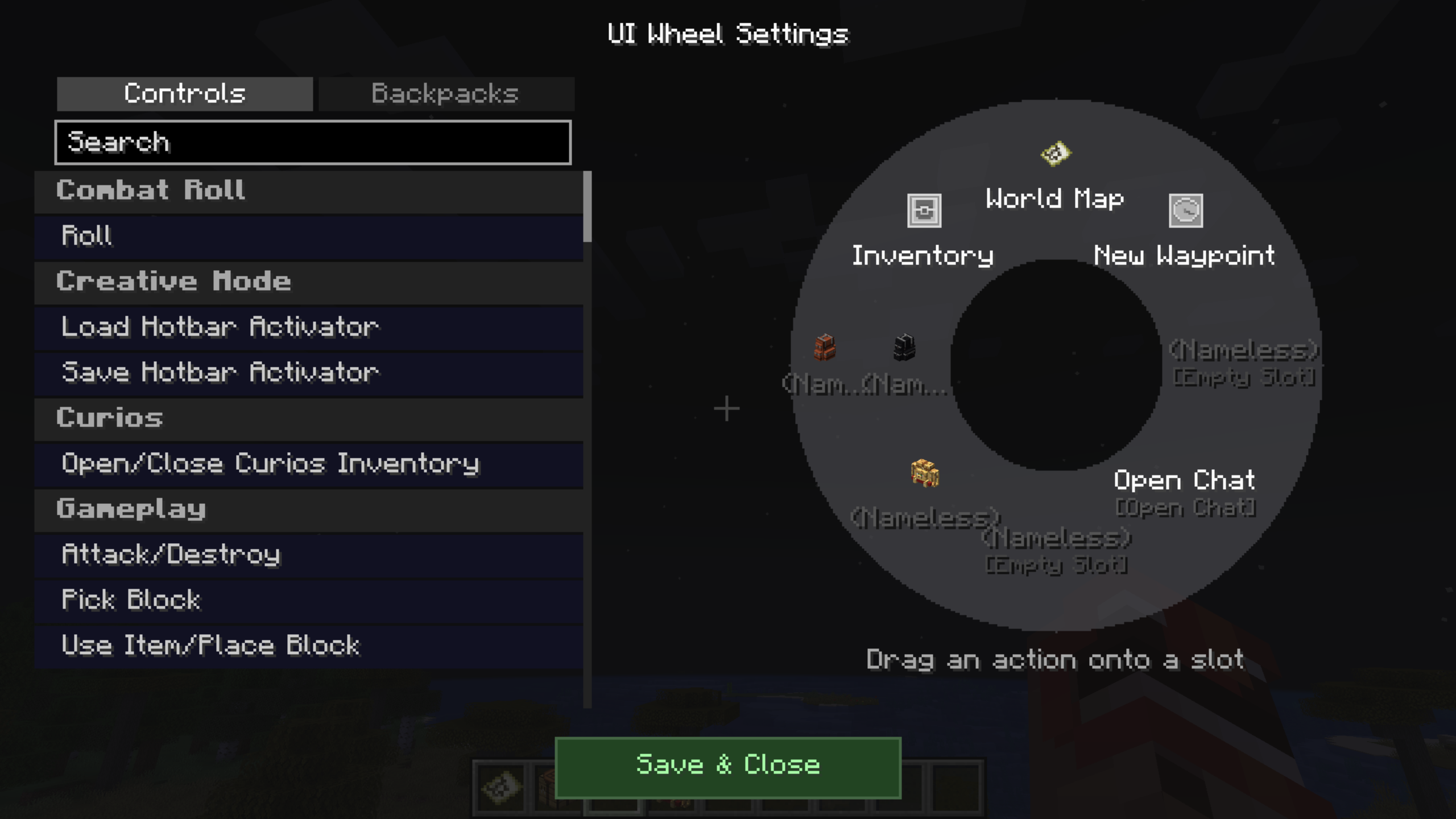
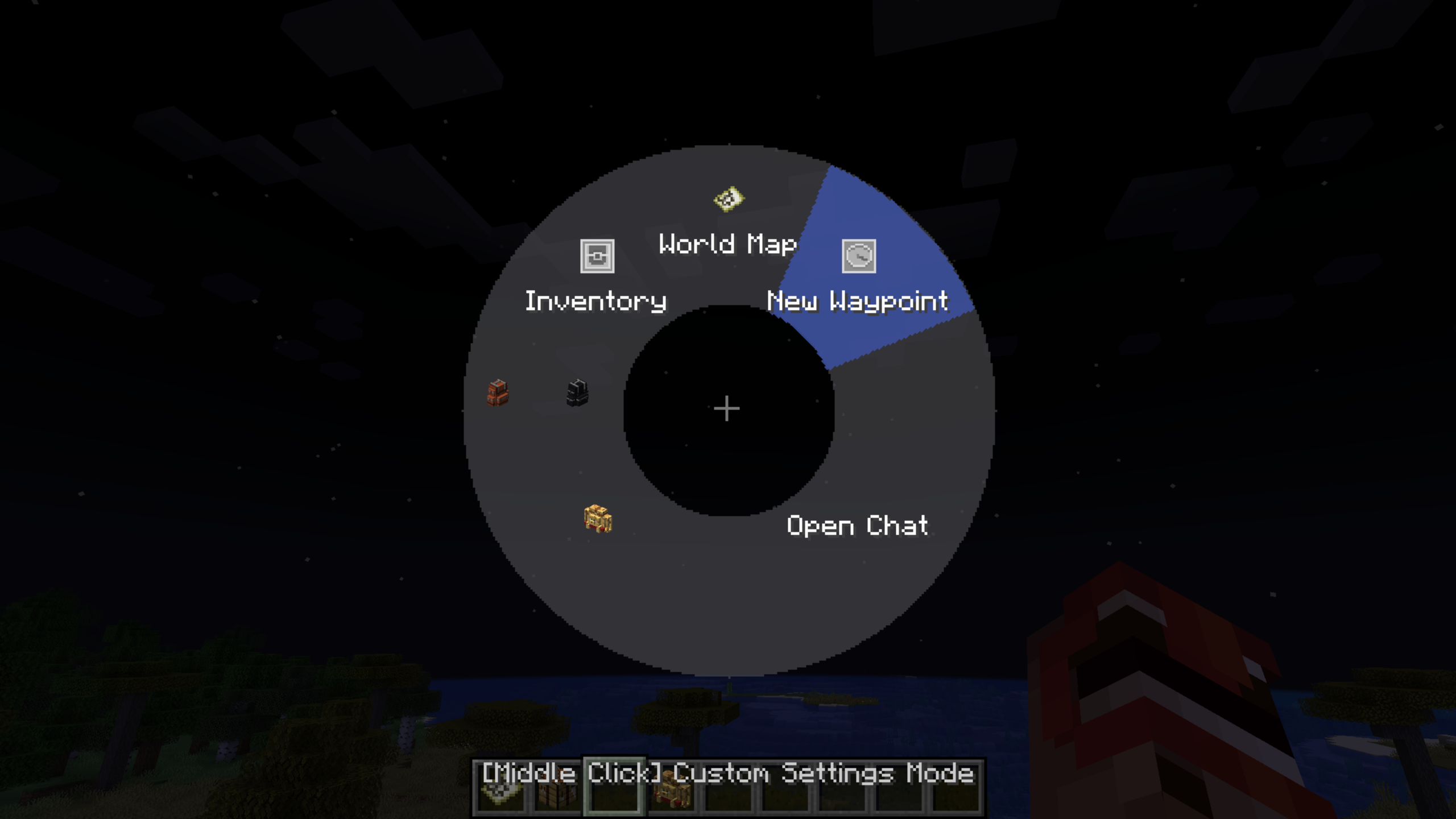
UI Wheel is a utility mod that allows you to open a radial menu by holding down the “Open UI Wheel” key (default: Alt).
You can assign actions to each slot and execute them by hovering and releasing or clicking.
Features
- Supports most mod UI actions
- Custom slot labels and descriptions
- Custom slot icons
- Open your backpack directly from the wheel without any additional steps (compatible with Sophisticated Backpacks and Traveler’s Backpack)
Note: Compatibility with other mods may vary. Some actions (e.g. Combat Roll) may not function as expected.
Commands
/uiwheel open – Opens the UIWheel config folder directly
Sets or loads a global default slot configuration for the entire modpack
- /uiwheel default set – Saves the current slot configuration as the default
- /uiwheel default clear – Removes the saved default configuration
- /uiwheel default status – Checks whether a default configuration exists
Saves or loads named slot configuration profiles
- /uiwheel profile save <name> – Saves the current configuration as a profile
- /uiwheel profile load <name> – Loads a saved profile
- /uiwheel profile delete <name> – Deletes a saved profile
- /uiwheel profile list – Lists all saved profiles
Custom Icons
You can assign custom images to each slot icon
- Place your image files in config/uiwheel/icons/
- Supported formats: PNG, JPEG, GIF (first frame only)
- Open the in-game wheel settings screen, click a slot, and select the icon button
- Choose your image from the icon picker
If an image fails to load, the slot will display a placeholder icon instead
Manual Translation
This feature is intended for modpack creators who want to provide multilingual translations manually
- Open the wheel settings screen and click the translation button at the bottom of the Settings tab
- Select the language you want to translate into
- Select the slot you want to translate
Translated files are saved in config/uiwheel/lang/
If no translation is available for the user’s language, the default slot text will be displayed instead
常见问题
UIWheel 支持哪些 Minecraft 版本?
UIWheel 支持 Minecraft Java 版 1.20.1–1.21.1,共 2 个版本,可用的加载器:Forge / NeoForge。下载时注意选择和你游戏版本一致的文件。
UIWheel 怎么安装?
先用 PCL2 或 HMCL 启动器安装对应版本的 Forge / NeoForge,再把下载的 .jar 文件放进游戏目录的 mods 文件夹,重新启动游戏即可。开启了版本隔离的,mods 文件夹在 versions/版本名 下面。
评论
登录后评论和评分