
截图
介绍
UI Tweaks
UI Tweaks replaces the cluttered standard Minecraft interface layouts with a cleaner, more organized, and modern design. It reorganizes vanilla menus into logical groups, adds quality-of-life visual improvements, and ensures compatibility with buttons from other mods—all while keeping the classic vanilla aesthetic intact.
This is a client-side only mod. You do not need to install it on servers.
Features
Main Menu (Title Screen)
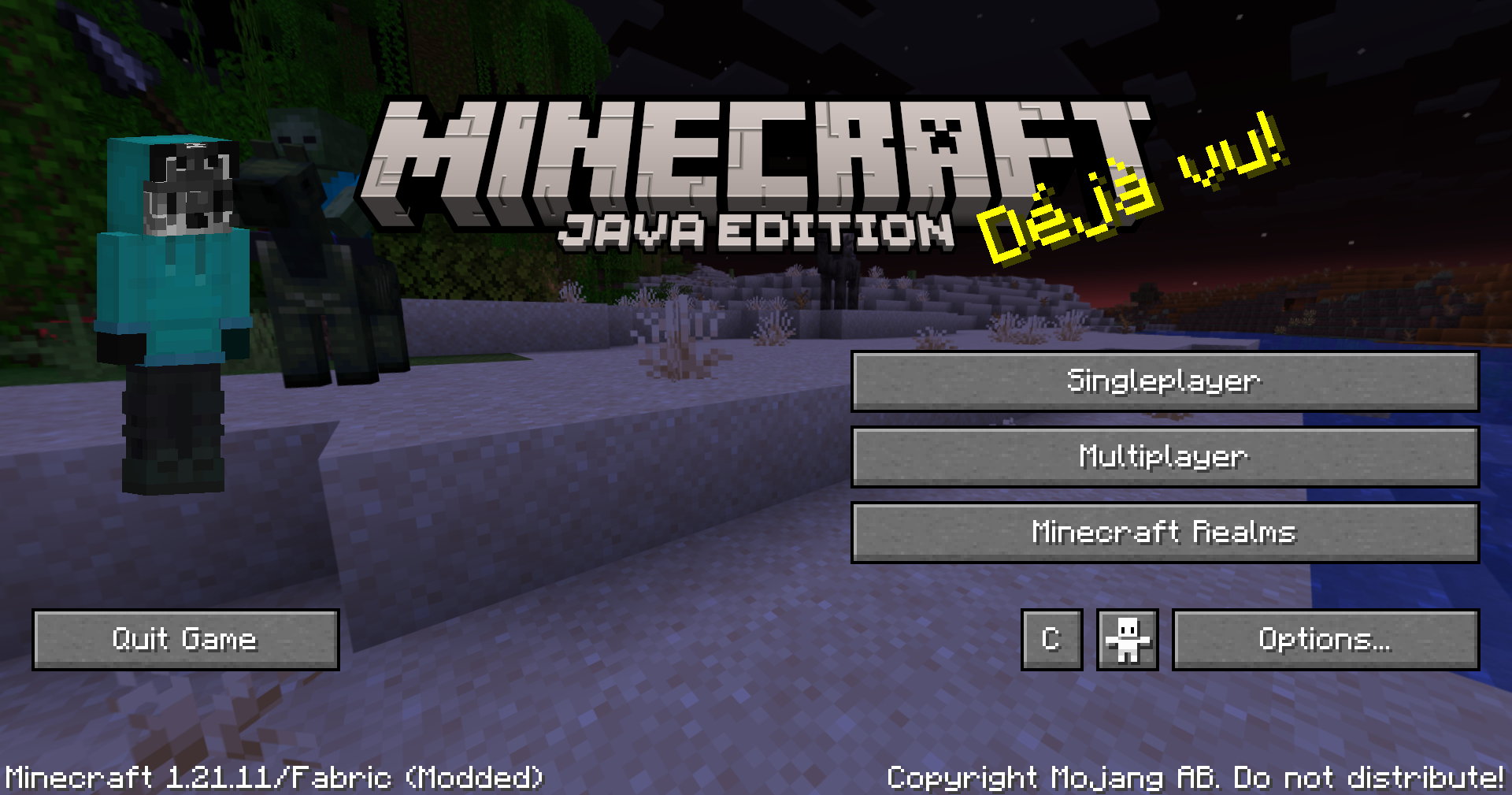
- Clean Layout: Reorganizes the standard buttons to the edges of the screen, freeing up the center to let your background panorama shine.
- Player Skin Widget: Displays a live, fully rendered 3D preview of your character’s skin directly on the title screen.
- Smart Mod Support: Automatically detects buttons added by other mods (like ModMenu, Capify, etc.) and seamlessly aligns them into the new layout without overlapping.
Options Screen
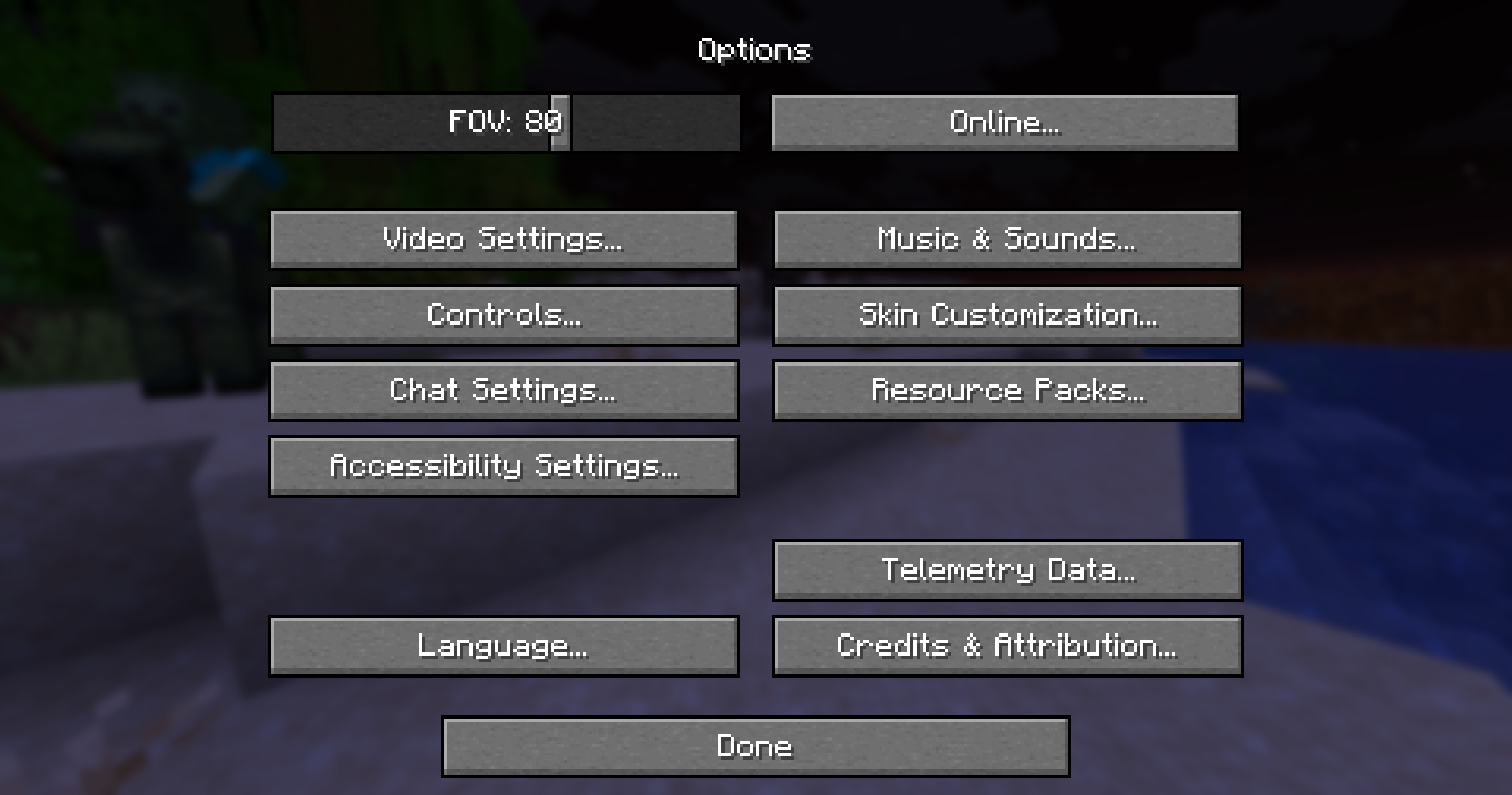
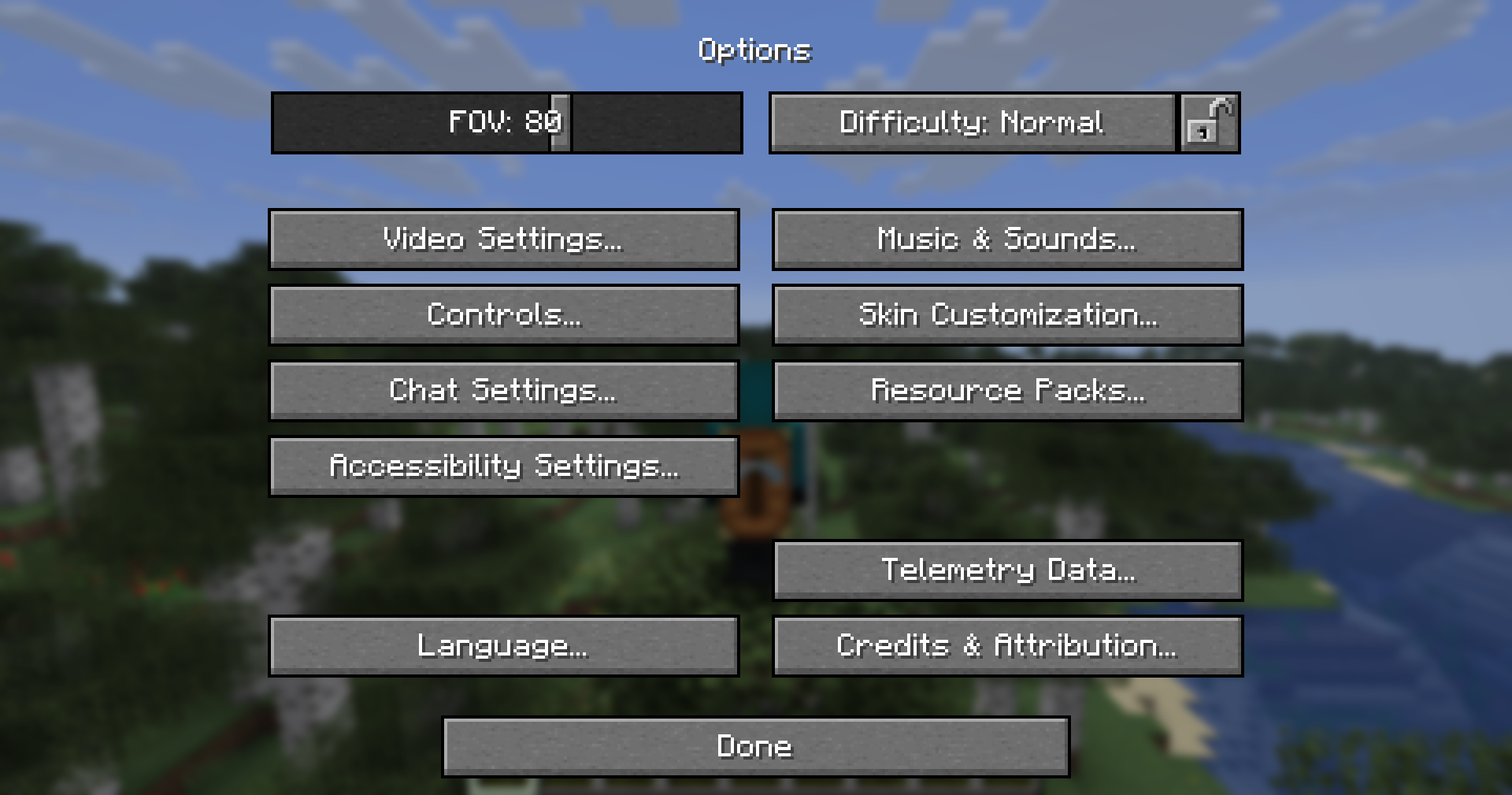
- Logical Grouping: Replaces the standard messy grid of 10 buttons by splitting them into four visually separated, logical sections:
- Top Left: Video, Controls, Chat, Accessibility
- Top Right: Music & Sounds, Skin Customization, Resource Packs
- Bottom Left: Language
- Bottom Right: Telemetry, Credits
- Dynamic Scaling: Scales perfectly and stays organized no matter what your window size or resolution is.
Pause Menu (Game Menu)
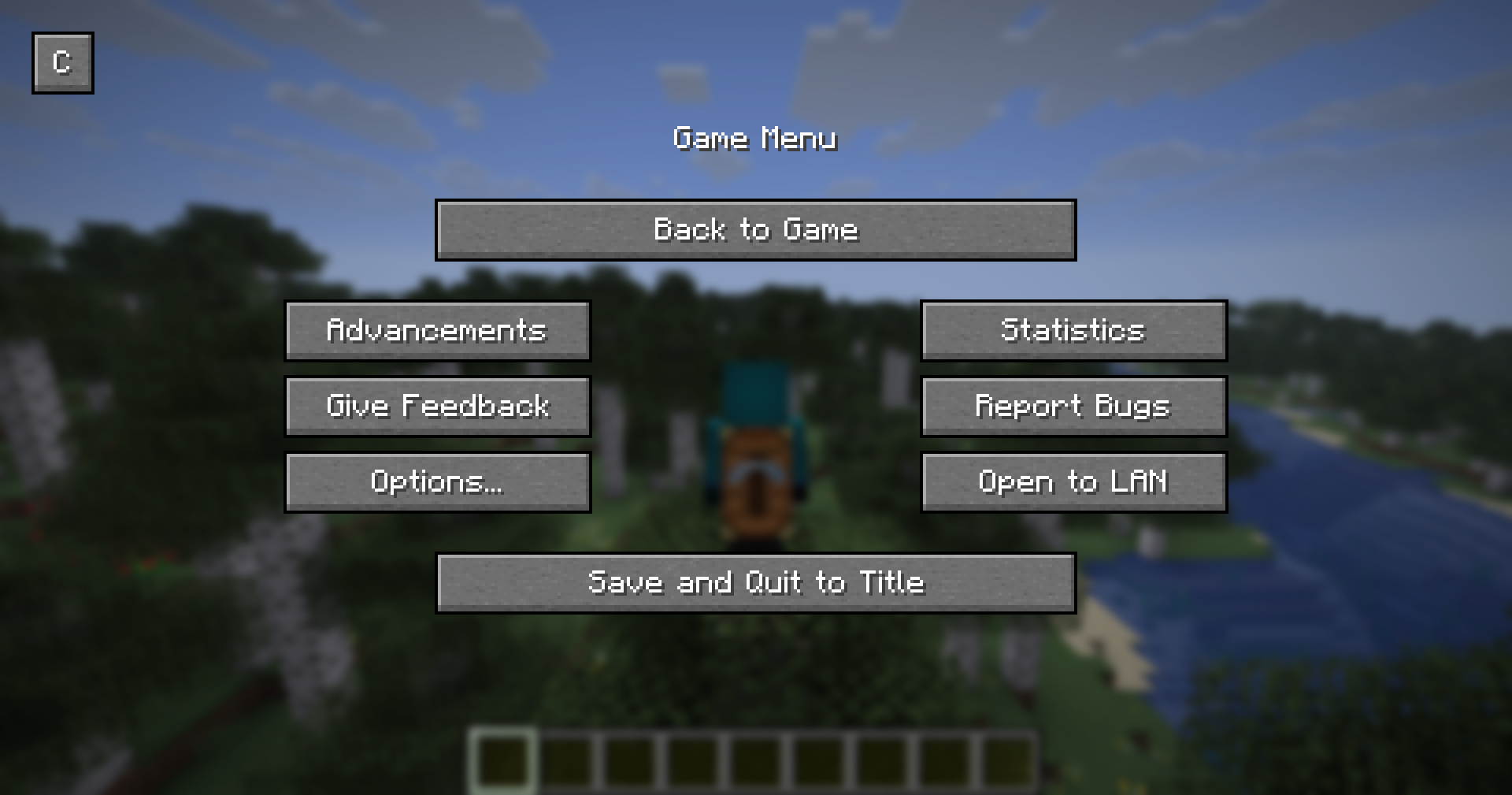
- Split-Column Design: Splits the middle buttons (Advancements, Options, Statistics, etc.) into two distinct left and right columns with a wide, clean gap in the center.
- Prominent Actions: Pushes the “Back to Game” button further up and the “Save and Quit” button further down to prevent accidental misclicks.
Compatibility
Built for Fabric 1.21+ (Specifically tested on 1.21.11).
High Compatibility
Designed to dynamically adapt to buttons added by other mods on the Title Screen.
More Menus Coming Soon
Created by CHTriple
Website: Elysion
常见问题
UI Tweaks 支持哪些 Minecraft 版本?
UI Tweaks 支持 Minecraft Java 版 1.21.11,可用的加载器:Fabric。下载时注意选择和你游戏版本一致的文件。
UI Tweaks 怎么安装?
先用 PCL2 或 HMCL 启动器安装对应版本的 Fabric,再把下载的 .jar 文件放进游戏目录的 mods 文件夹,重新启动游戏即可。开启了版本隔离的,mods 文件夹在 versions/版本名 下面。运行环境:仅客户端。

评论
登录后评论和评分