
介绍
UHC Compass adds a compass to the HUD similar in functionality to the one from the old UHC Mod. You can set the coordinates for it to point to using the Config GUI or the chat-gui(see details below), and you can drag and drop the compass to any spot on the screen by pressing the keybind(= by default).
Thanks to @Pyrhex on Twitter for requesting this.
To quickly set the coordinates, you can use a configurable keybind(‘ by default) to open a chat window with coordinate boxes. You can then easily see chat and type coordinates at the same time. Once you have a coordinate in each of the 2 boxes, you can close the GUI multiple ways, easiest of which is to press Enter.
Contact
Feel free to contact me with feature requests, and general questions about the mod.
If you have a bug or crash to report, please use the issue tracker. If it is anything else, here are other ways to contact me.
Check out my other mods:
Server-Side Mods:
Client-Side Mods:
Other Mods:
常见问题
UHC Compass 支持哪些 Minecraft 版本?
UHC Compass 支持 Minecraft Java 版 1.8.9–1.11.2,共 4 个版本,可用的加载器:Forge。下载时注意选择和你游戏版本一致的文件。
UHC Compass 怎么安装?
先用 PCL2 或 HMCL 启动器安装对应版本的 Forge,再把下载的 .jar 文件放进游戏目录的 mods 文件夹,重新启动游戏即可。开启了版本隔离的,mods 文件夹在 versions/版本名 下面。
The_Fireplace 的其他作品
查看全部 →
WorldGen Block Replacer
在世界生成时将方块替换为其他方块。
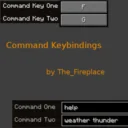
Command Keybindings
允许你将指令绑定到按键上,以便快速使用。

Tick Dynamic
动态控制世界 tick 速率以减少明显卡顿。

Fireplace Lib (Fabric/Quilt)
将我的模组常用功能集中到一个前置库中,便于维护和快速更新。
评论
登录后评论和评分