
介绍
The Typogg’s Wolfing Mod adds some new features in the minecraft related to expanding wolves and their interaction with the player
Zombie Wolves burn in the sun light, have more speed and damage than zombies, but have less health
Husk Wolves do not burn in the sun light, have the same speed and damage as zombie wolves, but have a a little bit more health, attacks apply weakness and only spawn in deserts.
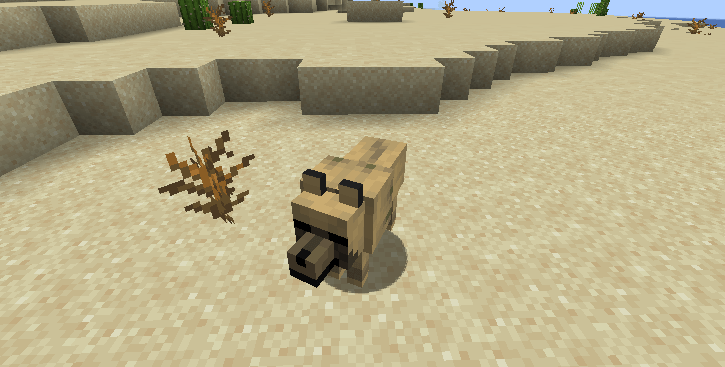
A Zombie Wolf, just like a Zombie Villager can be cured, by splashing them with a weakness potion and givin them a golden apple they’ll become normal wolves again.


Their wolf variations is dependent of the biome they are converted, making this an easy way to make wolf variants. Notice that bone blocks also makes the process faster just like in villager conversion with grates, but 10x faster.

Also when you kill the zombie wolf you can find it’s decaying tooth, an ingredient item for crafting the new tooth collar with 3 teeth and 1 string.


The collar tooth is a chestplate armor that doesn’t give any armor, but can be enchantable like a chestplate. This item works by buffing nearby tamed wolves with strength and resistance II, making them stronger to beat enemies for you when you are in battle.

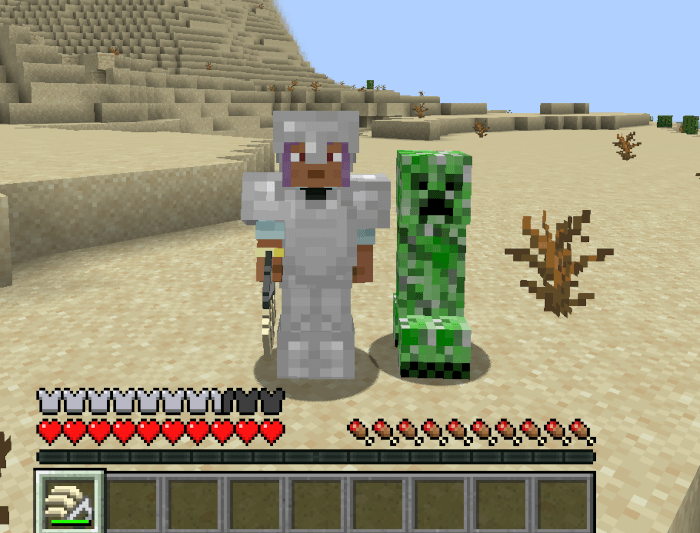
You can also use the decaying teeth to make feral knuckles, this weapon is a melee weapon that is fast but deals really low damage.
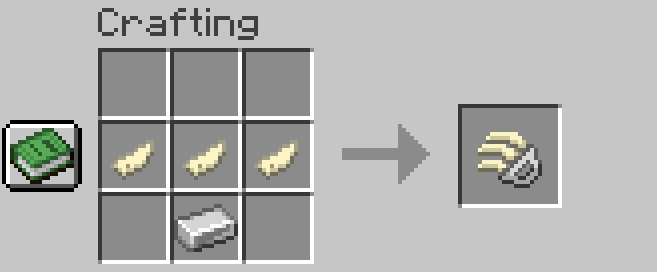
But by making this weapon and letting a enemie with really low health, you can make them submit to you. Submissive enemies do not attack you and run when you hit them, this condition is permanent.
常见问题
Typogg’s Wolfing 支持哪些 Minecraft 版本?
Typogg’s Wolfing 支持 Minecraft Java 版 1.21–1.21.3,共 3 个版本,可用的加载器:NeoForge。下载时注意选择和你游戏版本一致的文件。
Typogg’s Wolfing 怎么安装?
先用 PCL2 或 HMCL 启动器安装对应版本的 NeoForge,再把下载的 .jar 文件放进游戏目录的 mods 文件夹,重新启动游戏即可。开启了版本隔离的,mods 文件夹在 versions/版本名 下面。
评论
登录后评论和评分