
截图
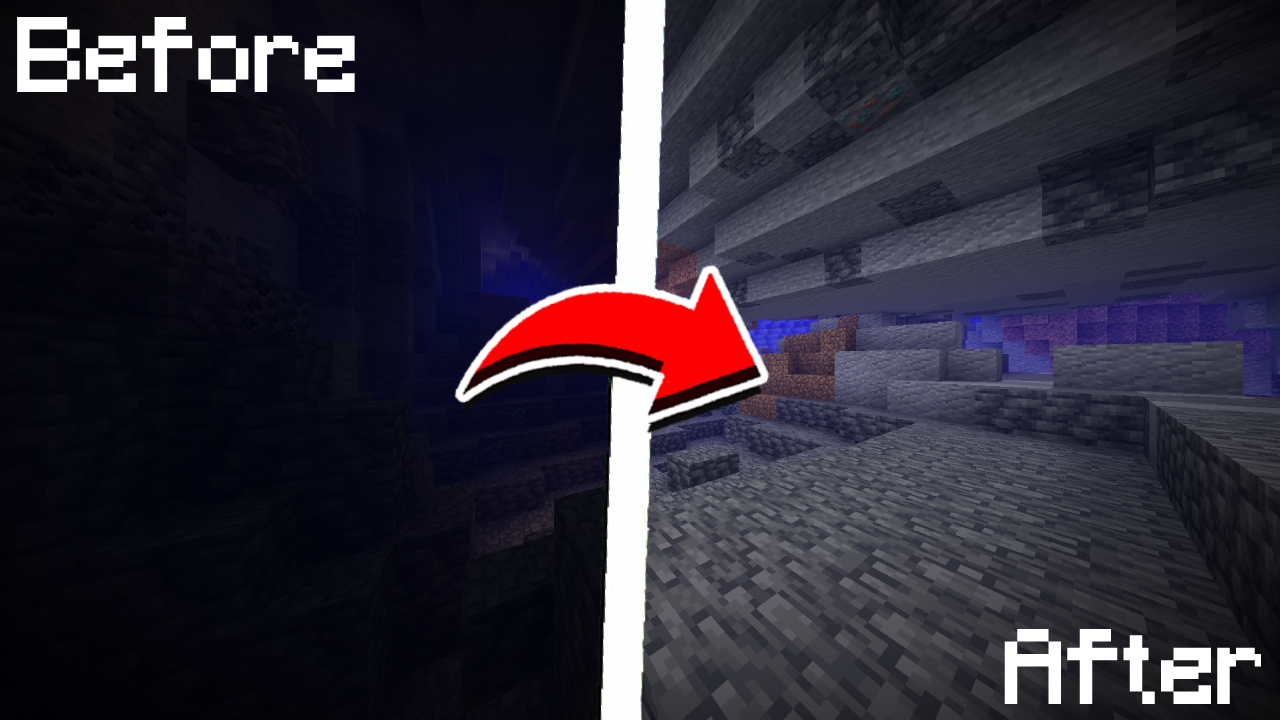
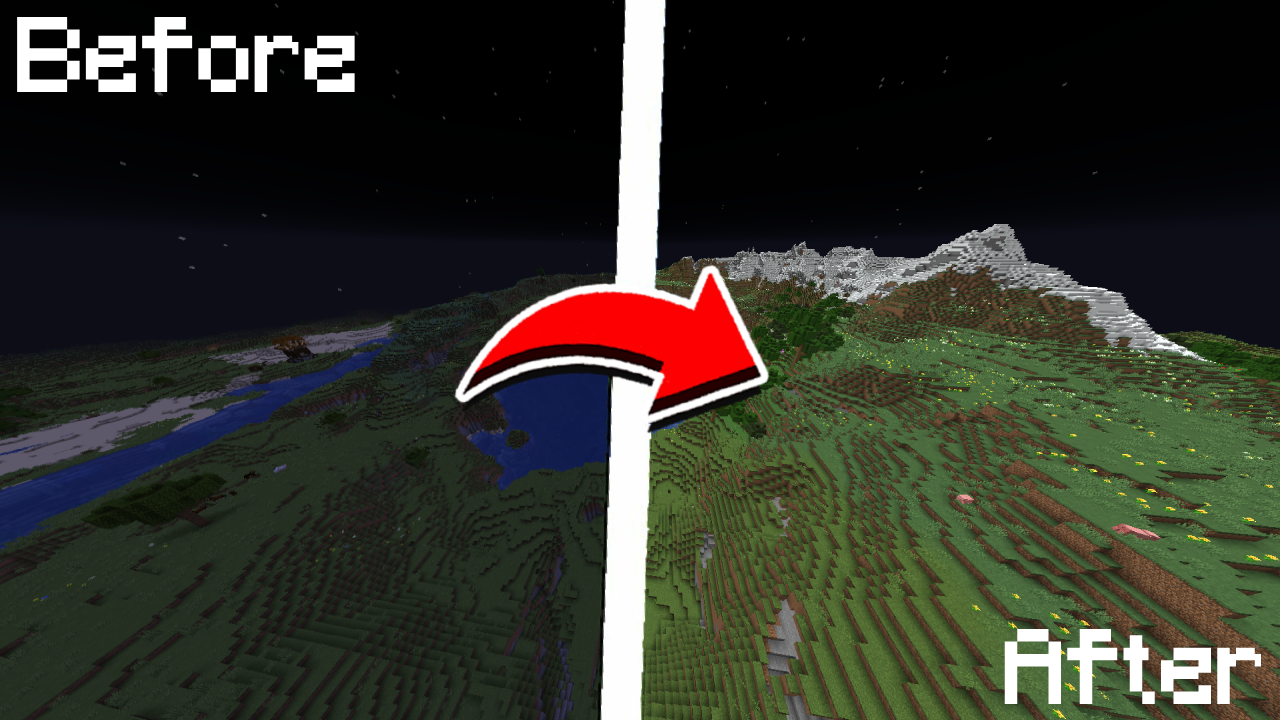
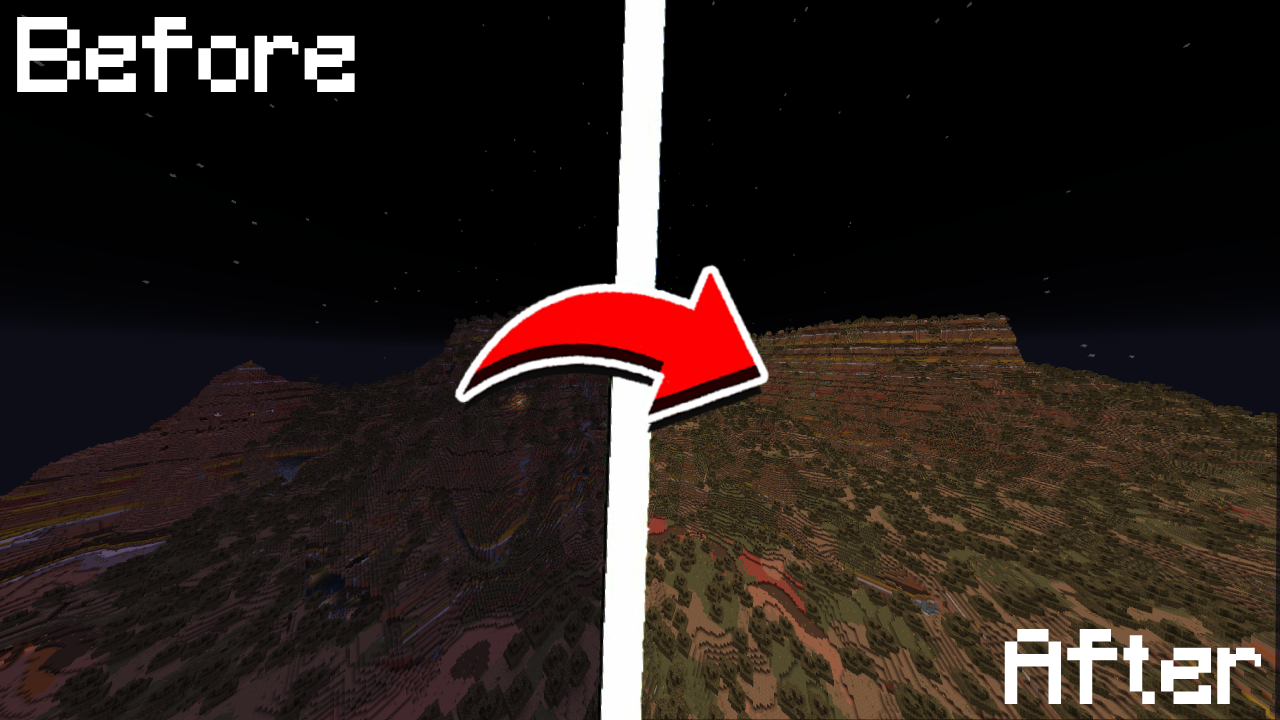
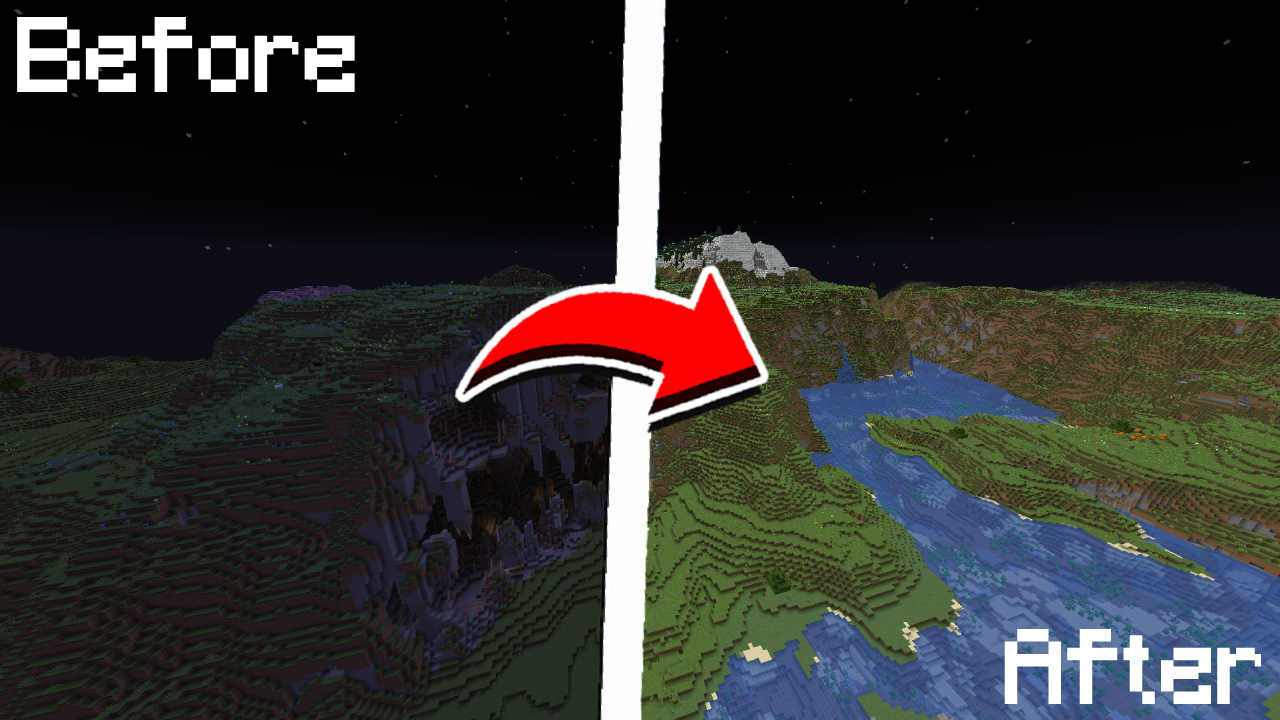
介绍
💡 True Fullbright
A simple, toggleable, and configurable full brightness mod for Fabric.



Requires:
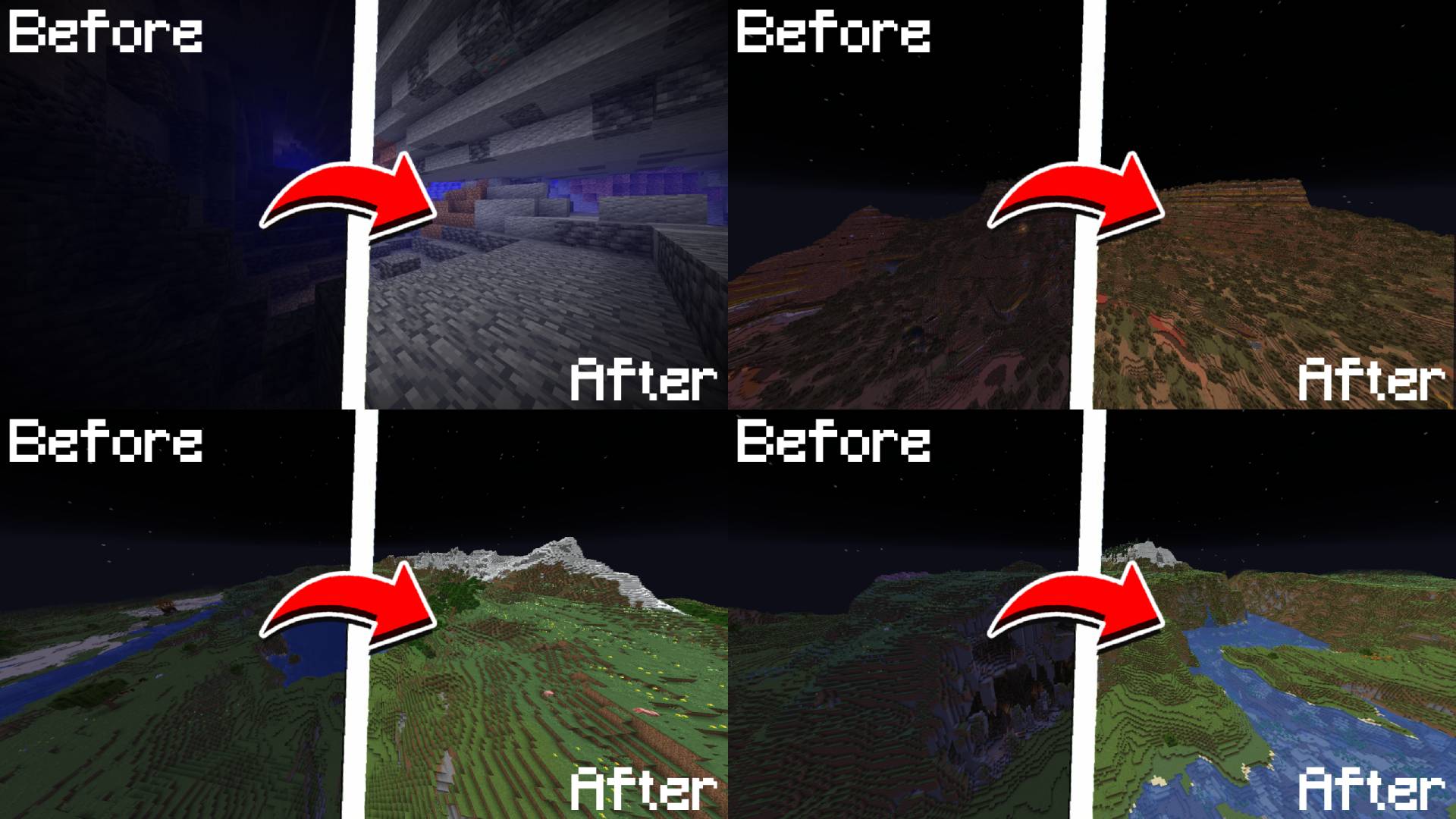
Feature List
- Toggle fullbright using a keybind (default:
B - Adjust gamma value dynamically
- Switch between gamma override and night vision modes
- Fully configurable via
/fullbright - Keybinds available for toggling, increasing/decreasing gamma, and jumping to min/max
Command List
| Command | Description |
| —————————————– | —————————————– |
| /fullbright or /fullbright status | Check current brightness settings |
| /fullbright toggle | Turn fullbright on/off |
| /fullbright mode gamma | Switch to gamma brightness mode |
| /fullbright mode nightvision | Switch to night vision mode |
| /fullbright mode off | Turn off all brightness modes |
| /fullbright set <number> | Set brightness to exact value |
| /fullbright increase | Make it brighter by one step |
| /fullbright decrease | Make it dimmer by one step |
| /fullbright max | Jump to maximum brightness |
| /fullbright min | Jump to minimum brightness |
| /fullbright config | Open the settings screen |
| /fullbright saveconfig | Save your current settings |
| /fullbright resetconfig | Reset everything to default |
Default Keybinds
| Action | Default Key |
| ———————– | ————- |
| Toggle Fullbright On/Off | B |
| Increase Brightness | Arrow Up |
| Decrease Brightness | Arrow Down |
| Maximum Brightness | End |
| Minimum Brightness | Home |
| Open Config Screen | Not set |
Customize all of these under: Options → Controls → Keybinds → True Fullbright
How do I install the mod?
- Drop the
.jarfile into yourmods/folder - Make sure the dependencies listed above are installed
- Launch the game
How do I use the mod?
- Press
B - Use
/fullbrightcommands to adjust gamma, change modes, or view status - Open the config screen with
/fullbright configor via Mod Menu - Use keybinds to adjust brightness step bystep or jump to min/max
Contact / Report Bug
Found an issue or have feedback?
→ DM me on Discord: rijz.gg
Developed by Rijz & Clyriz4.
常见问题
True Fullbright 支持哪些 Minecraft 版本?
True Fullbright 支持 Minecraft Java 版 1.20–26.3,共 24 个版本,可用的加载器:Fabric。下载时注意选择和你游戏版本一致的文件。
True Fullbright 怎么安装?
先用 PCL2 或 HMCL 启动器安装对应版本的 Fabric,再把下载的 .jar 文件放进游戏目录的 mods 文件夹,重新启动游戏即可。开启了版本隔离的,mods 文件夹在 versions/版本名 下面。运行环境:仅客户端。
Pixelbrew 的其他作品
查看全部 →
Not Enough Calculator
A NEU-style calculator that works standalone or inside Roughly Enough Items (REI) & Skyblock Item List search bars!
Not Enough Calculator
A NEU-style calculator that works standalone or inside Roughly Enough Items (REI) & Skyblock Item List search bars!

Cobblemon Uncovered
Cobblemon Uncovered adds Gyms, Gym Leaders, Mega Evolutions, TMs & TRs, rideable Cobblemon, iconic towns, and more — filling the gaps for a full Cobblemon adventure.

Uncraftables Plus
Make the Uncraftable, Craftable!
评论
登录后评论和评分