
Triangulate
作者:SuspectKi
Triangulate lets you easily estimate the coordinates of a target using Triangulation
截图
介绍
中文介绍正在准备中,下面暂时显示原文。
Triangulate

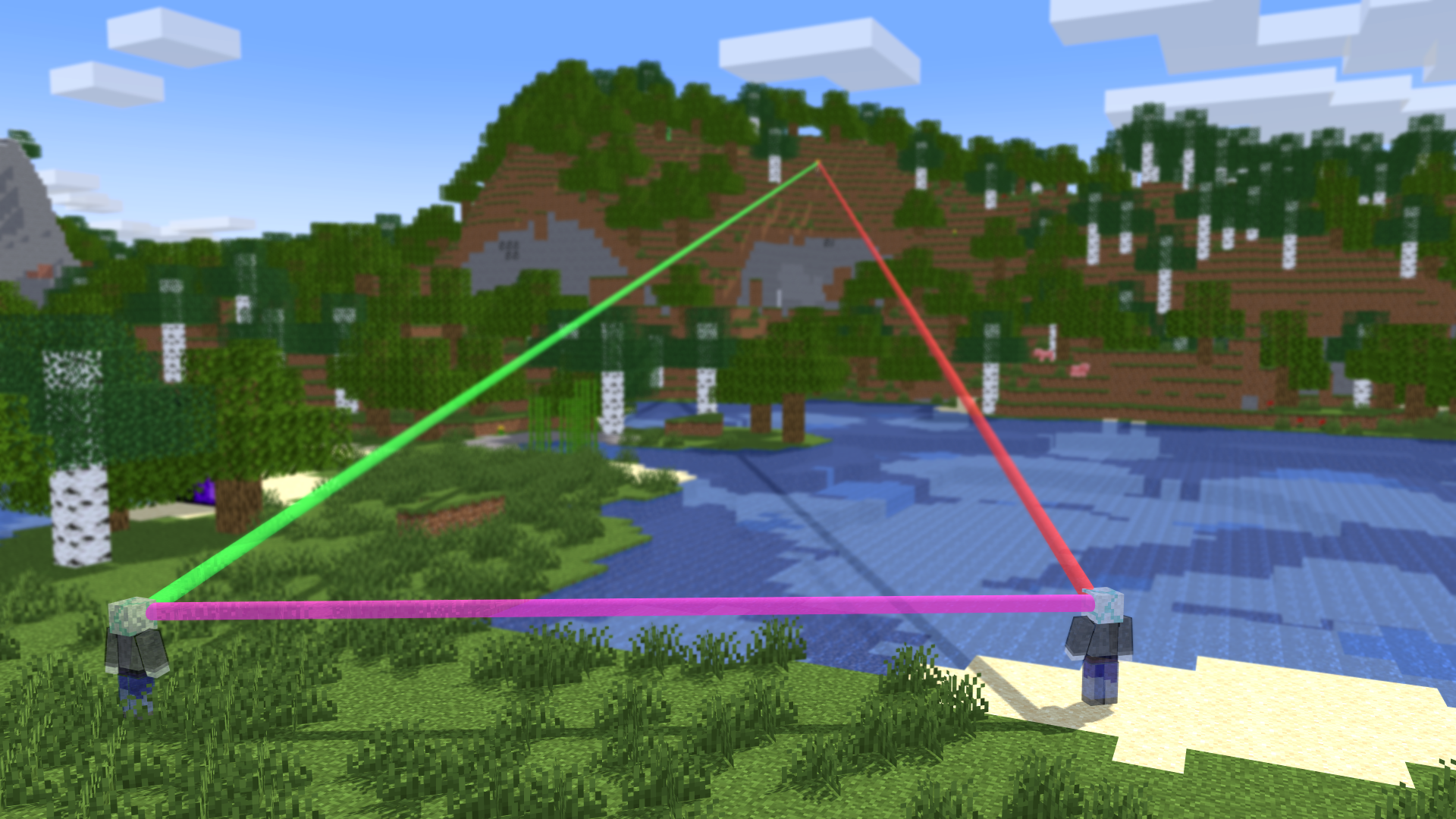
Triangulate is a lightweight, client-side Minecraft mod that helps you point to the exact position of players, structures, or interest points using sightline intersection geometry.
Features
- Client-Side Only: Completely standalone, works on any multiplayer server without OP permissions.
- HUD Overlay: Shows a live status indicator above your hotbar while triangulation is active.
- Clickable Coordinates: Outputs coordinates to you which you can directy copy.
Quick Start
- Run the command
/calc startto begin locating. - Aim at your target and press
Rto mark your first location. - Move 30–100 blocks to the side, aim again, and press
R. - Run
/calc estimateto receive clickable target coordinates in chat! - For better results move to a different location, aim at the target and press
Ragian as often as needed.
Commands & Keybinds
/calc start: Start a new triangulation sessionR(Keybind): Mark your current position and sightline/calc estimate: Calculate and output the estimated target position/calc clear: Remove all recorded sample positions/calc status: Show current triangulation status and points/calc stop: Stop triangulation
常见问题
Triangulate 支持哪些 Minecraft 版本?
Triangulate 支持 Minecraft Java 版 1.21.8–26.2,共 5 个版本,可用的加载器:Fabric / Quilt。下载时注意选择和你游戏版本一致的文件。
Triangulate 怎么安装?
先用 PCL2 或 HMCL 启动器安装对应版本的 Fabric / Quilt,再把下载的 .jar 文件放进游戏目录的 mods 文件夹,重新启动游戏即可。开启了版本隔离的,mods 文件夹在 versions/版本名 下面。运行环境:仅客户端。
评论
登录后评论和评分