
TP Chat Command
A simple client-side mod that provides a command to send clickable chat messages for teleporting.
截图
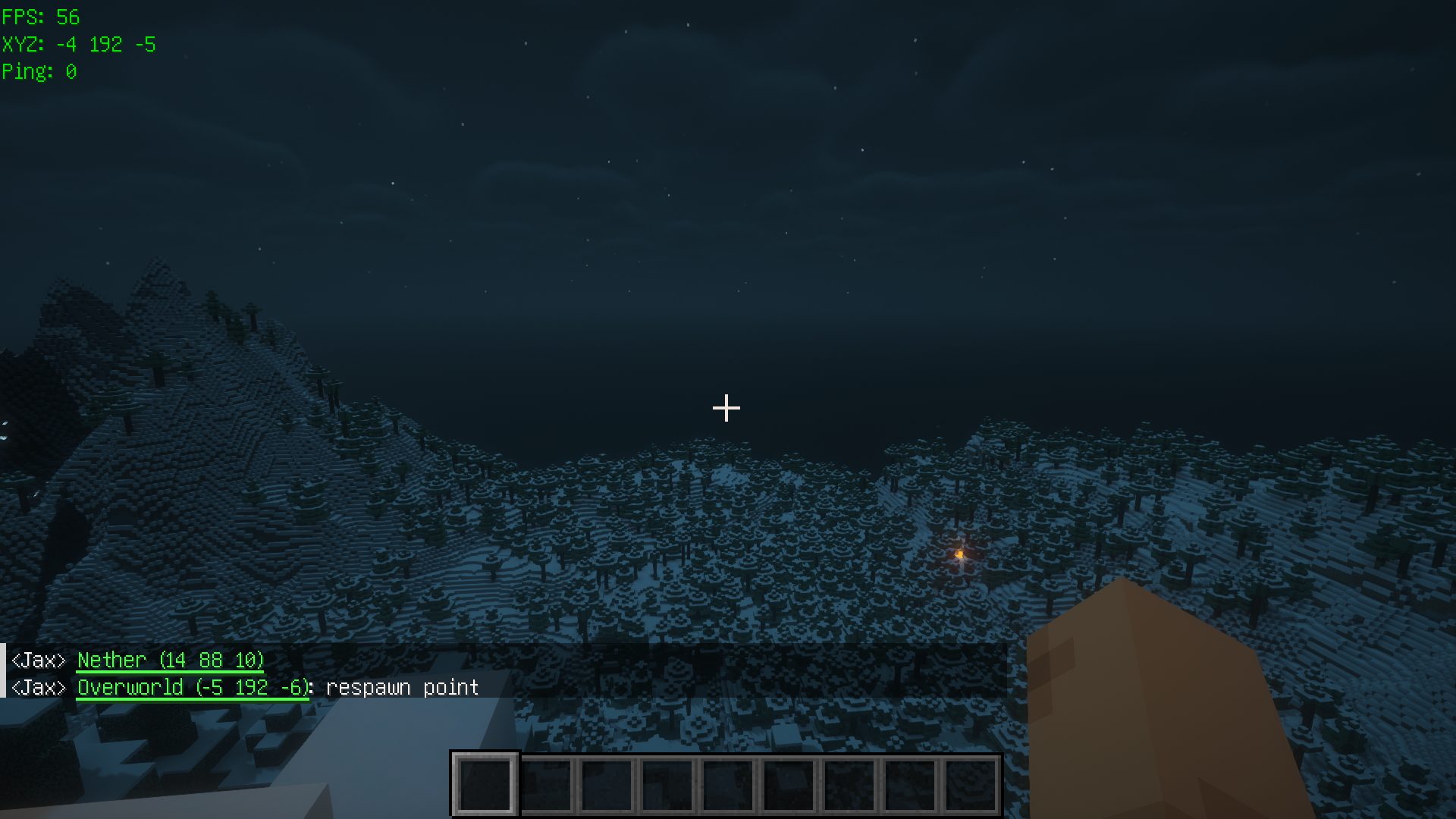
介绍
TP Chat Command





This is a simple client Fabric mod for Minecraft. It provides a
command called /tpchat, which has a simlar syntax to the
vanalia /tp command. You can use it to send clickable message
to EVERY ONLINE PLAYER for teleporting. And it can be used to teleport
between dimensions, e.g., overworld nether.
Usage
Syntax: /tpchat [<location>] [<description>].
Notice: You must have /tellraw command permission to execute
this command. Because /tpchat is technically a
wrapper command of /tellraw.
Examples:
/tpchat: Send a clickable message for teleporting to current location.
/tpchat x y z: Send a clickable message for teleporting to(x,y,z).
/tpchat ~ ~ ~ Hello, World!: Send a clickable message for teleporting to current location with a custom description.
Development
/tpchat is completely a client-side mod, because it is only a
wrapper command of /tellraw. There’s no need to installed it
on server side. You can use it on any server as long as you have
/tellraw command permission.
Actually, when you use /tpchat, something like this will be
executed:
/tellraw @a ["<Player> ",{"text":"Nether (9 60 -2)","color":"green","underlined":true,"clickEvent":{"action":"run_command","value":"/execute in minecraft:the_nether run tp @s 9 60 -2"}},": Hello, World!"]Limitation
Because of dedicated server’s packet size limit, /tpchat‘s
description has a length limit. Details see Cannot send too long message to dedicated server · Issue #5 · jaxvanyang/tp-chat-cmd.
Acknowledgement
- Fabric – Thanks for the wonderful framework, documents and community.
- 得意黑 Smiley Sans – Thanks for the awesome font, it is used in the icon.
- VueTorrent – Thanks for the README title template.
常见问题
TP Chat Command 支持哪些 Minecraft 版本?
TP Chat Command 支持 Minecraft Java 版 1.20–1.20.1,共 2 个版本,可用的加载器:Fabric。下载时注意选择和你游戏版本一致的文件。
TP Chat Command 怎么安装?
先用 PCL2 或 HMCL 启动器安装对应版本的 Fabric,再把下载的 .jar 文件放进游戏目录的 mods 文件夹,重新启动游戏即可。开启了版本隔离的,mods 文件夹在 versions/版本名 下面。运行环境:仅客户端。

评论
登录后评论和评分