
Totem Optimizer
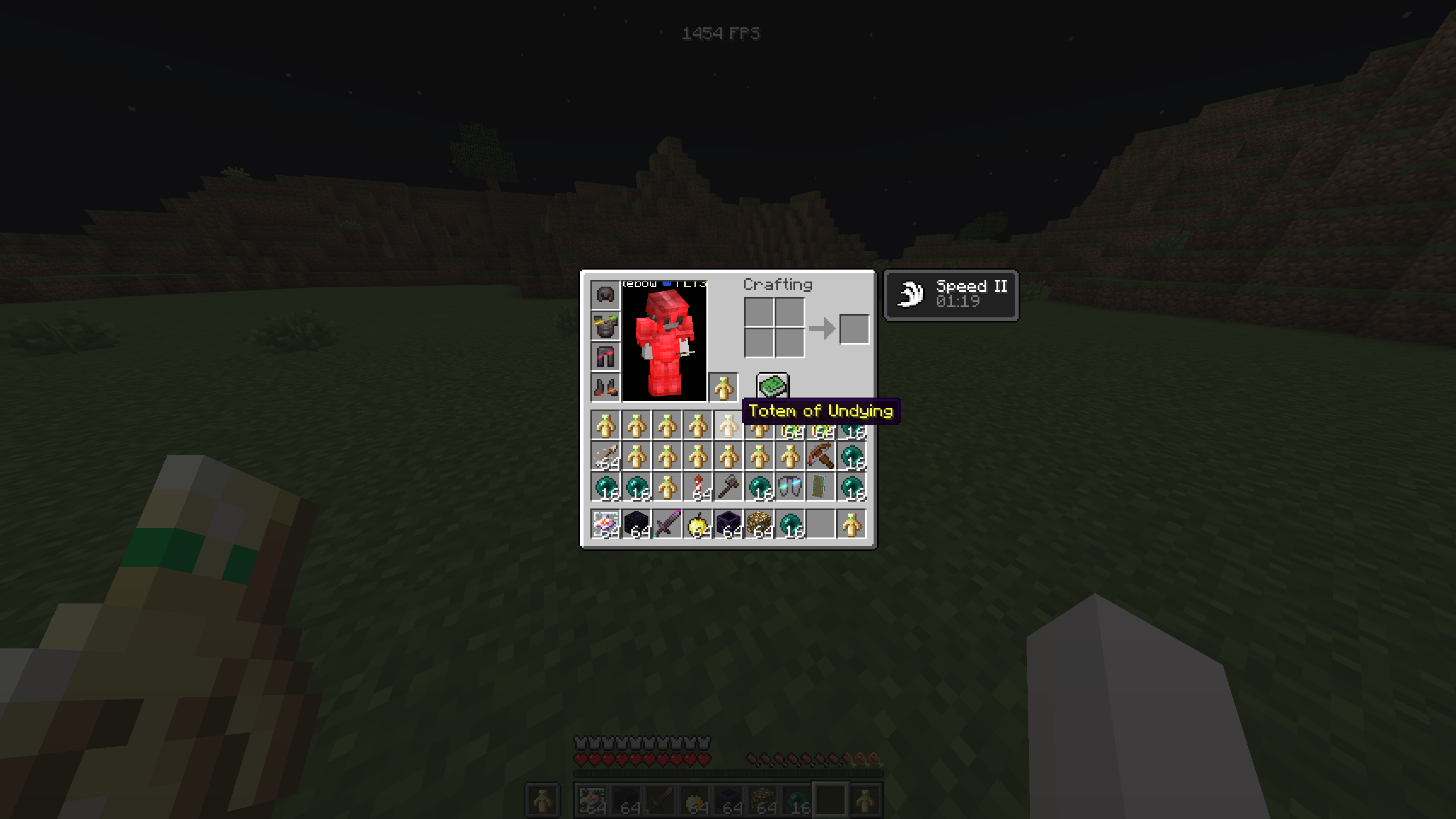
anti ghost (prevents ghosting by sending extra updates), Client side visually instant toteming, Fixes totem flicker.
截图

介绍
Totem Optimizer


Adds anti ghost by adding more inventory updates and for things to react quicker visually as well as reduced flicker client side.
When moving a totem into your mainhand or offhand, Minecraft can sometimes visually desync, flicker, or show the wrong slot state for a moment when inventory updates are being corrected.
Totem Optimizer helps reduce that by forcing extra inventory reupdates on the client, which helps prevent ghosting and keeps the shown inventory state corrected faster.
Works across 1.21 – 1.21.11 in the same jar (1.21.X)
Also supports 26.1 – 26.1.2 with the 26.1.X version.
Requires:
What it does
Totem Optimizer sends extra inventory updates so your client refreshes the shown slot state faster. (Exact way anti ghost does it, though not the same code it works pretty much the same so it should be allowed on mctiers.)
This helps when retoteming into your mainhand or offhand and the item visually flickers, ghosts, or looks delayed for a moment.
The server still controls the real inventory. This mod does not give any real advantage other than reducing ghosting, and does not change how totems actually work.
It only helps the client keep the inventory display updated faster.

There is also server opt out support, so servers can disable Totem Optimizer if they do not want players using it on their server.
This mod is client side, but if a server opts out then the optimizer will turn itself off there. just incase people want this but there should be no need to have it really.
if you want the opt out just make a ticket in the discord!
常见问题
Totem Optimizer 支持哪些 Minecraft 版本?
Totem Optimizer 支持 Minecraft Java 版 1.21–26.2,共 16 个版本,可用的加载器:Fabric。下载时注意选择和你游戏版本一致的文件。
Totem Optimizer 怎么安装?
先用 PCL2 或 HMCL 启动器安装对应版本的 Fabric,再把下载的 .jar 文件放进游戏目录的 mods 文件夹,重新启动游戏即可。开启了版本隔离的,mods 文件夹在 versions/版本名 下面。运行环境:仅客户端。
cutebow 的其他作品
查看全部 →
Anchor Optimizer
让锚定看起来像零延迟,VTL和mcpvpclub允许使用

Silicon
包含更新界面,支持自动更新和手动更新,并在有新版本时通过通知系统提醒。可用于任何模组,还提供模组中心。

CreamyKeys
A mod that adds keyboard and mouse clicking sounds in game for your inputs, You can add your own sounds now!

Client Side Crystals
Makes your crystals show instantly client side when crystaling to look look like zero ping Works with Marlow's optimizer Allowed on VTL and mcpvpclub
评论
登录后评论和评分