Totem Warning
A lightweight client-side Fabric mod that warns you when your Totem of Undying is missing from your offhand or hotbar. Fully customizable visual alerts, built for everyday survival and PvP.
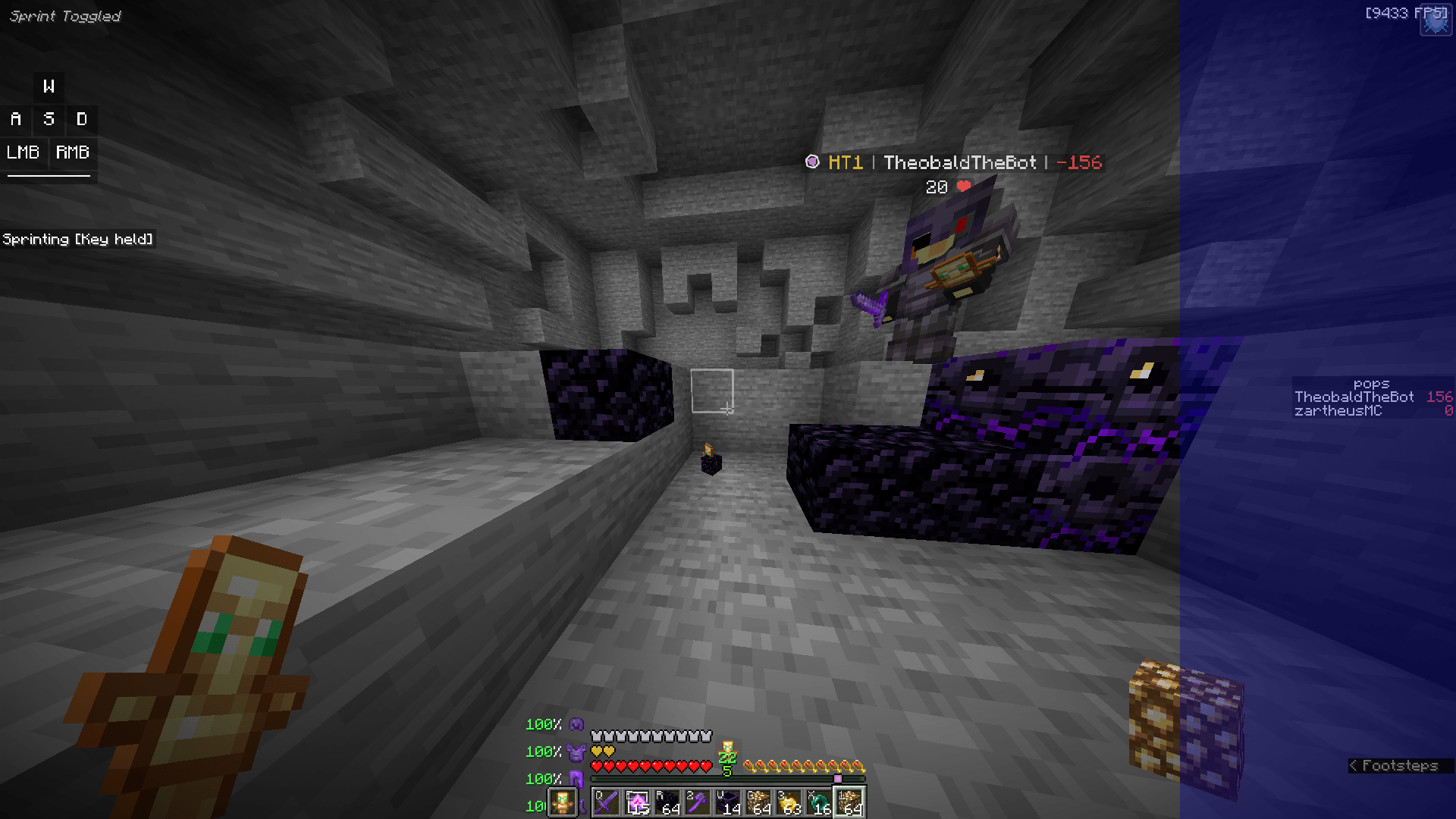
截图
介绍
🔮 Totem Warning
A missing totem is easy to overlook. Make sure you notice it before it matters.
Totem Warning is a client-side Fabric mod that adds customizable visual alerts when you don’t have a Totem of Undying where you need one.
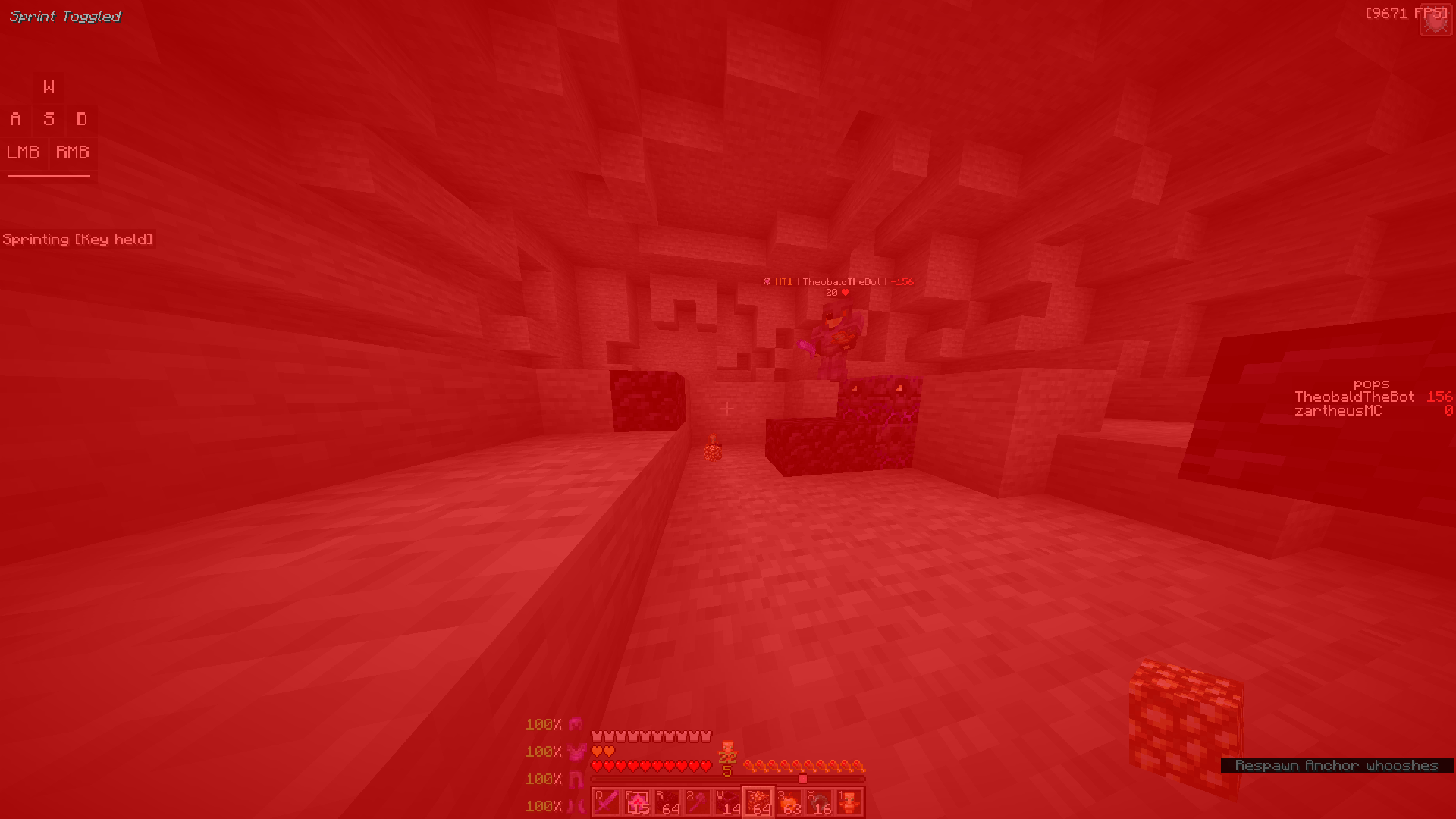
It keeps an eye on two important inventory locations: your offhand and your hotbar. If either one is missing a totem, you’ll get a visual warning on your screen.
Whether you’re preparing for a fight, exploring or simply playing survival, it’s a small addition that can make you more aware of your inventory.
✨ Features
Two independent warning systems
🔴 Offhand Warning
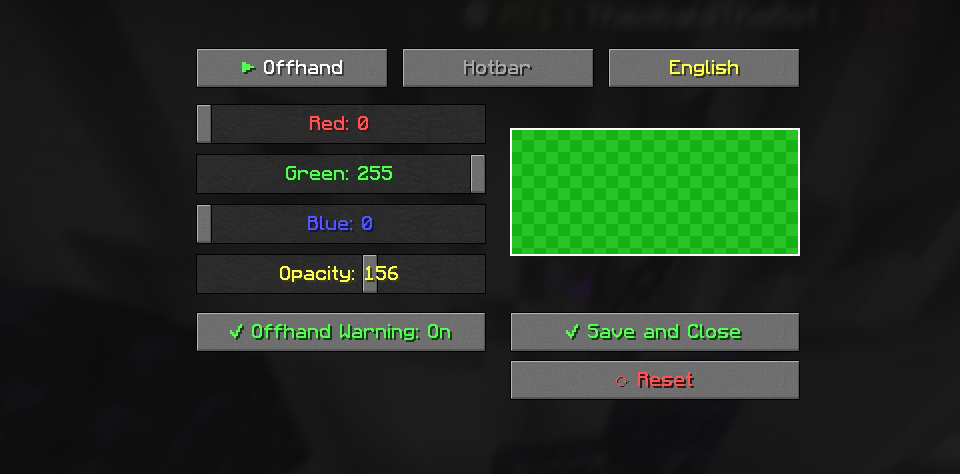
Displays a full-screen color overlay when your offhand doesn’t contain a Totem of Undying.
🟠 Hotbar Warning
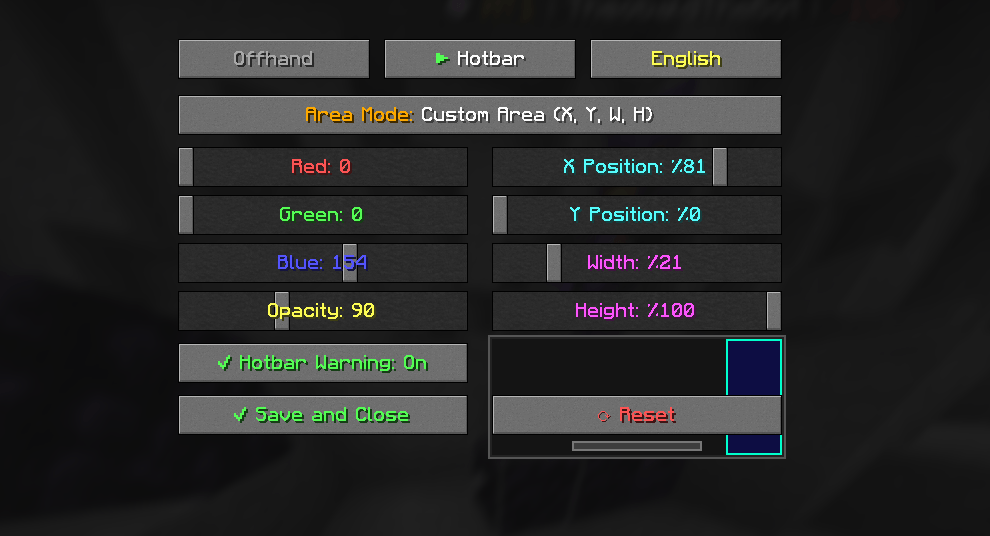
Displays a customizable screen overlay when none of your nine hotbar slots contains a totem.
🎨 Make it yours
-
Custom RGB colors for both warning systems.
-
Adjustable overlay opacity.
-
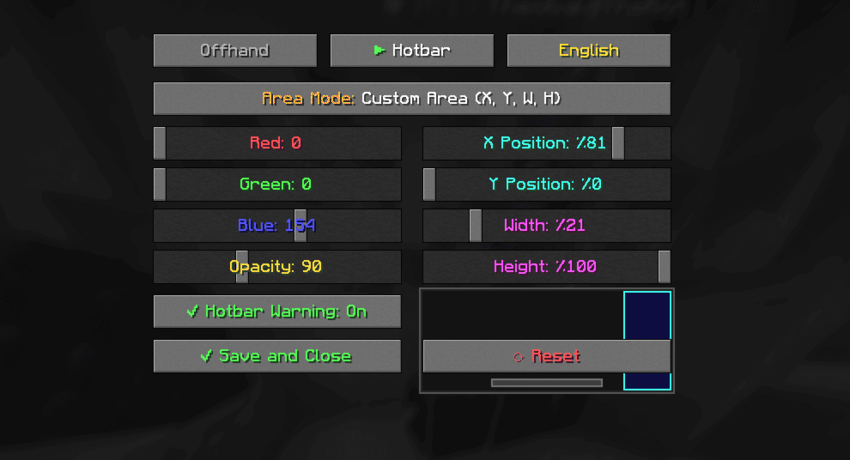
Five different layouts for Hotbar Warning.
-
Custom positioning and dimensions using screen percentages.
-
Live previews while changing settings.
-
Separate controls for each warning system.
🌍 A few extra details
-
Turkish, English and Spanish interface languages.
-
Simple in-game configuration menu.
-
Settings are saved automatically.
-
Lightweight client-side functionality.
🎨 Hotbar Warning Layouts
Choose how and where the warning appears:
| Layout | What it does |
|---|---|
| Custom Area | Set your own position and dimensions. |
| Hotbar Area | Highlights the area around your hotbar. |
| Screen Border | Displays a warning around the screen edges. |
| Bottom Strip | Adds a horizontal warning at the bottom. |
| Top Strip | Adds a horizontal warning at the top. |
The Offhand Warning always uses a full-screen overlay. These five layouts are available exclusively for the Hotbar Warning.
⚙️ Configuration
Getting started is simple.
Press “K” in-game to open the settings menu.
From there, you can:
-
Configure Offhand and Hotbar warnings separately.
-
Adjust RGB colors and opacity.
-
Choose your preferred warning layout.
-
Set custom warning positions and sizes.
-
Change the interface language.
-
Preview your changes before saving.
The default keybind can be changed through Minecraft’s Controls menu.
Default Settings
| Option | Default |
|---|---|
| Interface Language | Turkish |
| Offhand Warning | Enabled |
| Offhand Color | Red (#FF0000) |
| Offhand Opacity | 80 / 255 |
| Hotbar Warning | Enabled |
| Hotbar Color | Orange (#FF8C00) |
| Hotbar Opacity | 140 / 255 |
| Hotbar Layout | Custom Area |
Configuration File
Your settings are stored locally at:
.minecraft/config/totemwarning.json
The file is generated automatically when the mod launches for the first time.
📦 Installation
Requirements
-
Minecraft Java Edition 1.21.11
-
Fabric Loader 0.18.1 or newer compatible release
-
Fabric API 0.141.0+1.21.11 or compatible release
-
Java 21 or newer
Steps
-
Install Fabric Loader for Minecraft 1.21.11.
-
Install the matching Fabric API.
-
Download the latest Totem Warning release.
-
Place the downloaded
.jarfile into your Minecraftmodsfolder. -
Launch the game using your Fabric installation.
-
Press “K” to open the configuration menu.
That’s all you need.
🌐 Client-Side Compatibility
Totem Warning runs entirely on your client.
-
No server-side installation required.
-
Other players don’t need the mod.
-
Can be used on multiplayer servers.
-
No server configuration required.
The mod provides visual reminders only. It does not automatically equip, move or replenish totems.
🛠️ Building From Source
Want to build the project yourself?
Requirements: JDK 21 and Git.
git clone https://github.com/zartheusdev/totem-warning.git
cd totem-warning
./gradlew build
For Windows:
.\gradlew.bat build
Compiled files will be available in build/libs/.
🐛 Feedback & Support
Found something that doesn’t work as expected, or have an idea for a future improvement?
Feel free to open an issue on GitHub.
Report a bug · View source code
Suggestions and contributions are welcome.
📄 License
Totem Warning is distributed under the MIT License.
See the LICENSE file for details.
A little warning can make a big difference.
*Made for Minecraft players who would rather notice a missing totem before it’s t
常见问题
Totem Warning 支持哪些 Minecraft 版本?
Totem Warning 支持 Minecraft Java 版 1.21.11,可用的加载器:Fabric。下载时注意选择和你游戏版本一致的文件。
Totem Warning 怎么安装?
先用 PCL2 或 HMCL 启动器安装对应版本的 Fabric,再把下载的 .jar 文件放进游戏目录的 mods 文件夹,重新启动游戏即可。开启了版本隔离的,mods 文件夹在 versions/版本名 下面。
评论
登录后评论和评分