
截图
介绍
Tool Utilities
Ever wanted to have the convenience of being able to place torches on right click, or mine in an area but keep a “vanilla” feel? ToolUtilities is for you!
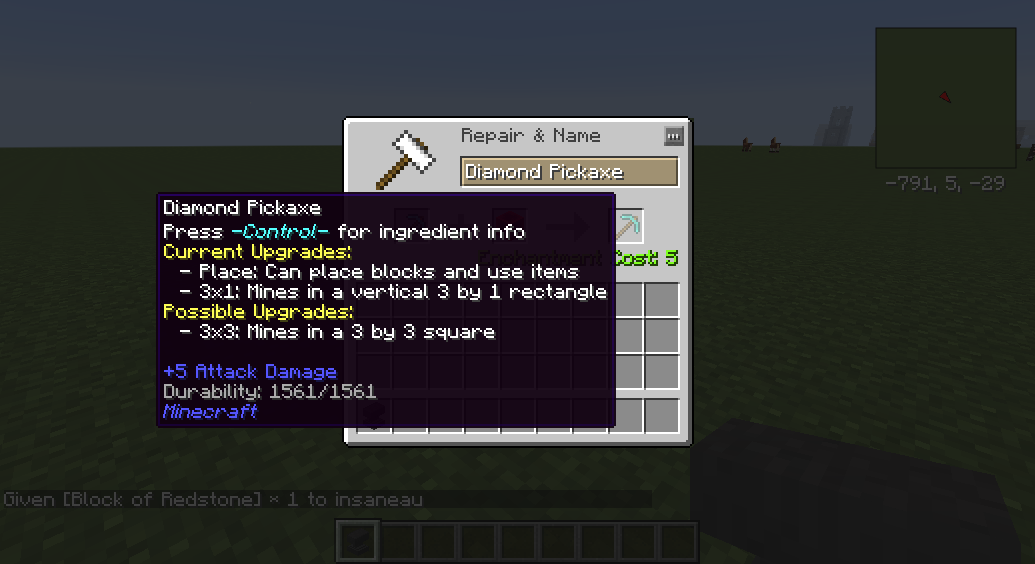
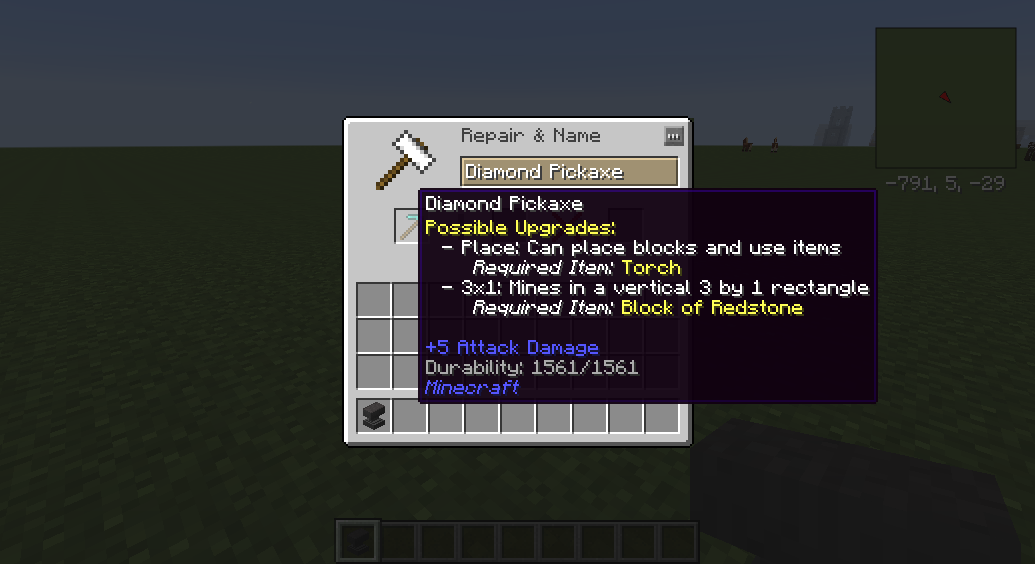
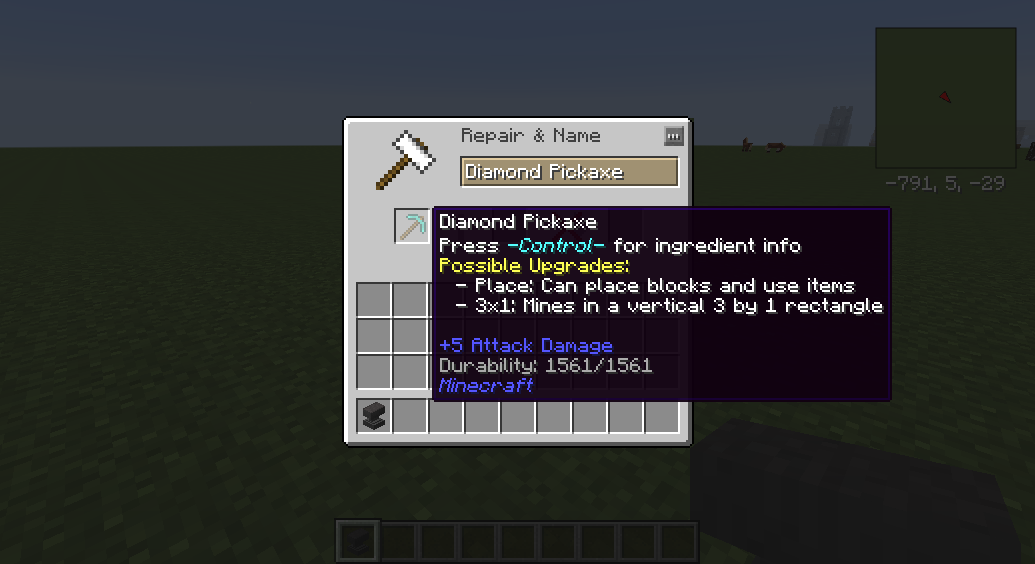
ToolUtilities adds a whole host of features to vanilla tools (and some mod tools that are similar in functionality), including “Tinkers style” right-click placing of blocks, mining in a 3×1 column or a 3×3 area, cutting sections of wood on trees and even attacking mobs in an AoE. All the upgrades happen in an anvil, with in-game tooltips providing informations to players about what items do what. Even better is that everything is fully configurable – the items required to upgrade, the experience required, and you can even turn every feature on and off separately.
Features
All Tools
All tools without a right click functionality (sorry swords and hoes) place blocks in the next slot over on right click, except for the first slot, which will use the last slot on the hotbar. Great for placing torches, or cobblestone to backfill holes!
Pickaxes/Shovels
Pickaxes and Shovels can also be upgraded with Area of Effect Mining. The first upgrade is to a 3×1 column, and then can be upgraded further to a 3×3. All Area of Effect additions use the correct durability and hunger, and also slow down the mining speed of the tool. Also, the area of effect respects the mining level of the tool and doesn’t allow the mining of blocks that are “too much harder” than the original block (No fast obsidian mining using stone for you!)
Axes
Axes can be upgraded with a 3×1 Wood Cutting addition, making cutting those Dark Oaks so much nicer.
Swords
Swords can be upgraded with an area of effect ability, allowing you to hit multiple mobs in a small area with a single swing. Uses the correct hunger and durability for each entity hit.
Hoes
Hoes can be upgraded with a 3×3 grass cutting ability, making them act effectively like a “scythe” from roughly a million other mods.
Source Code
This project is licensed under the MIT license. This means you are free to modify and publish this code at will. The source code for this mod is available at http://www.github.com/wyldmods/ToolUtilities
If you have any ideas, feel free to suggest them!
Modpacks
Yes. Absolutely.
Bugs/Issues
Please report all issues on the GitHub: http://github.com/wyldmods/toolutilities/issues
Acknowledgements
Thanks especially to tterrag1098 for all his work in developing this mod alongside me, as well as to KiwiFails (http://www.twitch.tv/KiwiFails) and Wyld (http://www.twitch.tv/Wyld) for the ideas, and also to everyone who has helped test, fix and suggest the mod thus far.
常见问题
ToolUtilities 支持哪些 Minecraft 版本?
ToolUtilities 支持 Minecraft Java 版 1.7.10,可用的加载器:Forge。下载时注意选择和你游戏版本一致的文件。
ToolUtilities 怎么安装?
先用 PCL2 或 HMCL 启动器安装对应版本的 Forge,再把下载的 .jar 文件放进游戏目录的 mods 文件夹,重新启动游戏即可。开启了版本隔离的,mods 文件夹在 versions/版本名 下面。



评论
登录后评论和评分