
Tokimi’s Toolshed
Tokimi's Toolshed adds a variety of new multi-block tools to enhance your mining and gathering experience!
截图


介绍

Dig smarter, not harder.

📝About
Tokimi’s Toolshed adds a variety of new multi-block tools to enhance your mining and gathering experience!
Hammers mine a 3×3 area of stone, Excavators dig a 3×3 area of dirt and gravel, Scythes harvest a 3×3 area of crops and plants/till in a 3×3 as well, Lumber Axes chop down entire trees with accelerated leaf decay, and Clippers work like shears just in a 3×3 area. Also includes a Copper Bucket which weathers over usage, a Trowel for random block placement, and an Abacus for measuring distances.
All tools come in every vanilla tier, with optional modded support for Copper and Obsidian variants!\

🔨How It Works
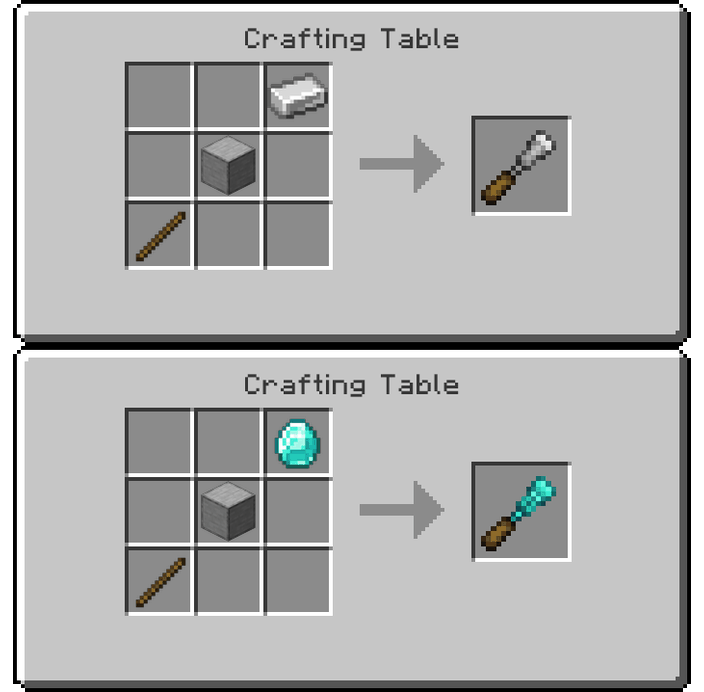
Just craft them directly using standard materials!
Each tool follows the vanilla tier progression, from wood all the way to netherite.
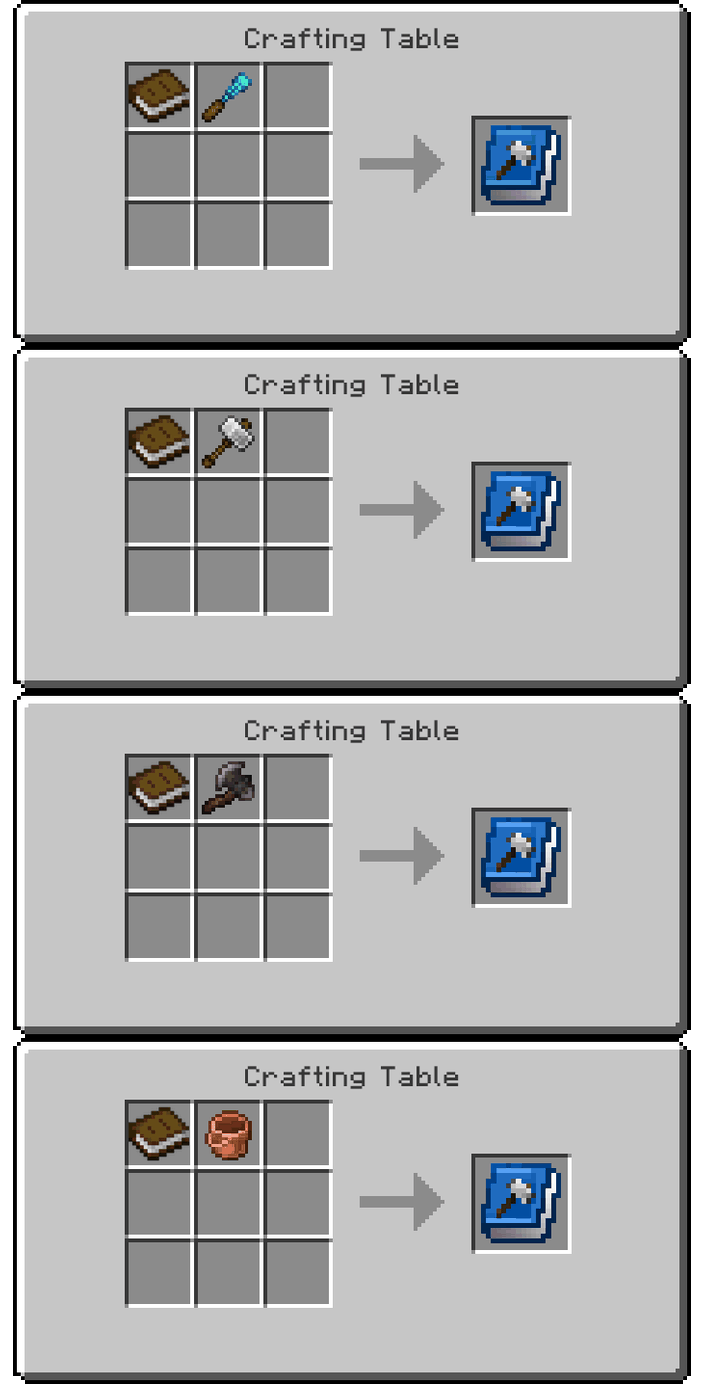
_Recipes for every variant are shown below with images for easy reference._



🌟Features
- Balanced for vanilla gameplay (powerful, but not overpowered.)
- Crisp, vanilla-styled textures that blend perfectly with Minecraft’s aesthetic.
- Simple crafting system (no complex upgrades or extra steps.)

🔧 Modded Support

❓FAQ
Q: What versions does it support?
A: Currently works on Minecraft 1.20.1, all of 1.21, and 26.1 (Fabric only).
Q: Will there be updates?
A: Yes! We plan to port to future Minecraft versions, but no backports.
Q: Will there be a Forge version?
A: Not yet, I’m open to it.
Q: Can I include this in my modpack?
A: Absolutely! Feel free to include it in any modpack.
Q: How can I support the development?
A: You can support us on Patreon or Ko-fi to help us continue creating cozy, high-quality mods.
💬 Join the Community
Need help or want to chat with other players?
Join our Discord: https://discord.gg/qHB5D9uzHe

常见问题
Tokimi’s Toolshed 支持哪些 Minecraft 版本?
Tokimi’s Toolshed 支持 Minecraft Java 版 1.20.1–26.2,共 17 个版本,可用的加载器:Fabric。下载时注意选择和你游戏版本一致的文件。
Tokimi’s Toolshed 怎么安装?
先用 PCL2 或 HMCL 启动器安装对应版本的 Fabric,再把下载的 .jar 文件放进游戏目录的 mods 文件夹,重新启动游戏即可。开启了版本隔离的,mods 文件夹在 versions/版本名 下面。运行环境:客户端和服务端都要装。
CozyStudios 的其他作品
查看全部 →
CozyStudios Core
Core mod for all CozyStudios modpacks.

TameableMossbloom
Want to tame the 'Clutter' mods Mossbloom? Well now you can!

FroglightsReimagined
We felt like Froglights needed some more love, so we created a variety of colors, blocks, and crafting recipes for an amazing block.

TameableMinisheep
Want to tame the '[Let's Do] WilderNature' mods Minisheep? Well now you can!
评论
登录后评论和评分