Toggle Dark Mod
A client-side Fabric mod that lets you toggle a bundled dark mode resource pack with a single keybind (default: K).
截图
介绍
# Toggle Dark Mod
A lightweight client-side Fabric mod that lets you switch to a dark-themed UI with a single keybind — no digging through the resource pack menu.
## Features
– **Instant toggle** — press a key (default: `K`, fully rebindable) to switch dark mode on or off
– **Own keybind category** — easy to find and rebind in the Controls menu
– **Persistent setting** — your choice is remembered between game sessions
– **Wide coverage** — retextures vanilla Minecraft menus along with several popular mods’ GUIs for a consistent dark look
– **No manual setup** — the mod automatically enables/disables its bundled resource pack for you
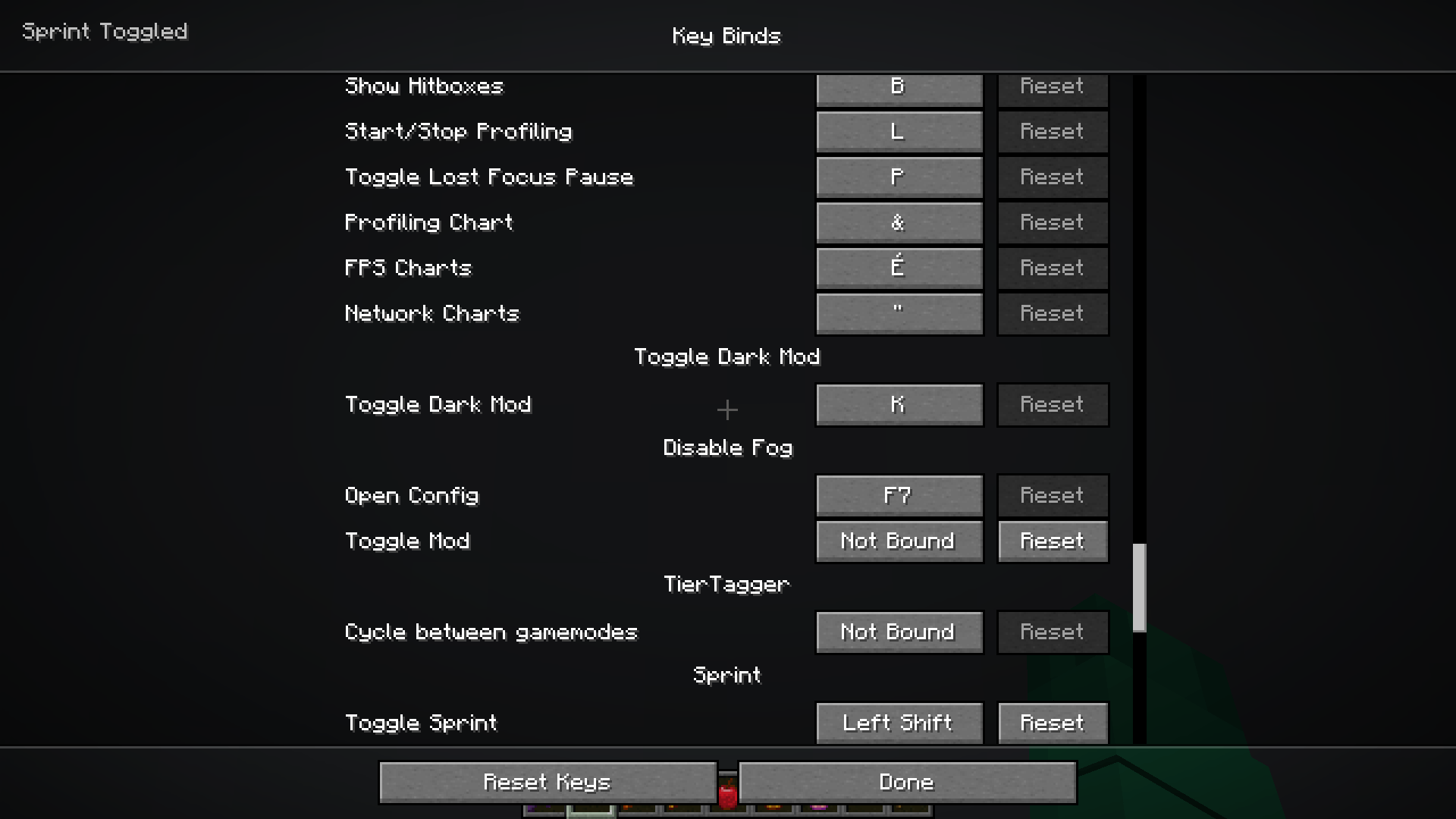
## Keybind category
[Keybind category]
Toggle Dark Mod has its own dedicated category in Minecraft’s Controls menu, making it easy to find and rebind.
## How it works
Toggle Dark Mod bundles a dark-themed resource pack and manages it for you through Fabric’s resource pack API. When you press the keybind, the pack is enabled or disabled and resources reload automatically — no need to open the options menu.
## Requirements
– Fabric Loader `0.18.4+`
– Fabric API `0.141.2+`
– Minecraft `1.21.11`
– Java `21+`
## Notes
This mod includes third-party dark-mode resource pack assets for compatibility with several popular mods.
常见问题
Toggle Dark Mod 支持哪些 Minecraft 版本?
Toggle Dark Mod 支持 Minecraft Java 版 1.21.11,可用的加载器:Fabric。下载时注意选择和你游戏版本一致的文件。
Toggle Dark Mod 怎么安装?
先用 PCL2 或 HMCL 启动器安装对应版本的 Fabric,再把下载的 .jar 文件放进游戏目录的 mods 文件夹,重新启动游戏即可。开启了版本隔离的,mods 文件夹在 versions/版本名 下面。

评论
登录后评论和评分