
截图
介绍
📌 about
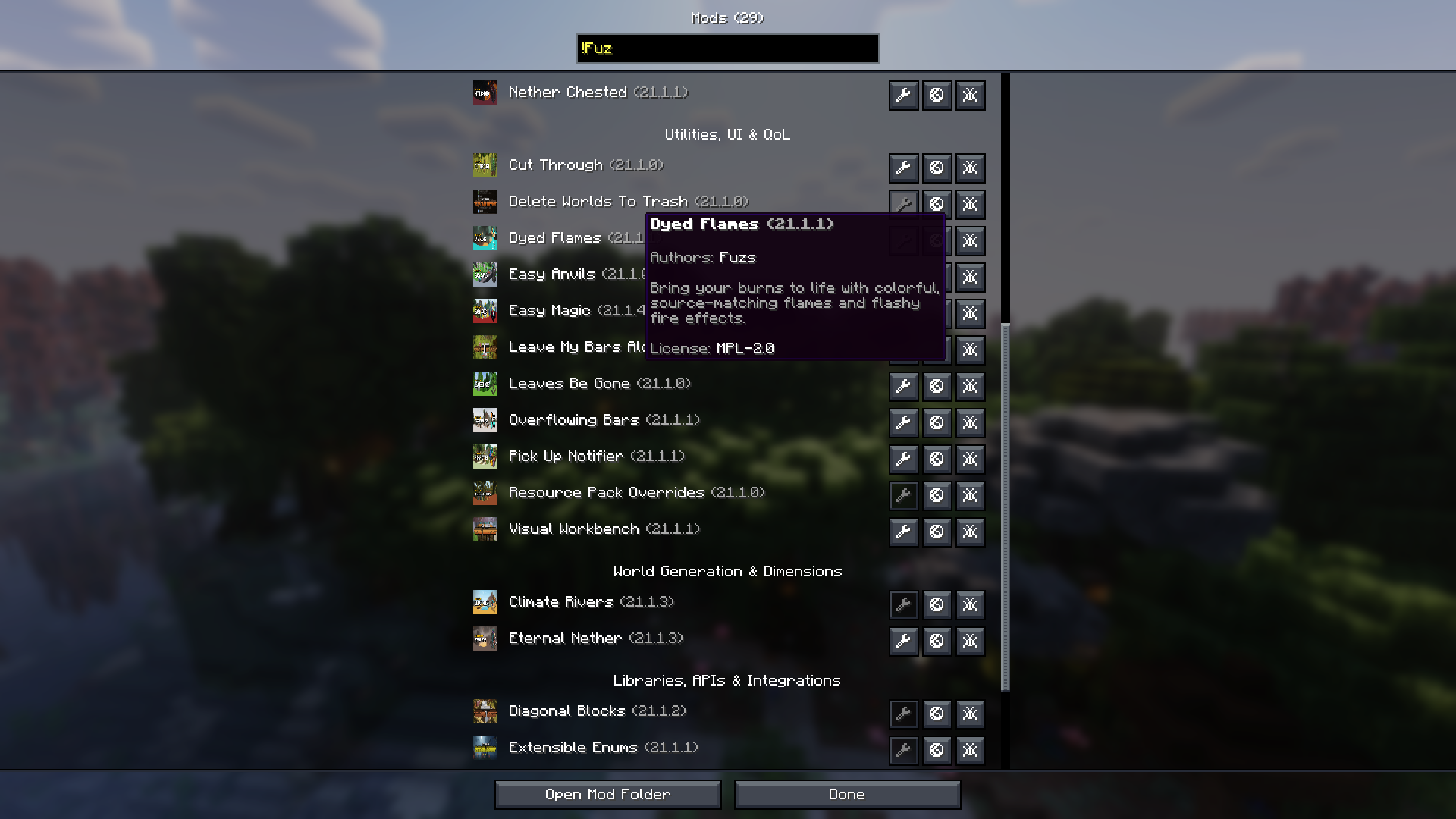
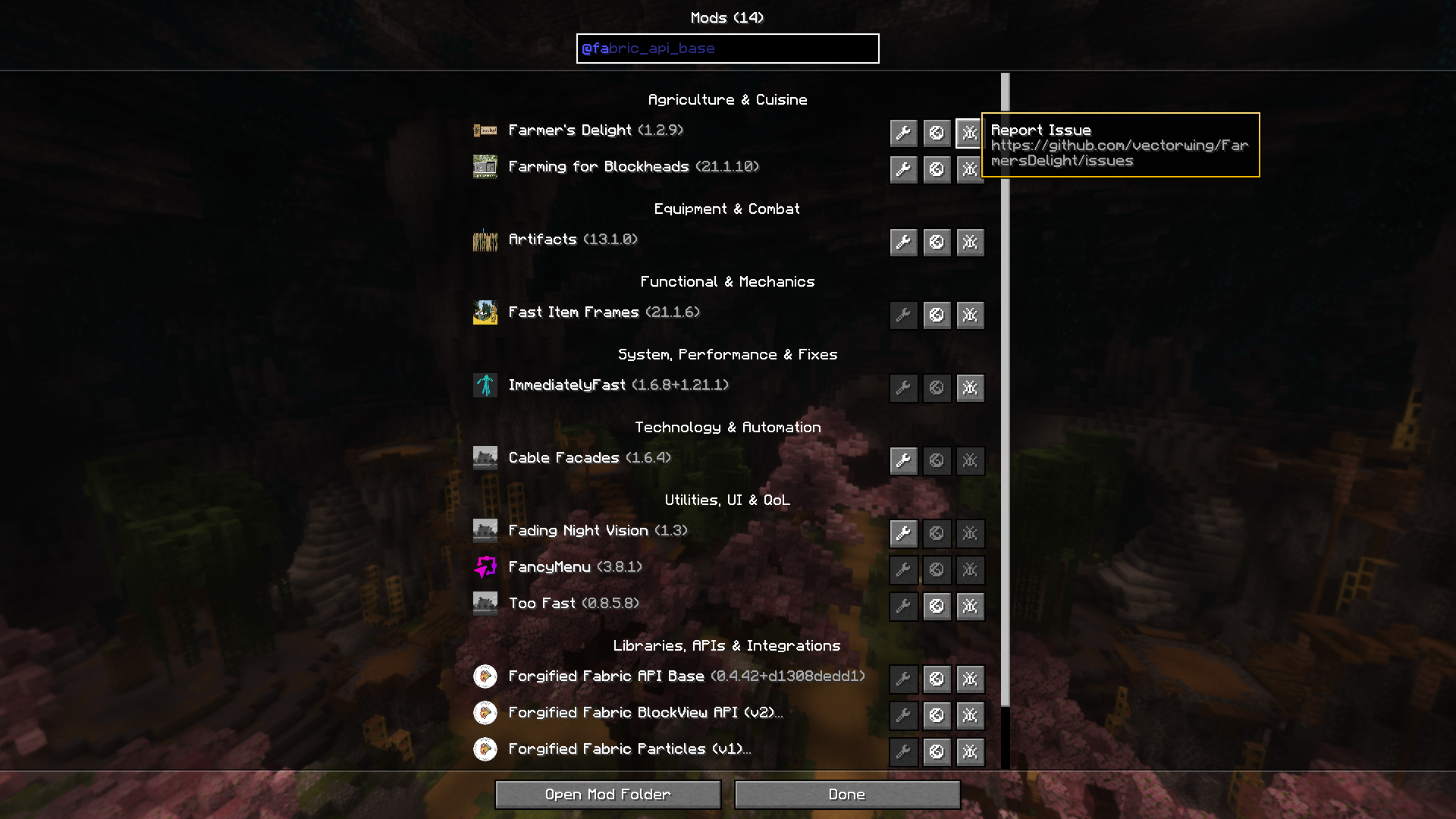
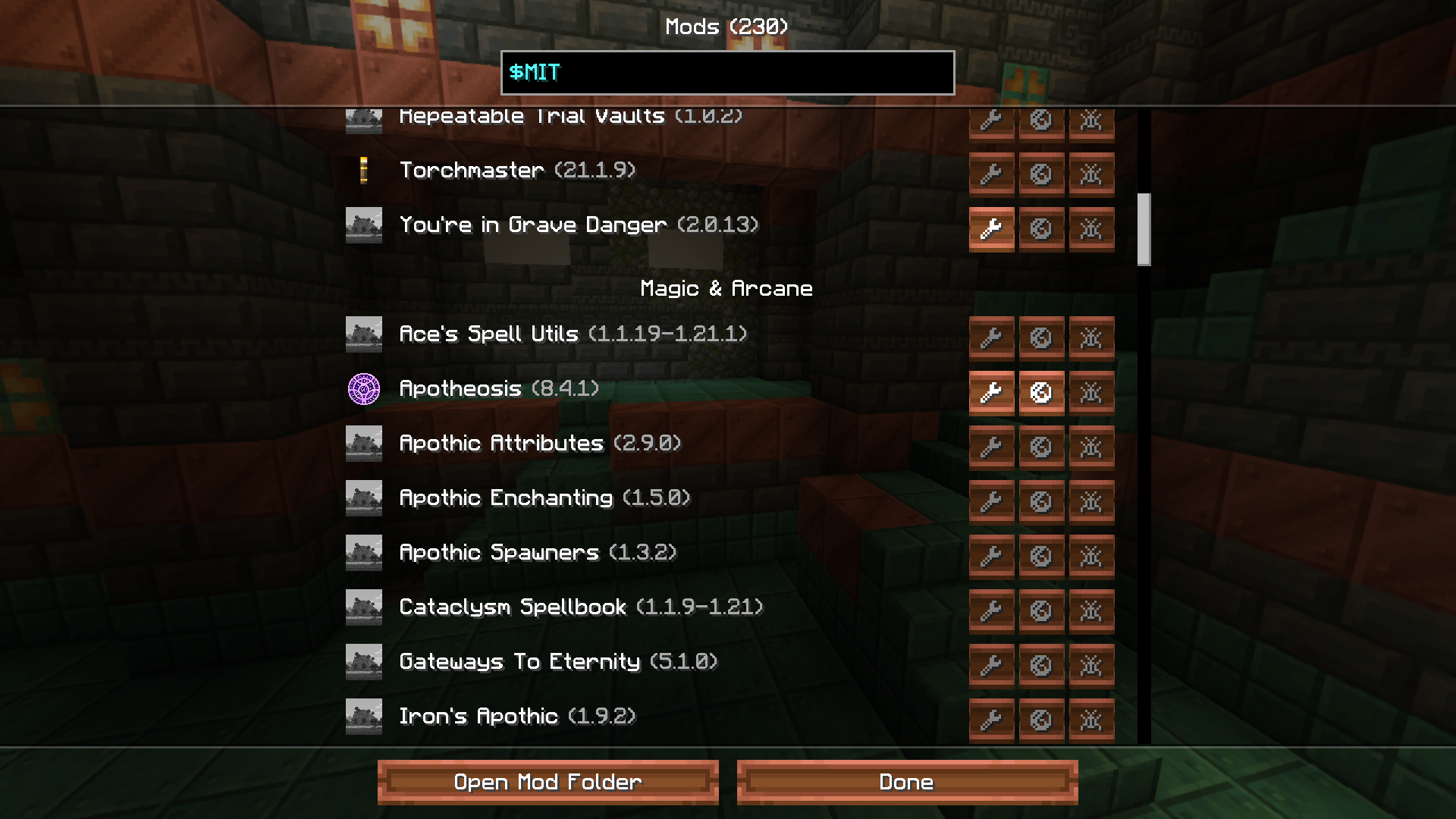
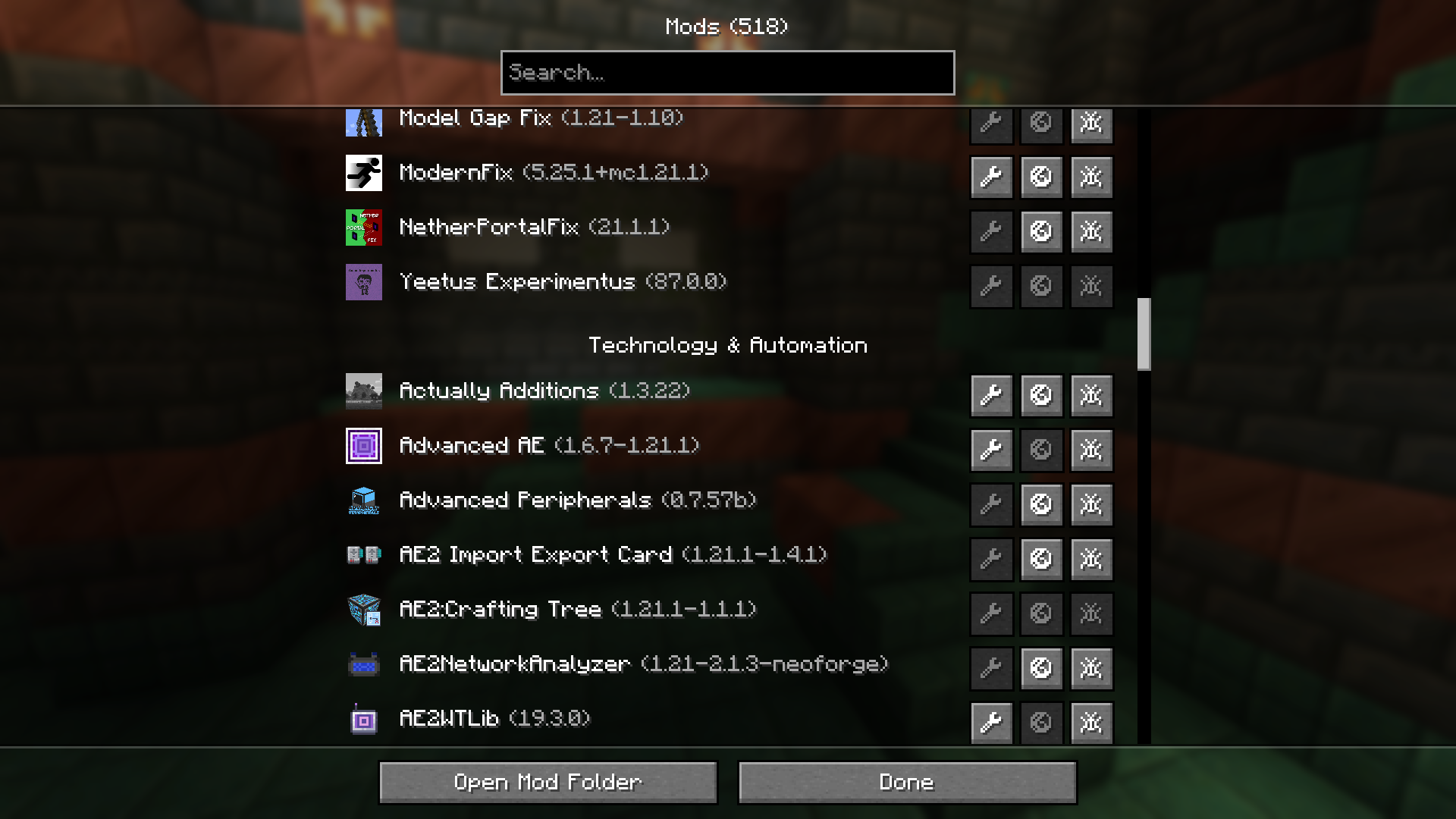
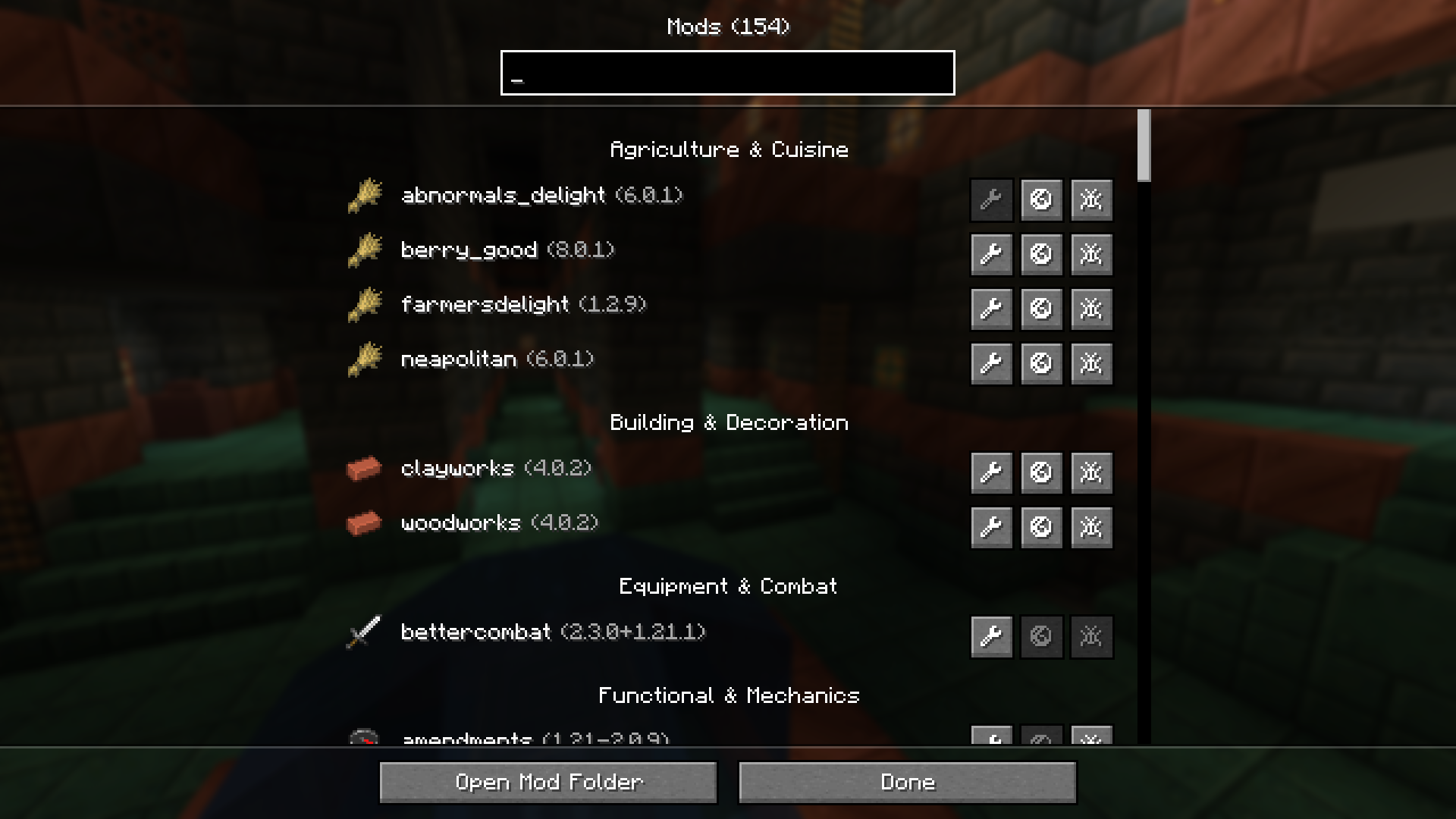
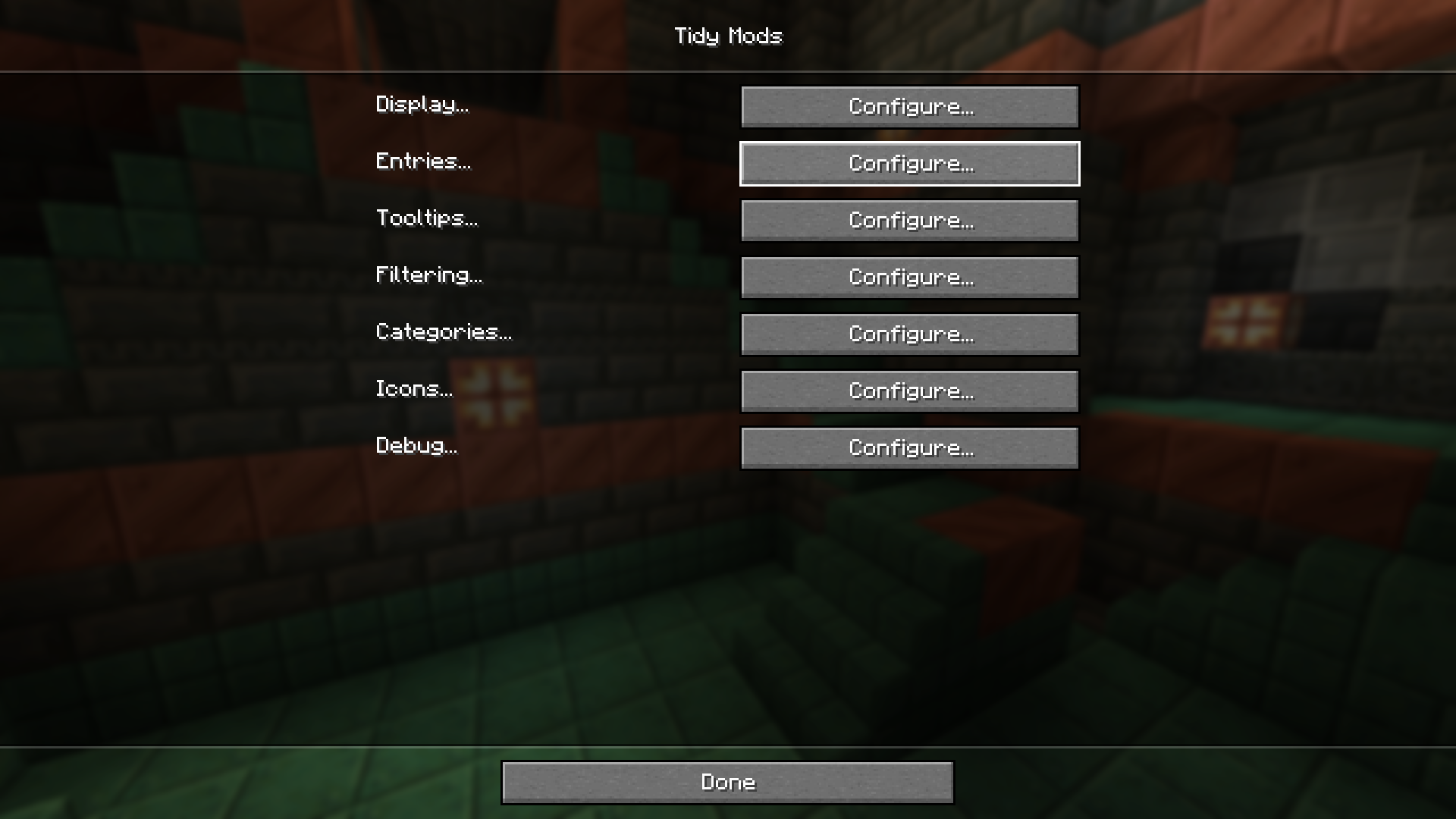
Tidy Mods is a replacement for the default mod list screen. Built for players and modpack developers alike, it offers a streamlined way to browse, organize, and manage installed mods.
🛠️ features
- category organization: Mods are grouped into categories like Technology, Magic, Utility, and more. Categories can be customized, and mods can be reassigned through config.
- category icons: Assign texture-based icons to categories for quick visual identification, or display each mod’s own icon.
- smart search: Find mods instantly by name, _@ID_, _#category_, _!author_ or _$license_ with inline autocomplete suggestions.
- filtering: Show only configurable mods or hide specific mods from the list entirely.
- quick actions: Open mod configs, websites, and issue trackers directly from each entry.
- configurable display: Control what appears in list entries and tooltips, including version, authors, description, and license.
- translatable: Override mod descriptions and category names via resource packs.
- live updates: All settings apply instantly without restarting the game.
- developer API: Mod developers can declare their category directly in the mod file.
- wide compatibility: Over 1000 mods are pre-categorized out of the box! Compatible with ATM10, FTB StoneBlock 4, BMC5, Craftoria and more…
🤝 contributions
Help expand compatibility by categorizing mods that aren’t covered yet:
- submit a pull request — Add missing mods to BuiltInCategories.java.
- notify mod authors — Let them know they can easily assign a category to their mod for native support.
Every contribution helps keep the mod list organized for everyone.
🔗 developer API
Add modCategory to your neoforge.mods.toml block:
[[mods]]
modId = "tidybinds"
displayName = "Tidy Binds"
modCategory = "utility"
This allows your mod to appear in the correct category without requiring users to configure anything. Replace utility with one of the available categories:
| Category | Name | Description |
|—————|——————————–|———————————————————————————————————————————————————|
| agriculture | Agriculture & Cuisine | Mods with a focus on growing, breeding, cooking, and consuming. |
| building | Building & Decoration | Mods that add blocks with no function other than aesthetics (furniture, roofs, windows). |
| equipment | Equipment & Combat | Mods focused on what the player wears or wields. This includes weapons, armor, and tools. |
| functional | Functional & Mechanics | Mods that add things with specific uses, mechanics or a variety of content across multiple categories without a single defining theme (vanilla+ mods). |
| library | Libraries, APIs & Integrations | Mods for other mods. |
| magic | Magic & Arcane | Mods involve mana, spells, rituals, altars, or nature-based progression systems that do not rely on standard electricity. |
| misc | Miscellaneous | Mods that do not fit into any of the listed categories. |
| mobs | Mobs & Entities | Mods that add or improve living things as their main feature. |
| storage | Storage & Logistics | Mods that increase inventory space or provide static places to put items. |
| system | System, Performance & Fixes | Mods that optimize the game code or fix bugs. |
| technology | Technology & Automation | Mods involve processing resources, generating power (RF/FE), moving fluids/items via pipes, automating tasks, or just redstone. |
| utility | Utilities, UI & QoL | Mods that change how you play the game, usually via the interface, controls, or information, without adding physical blocks/items. |
| worldgen | World Generation & Dimensions | Mods that change the terrain, add new biomes and structures to explore, or add entirely new dimensions. |
📝 credits
Icon from Fluent UI System Icons by Microsoft (MIT).
Inspired by Catalogue by MrCrayfish (MIT).
Found a bug? Open an issue on GitHub.
常见问题
Tidy Mods 支持哪些 Minecraft 版本?
Tidy Mods 支持 Minecraft Java 版 1.21.1,可用的加载器:NeoForge。下载时注意选择和你游戏版本一致的文件。
Tidy Mods 怎么安装?
先用 PCL2 或 HMCL 启动器安装对应版本的 NeoForge,再把下载的 .jar 文件放进游戏目录的 mods 文件夹,重新启动游戏即可。开启了版本隔离的,mods 文件夹在 versions/版本名 下面。运行环境:仅客户端。
333 的其他作品
查看全部 →
Tidy Binds
Combine keybinds, hide keybinds, override keybinds, move keybinds between categories, reorder the categories, and much more.

Patience
Adds crafting time to your workstations, transforming instant items into a deliberate process.

Purity was Shown
An addon for the Thirst was Taken mod that shows the purity of the water.

Supply
Automatically supplies (refills) items in your hand as you use them.
评论
登录后评论和评分