Third Person Camera
**Third Person Camera** makes Minecraft’s third-person view more immersive and intuitive by removing the always-on crosshair and replacing it with smart, customizable visual feedback and smooth, context-aware camera behavior.
介绍
✨ Third Person Camera
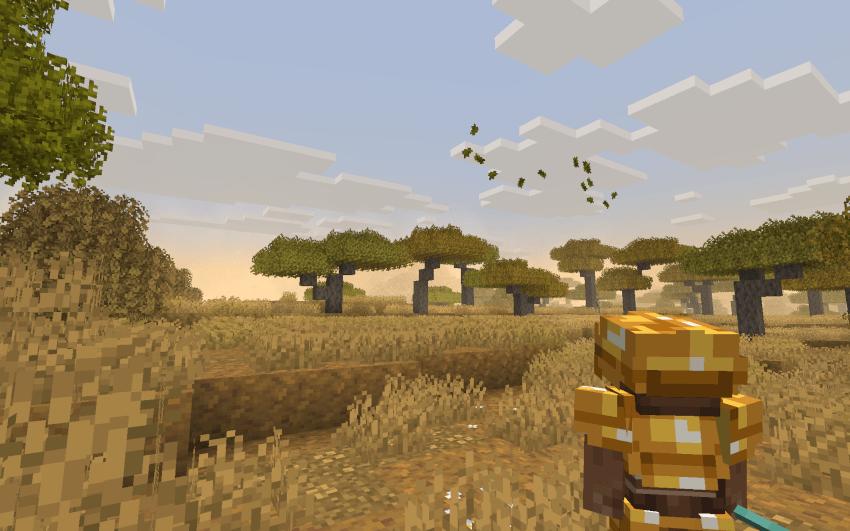
Third Person Camera reimagines third-person gameplay in Minecraft to feel natural, immersive, and smooth, without cluttering the screen or fighting player control.
Unlike most third-person camera mods, this mod does not rely on a permanent crosshair. Movement and interaction feel more intuitive—especially when entering doors, navigating tight spaces, or exploring interiors.
🎯 Crosshair Only When Needed
- No always-visible crosshair during normal gameplay
- Crosshair appears only when aiming is required, such as with throwable or aim-based weapons
- Keeps exploration clean and immersive while maintaining combat accuracy
🧱 Clear Interaction with Customizable Outlines
Instead of a permanent crosshair, the mod provides a built-in selection outline:
- Clearly shows which block the player is looking at
- Completely stable (no flicker or jitter)
- Fully customizable:
- Outline color
- Outline transparency
During combat:
- When you directly look at a mob, it receives a glowing outline, making it easy to identify your current target.
🧠 Smart Perspective Switching
- Automatically switches to first person in caves, enclosed areas, and structures for better visibility
- Manual perspective switching is always respected
- Perspective changes are smooth, avoiding sudden camera jumps
🎛️ Customization & Controls
The mod is highly customizable:
- Adjust camera offset to fit your playstyle
- Customize outline color and transparency
- Open the mod’s configuration menu using a customizable keybind
- Default key: O
- Can be changed from Minecraft’s Controls menu
✅ Why Third Person Camera Mod?
- Cleaner screen with less UI clutter
- More immersive third-person exploration
- Clear interaction and combat feedback
- Smooth, stable, and player-friendly camera behavior
常见问题
Third Person Camera 支持哪些 Minecraft 版本?
Third Person Camera 支持 Minecraft Java 版 1.21.1–1.21.11,共 2 个版本,可用的加载器:Fabric。下载时注意选择和你游戏版本一致的文件。
Third Person Camera 怎么安装?
先用 PCL2 或 HMCL 启动器安装对应版本的 Fabric,再把下载的 .jar 文件放进游戏目录的 mods 文件夹,重新启动游戏即可。开启了版本隔离的,mods 文件夹在 versions/版本名 下面。

评论
登录后评论和评分