
The Void Bag
Keep your inventory clean with ITEM, NBT and MOD filters plus an adjustable 1–32 block item magnet. Works from inventory or offhand, with builds for Forge, NeoForge and Fabric.
截图


介绍
Void Bag
Keep unwanted drops out of your inventory. Void Bag automatically destroys picked-up items that match your filters and can pull nearby drops toward you with an adjustable item magnet. Carry it in your inventory or offhand and configure it whenever you need.
Version 1.1.0 is available for Forge, NeoForge and Fabric. Choose the file for your exact Minecraft version and loader from the Files tab.
Features
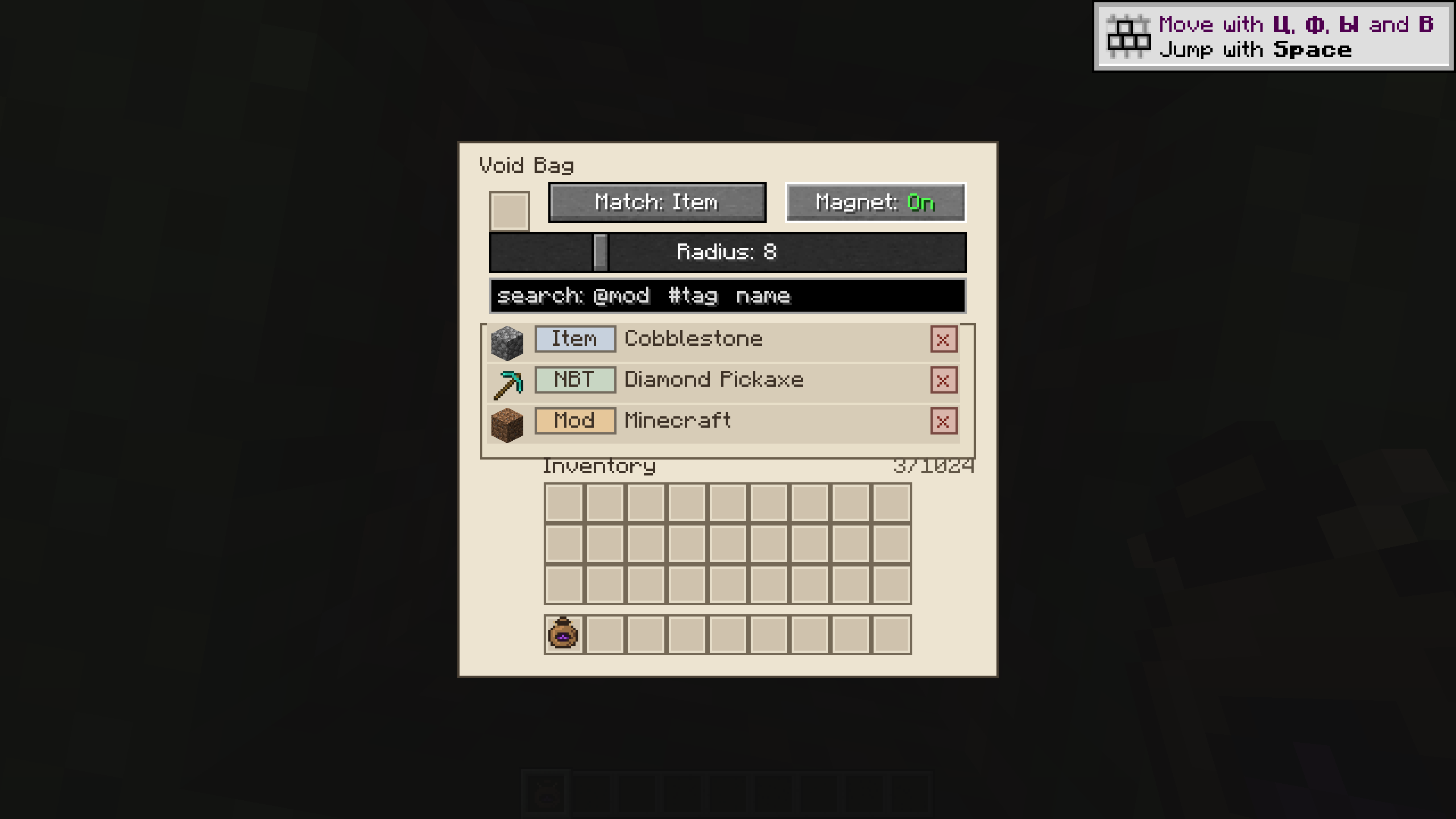
- Three filter types: ITEM matches the item type regardless of item data; NBT matches the item type and exact NBT/data components; MOD matches every item from the same mod namespace.
- Up to 1024 filters per bag. Filter samples are copied without consuming the original item.
- Independent controls: item destruction and the magnet can be enabled separately. Both are off on a new bag.
- Adjustable magnet: pulls nearby dropped items toward you within a radius of 1–32 blocks. Respects pickup delays and item ownership.
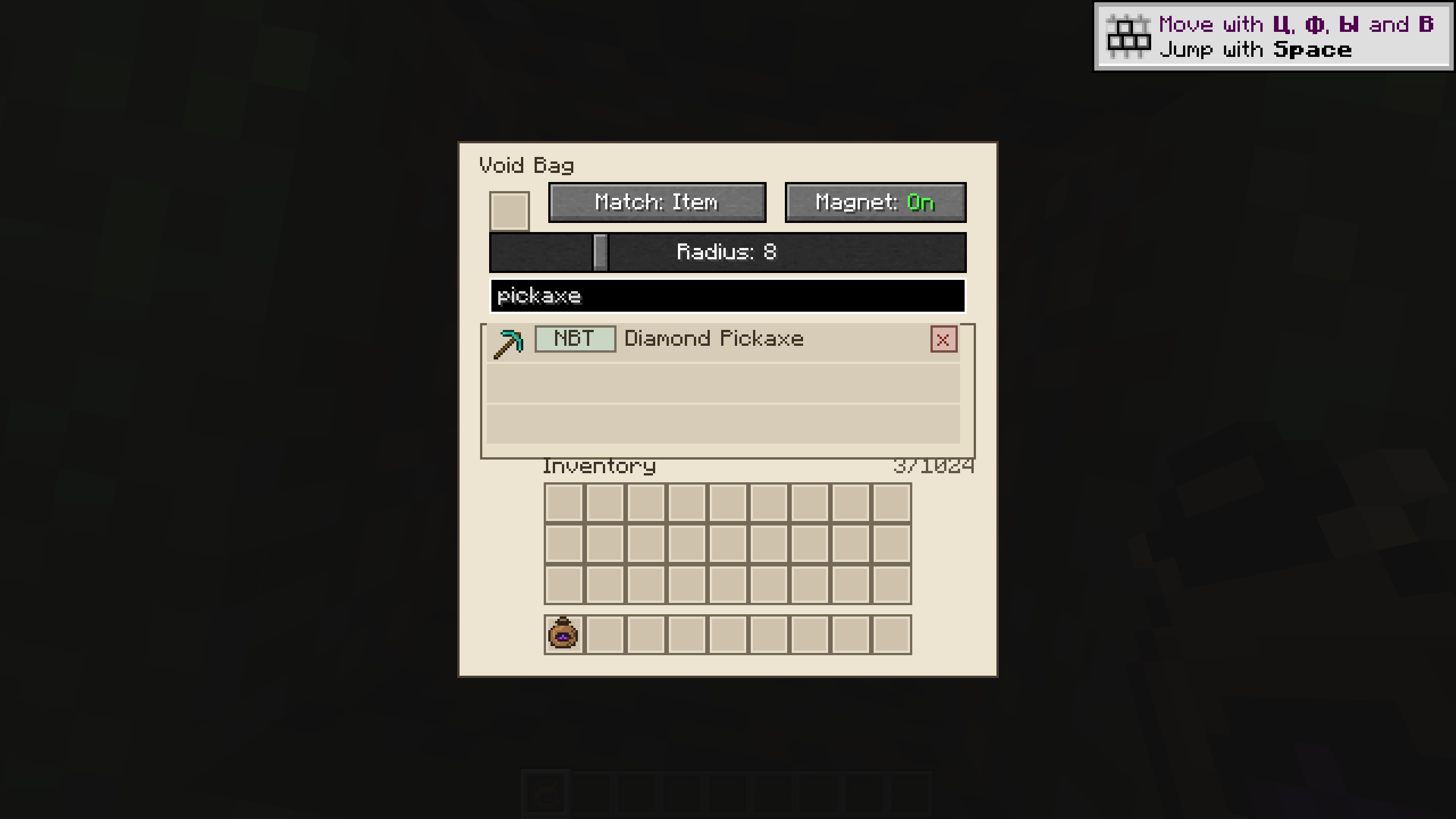
- Searchable filters: search by item name,
@modor#tag; combine conditions with spaces. Change a filter type or remove a rule directly from the list. - Inventory and offhand support. Settings and filter actions are validated and synchronized by the server.
- English and Russian translations.
How to use
- Right-click while holding the bag to open its settings.
- Pick up an item onto your inventory cursor, choose the filter type, and click the empty sample slot at the top. The sample is copied; your item is not consumed.
- Use the type button in a filter row to cycle ITEM → NBT → MOD. Use × to remove a filter. Duplicate rules are prevented. Void Bags cannot be added as filter samples.
- Sneak + right-click with the bag to toggle item destruction. When enabled, matching dropped items are destroyed before entering your inventory.
- Enable the magnet separately in the settings and adjust its radius with the slider.
Filtered items are permanently destroyed, not stored. Review your rules before enabling destruction, especially MOD filters that cover an entire mod. The bag works from your normal inventory and offhand; bags inside other inventories and Curios/Trinkets slots are not supported.
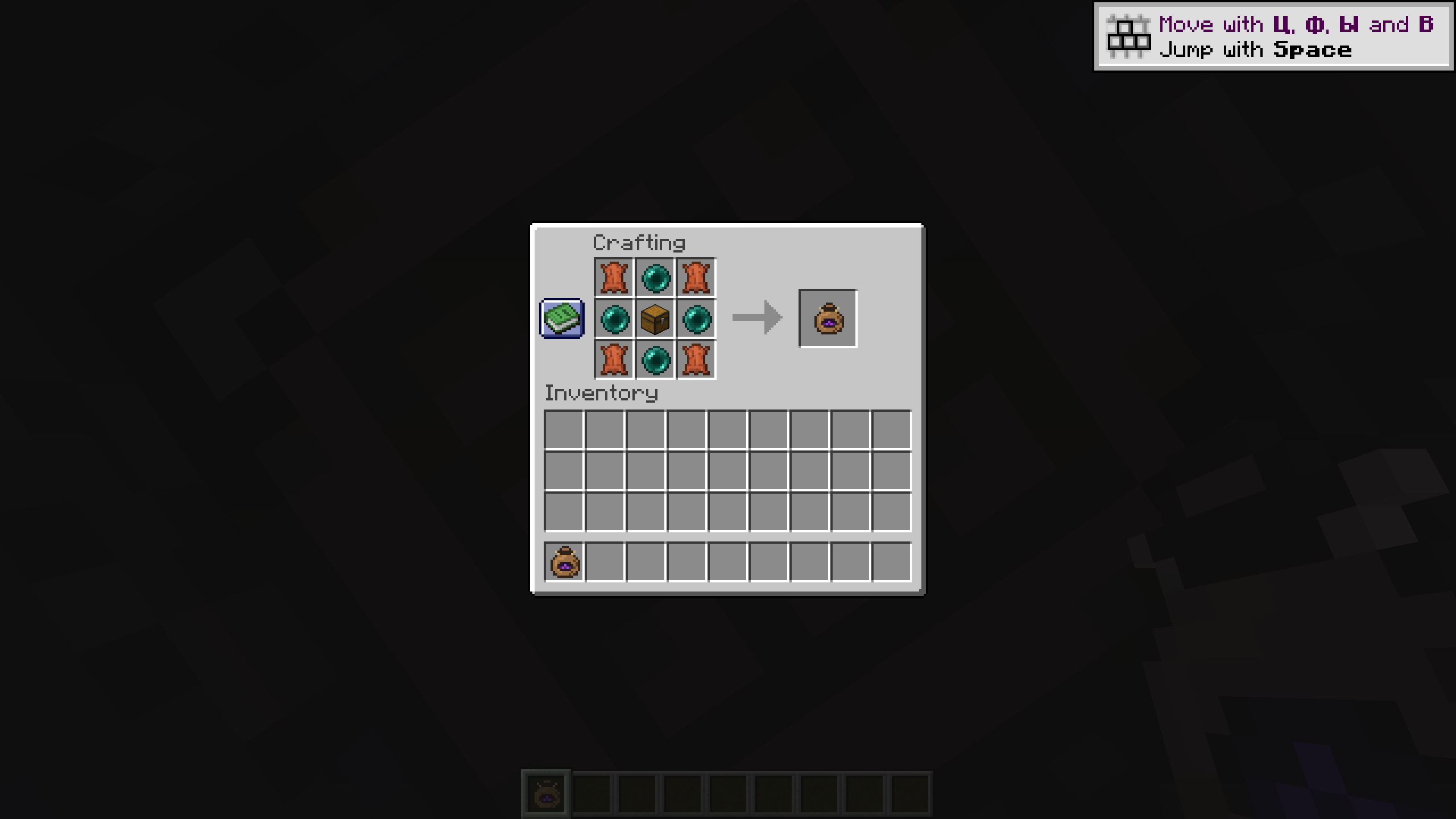
Crafting
| Pattern | Ingredient key |
|---|---|
| L E L | L = Leather |
| E C E | E = Ender Pearl |
| L E L | C = Chest |
Supported versions
| Minecraft | Forge | NeoForge | Fabric | Java |
|---|---|---|---|---|
| 1.18.2 | Yes | — | Yes | 17 |
| 1.19.2 | Yes | — | Yes | 17 |
| 1.20.1 | Yes | — | Yes | 17 |
| 1.20.4 | — | Yes | — | 17 |
| 1.21.1 | Yes | Yes | Yes | 21 |
These are ten separate builds. Support applies to the exact Minecraft versions and loaders listed above.
Installation
- Download one Void Bag JAR for your exact Minecraft version and mod loader.
- Place it in the
modsfolder. Install the same Void Bag version on both the client and server. - Fabric requires Fabric API for your Minecraft version. Forge and NeoForge builds need no additional mod dependencies.
What is new in 1.1.0?
- Consistent filters, settings and magnet behavior across all ten builds.
- Fixed filter removal and type changes while searching, and improved duplicate detection.
- Improved offhand handling and server synchronization. The open bag stays in its slot while you edit its settings.
- Improved filter matching, magnet searches and the filter screen layout; added complete Russian translations.
- Existing bag settings and filters, including older NBT formats, are preserved when updating within the same Minecraft version.
Updating within the same Minecraft version preserves existing bags. This is not a world converter between Minecraft versions or mod loaders.
Licensed under the MIT License.
常见问题
The Void Bag 支持哪些 Minecraft 版本?
The Void Bag 支持 Minecraft Java 版 1.18.2–1.21.1,共 5 个版本,可用的加载器:Fabric / Forge / NeoForge。下载时注意选择和你游戏版本一致的文件。
The Void Bag 怎么安装?
先用 PCL2 或 HMCL 启动器安装对应版本的 Fabric / Forge / NeoForge,再把下载的 .jar 文件放进游戏目录的 mods 文件夹,重新启动游戏即可。开启了版本隔离的,mods 文件夹在 versions/版本名 下面。
SleepySlime 的其他作品
查看全部 →
Void Blink Dagger
Craft offhand blink daggers: dash 13 blocks with R, then upgrade for two charges and fall protection. Forge, Fabric and NeoForge.
Ender Courier
Carry a pixel donkey courier with upgradeable storage and send its entire cargo to a bound chest for one Ender Pearl.
评论
登录后评论和评分