
The Ottoman Empire
The Ottoman Empire mod introduces historical Eastern medieval armor sets, custom 3D helmets, and cultural headwear to Minecraft, designed to enhance historical roleplay and survival gear progression.
截图
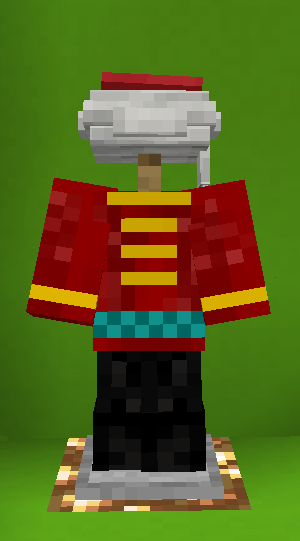
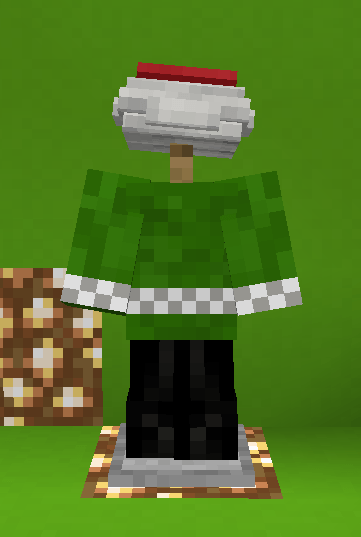
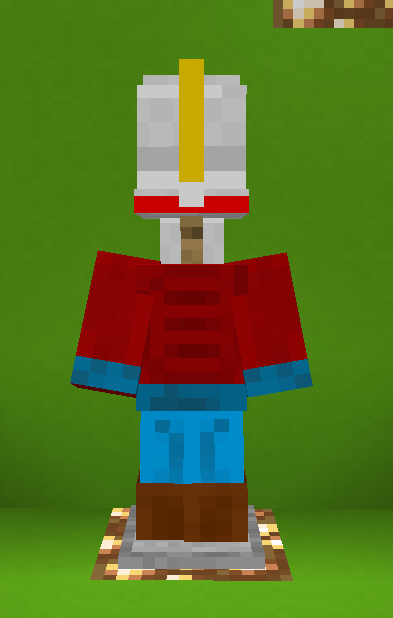
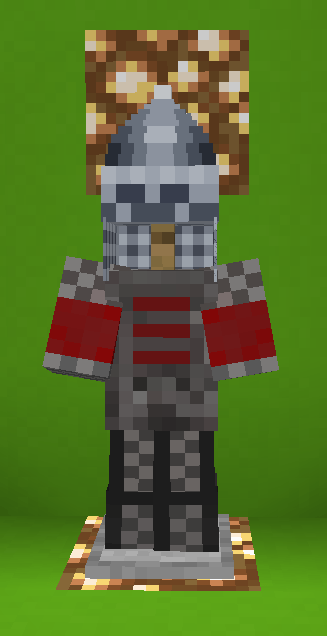
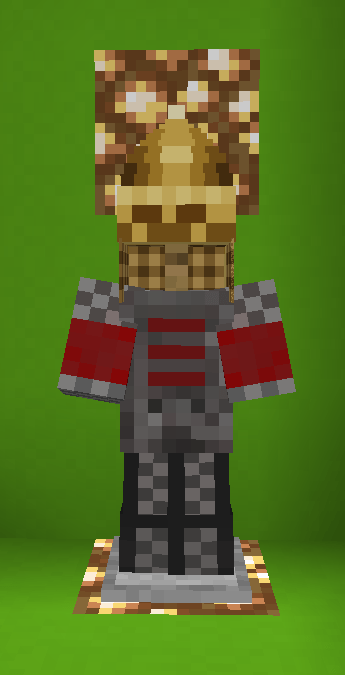
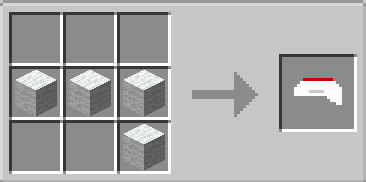
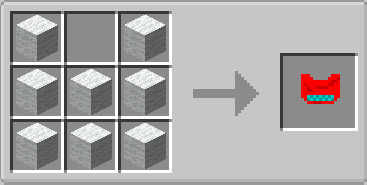
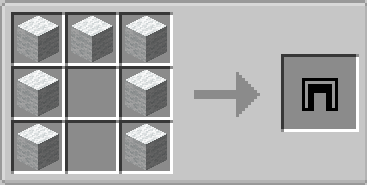
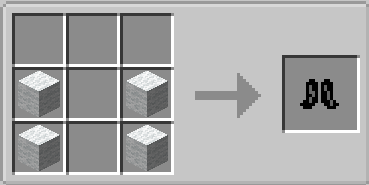
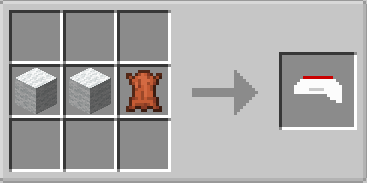
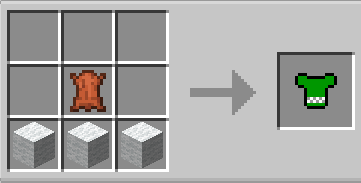
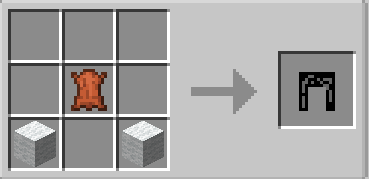
介绍
🛡️ The Ottoman Empire
“The Ottoman Empire” is a historical expansion mod that brings authentic Eastern medieval equipment, armor sets, and cultural headwear directly into your Minecraft world.
Designed with historical accuracy and custom 3D models in mind, this project allows players to immerse themselves in medieval historical roleplay and classic Eastern warfare.
—
⚔️ Key Features
Historically Accurate Armor Sets: Equip custom-crafted armor sets inspired by historical Ilkhanate and Ottoman warriors, including detailed helmets, chestpieces, and iron lamellar designs.
Traditional Headwear: Features authentic 3D headpieces, turban variants, and warrior caps (such as Sultan/Ottoman turbans and Ilkhanate helmets) with unique pixel shading.
Custom Crafting Recipes: Seamlessly integrate historical gear into your survival gameplay with balanced vanilla-friendly crafting recipes.
Visual & Roleplay Enhancement: Transform your character’s appearance for medieval server events, historical roleplay, or custom single-player adventures.
— 🎮 How It Enhances Your Gameplay
Immersive Historical Roleplay: Stand out on multiplayer servers or roleplay worlds with authentic medieval faction gear.
RPG Style Progression: Craft heavy historical armor and helmets to enhance both your combat aesthetics and defense capabilities.
Evolving Content: Currently in active Beta development! Future updates will expand the armory with new Ottoman armor sets, iconic weapons, cannons, and decorative blocks.
—
> Note: This mod is actively updated. Feedback and suggestions for historical armor designs are always welcome!
常见问题
The Ottoman Empire 支持哪些 Minecraft 版本?
The Ottoman Empire 支持 Minecraft Java 版 1.20.1,可用的加载器:Forge。下载时注意选择和你游戏版本一致的文件。
The Ottoman Empire 怎么安装?
先用 PCL2 或 HMCL 启动器安装对应版本的 Forge,再把下载的 .jar 文件放进游戏目录的 mods 文件夹,重新启动游戏即可。开启了版本隔离的,mods 文件夹在 versions/版本名 下面。

评论
登录后评论和评分